How to protect your WordPress site using PHP Firewall plugin
This article explains how you can protect your WordPress site from attacks using my PHP Firewall WordPress plugin version 1.0.8.
This plugin is a commercial plugin, with one time fee, that it’s absolute worth it. It is not available as free plugin lite in WordPress.org. Only in my Software store. It is also available as PHP Firewall Drupal module.
Once you install the plugin, you click in Enable protection and the Firewall will start to detect attempts to find exploits in your server automatically, and will block the offending IPs.
If you Enable count of blocked requests you’ll see than in few minutes, the Firewall has blocked hundreds of attempts.
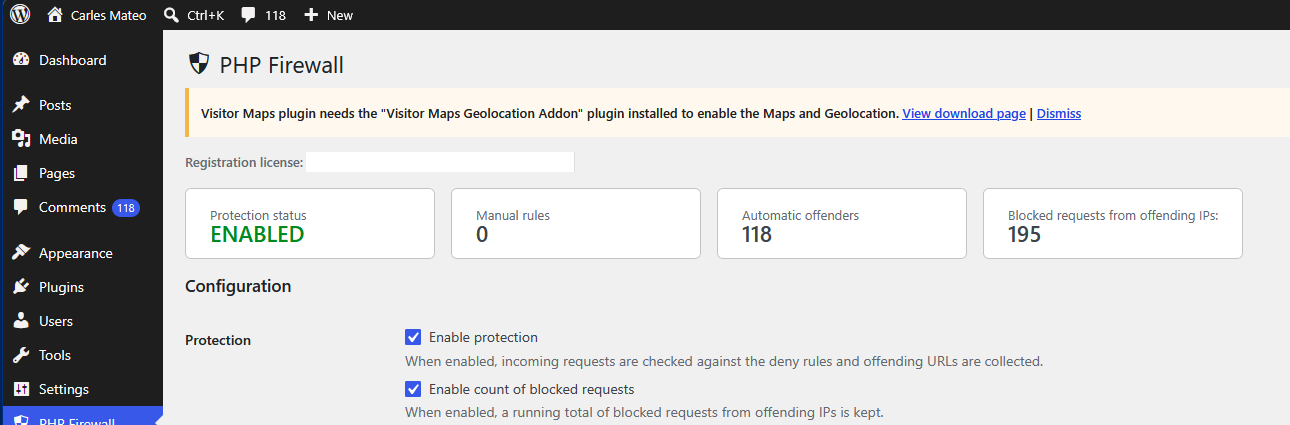
In this example, I activated the protection, and after some time it has automatically detected and blocked 118 offending IP Addresses, and has blocked 195 malevolent requests.
In 36 hours the number of blocked requests will get to thousands:

Enabling the count of blocked requests makes a small update in the database to increment the counter, it’s a very lightweight operation, but it is worth it to get an idea of how many malevolent requests the software is blocking. You can enable it for an hour, see how many bad requests you get, and disable it if you want.
Once you activate the protection you will start to see IP Addresses that have been blocked because they attempted a known exploit, and the IPs have been added to the list of Automatic offenders.
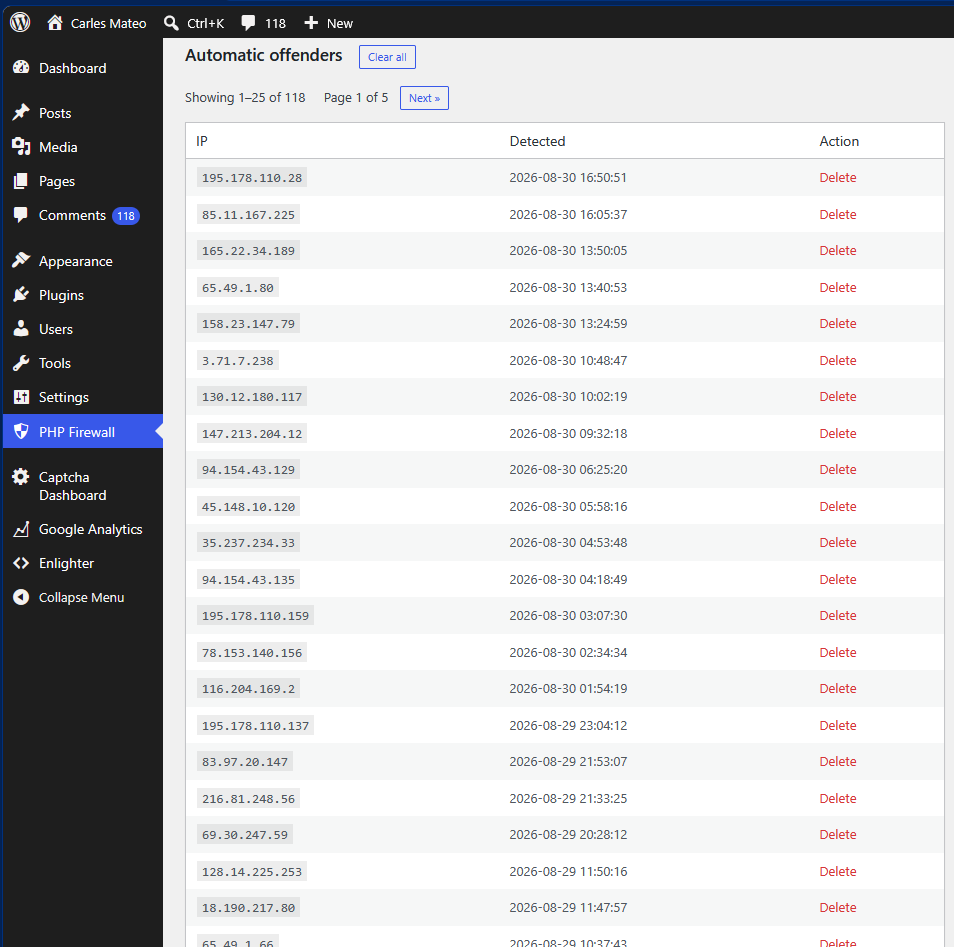
This function is known as WAF or Web Application Firewall.
Once an IP is detected as offender, it will get a 403 Forbidden answer from the Server immediately, and the precious resources from the server will be saved (CPU, Memory, Internet bandwidth).
If you want, you can delete the IP from the list to allow it access again (for example, if a colleague was doing a test).
As you see, you will get many IP from attackers blocked in a short window of time.
The reality is that bots are trying exploits against random IP Addresses all the times, and some times your server will go very slow because of all those bots trying to hack into your server, and your visitors will experience slow loading pages or even the server may crash due to all these bots activity. Also, depending on your Cloud provider, you may be paying for Internet Outgoing traffic that is consumed by bots.
So this plugin is a must have, in my opinion as Engineer. That’s why I created it. Because many people was asking for help.
But there are other types of abuse. For example, malicious bots will try to get access to your blog by doing requests with random passwords to wp-login.php every second.
The Firewall cannot block this route by default because is the route that legit users use to login to WordPress. But we have functionalities in the plugin to deal with these attacks (without having to analyse the web server logs, which is a task that System Administrators and Site Reliability Engineers do).
Activate Enable log of non blocked requests for analysis

This will record every allowed request (not the blocked ones), so we can analyse them.
Just scroll down, to Latest requests
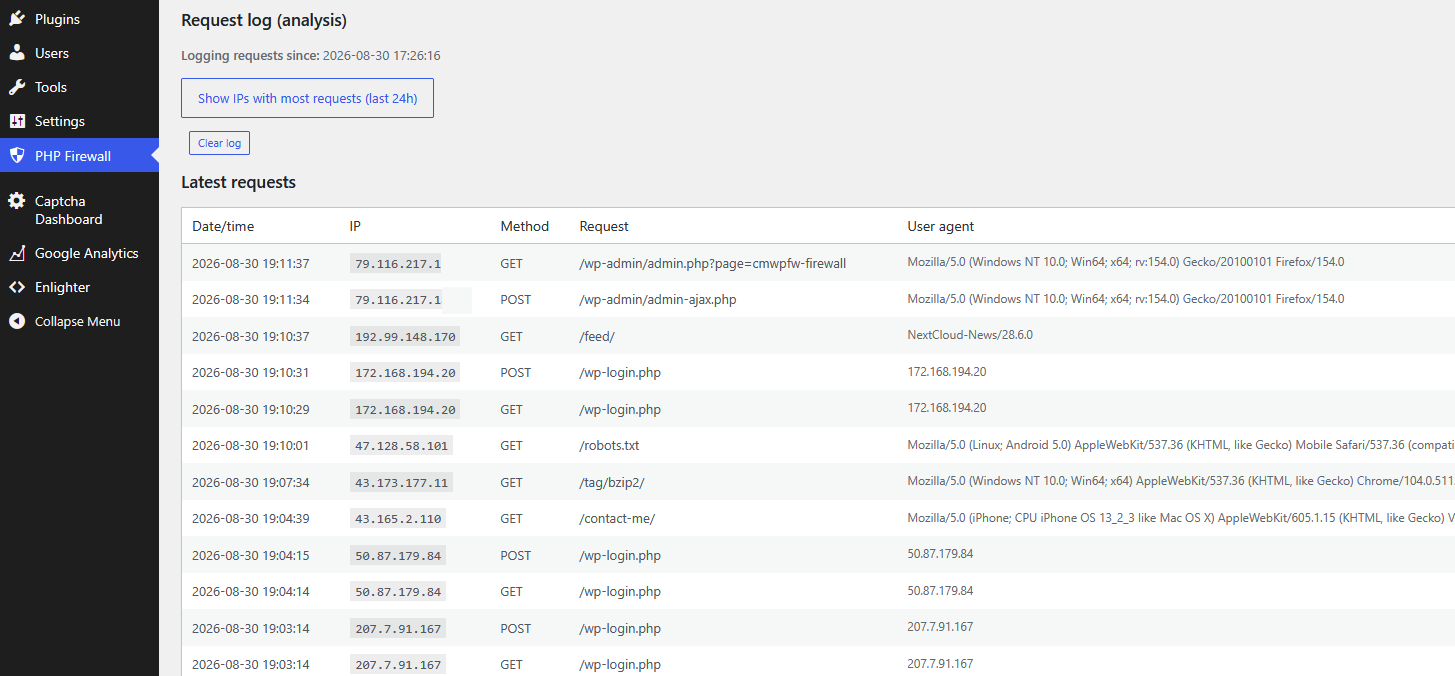
As you can see there are IP Addresses that did a POST to /wp-login.php
That means that attempted to login in your site. So, they tried a password to hack your WordPress site.
Those IP Addresses are attempting to login every second or every two seconds.
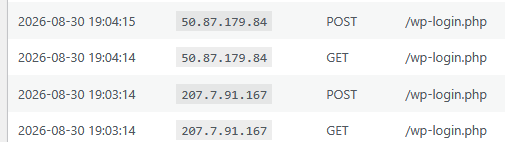
These kind of attacks are not only bad, as they can get access to your site, they can also degrade the health of your database.
You can investigate where these IP’s come from doing a Whois search, or asking Google: whois 50.87.179.84
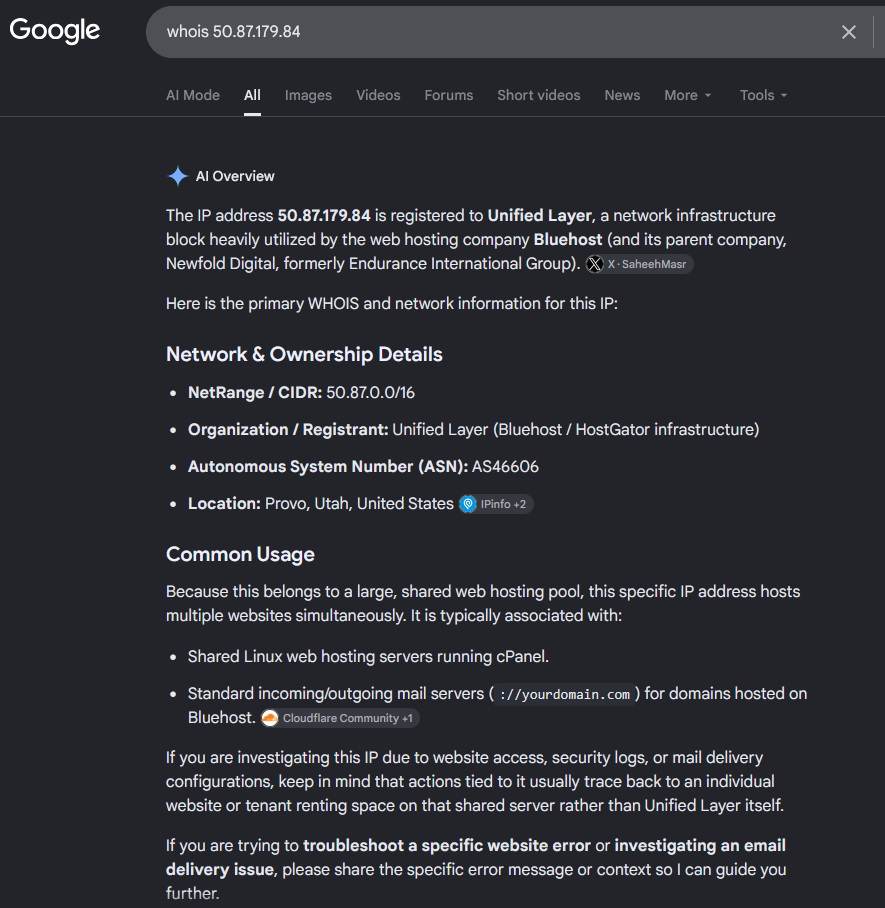
So, it’s a hosting from Bluehost / HostGator, a Cloud Provider. Servers from Cloud providers are typically hacked to try to hack other servers.
You can block the IP directly in the PHP Firewall using the custom rules, or as you can see in the information provider, this Cloud Provider has a NetRange / CIDR of 50.87.0.0/16.
A block /16 comprises 65,536 IP Addresses, so you’ll probably get attacks from many different IP’s in from that block. Instead of blocking just the IP that attacked your site, my approach is to block all the IP’s from that block.
So we add to Manual IP deny rules the block:
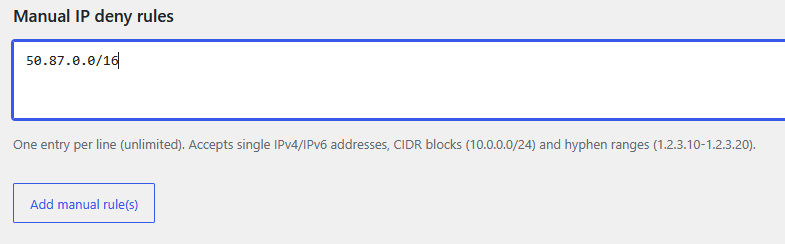
The reasoning about blocking all the 65,536 IP Addresses from the Cloud provider is that your WordPress site is probably a site for humans. You want humans to read your blog posts, or if it’s an e-Commerce site, you want to sell to humans. You don’t want bots to use the resources of your server or to try to hack your server. So blocking Cloud Provider’s IP ranges, seems like a good strategy.
If you are one of the few WordPress sites with third party integrations that need to be reached from Cloud providers, you can avoid denying those blocks of IP Addresses that your partners use.
We investigate the other IP:
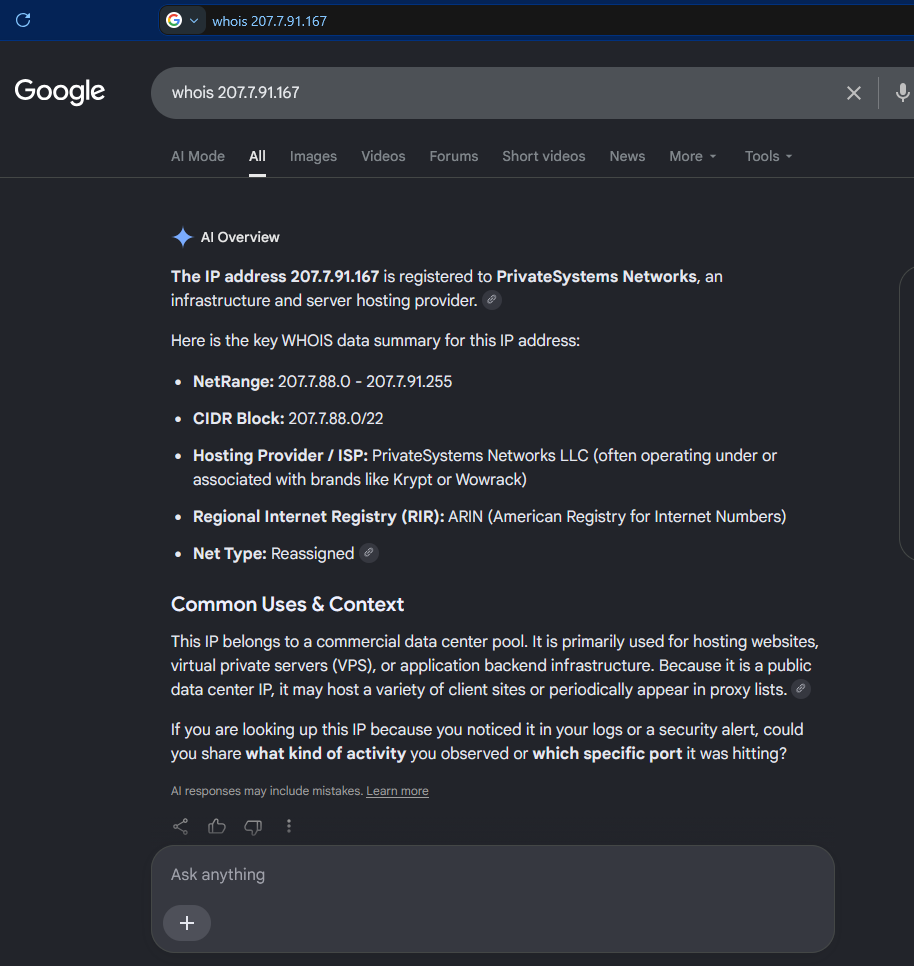
And it’s the same case, so we also block the CIDR Block in the PHP Firewall.
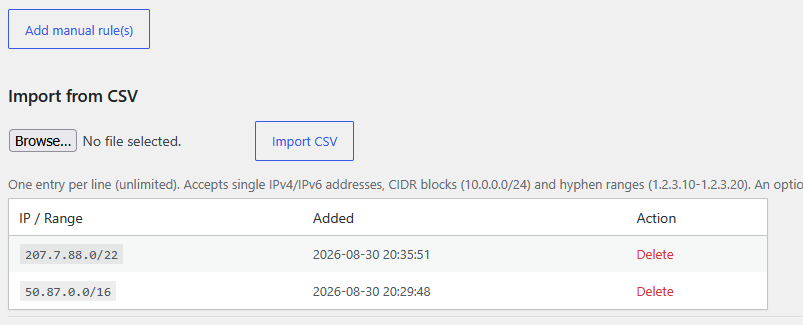
A /22 block comprises 1,024 IP Addresses. So, with two lines in our firewall we have blocked potential malicious requests from 66,560 IP Addresses.
Obviously we cannot analize all the requests we get, but Firewall PHP plugin provides a very useful tool that will display the IP Addresses that did more request to our server in the last 24 hours.
Just click on Show IPs with most requests (last 24h)
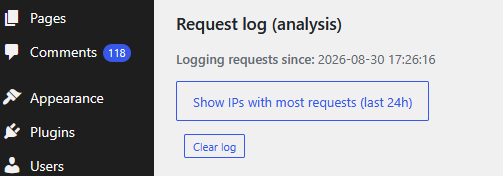
The top 50 IP Addresses that performed more requests are displayed:
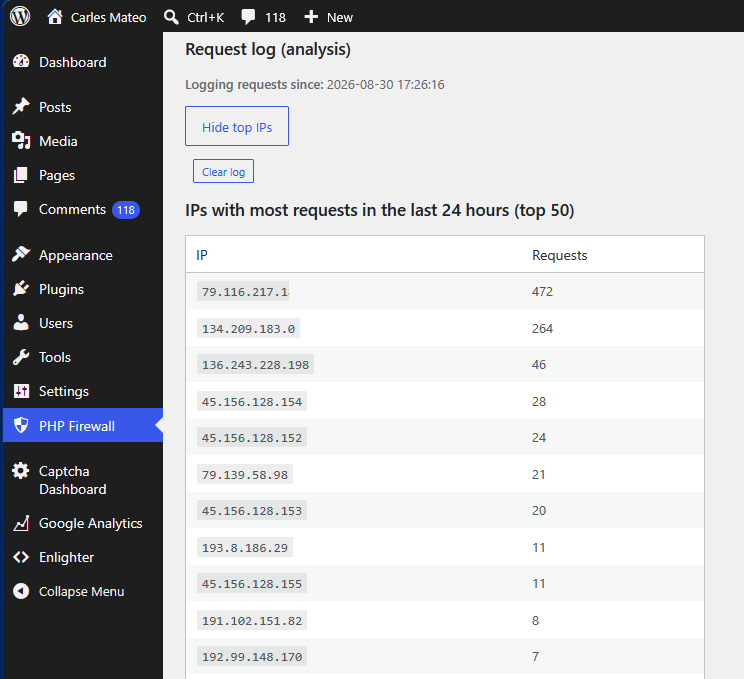
In this case, the first IP Address belongs to my own IP Address. Which makes sense because WordPress opened in the browser keeps doing requests to the server.
As I activated the log at 17:26:16 and it’s 21:44:10 in around 4 hours and 15 minutes I got an IP Addresses that did 264 requests.
The IP 134.209.183.0 has performed 264 requests that went through.
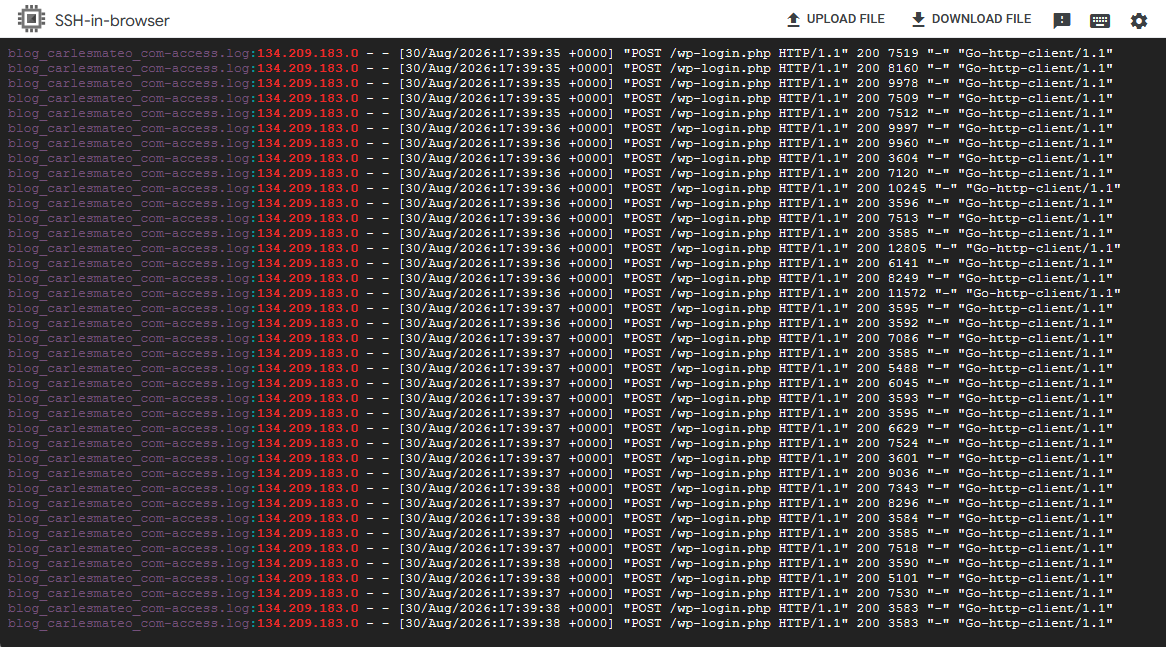
If I check the logs of the server I see that it was attempting to hack the server (trying user/password on wp-login.php)
grep "134.209.183.0" *.log
As you can see, this IP was requesting 12 requests per second trying to hack into /wp-login.php
And if we do the whois of this IP Address, it belongs to Digital Ocean:
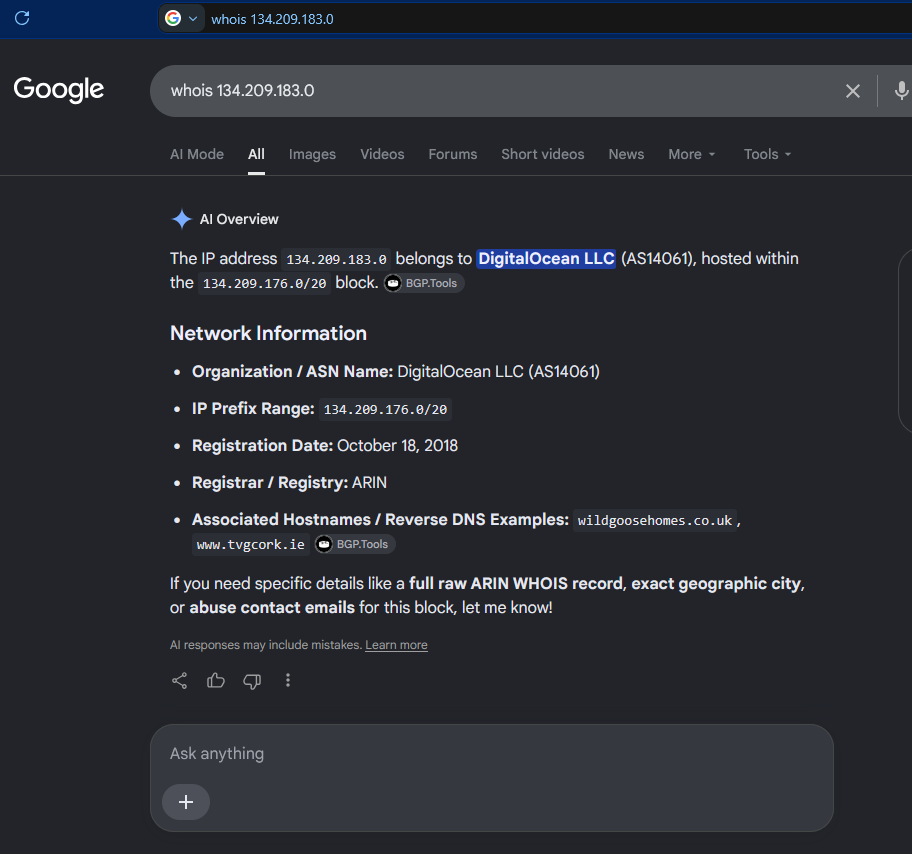
So we block the entire block 134.209.176.0/20 in the PHP Firewall.
Now the server will block any request from the 4,096 in that block range and will not spend time and resources that are intended for your human visitors.
Most of the attacks come from Cloud providers. Normally are servers that got hacked, and they used those servers to try to hack other servers.
PHP Firewall provides great help in protecting your sites, specially if you don’t have a dedicated team of System Engineers that check the logs regularly, and block the offending IP Addresses in the firewalls.
After 12 hours we see more IP Addresses that made thousands of requests:
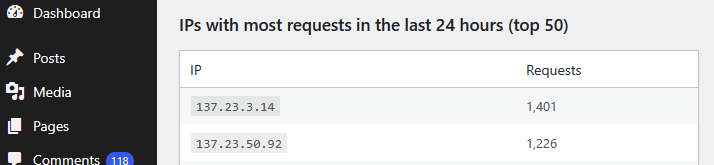
According to google those IP Addresses belong to Oracle Cloud:
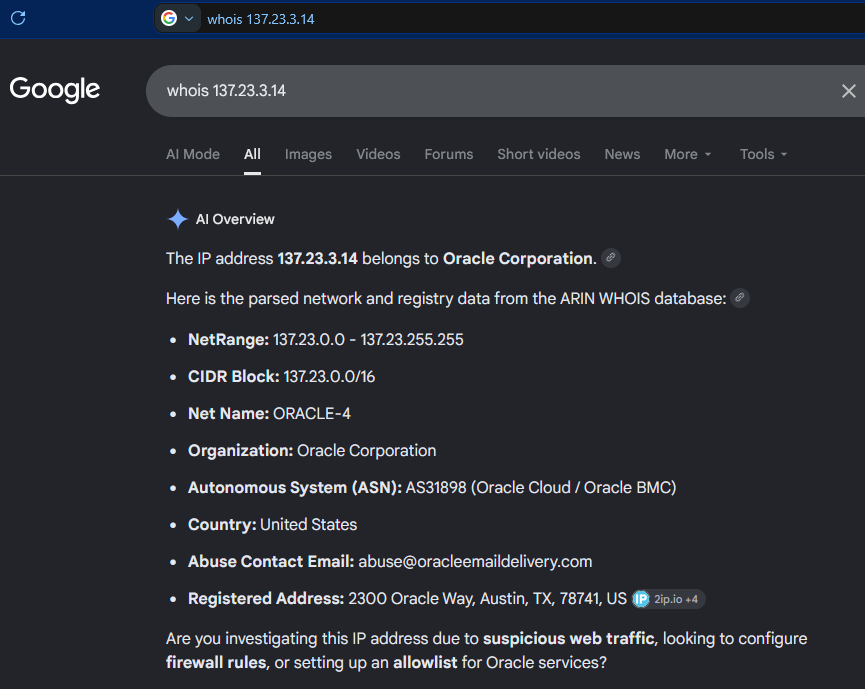
So, we block the CIDR Block: 137.23.0.0/16 (which will block the two offending IP Addresses, as they form part of that block)
In the latest requests we can see how are new IP Addresses scanning for authors in order to try to attempt logins:
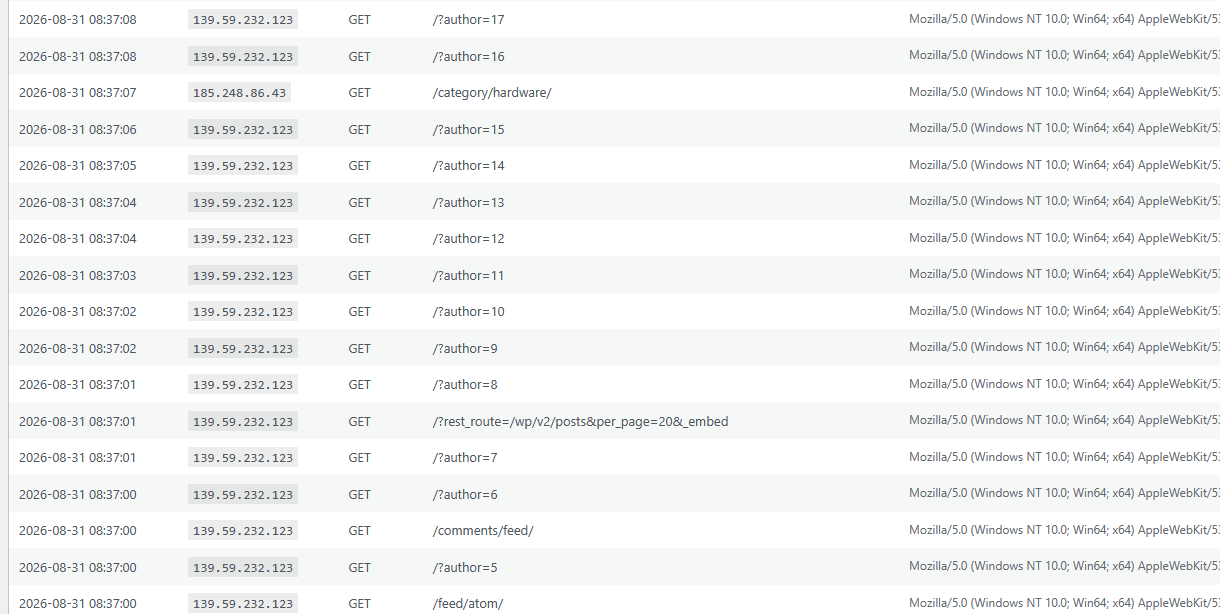
As you can see this IP Address is doing 10 requests in the same second trying passwords (POST to /wp-login.php) in order to attempt to hack the WordPress site.
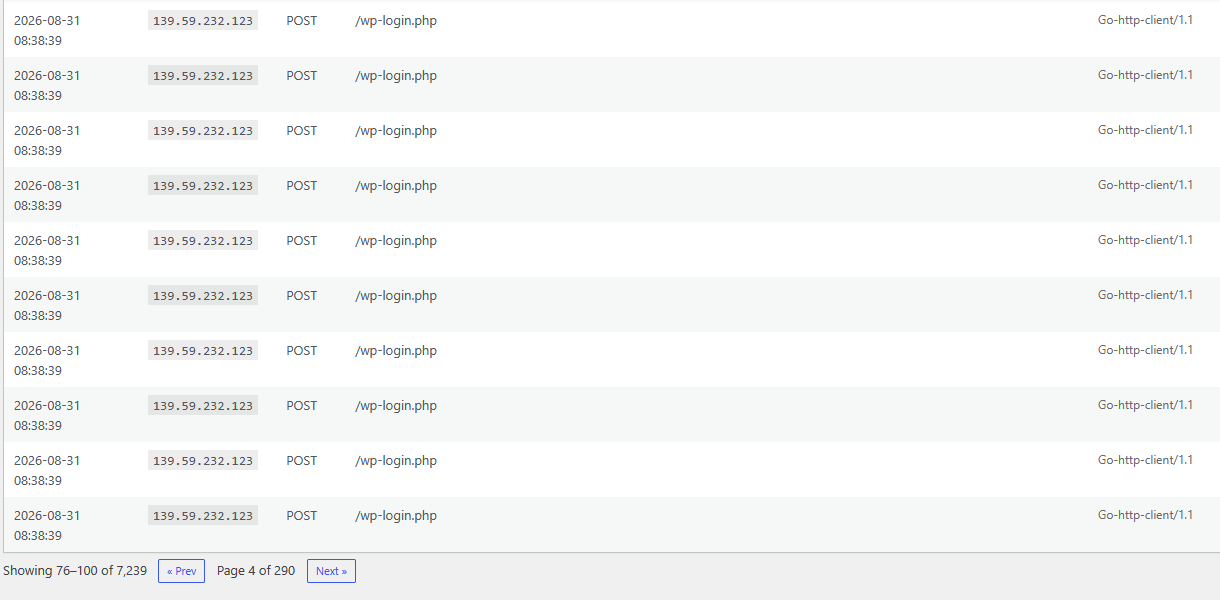
We do a whois search to see who is the owner of that IP Address:
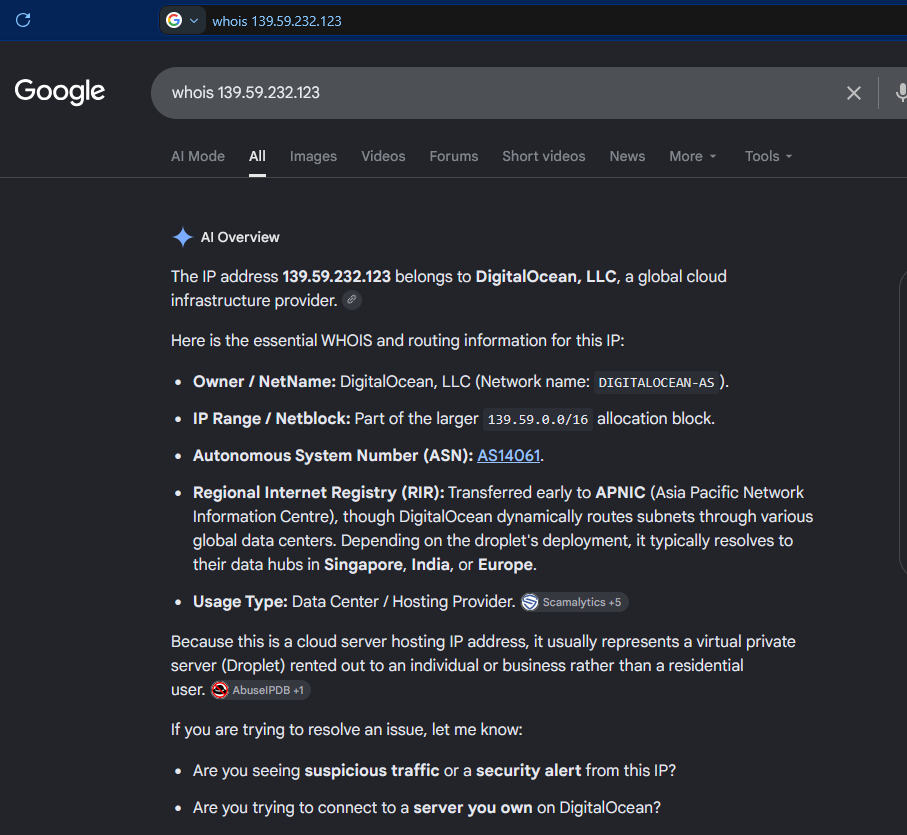
Is from DigitalOcean, the Cloud Provider. We block all the Netblock 139.59.0.0/16
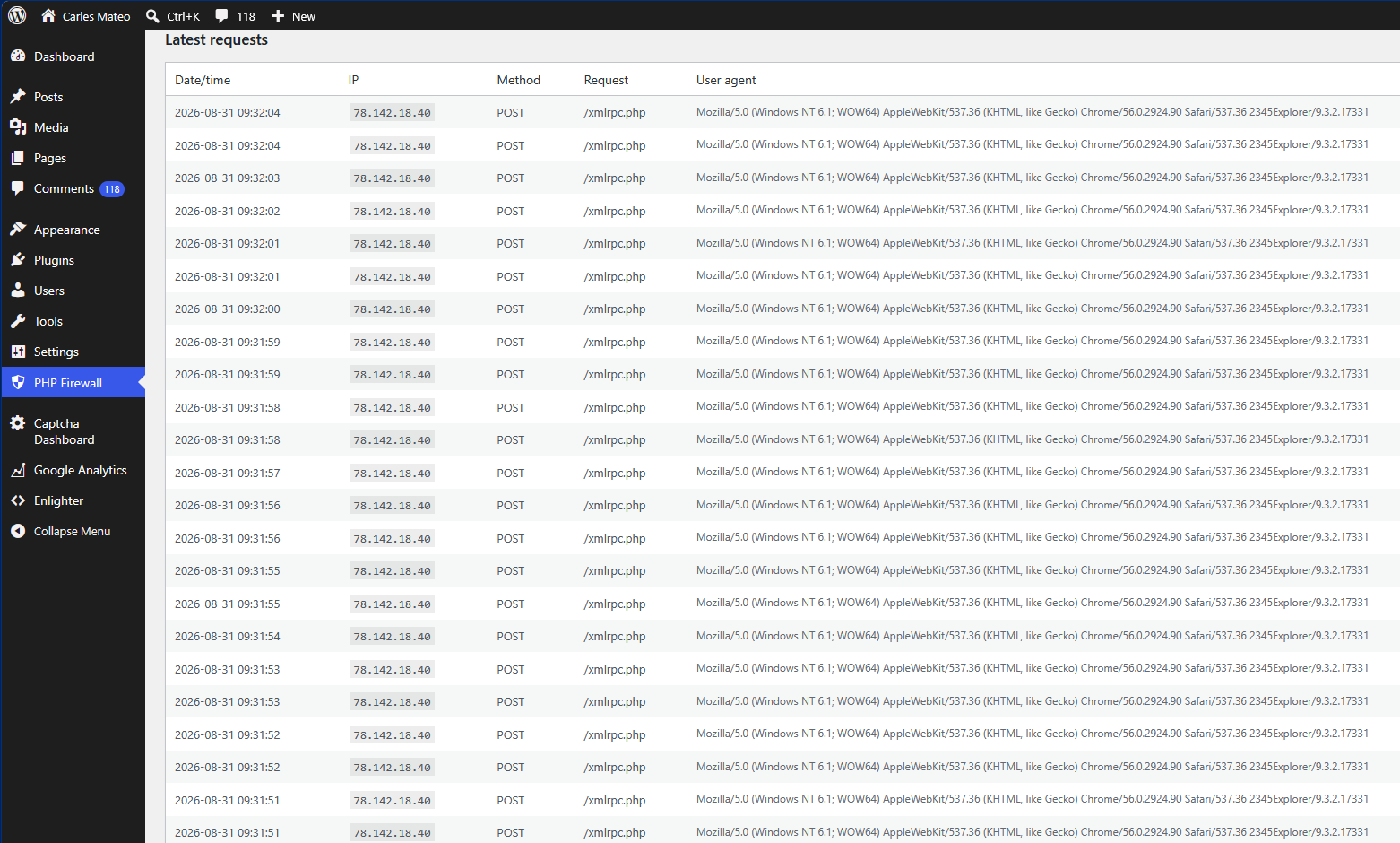
We see a new IP attacking the server, it is attempting two connections per second POST to /xmlrpc.php which tries to perform actions on the site. xmlrpc.php is a legit mechanism from WordPress, for example to register pingbacks, so it is not blocked by default. But hackers use xmlrpc.php to try thousands of passwords at once without passing by the login screen.
If you do not use older mobile apps or specific remote publishing tools that rely on it you sholud block xmlrpc.php
The whois shows that many attacks come from this provider:
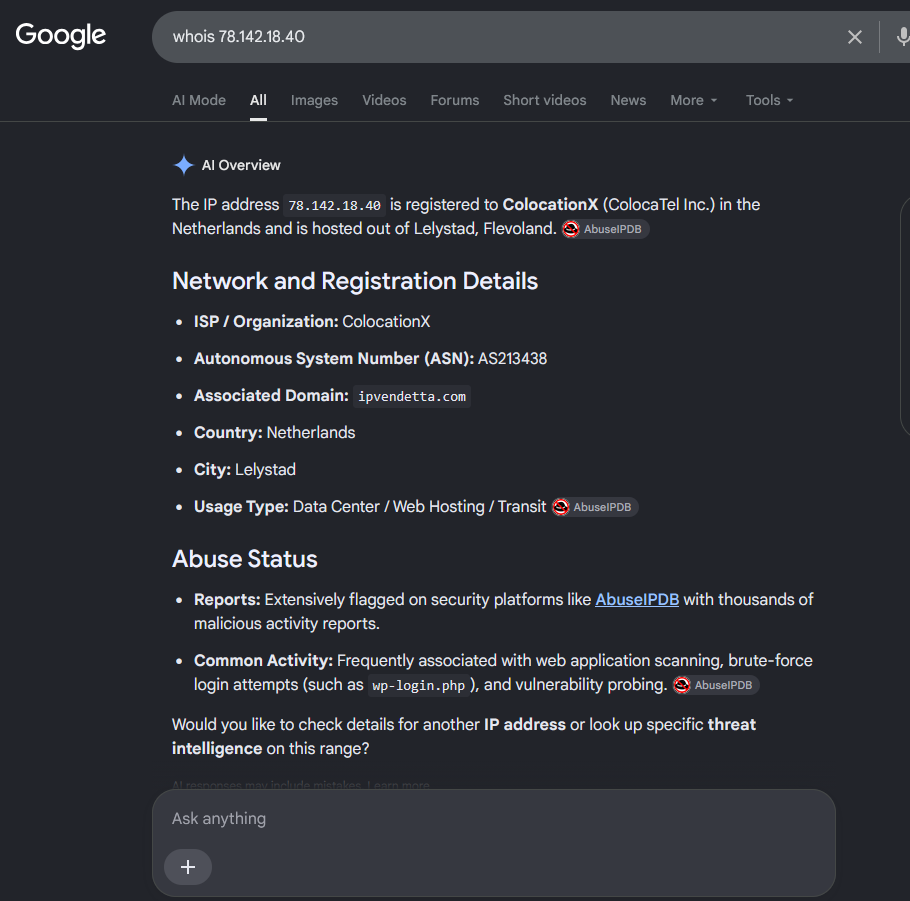
The site AbuseIPDB flags that IP as an attacker with more than 5,000 reports: https://www.abuseipdb.com/check/78.142.18.40
We can block the 256 IP Addresses of the class C, so: 78.142.18.0/24
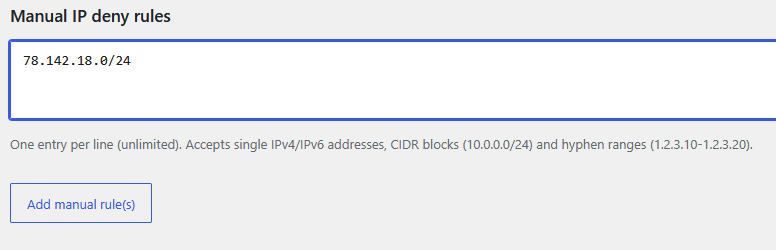
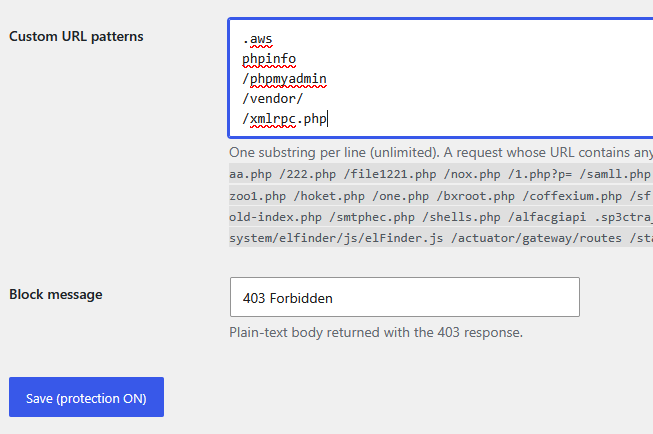
We will also block the requests to /xmlrpc.php using Custom URL patterns:
Later, we see that there are more IPs attacking trying to abuse wp-login.php so we will block them:
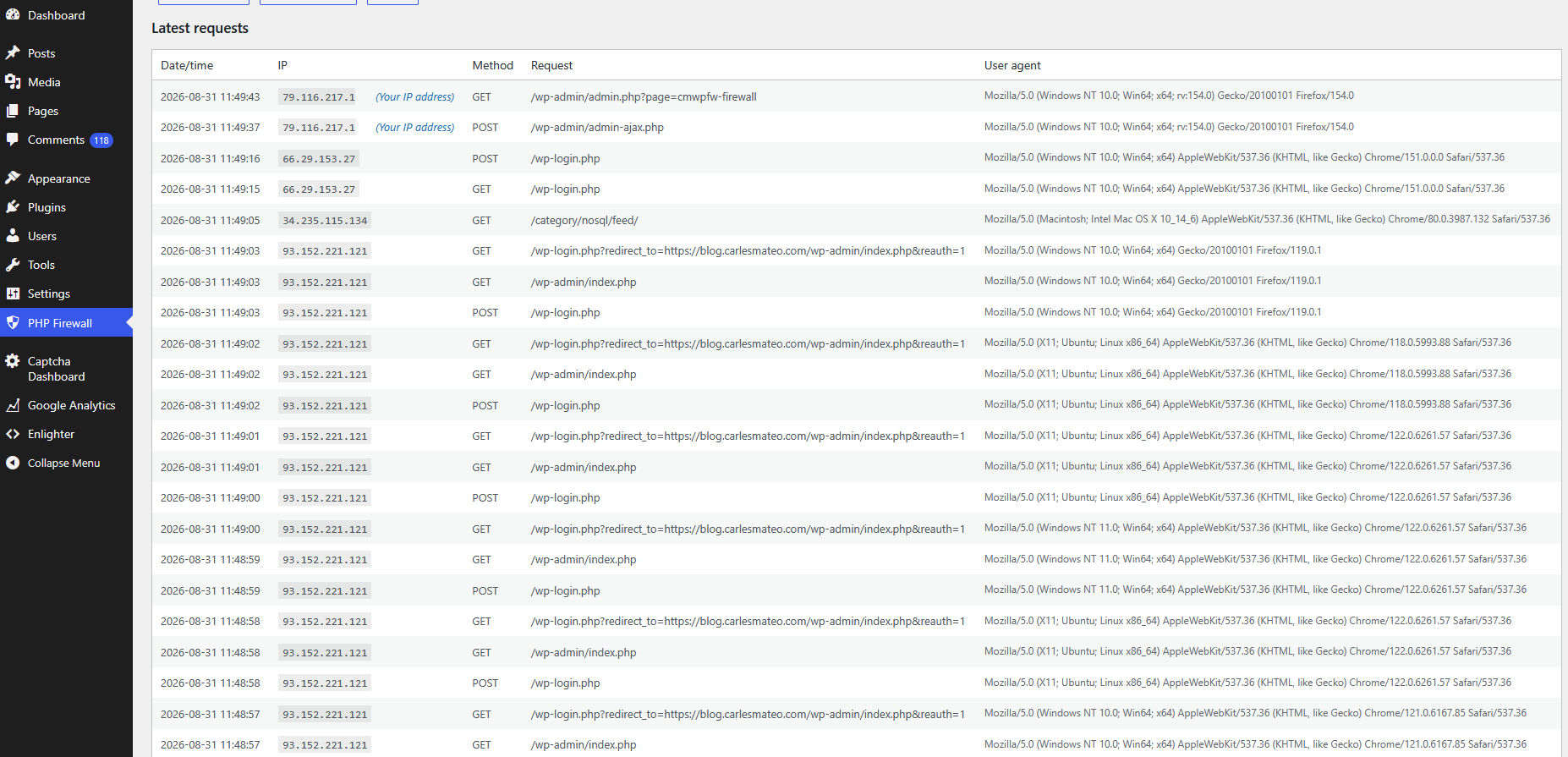
We check the IP that is doing so many attempts to hack requesting wp-login.php
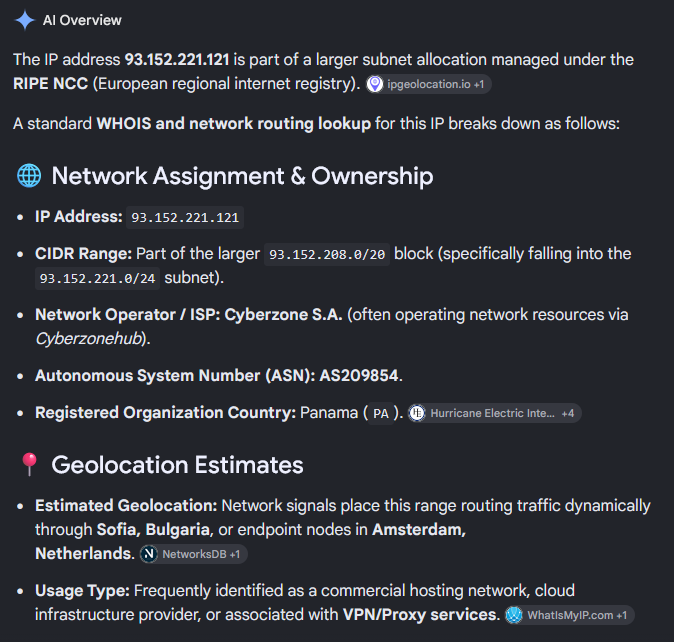
And all the range has been flagged for automated malicious activity and brute-force attempts
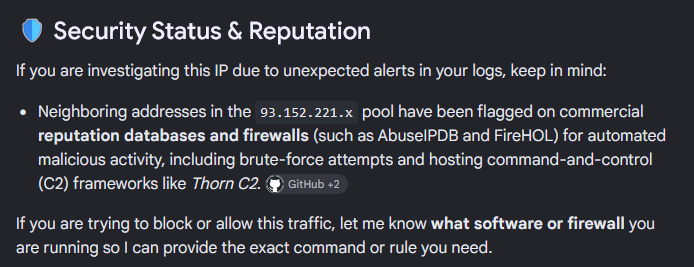
So we block all the 256 IP (class C) 93.152.221.0/24.
Two days later I check the IPs doing more requests:
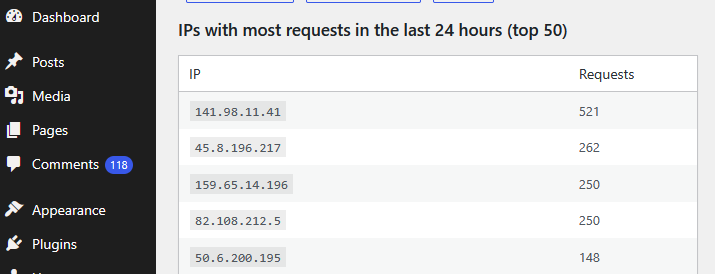
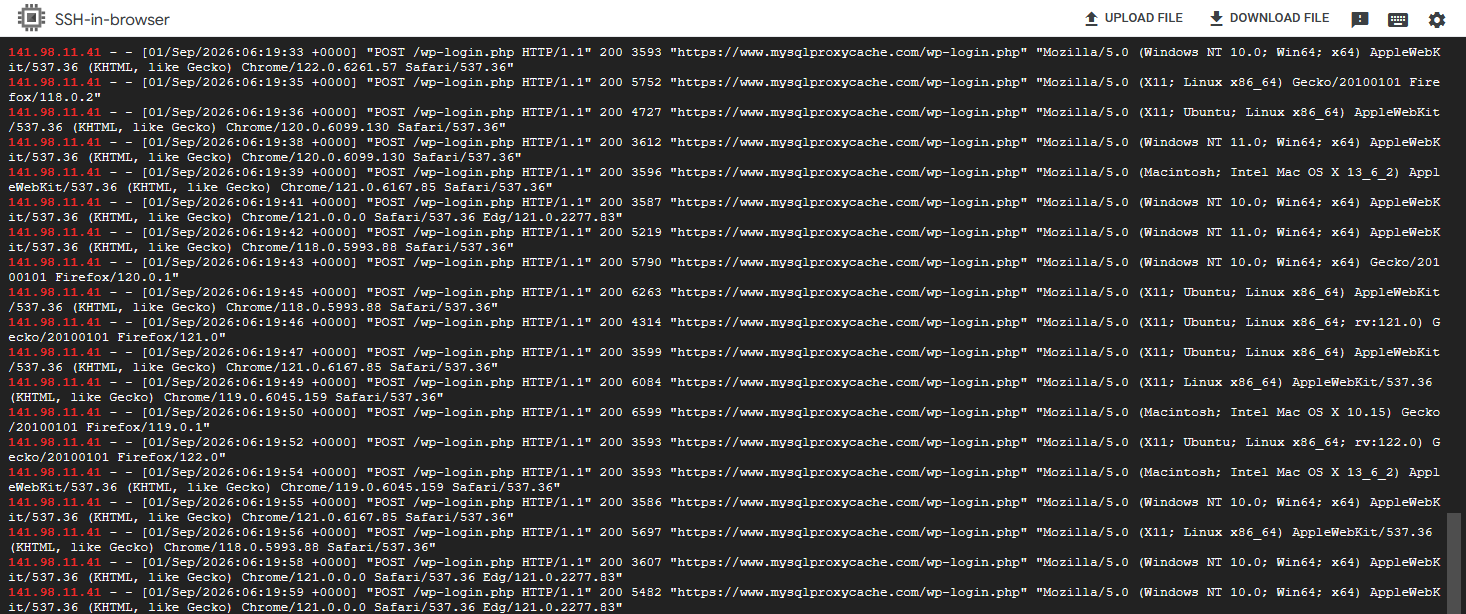
I looked at the logs what requests was doing the first IP:
All were attempts to hack the site through /wp-login.php
We check what kind of IP is this, and it’s from a Cloud provider:
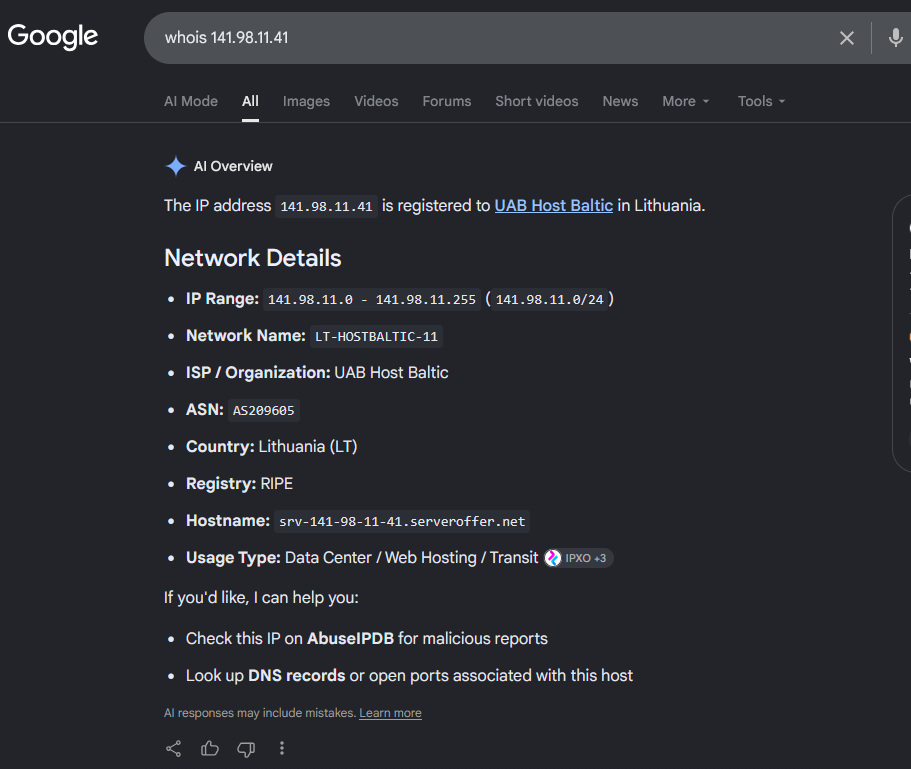
So we block the range 141.98.11.0/24 in IP Firewall.
If you have SSH to the server, or a control panel from your Cloud Provider, you can block it in the firewall.
For Ubuntu, with ufw that is:
sudo ufw insert 1 deny from 141.98.11.0/24 to any
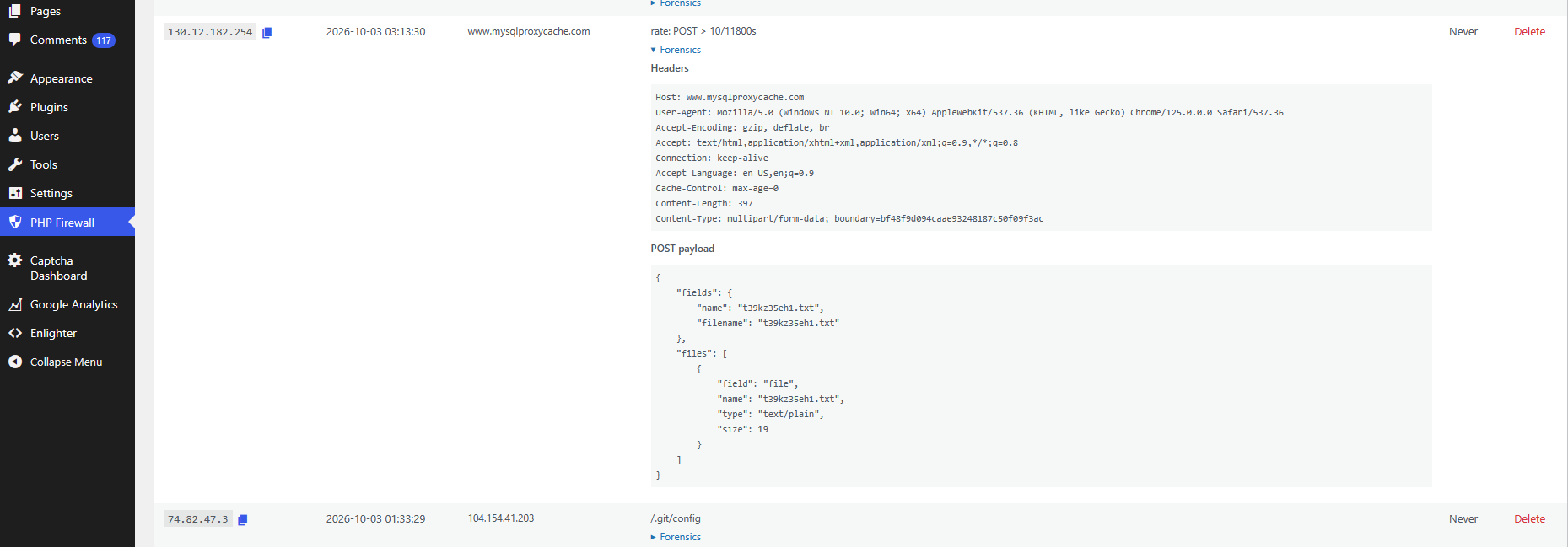
You can do forensics as well, and inspect what Payload are carrying the attacks, for instance:
A video of using WordPress PHP Firewall v. 1.1.0:
PHP Firewall WordPress plugin is a great help, as it blocks most of the attacks automatically, and offers you tools to detect the IPs that do more requests, so you can block them (or the entire range) easily, and to track the latest requests and export them.
Also, the price of the plugin is one time fee per site. Not a recurring payment.
There is also PHP Firewall Drupal module and a PrestaShop module.
If you want to acquire the Firewall rules that we have been collecting over the years, you can also buy the Firewall rules of Cloud providers from which we received attacks. These can be applied to any Firewall software, for instance Ubuntu ufw, or to my plugin/modules.
Rules for writing a Comment