This article explains how you can protect your WordPress site from attacks using my PHP Firewall WordPress plugin version 1.0.8.
This plugin is a commercial plugin, with one time fee, that it’s absolute worth it. It is not available as free plugin lite in WordPress.org. Only in my Software store. It is also available as PHP Firewall Drupal module.
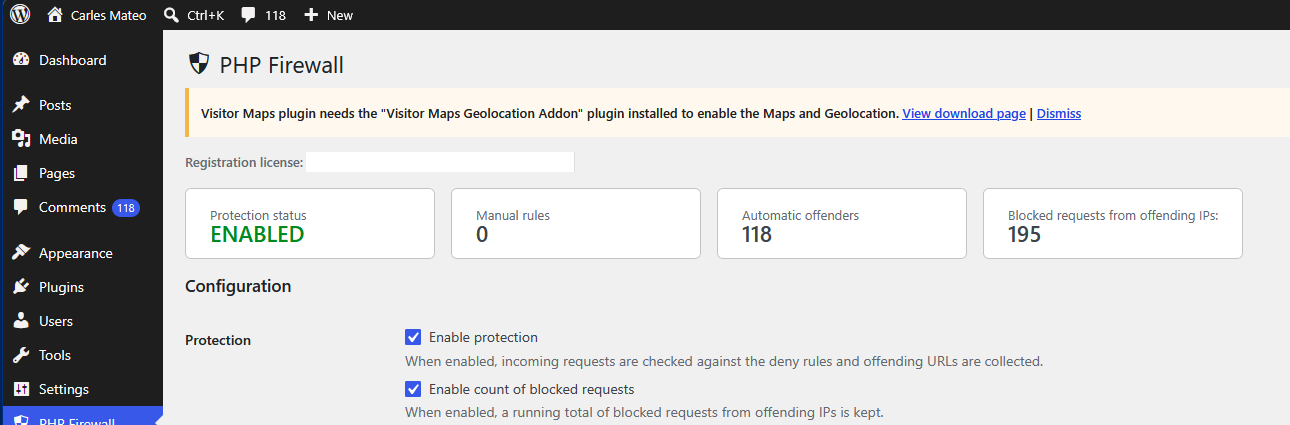
Once you install the plugin, you click in Enable protection and the Firewall will start to detect attempts to find exploits in your server automatically, and will block the offending IPs.
If you Enable count of blocked requests you’ll see than in few minutes, the Firewall has blocked hundreds of attempts.
In this example, I activated the protection, and after some time it has automatically detected and blocked 118 offending IP Addresses, and has blocked 195 malevolent requests.
In 36 hours the number of blocked requests will get to thousands:
Enabling the count of blocked requests makes a small update in the database to increment the counter, it’s a very lightweight operation, but it is worth it to get an idea of how many malevolent requests the software is blocking. You can enable it for an hour, see how many bad requests you get, and disable it if you want.
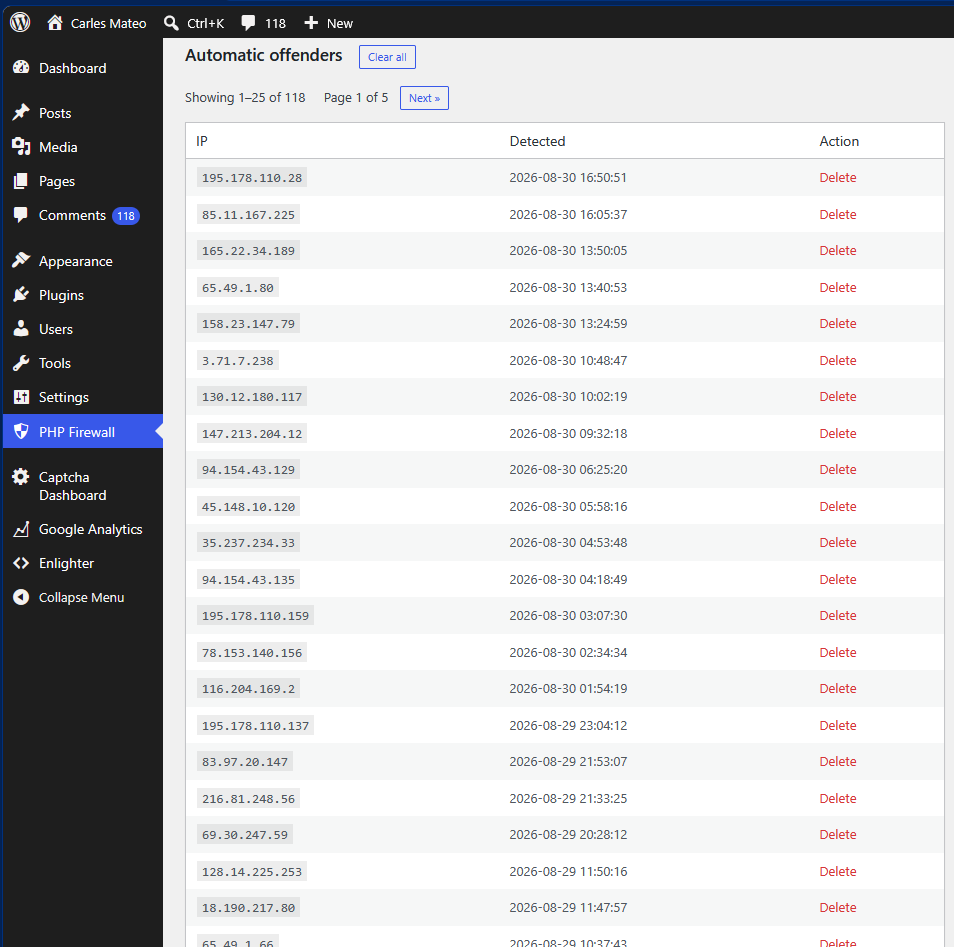
Once you activate the protection you will start to see IP Addresses that have been blocked because they attempted a known exploit, and the IPs have been added to the list of Automatic offenders.
This function is known as WAF or Web Application Firewall.
Once an IP is detected as offender, it will get a 403 Forbidden answer from the Server immediately, and the precious resources from the server will be saved (CPU, Memory, Internet bandwidth).
If you want, you can delete the IP from the list to allow it access again (for example, if a colleague was doing a test).
As you see, you will get many IP from attackers blocked in a short window of time.
The reality is that bots are trying exploits against random IP Addresses all the times, and some times your server will go very slow because of all those bots trying to hack into your server, and your visitors will experience slow loading pages or even the server may crash due to all these bots activity. Also, depending on your Cloud provider, you may be paying for Internet Outgoing traffic that is consumed by bots.
So this plugin is a must have, in my opinion as Engineer. That’s why I created it. Because many people was asking for help.
But there are other types of abuse. For example, malicious bots will try to get access to your blog by doing requests with random passwords to wp-login.php every second.
The Firewall cannot block this route by default because is the route that legit users use to login to WordPress. But we have functionalities in the plugin to deal with these attacks (without having to analyse the web server logs, which is a task that System Administrators and Site Reliability Engineers do).
Activate Enable log of non blocked requests for analysis
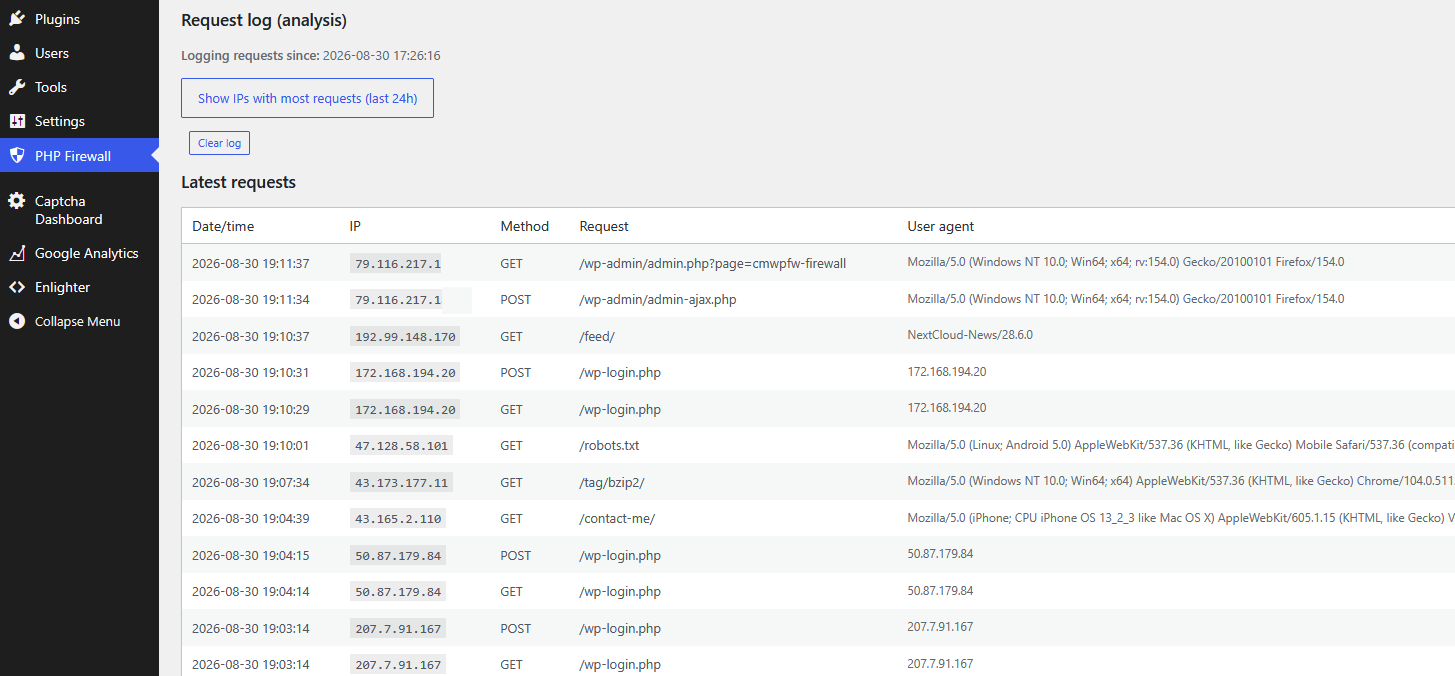
This will record every allowed request (not the blocked ones), so we can analyse them.
Just scroll down, to Latest requests
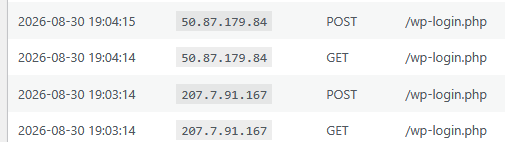
As you can see there are IP Addresses that did a POST to /wp-login.php
That means that attempted to login in your site. So, they tried a password to hack your WordPress site.
Those IP Addresses are attempting to login every second or every two seconds.
These kind of attacks are not only bad, as they can get access to your site, they can also degrade the health of your database.
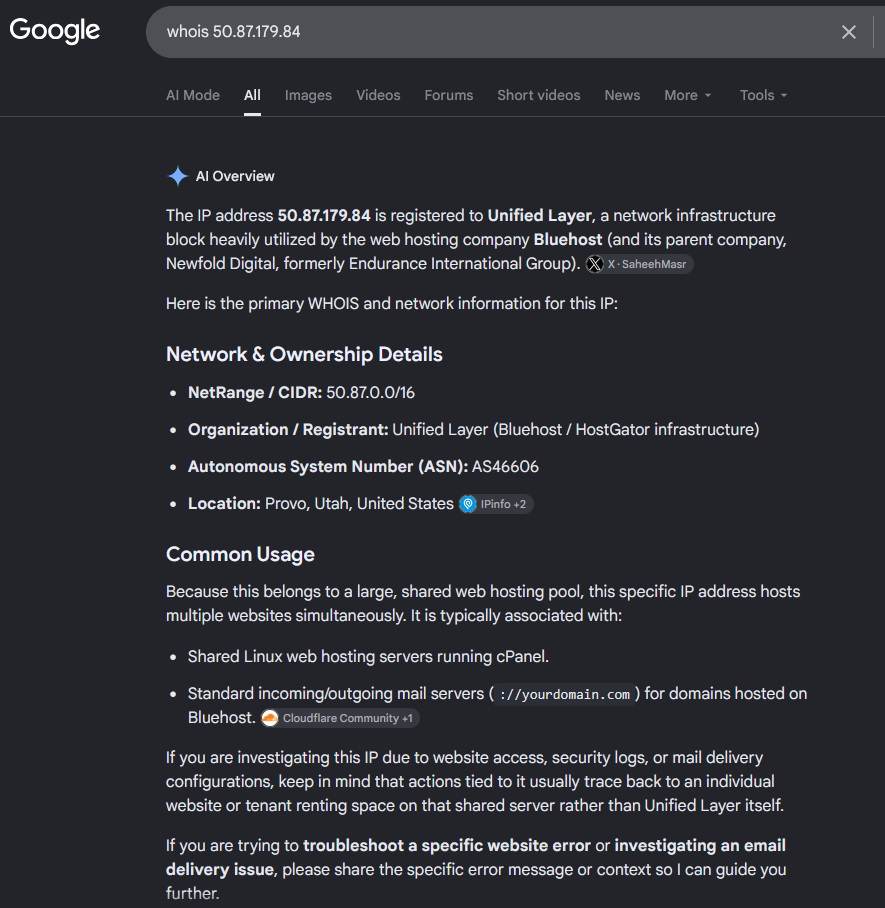
You can investigate where these IP’s come from doing a Whois search, or asking Google: whois 50.87.179.84
So, it’s a hosting from Bluehost / HostGator, a Cloud Provider. Servers from Cloud providers are typically hacked to try to hack other servers.
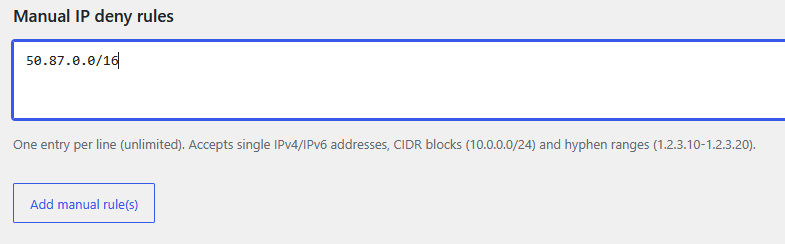
You can block the IP directly in the PHP Firewall using the custom rules, or as you can see in the information provider, this Cloud Provider has a NetRange / CIDR of 50.87.0.0/16.
A block /16 comprises 65,536 IP Addresses, so you’ll probably get attacks from many different IP’s in from that block. Instead of blocking just the IP that attacked your site, my approach is to block all the IP’s from that block.
So we add to Manual IP deny rules the block:
The reasoning about blocking all the 65,536 IP Addresses from the Cloud provider is that your WordPress site is probably a site for humans. You want humans to read your blog posts, or if it’s an e-Commerce site, you want to sell to humans. You don’t want bots to use the resources of your server or to try to hack your server. So blocking Cloud Provider’s IP ranges, seems like a good strategy.
If you are one of the few WordPress sites with third party integrations that need to be reached from Cloud providers, you can avoid denying those blocks of IP Addresses that your partners use.
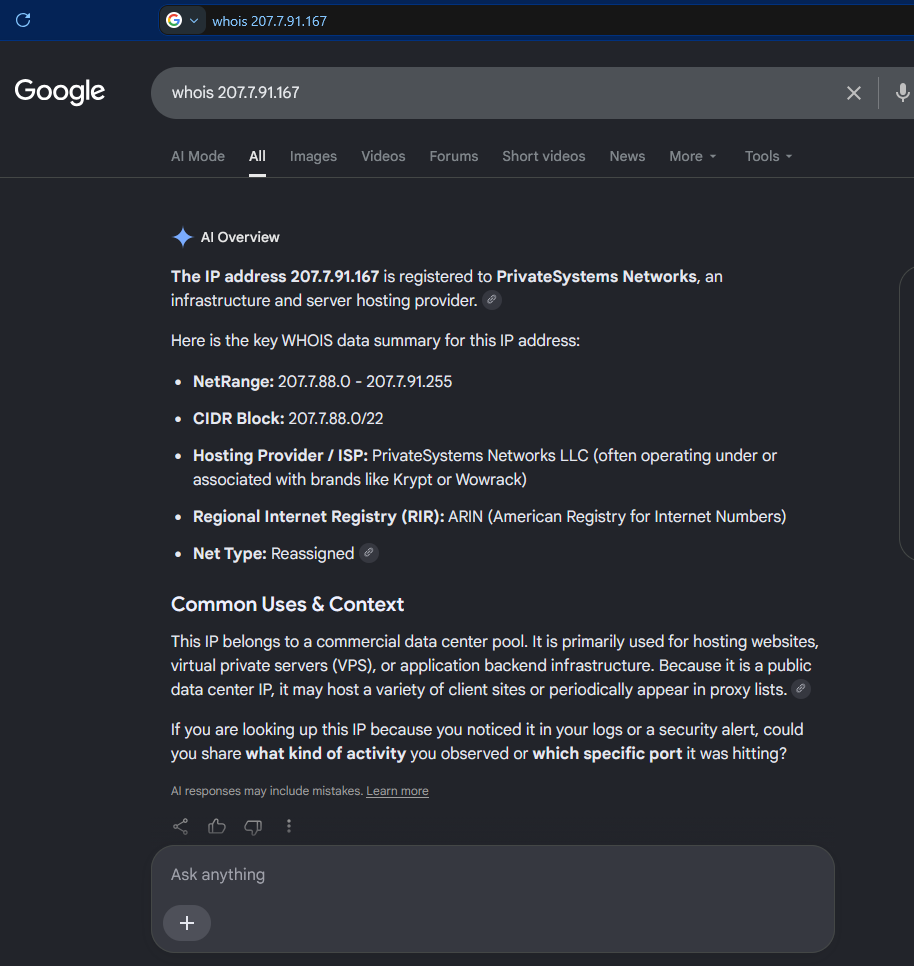
We investigate the other IP:
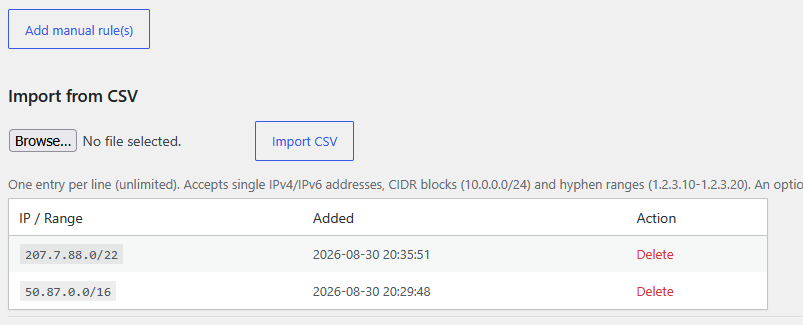
And it’s the same case, so we also block the CIDR Block in the PHP Firewall.
A /22 block comprises 1,024 IP Addresses. So, with two lines in our firewall we have blocked potential malicious requests from 66,560 IP Addresses.
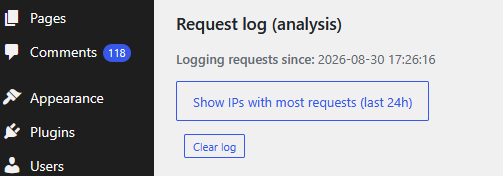
Obviously we cannot analize all the requests we get, but Firewall PHP plugin provides a very useful tool that will display the IP Addresses that did more request to our server in the last 24 hours.
Just click on Show IPs with most requests (last 24h)
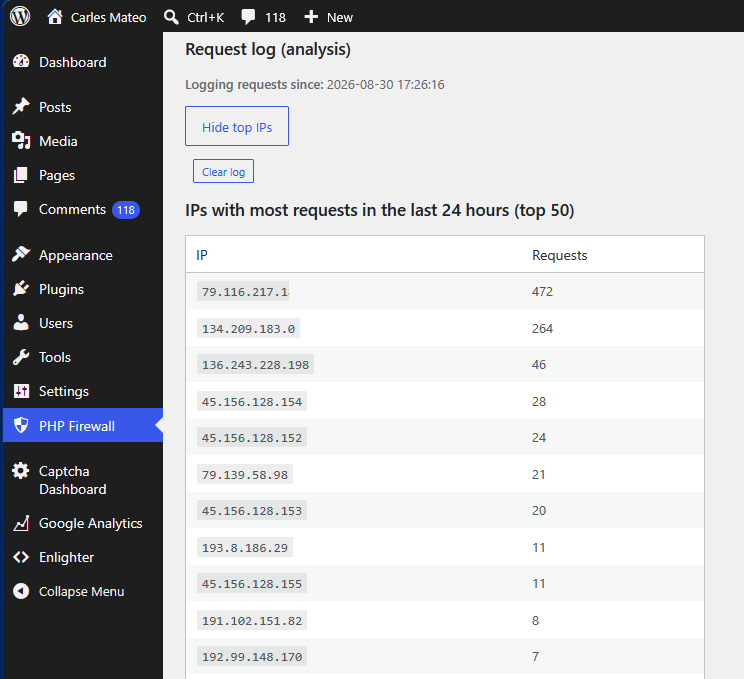
The top 50 IP Addresses that performed more requests are displayed:
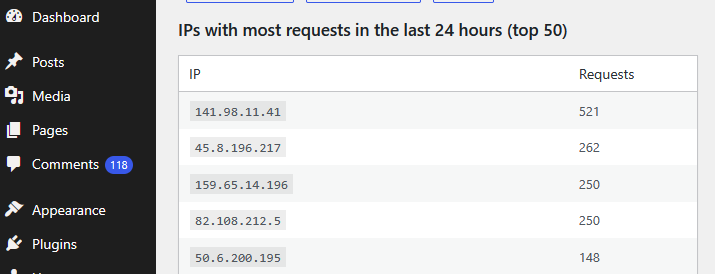
In this case, the first IP Address belongs to my own IP Address. Which makes sense because WordPress opened in the browser keeps doing requests to the server.
As I activated the log at 17:26:16 and it’s 21:44:10 in around 4 hours and 15 minutes I got an IP Addresses that did 264 requests.
The IP 134.209.183.0 has performed 264 requests that went through.
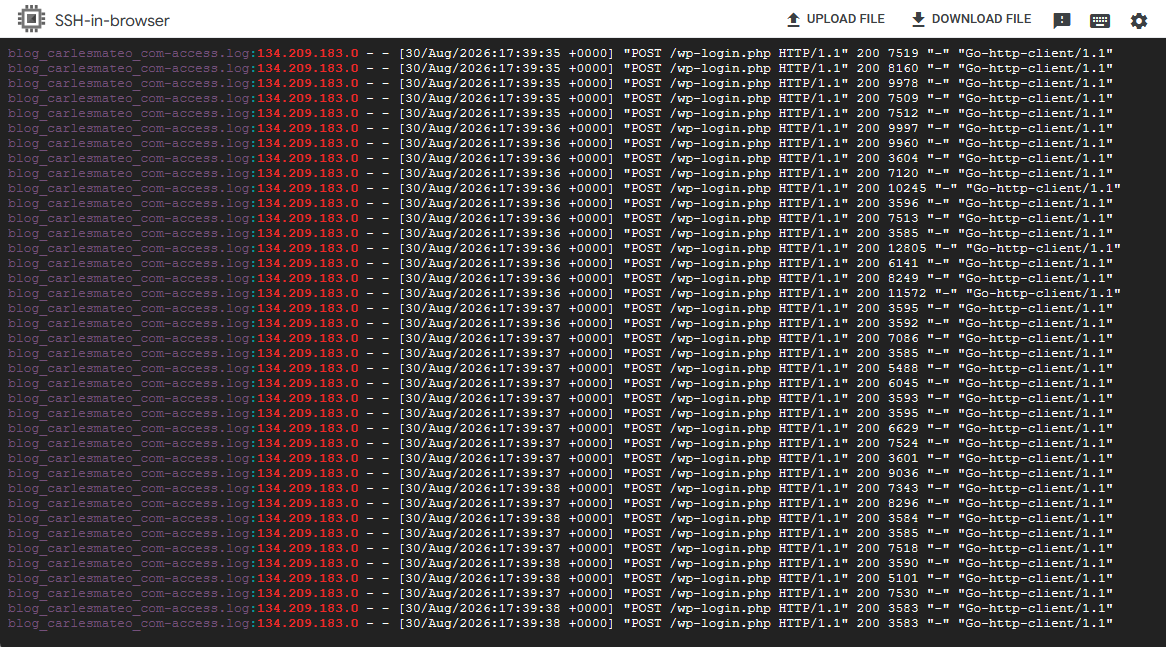
If I check the logs of the server I see that it was attempting to hack the server (trying user/password on wp-login.php)
grep "134.209.183.0" *.log
As you can see, this IP was requesting 12 requests per second trying to hack into /wp-login.php
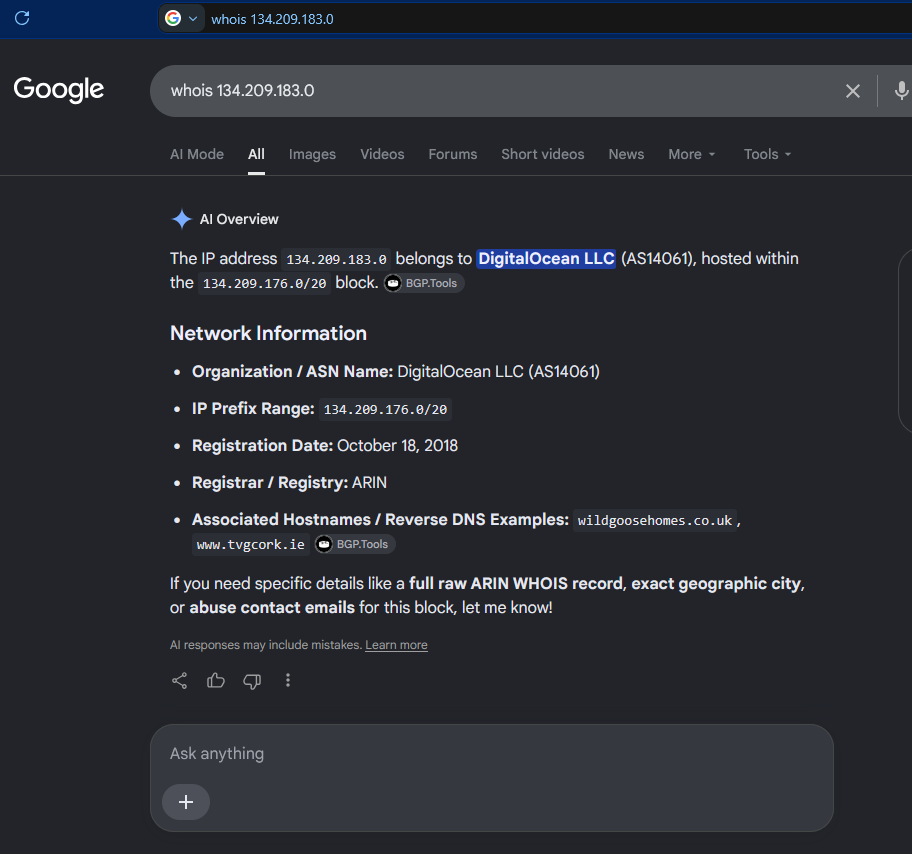
And if we do the whois of this IP Address, it belongs to Digital Ocean:
So we block the entire block 134.209.176.0/20 in the PHP Firewall.
Now the server will block any request from the 4,096 in that block range and will not spend time and resources that are intended for your human visitors.
Most of the attacks come from Cloud providers. Normally are servers that got hacked, and they used those servers to try to hack other servers.
PHP Firewall provides great help in protecting your sites, specially if you don’t have a dedicated team of System Engineers that check the logs regularly, and block the offending IP Addresses in the firewalls.
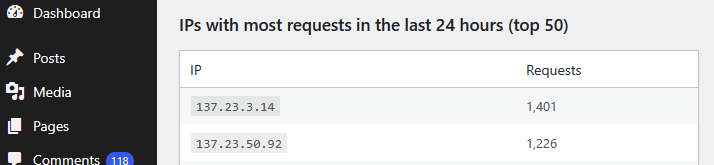
After 12 hours we see more IP Addresses that made thousands of requests:
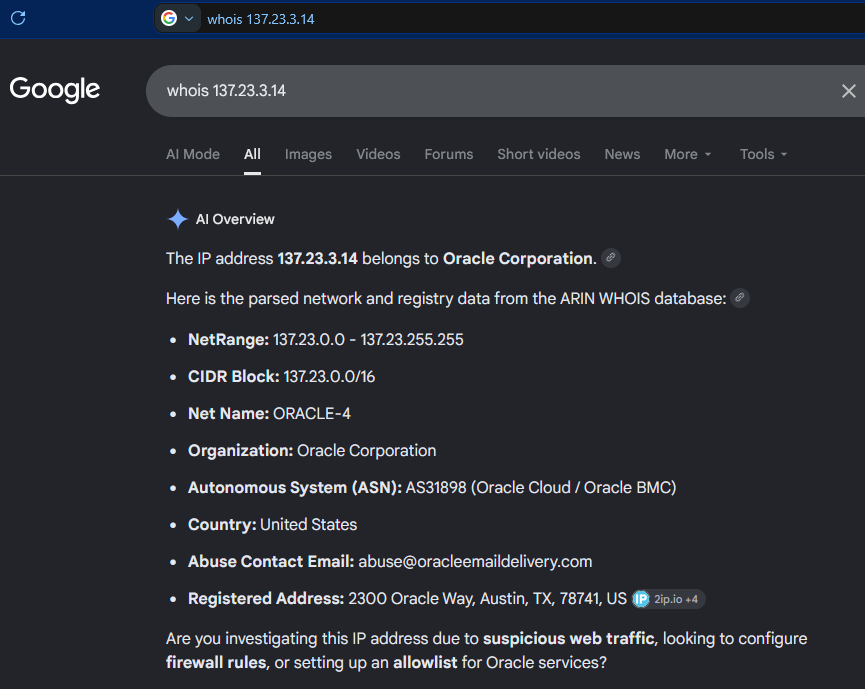
According to google those IP Addresses belong to Oracle Cloud:
So, we block the CIDR Block: 137.23.0.0/16 (which will block the two offending IP Addresses, as they form part of that block)
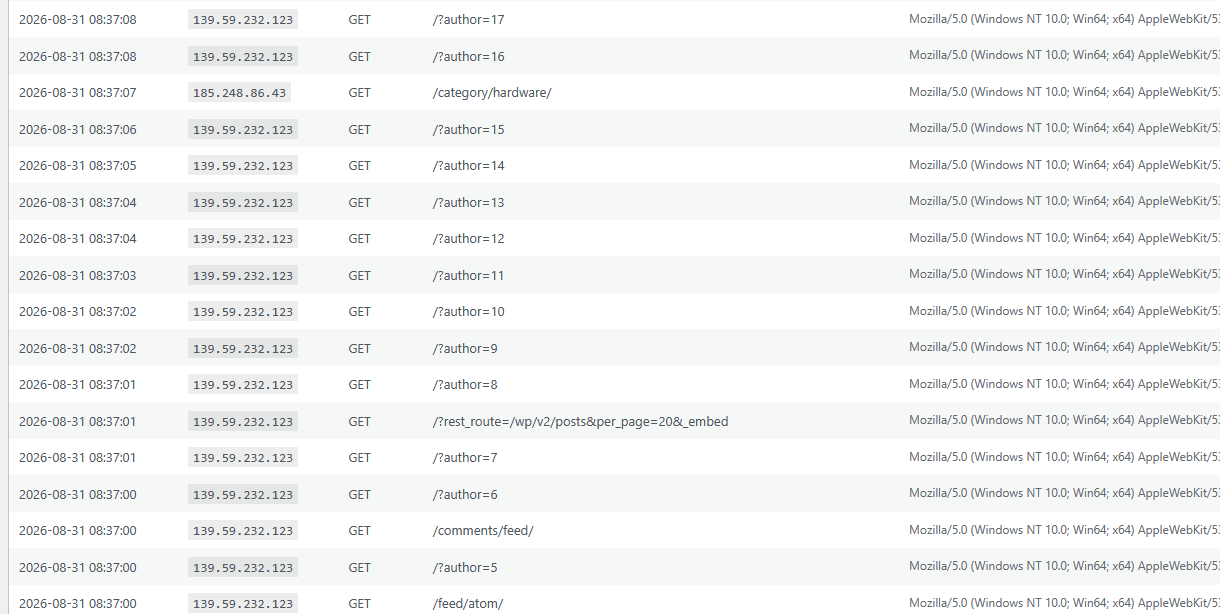
In the latest requests we can see how are new IP Addresses scanning for authors in order to try to attempt logins:
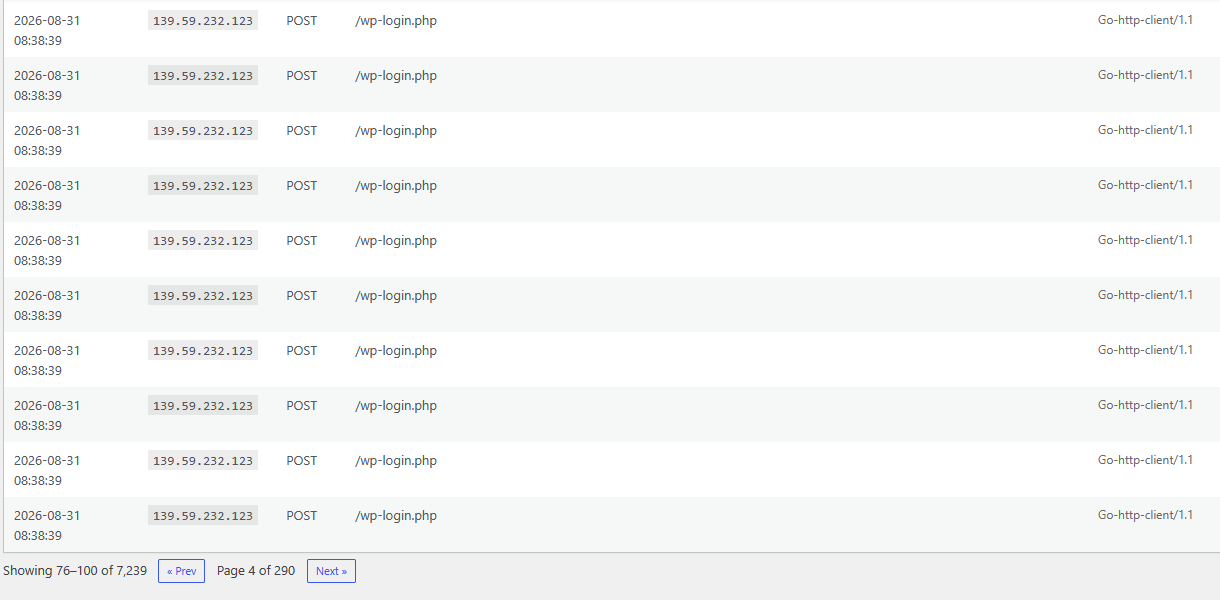
As you can see this IP Address is doing 10 requests in the same second trying passwords (POST to /wp-login.php) in order to attempt to hack the WordPress site.
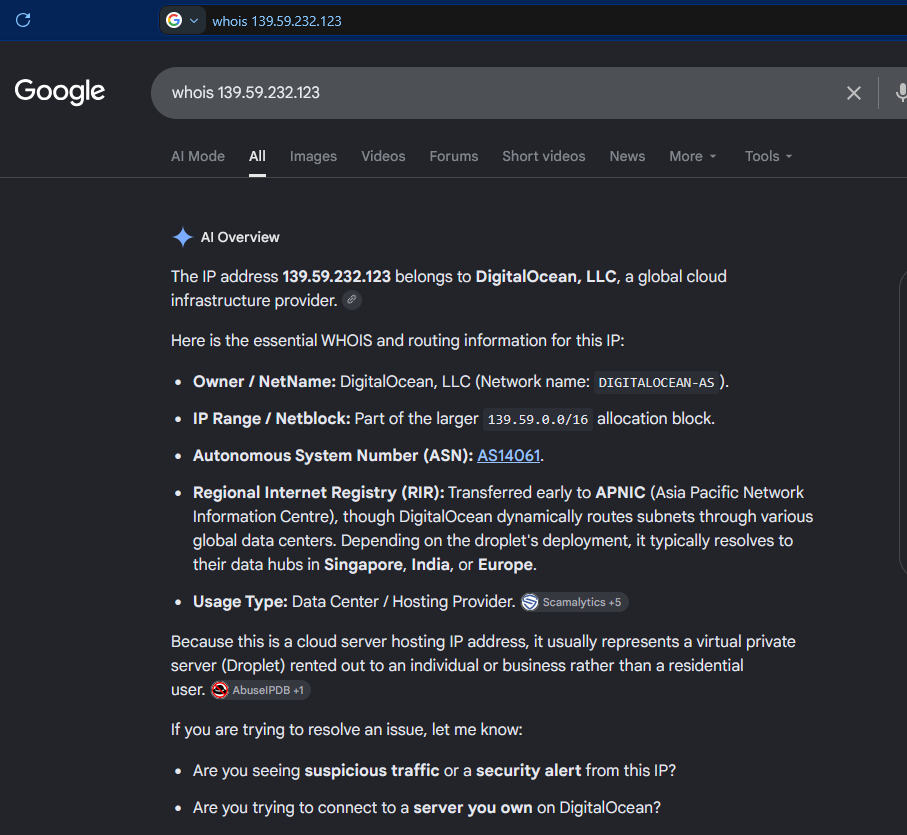
We do a whois search to see who is the owner of that IP Address:
Is from DigitalOcean, the Cloud Provider. We block all the Netblock 139.59.0.0/16
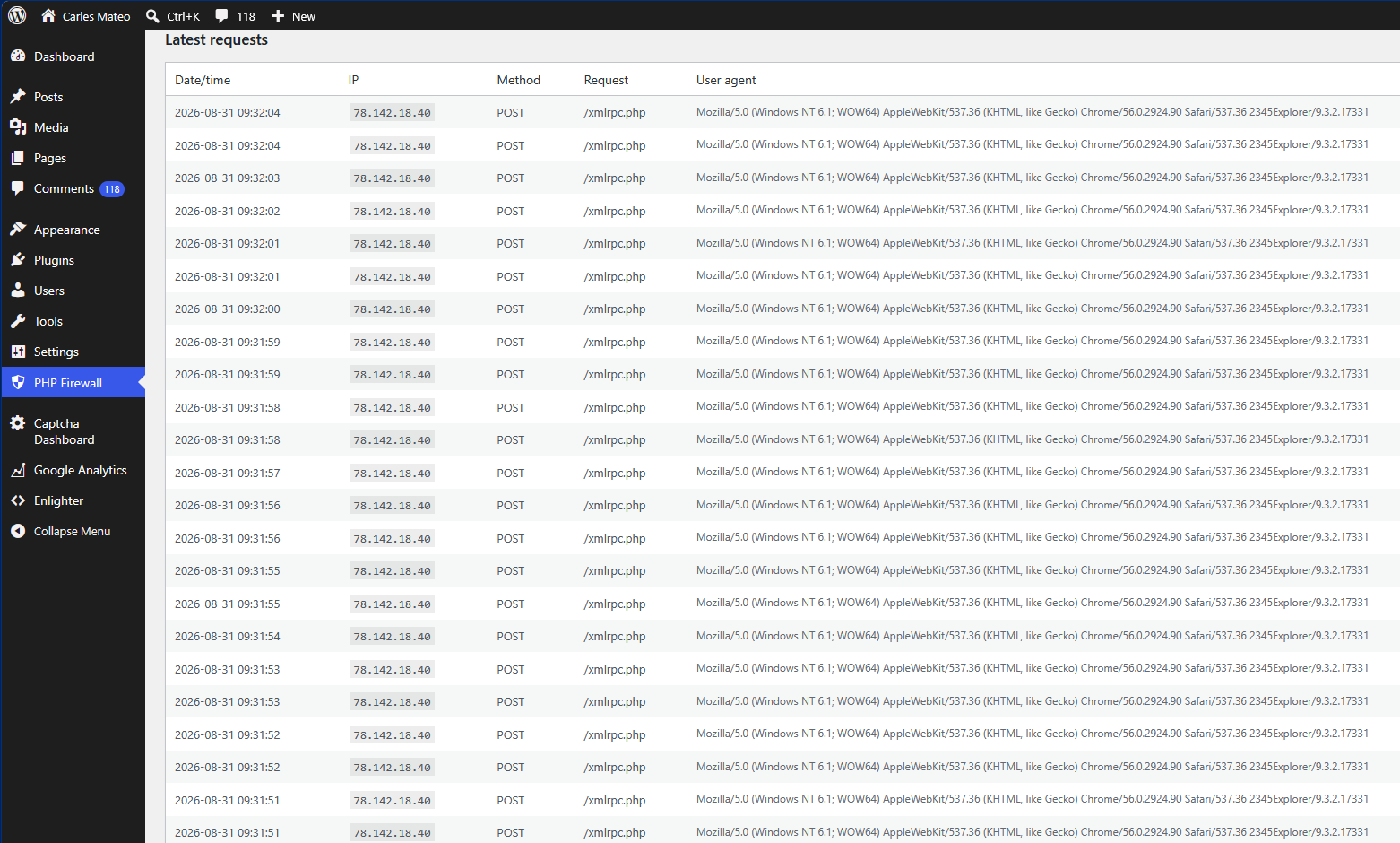
We see a new IP attacking the server, it is attempting two connections per second POST to /xmlrpc.php which tries to perform actions on the site. xmlrpc.php is a legit mechanism from WordPress, for example to register pingbacks, so it is not blocked by default. But hackers use xmlrpc.php to try thousands of passwords at once without passing by the login screen.
If you do not use older mobile apps or specific remote publishing tools that rely on it you sholud block xmlrpc.php
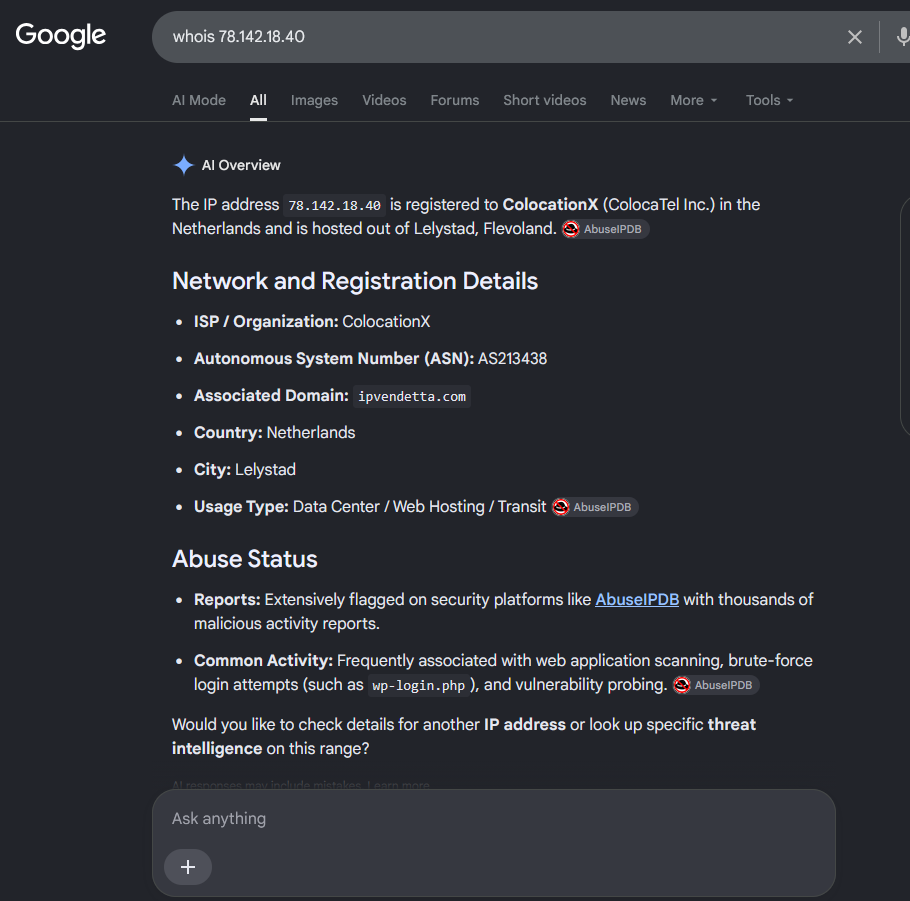
The whois shows that many attacks come from this provider:
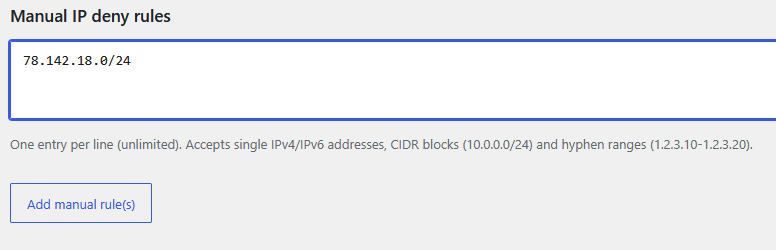
We can block the 256 IP Addresses of the class C, so: 78.142.18.0/24
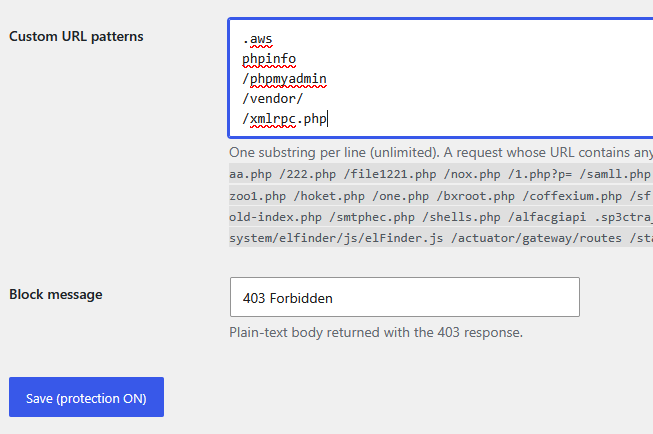
We will also block the requests to /xmlrpc.php using Custom URL patterns:
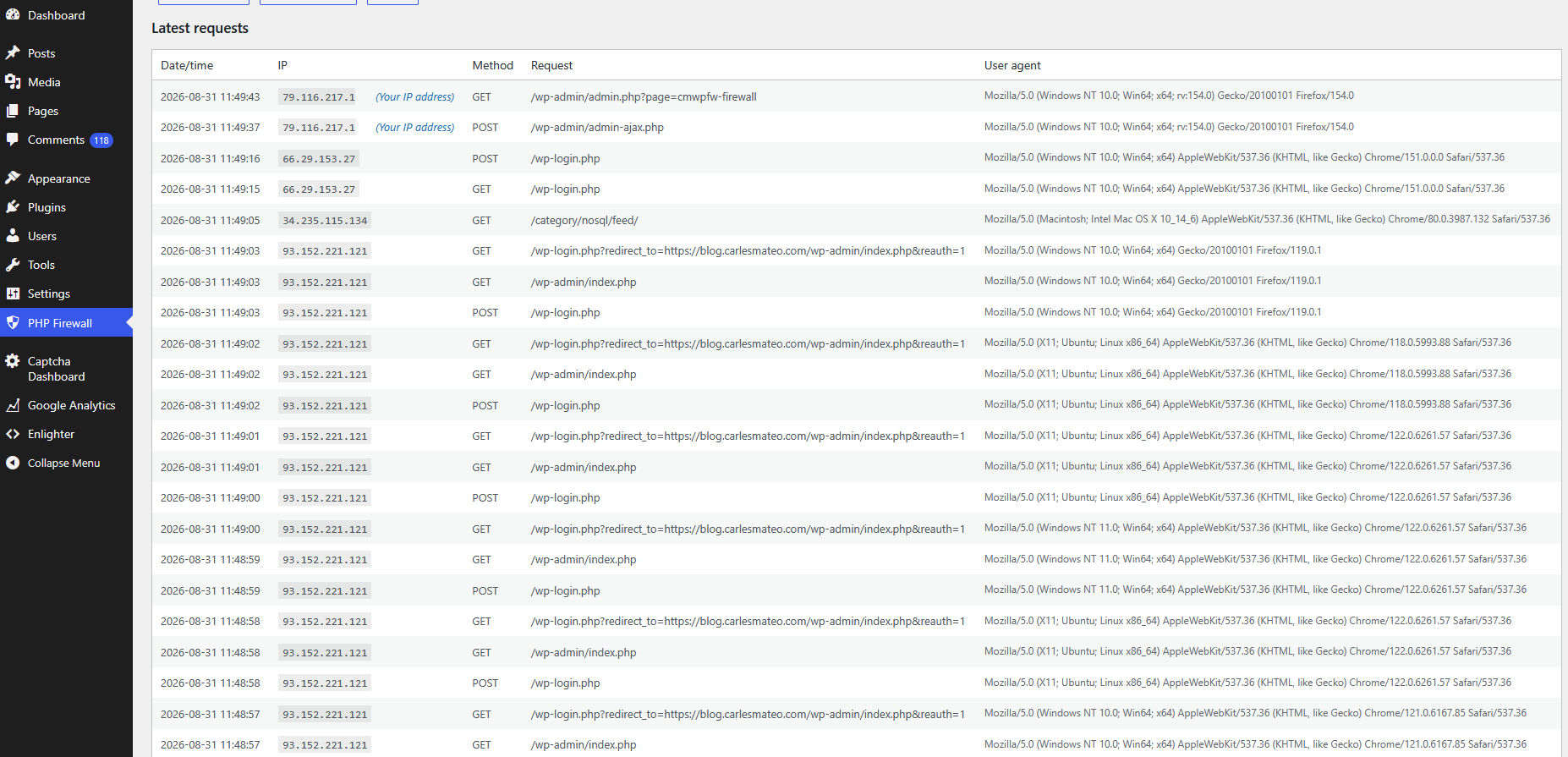
Later, we see that there are more IPs attacking trying to abuse wp-login.php so we will block them:
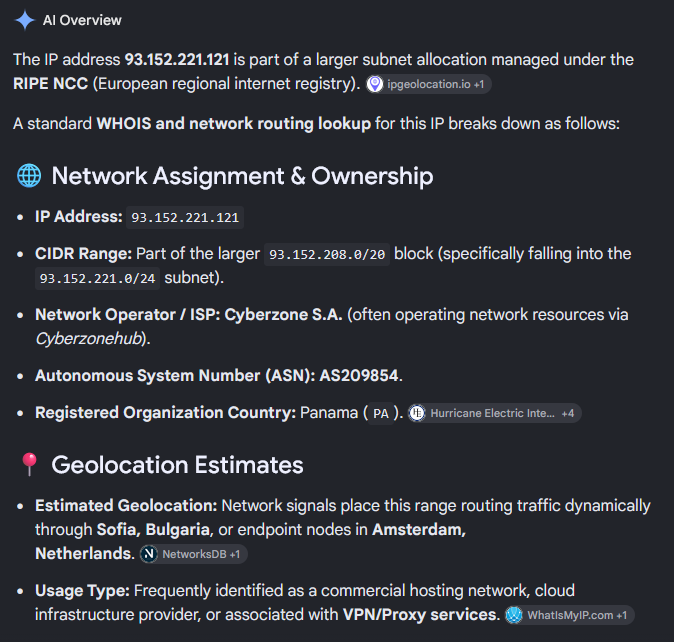
We check the IP that is doing so many attempts to hack requesting wp-login.php
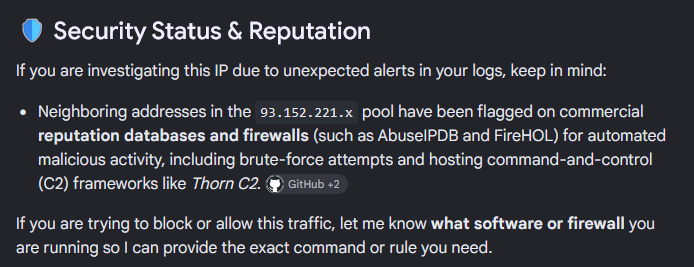
And all the range has been flagged for automated malicious activity and brute-force attempts
So we block all the 256 IP (class C) 93.152.221.0/24.
Two days later I check the IPs doing more requests:
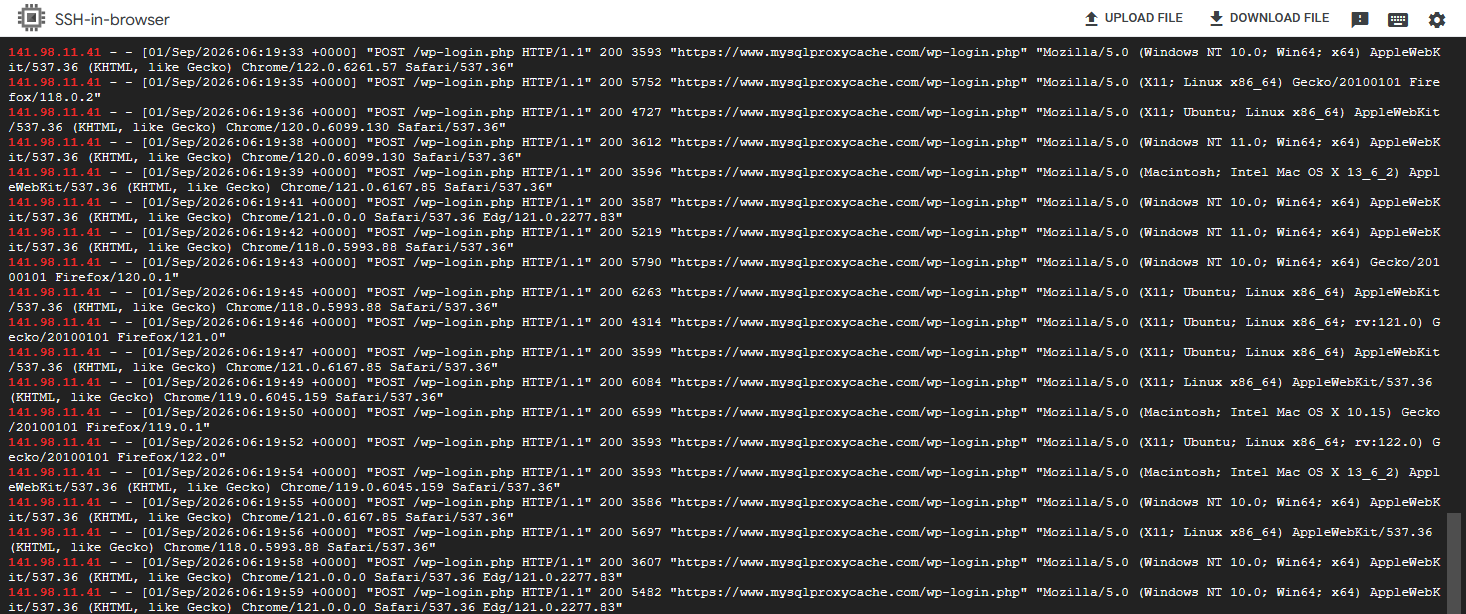
I looked at the logs what requests was doing the first IP:
All were attempts to hack the site through /wp-login.php
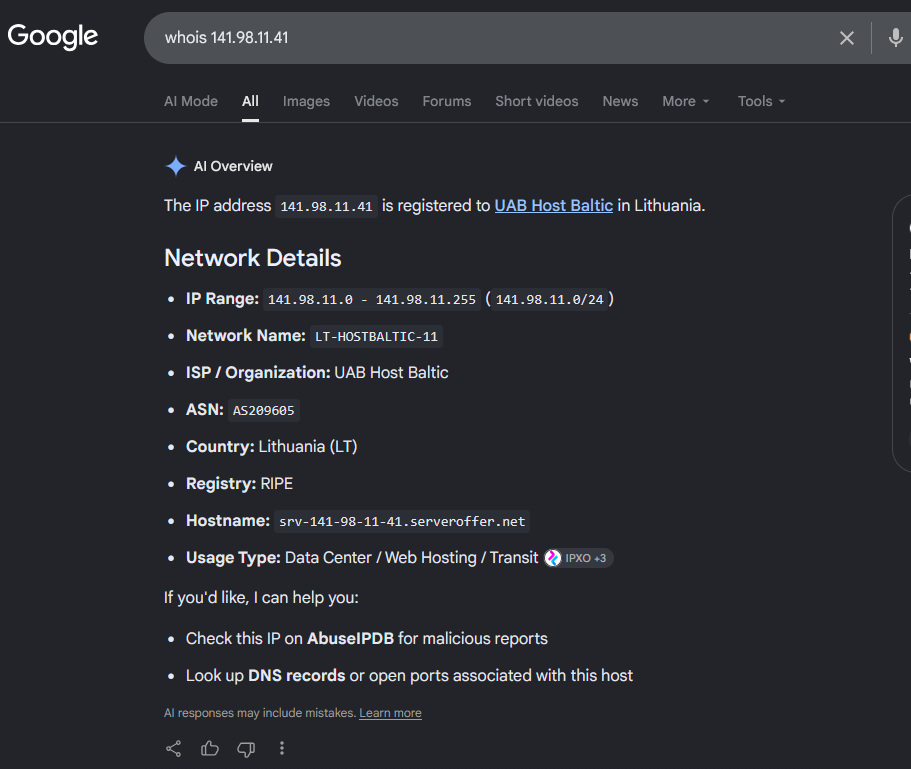
We check what kind of IP is this, and it’s from a Cloud provider:
So we block the range 141.98.11.0/24 in IP Firewall.
If you have SSH to the server, or a control panel from your Cloud Provider, you can block it in the firewall.
For Ubuntu, with ufw that is:
sudo ufw insert 1 deny from 141.98.11.0/24 to any
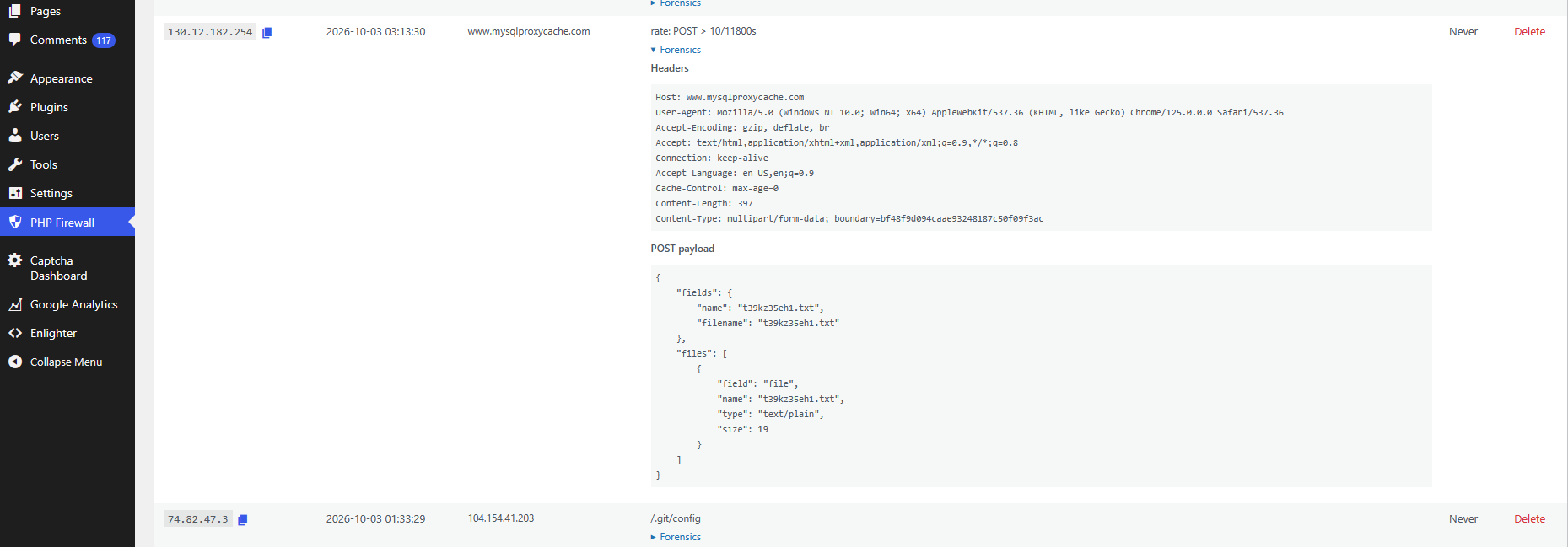
You can do forensics as well, and inspect what Payload are carrying the attacks, for instance:
A video of using WordPress PHP Firewall v. 1.1.0:
PHP Firewall WordPress plugin is a great help, as it blocks most of the attacks automatically, and offers you tools to detect the IPs that do more requests, so you can block them (or the entire range) easily, and to track the latest requests and export them.
Also, the price of the plugin is one time fee per site. Not a recurring payment.
If you want to acquire the Firewall rules that we have been collecting over the years, you can also buy the Firewall rules of Cloud providers from which we received attacks. These can be applied to any Firewall software, for instance Ubuntu ufw, or to my plugin/modules.
I tested Google Cloud when they were in beta, years ago, and I helped their Team to improve the service. And I’ve been using Google Cloud for years.
Here I explain, how an incident, this August, almost made me leave Google Cloud for good. In fact, I migrated many services to other providers. I walk through the steps I took.
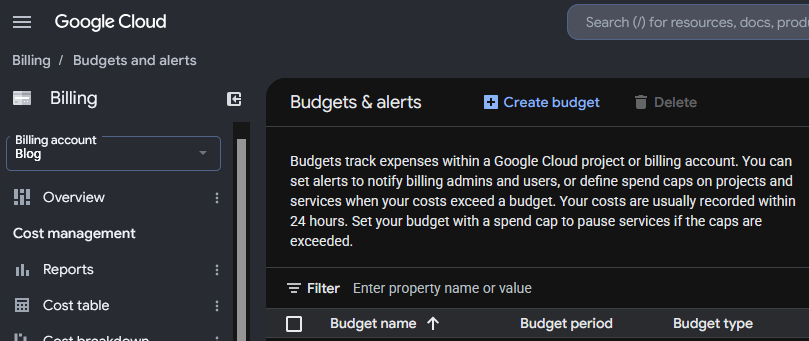
The best advice to start with, is, enable Cloud Billing alerts.
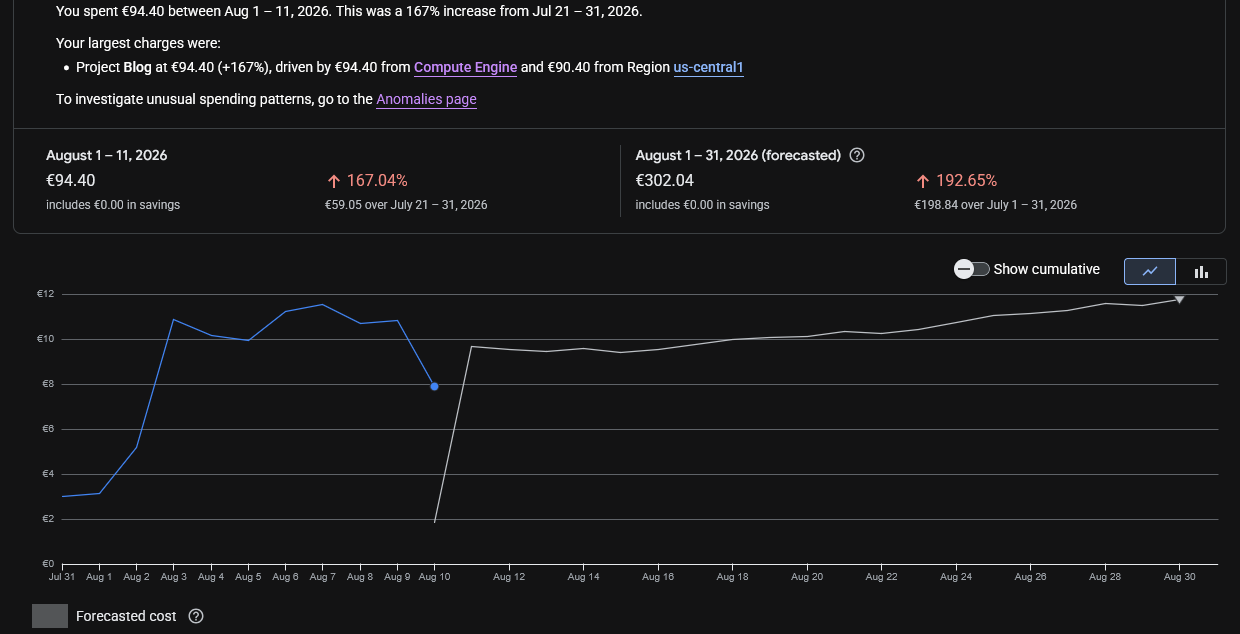
Everything started with the alert of Cloud Billing alerting me that half of the budget for the month had been exhausted around the 7th of the month. I checked the panel, and at the beginning I didn’t pay much attention to it, as Billing was indicating that the extra cost was in Compute in a specific region where I had provisioned new instances and more storage and it was just few euros.
Compute Engine Costs are mixed with the bandwidth consumption in the Dashboards which makes no sense:
So, I had to check different dashboards to realise it was a data transfer issue, and honestly, at the beginning I didn’t know where the problem was, but as I wrongly inferred, that the instance generating egress traffic was the one named “ubuntu26-04” I was investigating mainly that.
The first thing to learn that Google Cloud Billing shows the pure Compute and bandwidth usage together. I dislike it, for obvious reasons.
Next day budget for the month was almost gone.
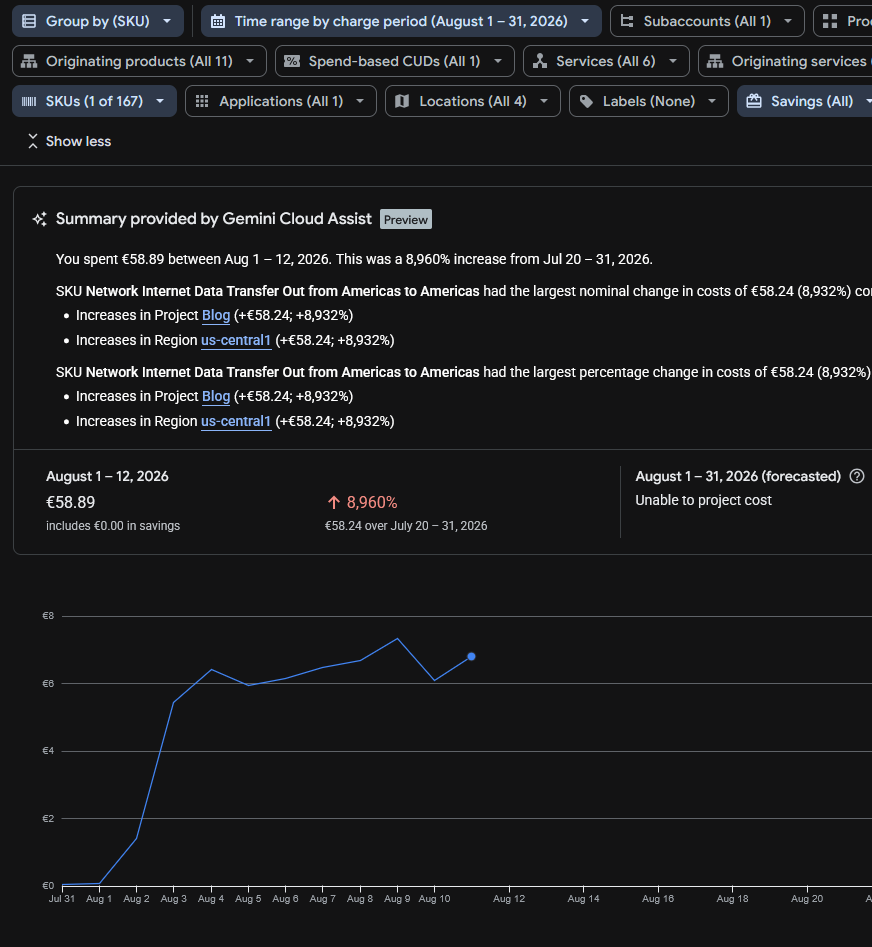
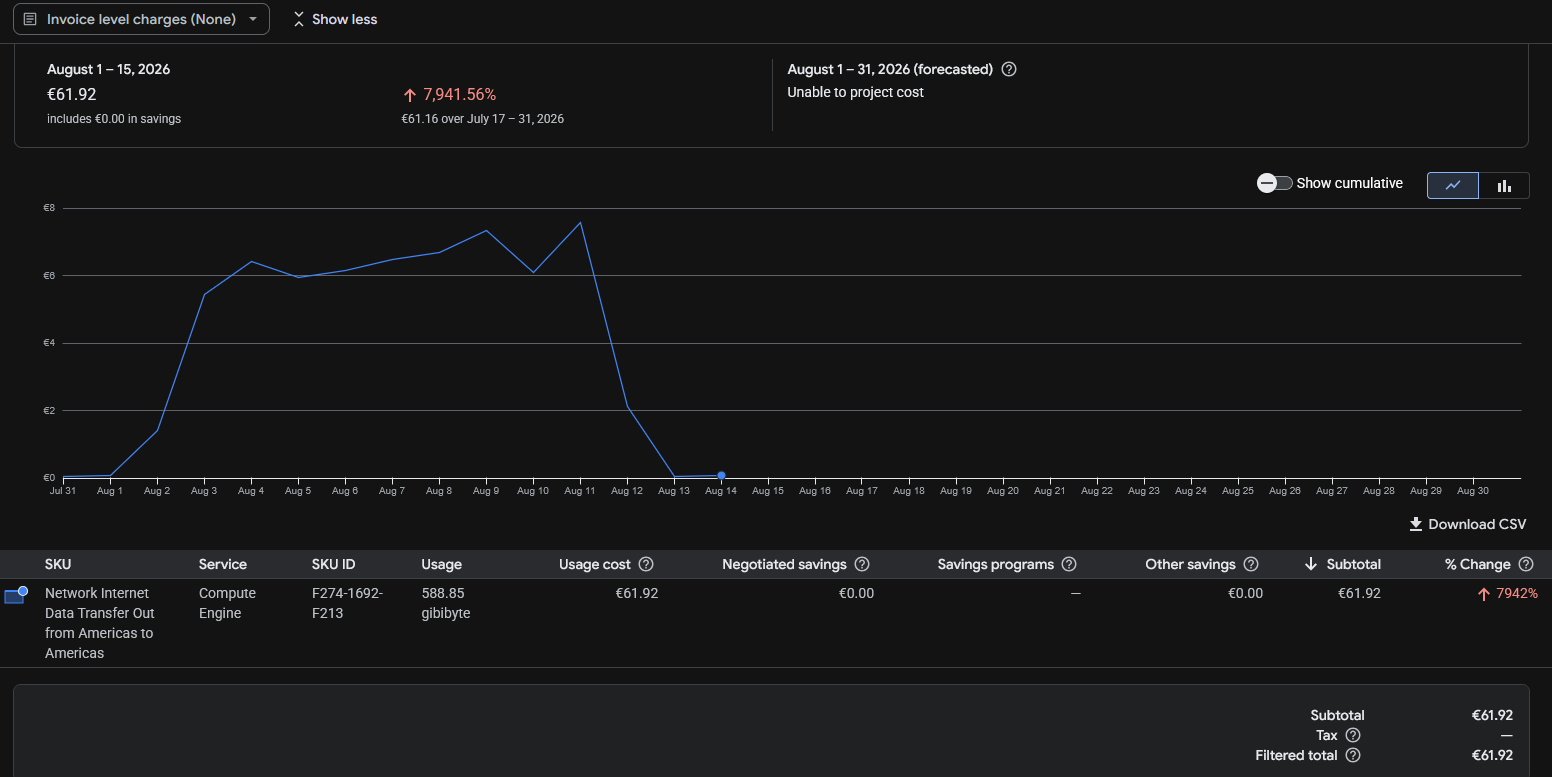
Running the reports I saw “SKU Network Internet Data Transfer Out from Americas to Americas” which was confusing, and initially made me think if it could be the new backups system, sending the backups to my centralised server using the AI compatible agent with the public IP for the API and encryption, but I discarded this very quickly due to the volume of data and I modified the system to use internal IPs instead of the public ones.
The only clear thing at this point was that Internet data transfer (egress) was being sent, and Google makes you pay for that.
I had released several projects recently, like https://read.carlesmateo.com/en Text-to-speech to generate MP3 from text files, or https://sendmeafile.carlesmateo.com/en to send and receive huge files, with resume, checksum verification, AI compatible… So my first thought was that one of the projects or its dependencies could have been compromised, or fanatic AI/crawlers were downloading the sample MP3 files again and again.
I made a mistake when checking Cloud Billing. It indicated that the expenses came from us-central1, so checked the list of instances’ regions and I thought the problem came from a new instance named “ubuntu26-04”.
But I made a mistake, because there are several zones in every region, like us-central1-a, us-central1-b, us-central1-c… My new instance for the new projects was in the zone us-central1-f but I had more than that one instance in the region, only that in different zones. But when I checked the zones for the instances I did not realise that there was more than one instance in the zone us-central1 and I assumed the new instance was the only one in the zone and should be the one generating the egress traffic.
I only had ports 80 and 443 opened in Google’s firewall, so there could be requests to the web server, or that the server got hacked. I analysed the nginx logs for the server and found no huge traffic or big files being requested.
Nowadays bots and crawlers and AI’s generate a crazy amount of traffic, so I had to discard this.
The Billing Dashboard showed that the increment in data sent was costing me around 11€ per day, so it allowed me to start moving services from that server, with relative calm. The forecast for all the August month displayed that the bill would cost me 300€, which was not nice.
In the meantime I hired a VPS with unlimited data and started to migrate the Docker services there as fast as I could with the idea of shutting down the compromise instance to cut the costs.
One of the things that really made me angry, while I was migrating to avoid those over costs, is that I checked again, the next day, the Cloud Billing Reports, the web loaded and informed me that it had changed with news and showed some floating popups pointing how it work and some improvements pushed by the Google Dev Team, and when I continued, the Cloud Billing Report was displaying an unexpected amount of money to pay in August 2026, more than 10 times what I expected, instead of the forecast I saw previously. So it looked like I had to pay that amount for August, and I started to look at what caused that increment of costs quickly, which fas frustrating. And after a while, when I was thinking about stopping the services, I found that Google had changed the page of the reports and the filters were reset to yearly, and the page was showing the already paid costs from 1st August 2025 to 31th August 2026.
Later I reported how frustrating was the experience to Google as “you should not do that” and “users dislike frequent changes”.
Companies are not aware that when they change things, they often annoy the customers a lot.
Years ago I migrated from my long term account with Amazon AWS to Google Cloud Compute Engine cause I was feed up of the problems in Amazon, how many programming errors they had, the changes they did, causing problems, like to the identifiers of the objects (I had older created objects, with shorter hash, and some API calls did not work any more), and how difficult they made simple things. User Interface was bad, and they also lost two of my instances and communicated really poorly (I also reported that to a friend in Amazon and I had some conversations with Amazon’s AWS PMs), and they were over expensive for developers, so I ended migrating to Google Cloud. And now Google is repeating some of the same mistakes.
They are not only expensive. They make things that could be easy, difficult, for the developers.
These big companies force you to stay continuously learning they changes. They offer great solutions for the Enterprise, but for developers and Startups the costs could be overkill.
Probably they are over-kill and over-expensive for developers and Startups.
With Google Cloud I have experienced some technical issues too, as my older instance froze several times and became irresponsive and I had to do a stop from the web console and I had to wait until the command timed out and Google realised there was a problem so it would consider the instance finally shutdown and I could start it again in other non faulty hardware.
If you are a company with a Load Balancer, with health checks, and several front servers, and 20 developers, you can afford to have Web servers KO, as the Load Balancer will handle it nicely, but if you have a single server with WordPress sites, if the instance stops it means that nobody can access those sites.
As an example of costs, for a Google e2-medium (2 vCPUs, 4 GB of Memory and 20 GB of disk) in us-central1 I pay around 30 € per month. And it happens that the forecast for this month in bandwidth was 300 €.
Also storage is around 1€/month per 10GB for standard. So 200GB of regular space is 20 €/month.
For SSD 1.7€/month per 10GB, even tough provides more IOPS, but not more speed. 200GB of space more is 34 € more per month.
I migrated to a provider were I pay 30 € per month for a 8 vCPU and 24 GB of memory and includes 200 GB of NVMe, and I have unlimited bandwidth. Extra storage is also much more cheap. And the static IP is included (for Google you pay around 1.1€ per month).
The key in here was the unlimited bandwidth.
I also could have rented a dedicated server with 64GB of RAM for around 64 €/month, but these comes with some down sides, like if your server experiences a hardware error, you’ll have to wait for the System Administrators from the Cloud Provider to physically replace the components. With a VPS or instance, I can just launch it in a healthy hardware immediately.
As I was migrating services and investigating the origin of the problems, I saw that 500 GB of data were transferred from us-central1 since the 1st of August.
The Billing Report didn’t allow me to filter for IP. It only helped to know the region, us-central1, which helped me to identify the possible services that could be having the problems.
To be honest, I should have located the origin of the problem quickly, but I did so well blocking bots and uneducated crawlers in the past years, that I had no problems for years, and GCE has mad many changes over time, so I did not remember that I could monitor real time network usage of my servers. Most of the servers I troubleshoot I have only SSH access, so I use network tools.
But as I told previously, I mistakenly thought that just one instance was running in us-central1, and that was not the case. They were in different zones of us-central1.
The live traffic inspection in the server with tools like ss, netstat, nethogs, iftop, iotop and ps revealed normal traffic and load.
A second revision from the nginx logs didn’t reveal any problem over time. And the only opened ports were 80 and 443. With the services I considered potentially more vulnerable (as they used python dependencies) migrated to the new VPS and stopped in the “ubuntu26-04” Google server, the usage shown and the forecast for bandwidth was not reduced and it was the same.
One thing I learned, and I suspected it from my tests with https://sendmeafile.carlesmateo.com/en is that the maximum speed that my instances were able to transfer from Google to Internet (egress) was around 50 Mbps per connection.
I didn’t see this in Google Cloud’s documentation, but in my tests transferring data from Google servers using the public interface and from different locations to this google server I consistently achieved always that top speed of around 50 Mbps per connection (around 6.25 MB/s), but when I communicated Google servers using their private interfaces, the speed for a single connection was much more higher. So I assumed that the bandwidth was capped. After seeing the data transferred in the Billing Cloud Report, it looks clear to me that an important part of the server’s bandwidth max was being used. Later, Apache logs, confirmed me many requests at the same exact second.
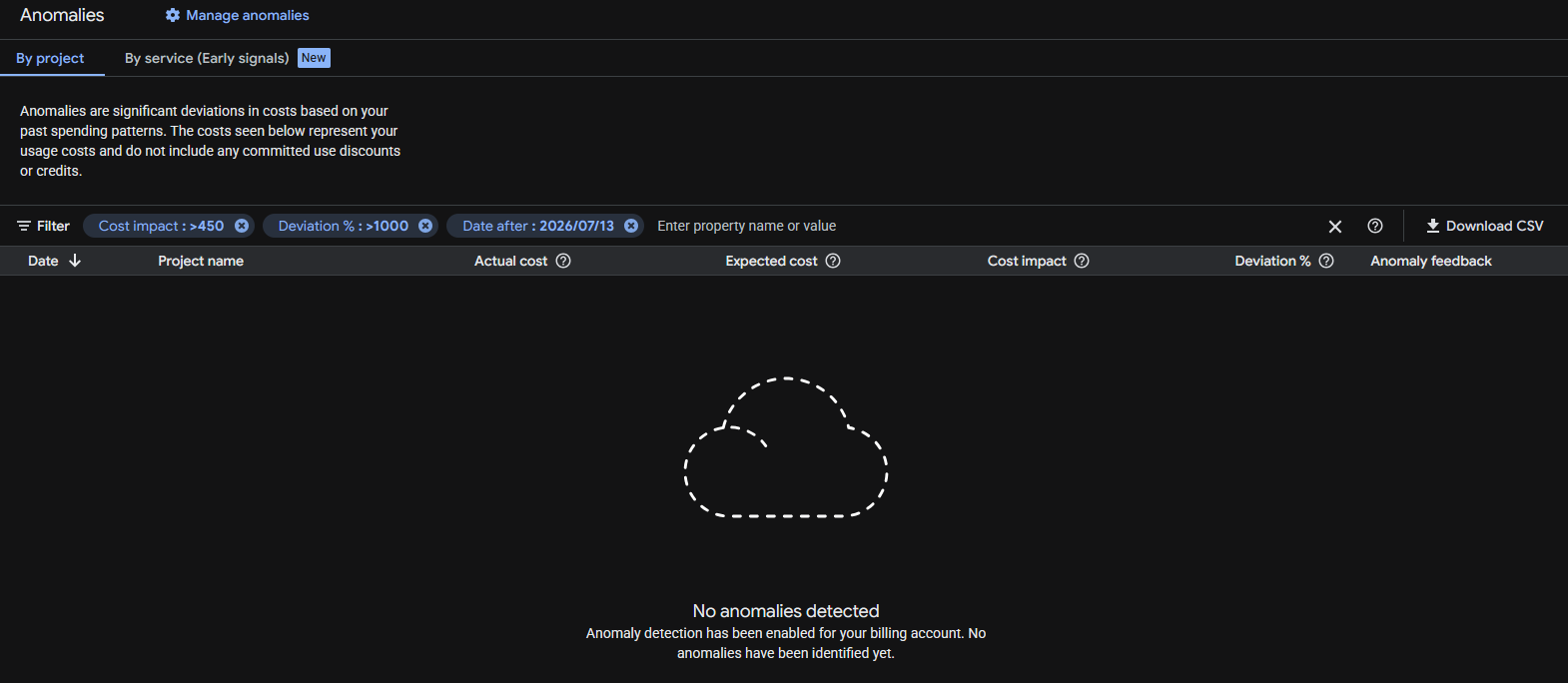
Google anomalies tool detected nothing despite the huge increment in data transfer and cost variation (8,960% respect July!).
Before taking the decision to migrating to another server one has to think, not only in costs, but also on how trustworthy are the storage systems, the resiliency of the systems, how many times they are down per year… there are surprises that you discover as you go. With the experience.
But honestly, I felt it was not worth the price to continue with Google Cloud and it was conditioning the kind of projects I could start. My architecture is resilient, based in containers and I can deploy it fast. I also have backups.
Google storage is not that super trustable in my opinion (neither Amazon’s). Some times my VMs froze and Google monitor dashboard stops drawing the lines of metrics (like CPU usage), but Google doesn’t catch that the VM is frozen. My guess is that the problem is the storage or compute servers dying.
Having to pay per GB transferred in a time where bots and AI index your sites continuously, and abuse the servers by launching many requests concurrently, generating load, and where bots consume much more data than humans, force you to take architecture decisions and to implement strategies.
Possible solutions like using CDN’s like Cloudflare to be protected against DoS, to cache statics and to cut bandwidth and CPU abuse (requests to origin), using other cache systems or migrating to other Cloud providers that are more developer and Start up friendly, and that have unlimited data transfer, etcetera.
When I was presented with the new Google Billing Reports page and the filter was reset to one year, and I saw the price that should be showing multiplied by 10, I contacted Google Cloud by X. They kindly replied and invited me to contact them privately. I did and we opened a ticket. Around three hours later I got an email from a Google staff, telling me that they will investigate the problem, and giving me an expected response deadline of 5 days.
It was nice, but by the time I received the email I already had found and sorted the problem.
I troubleshoot the instance “ubuntu26-04” but the CPU usage was low, and no permanent connections (a sign that could have indicated that was hacked):
That Looked normal
sudo ss -tunp state established
Then I did something that I should have done before, I checked the metrics from all the different instances in Google Cloud Compute, starting from the one I initially guessed was the one suffering the problems. That machine was clear. No high CPU usage. No high bandwidth usage. Nothing.
And then I saw it.
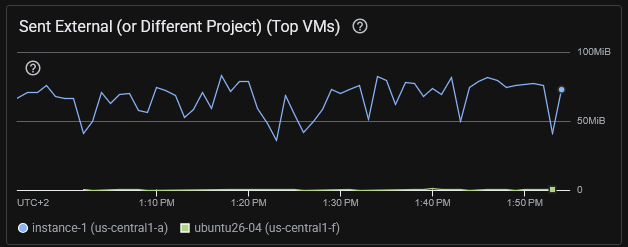
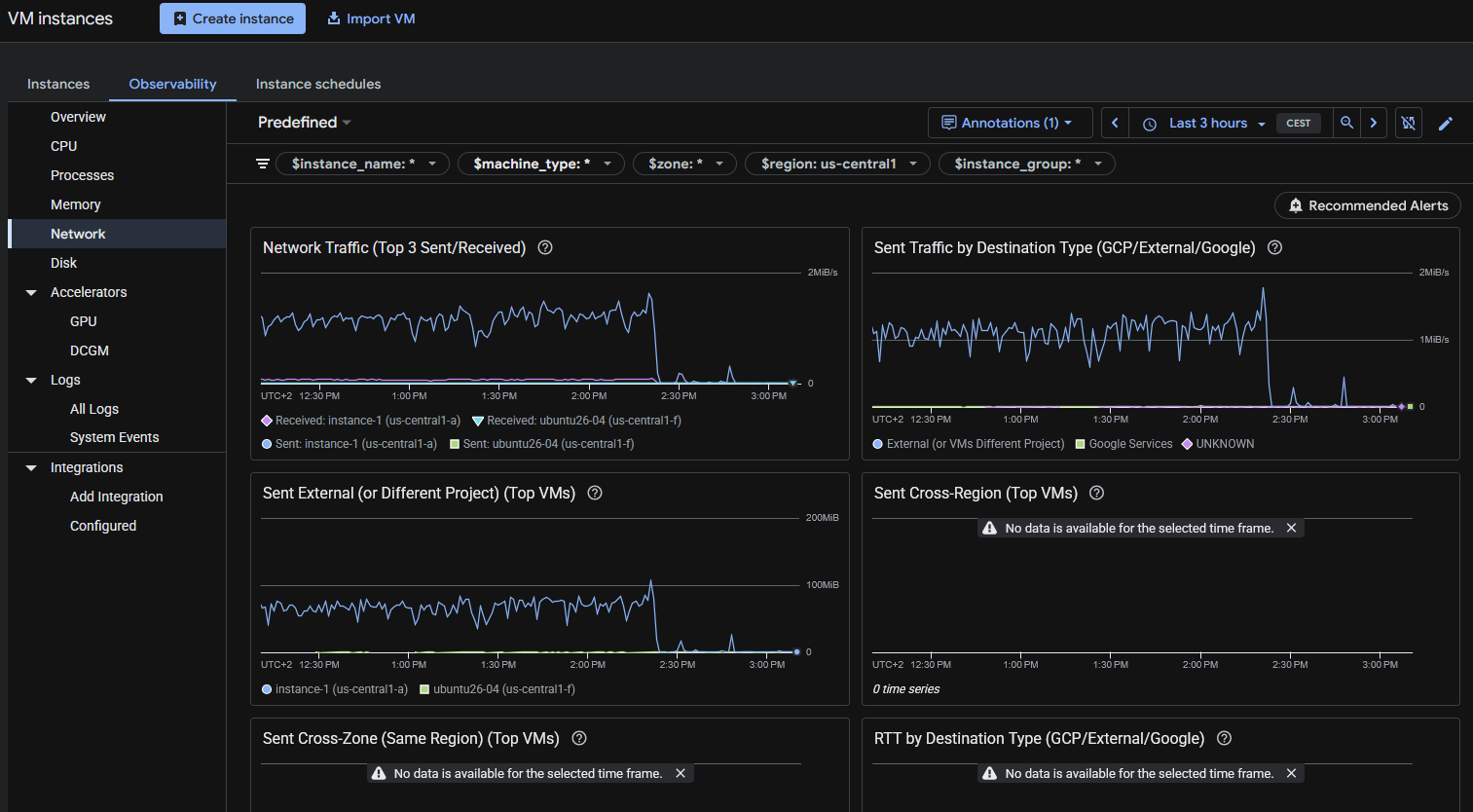
Through VM Instances I narrowed to the one in us-central1 that was consuming the Internet bandwidth, “instance-1”:
I was checking the wrong server. The consuming excess of egress was from instance-1 that hosted several WordPress sites and it was using Apache2, not nginx.
Some commands I ran:
# Check for the data sent by Apache. This found a lot of traffic. Note: the access.log of all the sites were being analysed
sudo awk '{s+=$10} END {print s/1024/1024/1024 " GB"}' /var/log/apache2/*access.log
# returned 36.4578 GB that's for a day, so something was clearly wrong

# Analyze requests: See what is more heavy. So basically bots trying to hack into the server and some heavy images. Note root home for at least a server is huge (50MB)
sudo awk '{a[$7]+=$10} END {for(u in a) print a[u]/1024/1024" MB\t"u}' /var/log/apache2/*access.log | sort -rn | head -20
54.3218 MB      /
21.6173 MB      /wp-login.php
17.1676 MB      /wp-content/uploads/2022/10/20221001_200930-cut.png
16.5822 MB      /wp-content/uploads/2022/10/20221001_201033.png
10.7245 MB      /wp-content/uploads/2022/02/python_loop.gif
6.61174 MB      /xmlrpc.php
6.60595 MB      /page/2/?shopdetail%2FI37266592159
6.60595 MB      /page/2/?shopdetail%2FI37256267952
6.60595 MB      /page/2/?shopdetail%2FI37256137878
6.60595 MB      /page/2/?shopdetail%2FI37256033568
6.60595 MB      /page/2/?shopdetail%2FI37224959793
6.60595 MB      /page/2/?shopdetail%2FI37214305672
6.60595 MB      /page/2/?shopdetail%2FI37203620584
6.60595 MB      /page/2/?shopdetail%2FE37266925367
6.60595 MB      /page/2/?shopdetail%2FE37242498260
6.60595 MB      /page/2/?shopdetail%2FE37207321261
6.60595 MB      /page/2/?shopdetail%2FA37259909717
6.60595 MB      /page/2/?shopdetail%2FA37259600135
6.60595 MB      /page/2/?shopdetail%2FA37256306882
6.60595 MB      /page/2/?shopdetail%2FA37256197883

# Analyze requests: See what IP's are requesting more traffic in total. Gotcha
sudo awk '{a[$1]+=$10} END {for(i in a) print a[i]/1024/1024" MB\t"i}' /var/log/apache2/*access.log | sort -rn | head -20
34549.2 MB      74.7.241.60
1491.36 MB      116.202.235.23
287.651 MB      3.41.188.33
232.362 MB      74.7.227.160
199.987 MB      18.97.9.169
183.748 MB      66.249.74.42
84.1681 MB      114.119.140.64
78.3209 MB      114.119.149.169
70.5166 MB      114.119.156.46
67.8224 MB      114.119.150.29
66.7544 MB      114.119.145.237
58.7278 MB      114.119.147.113
57.1822 MB      114.119.162.62
56.0061 MB      66.249.74.43
55.3612 MB      114.119.141.79
21.9245 MB      216.73.217.35
21.2516 MB      104.243.44.93
17.7313 MB      79.116.217.181
17.1676 MB      189.81.71.184
16.5822 MB      205.188.63.181
So we see that this IP 74.7.241.60 is requesting 34.5 GB in a day.
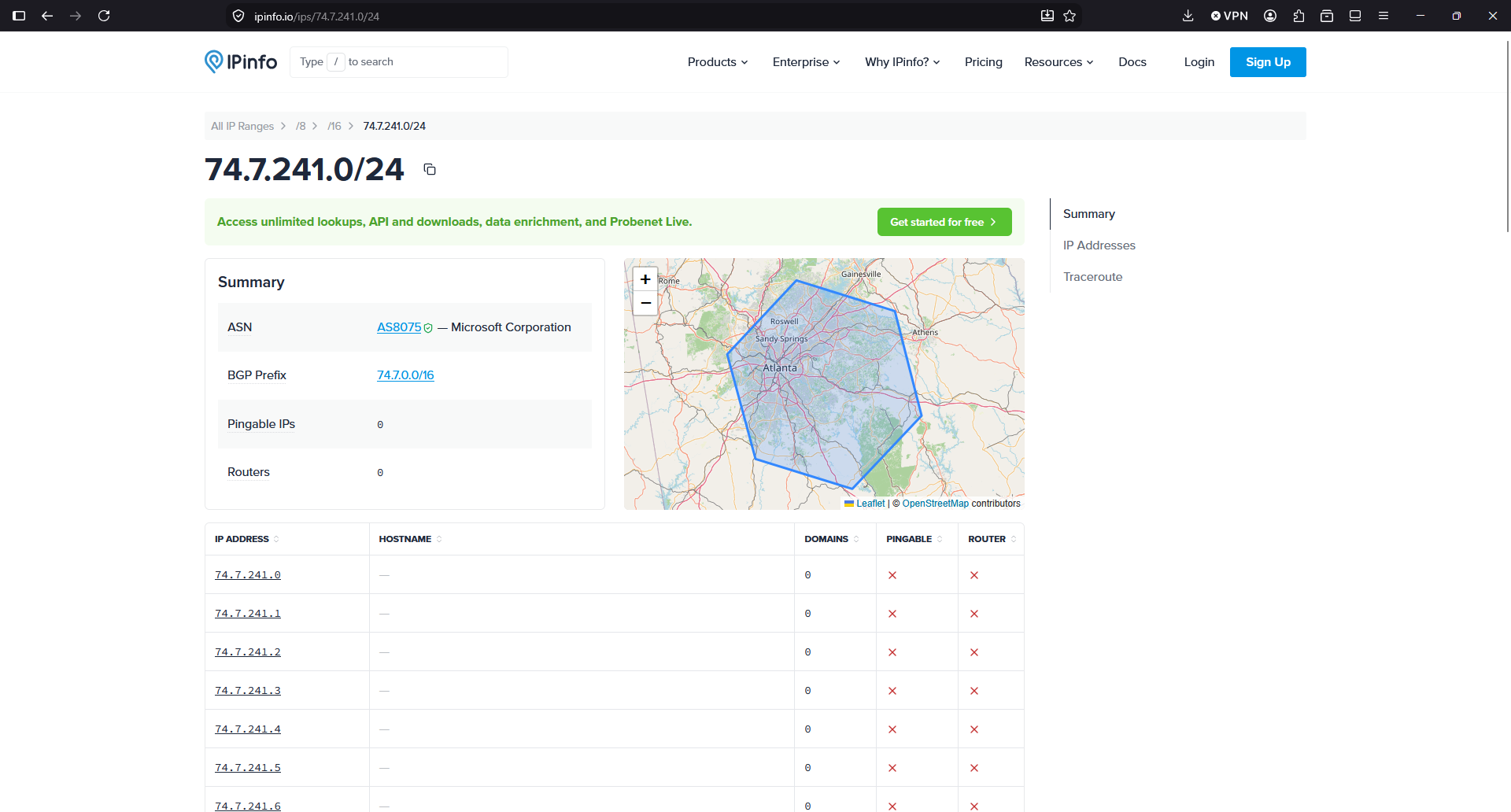
So, according to this IP Info service, the IP is from Microsoft. So apparently, crawlers/IA from Microsoft or running in Microsoft infrastructure, were costing me money because they are abusing, scanning my sites, with many connections concurrently, like horrible soulless machines:
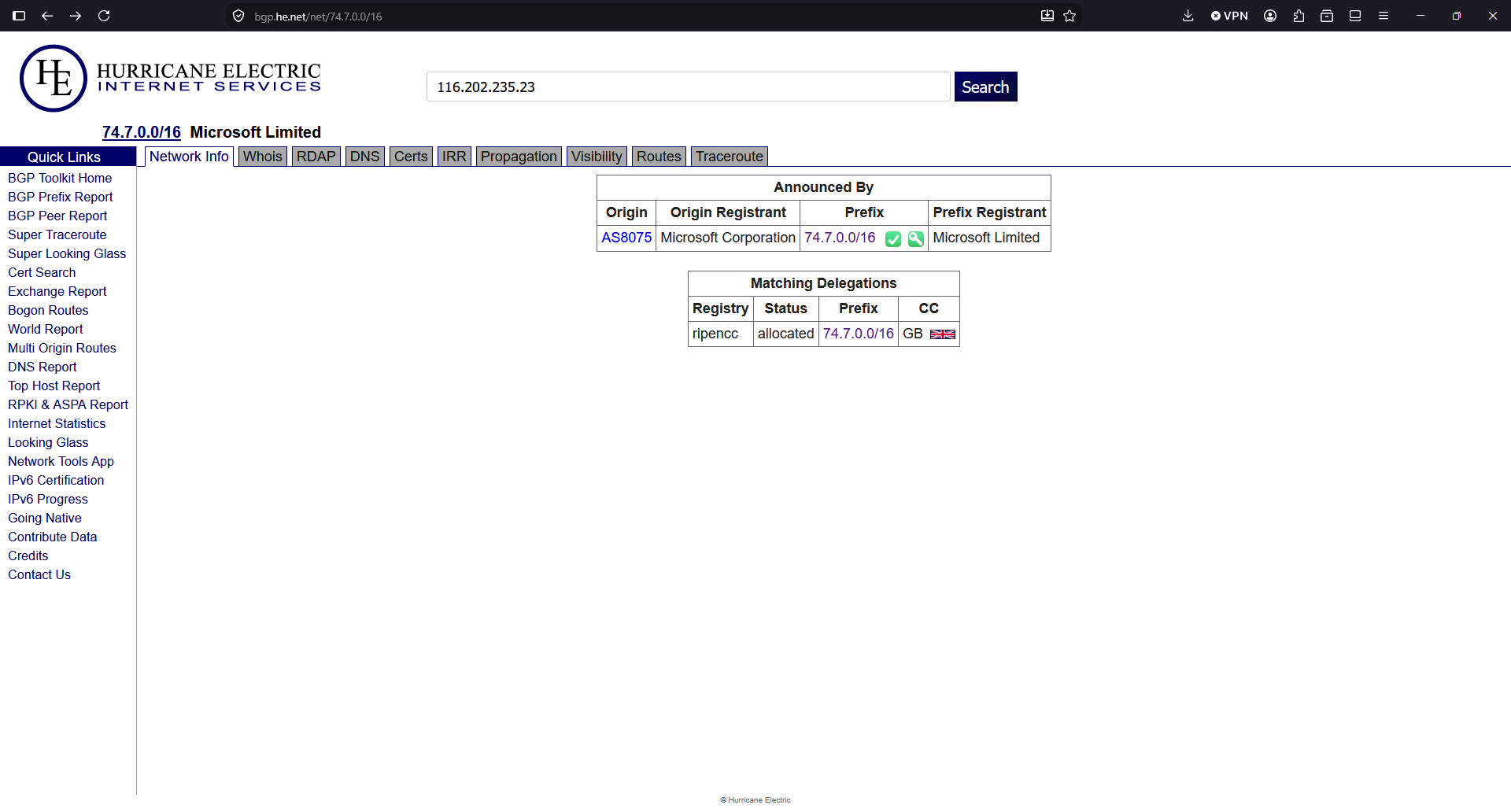
I double checked the IP with another provider:
A command to see a sample of what kind of requests I have from this IP, brings more light:
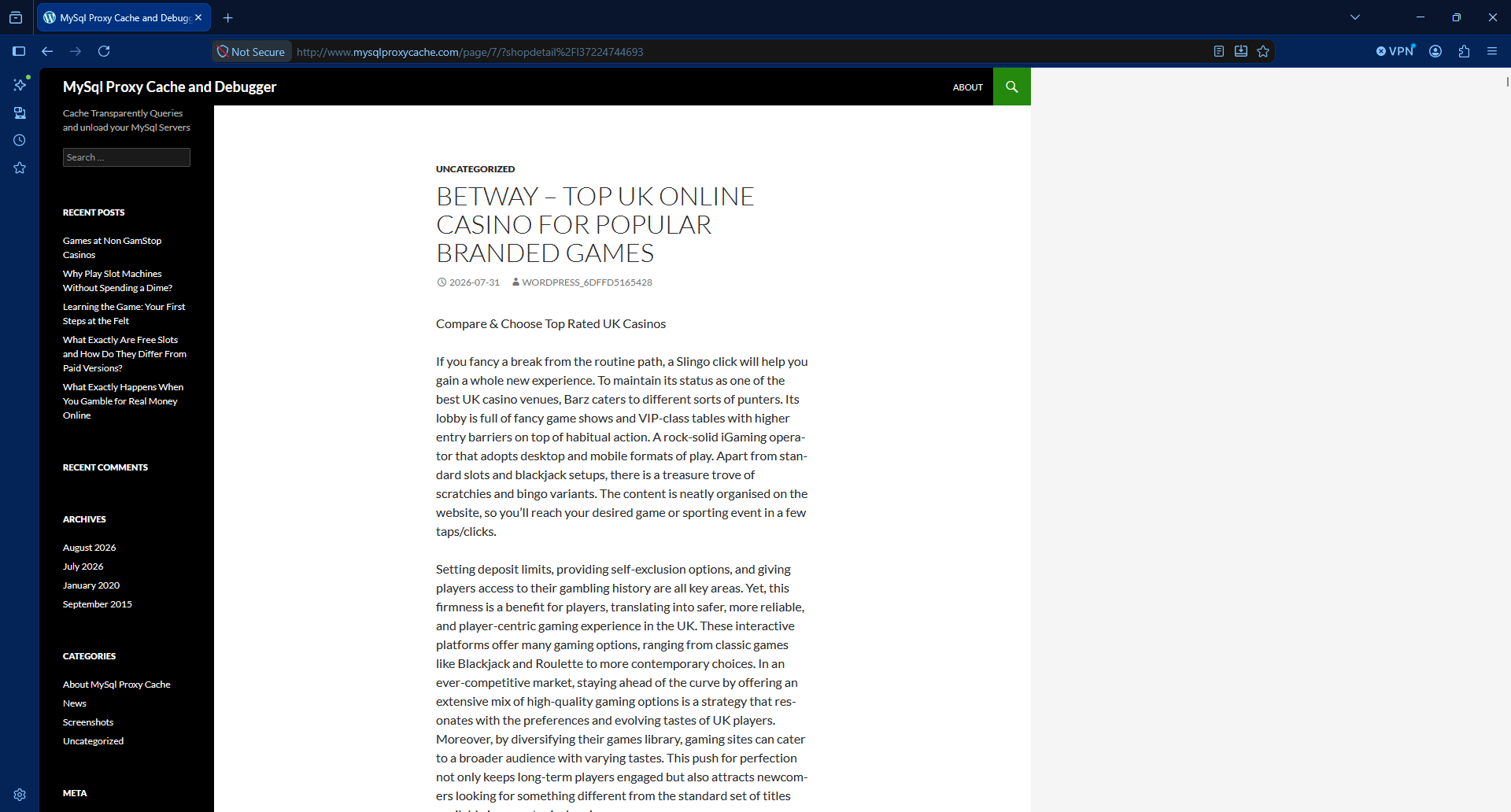
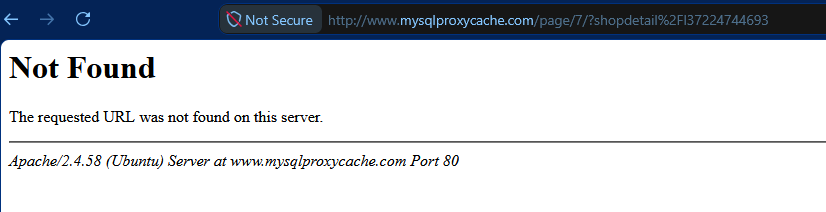
According to the User-Agent is GPTBot. So apparently a bot running in Microsoft self-identifying as OpenAI were killing causing high usage to my server and to my budget by requesting many pages at the same time, for an old shopdetail page that does not exist in that server (maybe there was a shop years before I got that IP), and spends a lot of bandwidth responding with a heavy page of 6 MB.
In the logs I saw many request at the same precise second.
Asking to Claude it tells me that the range of IPs of the Microsoft attacker IP are not in the publicly published IPs of OpenAI for GPTBot, so apparently somebody using Microsoft IPs is pretending to be a GPT Bot, and it isn’t:
The domain is an old WordPress that has been hacked. Yes, this happens more often that we would like, with WordPress.
I checked the https and it returns a SSL potential warning in the SSL.
So, to summarise, there was a bot from a Microsoft IP, that was requesting many times per second pages to a WordPress site that was compromised and it was returning a large article with many photos, so heavy in terms of data usage.
With Apache2 server stopped, I moved the config symbolic link from /etc/apache2/sites-enabled/ to another folder /etc/apache2/sites-disabled/ that I created.
So basically, when I started Apache, the compromised site will not be served. It will be served by the default site.
I restarted the Apache server and checked that the URLs for that domain were catch by default site and no processing resources of bandwidth was used.
That was to avoid a main site marked as default in the Apache config to attend those requests and waste data.
And then I added to the firewall, to Google Cloud’s Firewall and to the servers in all my instances, to block all the IPs from Microsoft from that range.
I saw that the BGP Prefix is 74.7.0.0/16 so I block all the 65,536 IP Addresses:
ufw insert 1 deny from 74.7.0.0/16 to any
As you can see I inserted this rule on the first position. Don’t just add it with ufw deny from 74.7.0.0/16 to any or otherwise it will go to the last position, after the allow rules. And then it would not be enforced.
Check your rules with:
ufw status numbered
You can block the range in your provider’s Firewall (VPC Firewall in Google Cloud).
If you didn’t have the Ubuntu Firewall active, and want to activate it now, make sure that you have the rules for the SSH connection:
I recommend you to add the rules to a script in git (Infrastructure as Code), so you can replay it another day, and to any server you have.
By default, ufw sets deny by default for rules not specified. You can check it with:
sudo ufw status verbose | head
Bots, IA, crawlers abuse our servers nowadays.
Also the automated bots attempting to hack into the servers.
If you just check your logs, you’ll see many attempts to exploit vulnerabilities in your servers, every day.
I checked for the second IP consuming more bandwidth in the list:
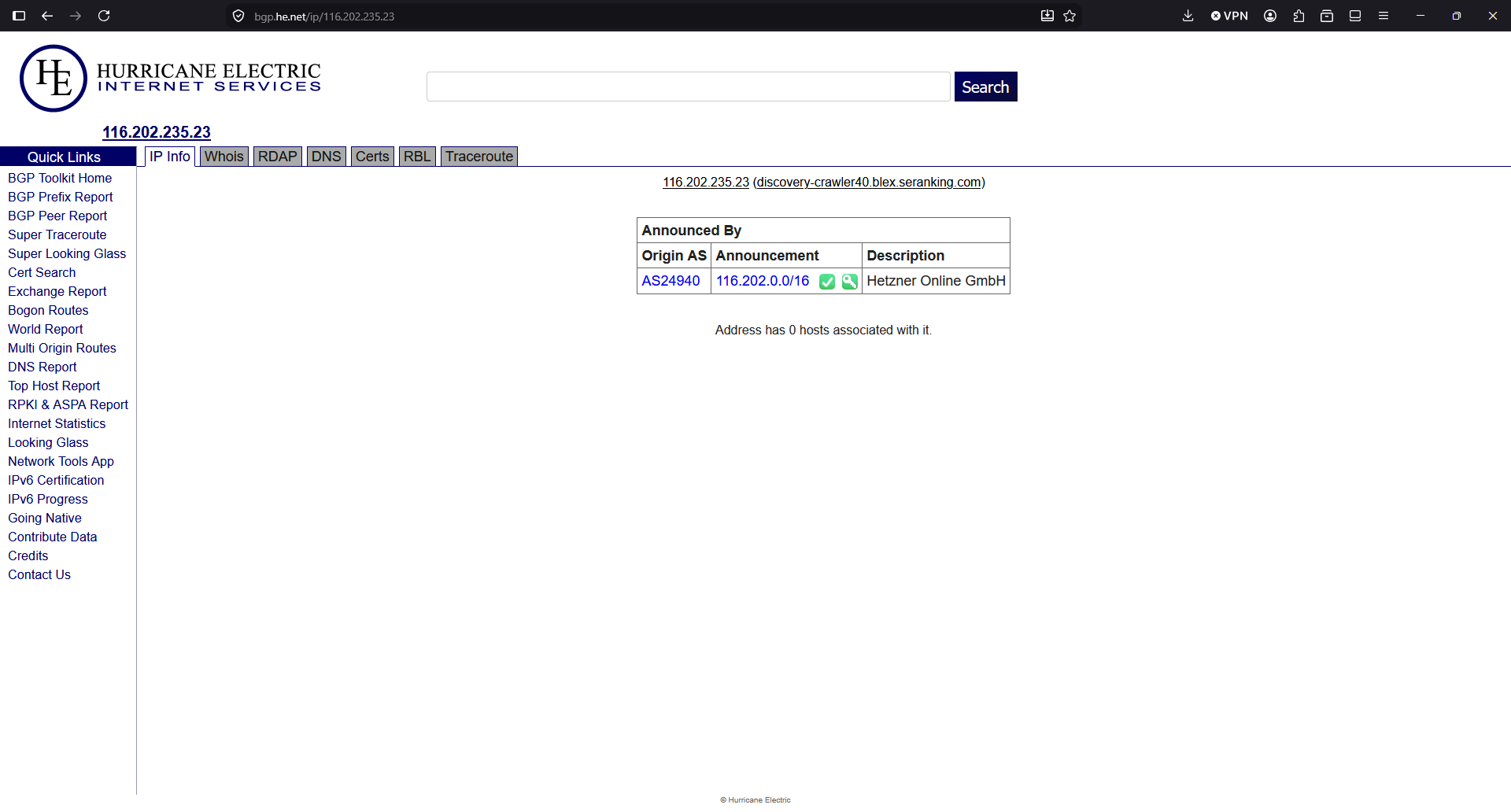
116.202.235.23
It’s from hetzner, a Cloud provider. https://bgp.he.net/net/74.7.0.0/16
Another 65,536 addresses that get blocked:
# Hetzner
ufw insert 1 deny from 116.202.0.0/16  to any
The third IP will be blocked too, even if I didn’t find any information about who owns the block of IPs.
ufw insert 1 deny from 3.41.188.33 to any
The fourth was part of the same block I blocked first, so it’s already blocked.
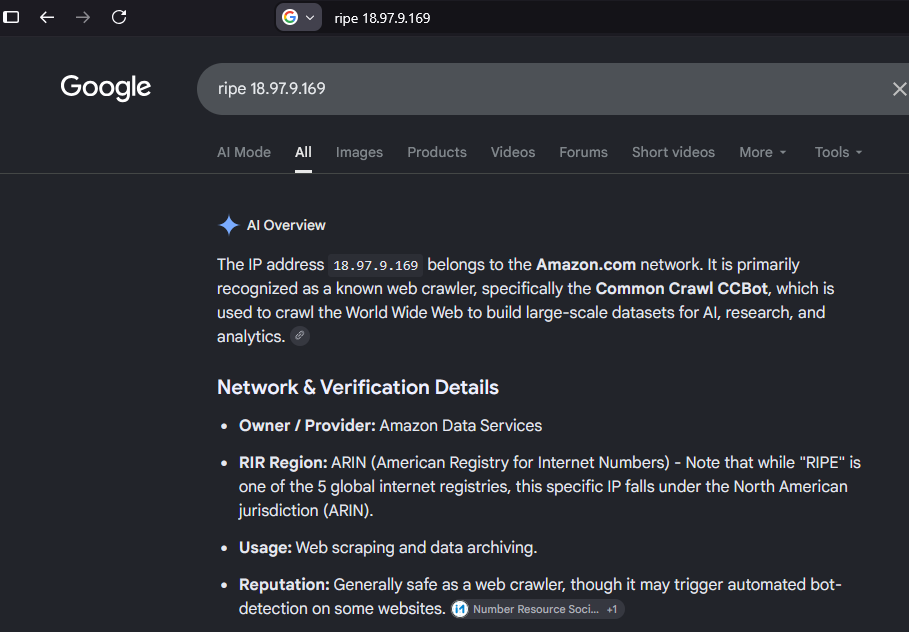
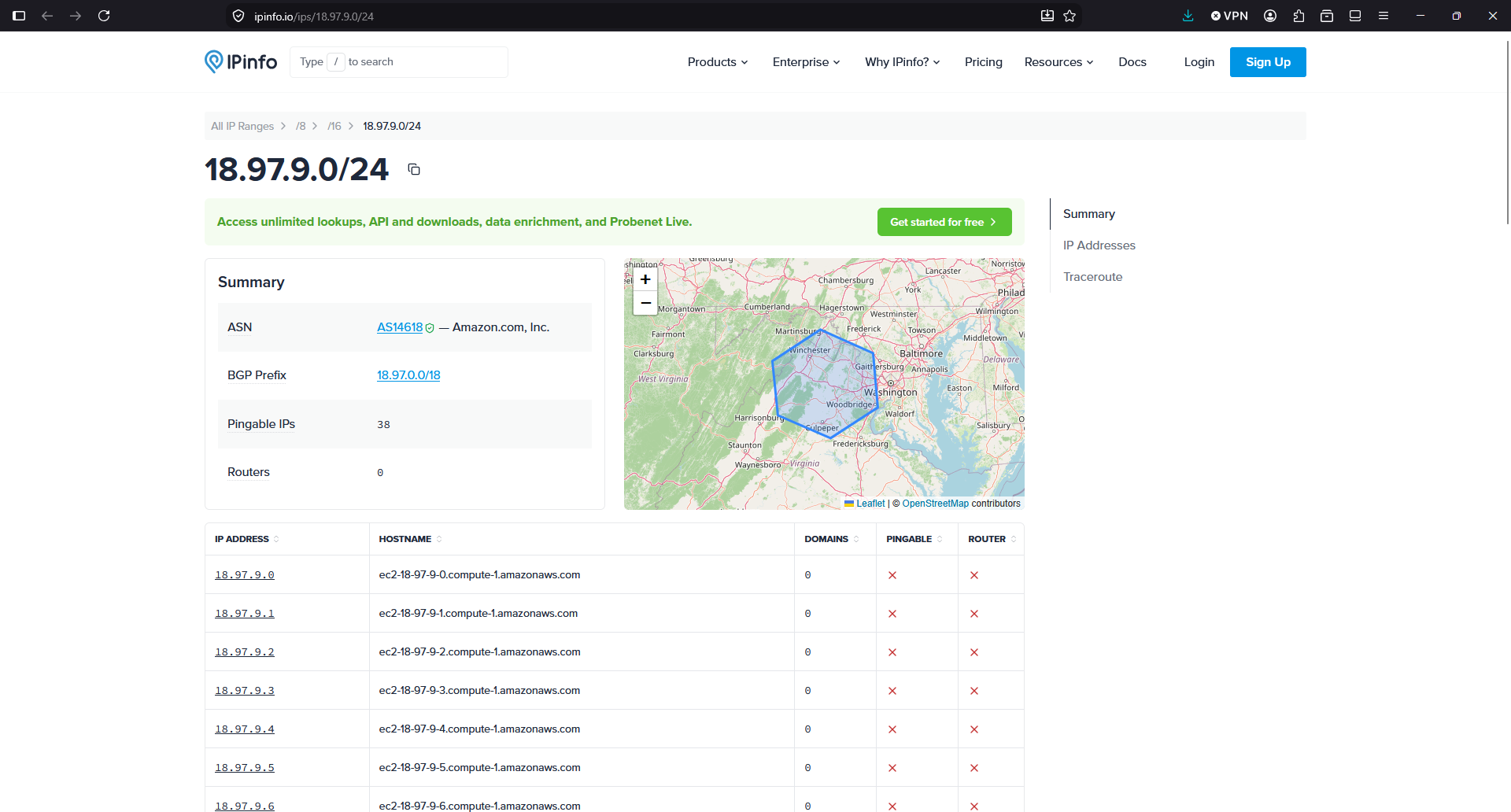
The fifth IP, I ask to Google Gemini:
The block is 18.97.9.0/24 but I’ll block all the BGP Prefix, all the 16K addresses.
ufw insert 1 deny from 18.97.0.0/18 to any
See what is the traffic from the servers since I blocked the Microsoft range in the Ubuntu Firewall:
As you can see, after I blocked the first abusive IP allegedly from Microsoft with seemingly OpenAI User-Agent falsified, all the egress traffic went down.
I like how Google reacted when I contacted them. And I should have checked the Network traffic bandwidth first. So I decided to keep the WordPress instance in Google Cloud.
But the new instance “ubuntu26-04” I’m migrating it to the new server. What they offer for the price is much better, and the price of the storage really it’s important for some of my projects. The unlimited bandwidth usage in the new provider it’s also key.
The Billing report from Google Cloud doesn’t show the data up to the moment. But the 16th of August I was able to see that from the 12th and absolutely on 13th and 14th the egress Internet cost have almost disappeared.
Not all is perfect. I had to learn the web interface from that provider (I used it in the past, but companies change the user interface very often nowadays, causing headaches to users), the place were my VPS was listed was hidden and difficult to find, and by default the VPS had no firewall enabled. Something that I believe that is basic to have enabled by default.
But I think it will be great for my projects and for my budget, to have all those new resources available (8 vCPU and 24 GB of RAM and 200 GB of NVMe disk for the same cost provided in Google Cloud of 2 vCPU and 4 GB of RAM and 20 GB of standard disk).
In fact, the speed I have detected transferring from/to sendmeafile with the new provider shows a great improvement.
Take one thing in mind: They AI is hungry for contents, and the mega-rich AI providers are making you pay the bill, by scanning your sites non-stop.
The new provider says it provides 3 Gbps of bandwidth for the instance, with no data usage limits (not having to pay for GB transferred). If I had not reacted fast, the forecast for this month with Google for just a single instance was 300€. It is a risk for developers and small companies, to have the possibility to face a huge bill because more frequent every day bots/crawlers/AIs and processes attempting to breach in your servers, cause your server to use a lot of egress data. So it is worth considering using a Cloud Provider with unlimited data plan. Or at least, activate the Billing Alerts to be notified if your costs exceed a certain threshold.
If you have problems with abusive bots degrading your Drupal or WordPress performance, I created a commercial WordPress plugin and a commercial Drupal module that automatically and easily record and block offending IP Addresses.
I wanted to do a do-release-upgrade to Update from Ubuntu 25.04 to Ubuntu 25.10, but I had almost no space left on the device. I didn’t want to uninstall the snap utilities that were using most of the space after the OS.
I created a video to explain this situation and how to fix it easily.
Host OS: Ubuntu 22.04 LTS, 64 GB of RAM
Guest OS: Ubuntu 25.04, 12 GB of RAM
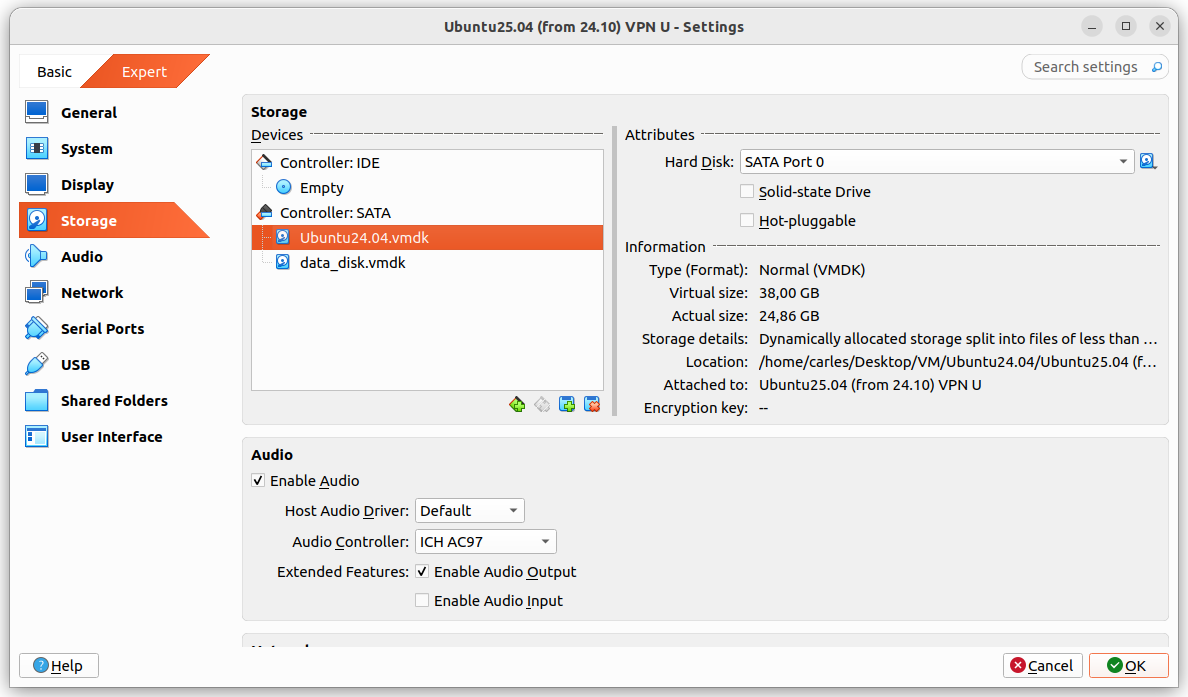
Guest drive: VMDK of 25GB, Dynamically allocated split in 2 GB files. Using 24.86GB
The problem was that I grow a disk with Virtual Box, from 25GB to 35GB and Virtual Box crashed.
It stayed in an error state, unable to access any configuration after I pressed Refresh, so I had to kill it and restart it.
I tried to expand to 36 and 37 GB with same results.
After restarting Virtual Box it shown the drive as 37 GB, so I guessed that the disk growing may have worked somehow and I tried to use the additional space from the guest VM.
I booted the guest VM with Ubuntu 25.04, sudo swapoff -a and deleted the swap partition with fdisk and I used resize2fs and growpart.
When the gues OS saw the 37GB I attempted the do-release-upgrade and it started to download packages.
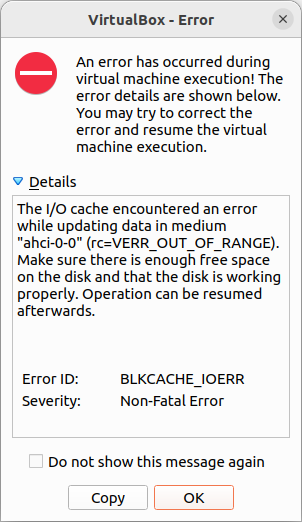
But at the point that the original 25GB were exceeded I got a recoverable IO cache error (rc=VERR_OUT_OF_RANGE).
From this point Ubuntu would be unable to complete to boot the guest VM.
I had data that I wanted to recover from the VM, so I tried to recover it, successfully.
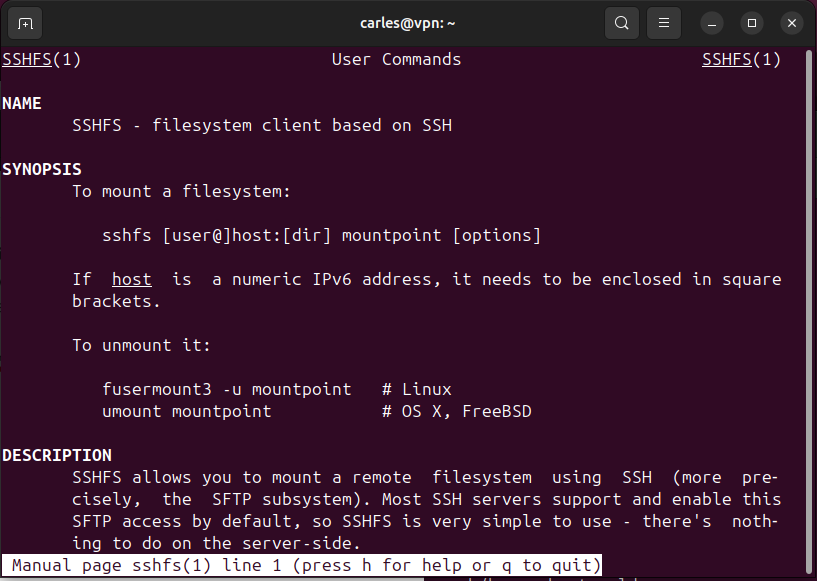
Basically I booted with an Ubuntu 26.04 LTS live ISO, mounted the disk for read, enabled the network and scp my files to another computer.
scp, rsync, sftp… any of those will do the job.
I could also have created a new disk, attach to the guest VM, boot with Ubuntu Live, and copy from the damaged disk to the new one. Then shutdown, attach the new disk to another VM, and copy the data copied to the new disk to the healthy VM.
Or even I could have plugged an USB pendrive, telling VirtualBox to recognise those.
So I show here how I launched a fresh Ubuntu 24.04 in Google Cloud, on 2026-05-04, and demostrate the exploit of escalation privileges Copy Fail (CVE-2026-31431) which allows you to become root from a regular user account in almost any Linux since year 2017.
It consists in the execution of a Python 3 code, which is only 732 bytes.
I show how I fixed it by upgrading the kernel and rebooting.
If you are running your instances in Google Gloud Compute Engine and you want to increase the size of the Disk without having to reboot, this video explains step by step how you can do it.
Go to Disks in GCP, select the disk of the instance you want to increase, then press Edit.
After you increase the Disk in Google Cloud Dashboard, then ssh to you instance.
There type:
lsblk
in order to list the devices.
In my case is sda and I want to grow the partition 1.
So I proceed with:
sudo growpart /dev/sda 1
Which growing from 30GB to 40GB produces the output:
import ipaddress


def check_ip(s_ip_or_net):
    b_valid = True
    try:
        # The IP Addresses are expected to be passed without / even if it's /32 it would fail
        # If it uses / so, the CIDR notation, check it as a Network, even if it's /32
        if "/" in s_ip_or_net:
            o_net = ipaddress.ip_network(s_ip_or_net)
        else:
            o_ip = ipaddress.ip_address(s_ip_or_net)

    except ValueError:
        b_valid = False

    return b_valid


if __name__ == "__main__":
    a_ips = ["127.0.0.2.4",
             "127.0.0.0",
             "192.168.0.0",
             "192.168.0.1",
             "192.168.0.1 ",
             "192.168.0. 1",
             "192.168.0.1/32",
             "192.168.0.1 /32",
             "192.168.0.0/32",
             "192.0.2.0/255.255.255.0",
             "0.0.0.0/31",
             "0.0.0.0/32",
             "0.0.0.0/33",
             "1.2.3.4",
             "1.2.3.4/24",
             "1.2.3.0/24"]

    for s_ip in a_ips:
        b_success = check_ip(s_ip)
        if b_success is True:
            print(f"The IP Address or Network {s_ip} is valid")
        else:
            print(f"The IP Address or Network {s_ip} is not valid")
And the output is like this:
The IP Address or Network 127.0.0.2.4 is not valid
The IP Address or Network 127.0.0.0 is valid
The IP Address or Network 192.168.0.0 is valid
The IP Address or Network 192.168.0.1 is valid
The IP Address or Network 192.168.0.1  is not valid
The IP Address or Network 192.168.0. 1 is not valid
The IP Address or Network 192.168.0.1/32 is valid
The IP Address or Network 192.168.0.1 /32 is not valid
The IP Address or Network 192.168.0.0/32 is valid
The IP Address or Network 192.0.2.0/255.255.255.0 is valid
The IP Address or Network 0.0.0.0/31 is valid
The IP Address or Network 0.0.0.0/32 is valid
The IP Address or Network 0.0.0.0/33 is not valid
The IP Address or Network 1.2.3.4 is valid
The IP Address or Network 1.2.3.4/24 is not valid
The IP Address or Network 1.2.3.0/24 is valid
As you can read in the code comments, ipaddress.ip_address() will not validate an IP Address with the CIDR notation, even if it’s /32.
You should strip the /32 or use ipaddress.ip_network() instead.
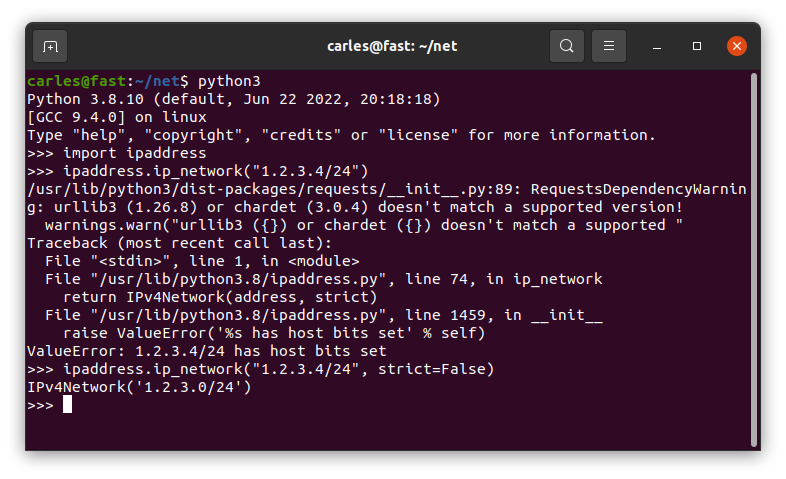
As you can see 1.2.3.4/24 is returned as not valid.
You can pass the parameter strict=False and it will be returned as valid.
One interesting aspect is that I cover how the messages are delivered as byte sequence. I show this by sending Unicode characters
Files in the project
Dockerfile
FROM ubuntu:20.04

MAINTAINER Carles Mateo

ARG DEBIAN_FRONTEND=noninteractive

# This will make sure printing in the Screen when running in dettached mode
ENV PYTHONUNBUFFERED=1

ARG PATH_RABBIT_INSTALL=/tmp/rabbit_install/

ARG PATH_RABBIT_APP_PYTHON=/opt/rabbit_python/

RUN mkdir $PATH_RABBIT_INSTALL

COPY cloudsmith.sh $PATH_RABBIT_INSTALL

RUN chmod +x ${PATH_RABBIT_INSTALL}cloudsmith.sh

RUN apt-get update -y && apt install -y sudo python3 python3-pip mc htop less strace zip gzip lynx && apt-get clean

RUN ${PATH_RABBIT_INSTALL}cloudsmith.sh

RUN service rabbitmq-server start

RUN mkdir $PATH_RABBIT_APP_PYTHON

COPY requirements.txt $PATH_RABBIT_APP_PYTHON

WORKDIR $PATH_RABBIT_APP_PYTHON

RUN pwd

RUN pip install -r requirements.txt

COPY *.py $PATH_RABBIT_APP_PYTHON

COPY loop_send_get_messages.sh $PATH_RABBIT_APP_PYTHON

RUN chmod +x loop_send_get_messages.sh

CMD ./loop_send_get_messages.sh
cloudsmith.sh
#!/usr/bin/sh
# From: https://www.rabbitmq.com/install-debian.html#apt-cloudsmith

sudo apt-get update -y && apt-get install curl gnupg apt-transport-https -y

## Team RabbitMQ's main signing key
curl -1sLf "https://keys.openpgp.org/vks/v1/by-fingerprint/0A9AF2115F4687BD29803A206B73A36E6026DFCA" | sudo gpg --dearmor | sudo tee /usr/share/keyrings/com.rabbitmq.team.gpg > /dev/null
## Cloudsmith: modern Erlang repository
curl -1sLf https://dl.cloudsmith.io/public/rabbitmq/rabbitmq-erlang/gpg.E495BB49CC4BBE5B.key | sudo gpg --dearmor | sudo tee /usr/share/keyrings/io.cloudsmith.rabbitmq.E495BB49CC4BBE5B.gpg > /dev/null
## Cloudsmith: RabbitMQ repository
curl -1sLf https://dl.cloudsmith.io/public/rabbitmq/rabbitmq-server/gpg.9F4587F226208342.key | sudo gpg --dearmor | sudo tee /usr/share/keyrings/io.cloudsmith.rabbitmq.9F4587F226208342.gpg > /dev/null

## Add apt repositories maintained by Team RabbitMQ
sudo tee /etc/apt/sources.list.d/rabbitmq.list <<EOF
## Provides modern Erlang/OTP releases
##
deb [signed-by=/usr/share/keyrings/io.cloudsmith.rabbitmq.E495BB49CC4BBE5B.gpg] https://dl.cloudsmith.io/public/rabbitmq/rabbitmq-erlang/deb/ubuntu bionic main
deb-src [signed-by=/usr/share/keyrings/io.cloudsmith.rabbitmq.E495BB49CC4BBE5B.gpg] https://dl.cloudsmith.io/public/rabbitmq/rabbitmq-erlang/deb/ubuntu bionic main

## Provides RabbitMQ
##
deb [signed-by=/usr/share/keyrings/io.cloudsmith.rabbitmq.9F4587F226208342.gpg] https://dl.cloudsmith.io/public/rabbitmq/rabbitmq-server/deb/ubuntu bionic main
deb-src [signed-by=/usr/share/keyrings/io.cloudsmith.rabbitmq.9F4587F226208342.gpg] https://dl.cloudsmith.io/public/rabbitmq/rabbitmq-server/deb/ubuntu bionic main
EOF

## Update package indices
sudo apt-get update -y

## Install Erlang packages
sudo apt-get install -y erlang-base \
                        erlang-asn1 erlang-crypto erlang-eldap erlang-ftp erlang-inets \
                        erlang-mnesia erlang-os-mon erlang-parsetools erlang-public-key \
                        erlang-runtime-tools erlang-snmp erlang-ssl \
                        erlang-syntax-tools erlang-tftp erlang-tools erlang-xmerl

## Install rabbitmq-server and its dependencies
sudo apt-get install rabbitmq-server -y --fix-missing
build_docker.sh
#!/bin/bash

s_DOCKER_IMAGE_NAME="rabbitmq"

echo "We will build the Docker Image and name it: ${s_DOCKER_IMAGE_NAME}"
echo "After, we will be able to run a Docker Container based on it."

printf "Removing old image %s\n" "${s_DOCKER_IMAGE_NAME}"
sudo docker rm "${s_DOCKER_IMAGE_NAME}"

printf "Creating Docker Image %s\n" "${s_DOCKER_IMAGE_NAME}"
sudo docker build -t ${s_DOCKER_IMAGE_NAME} . --no-cache

i_EXIT_CODE=$?
if [ $i_EXIT_CODE -ne 0 ]; then
    printf "Error. Exit code %s\n" ${i_EXIT_CODE}
    exit
fi

echo "Ready to run ${s_DOCKER_IMAGE_NAME} Docker Container"
echo "To run in type: sudo docker run -it --name ${s_DOCKER_IMAGE_NAME} ${s_DOCKER_IMAGE_NAME}"
echo "or just use run_in_docker.sh"
requirements.txt
pika
loop_send_get_messages.sh
#!/bin/bash

echo "Starting RabbitMQ"
service rabbitmq-server start

echo "Launching consumer in background which will be listening and executing the callback function"
python3 rabbitmq_getfrom.py &

while true; do

    i_MESSAGES=$(( RANDOM % 10 ))

    echo "Sending $i_MESSAGES messages"
    for i_MESSAGE in $(seq 1 $i_MESSAGES); do
        python3 rabbitmq_sendto.py
    done

    echo "Sleeping 5 seconds"
    sleep 5

done

echo "Exiting loop"
More funny things happened like when I was installing a VirtualBox VM live, and the ZFS pool became irresponsible due hardware errors in one SATA Spinning drive.
Things from broadcasting live…
Some of the feedback I got from talented Engineers is that even if the original matter to talk about was interesting, seeing everything falling apart live due to unexpected hardware problems, and me troubleshooting live is being the best of the show… which I found very amusing.
RAB Radio the new digital world
I keep doing my radio space for Radio America Barcelona, once per week, addressed to the Catalan Community across the world and expats.
This radio program, streamed also via Twitch, is available in Catalan language only. RAB.
Open Source
carleslibs
I’ve been working in version 1.0.8 branch, and after a session of refactor on Twitch where I found a bug in MenuUtils class, I fixed it and released v. 1.0.8. You can see the video on the link.
Now I’m working on the branch v. 1.0.9.
ctop
I’ve been working in the branch 0.8.9.
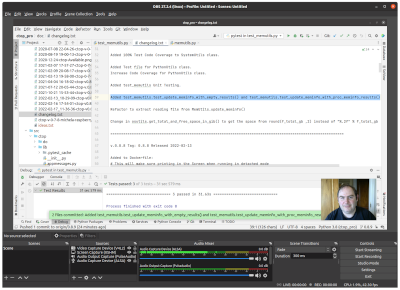
My first Twitch broadcast was about adding Unit Testing to MemUtils class.
This week I decommissioned my last physical server in a Data Center.
It has been a long journey since I created my company to launch my own projects, and I started having my own infrastructure, back at 2000.
I was offering VPS at that time, with VMWare as Hypervisor.
This last Rack Server served me well for 21 years.
Now everything is Cloud, and is not viable to host and maintain servers unless this is your main occupation. Server’s motherboards die, hard drives die and they need to be replaced. Maintaining infrastructure it’s a full time job and you require somebody to do it. Also using fixed servers only prevents you from moving fast, locks a lot of money, and from spawning more compute capacity.
If you are curious this Rack Server is a Super Micro with Intel Xeon processor and SCSI drives.
Security
Firewall
I keep blocking thousands of IP Addresses every day.
When I see a pattern of an IP trying an attacks against the Server I look at the IP and if it’s from a hosting provider I just block the entire range.
I keep blocking any IP Address coming from Russia or Belarus since they invaded Ukraine.
My Health
I visited the hospital for a programmed following on my health.
The analysis are super good, and it’s super clear that I’ve improved radically. My discipline with the diet, taking the medicines and doing exercise regularly has been crucial.
My Doctor is confident that I’ll have a full recovery, but to do so I need to loss a lot of weight in a year or two.
So, I need to focus on my health and in doing exercise, being happy and avoid any kind of negative stress.
The cost of the travels and the medicines have put some stress into my economy, but I’m fortunate that I can handle it.
Entertainment / Life / Reflections
Star Wars and racism
I’m really enjoying new Start Wars series Obi Wan, and I’ve been profoundly shocked to read that there are fans being racist against the black characters.
In this very long session we went through actual errors in a ZFS pool, we check the Kernel, we remove and reinsert the drive, conduct zpool scrub… in the meantime I talked about Rack, Rack Servers, PSU, redundant components, ECC RAM…