I wanted to do a do-release-upgrade to Update from Ubuntu 25.04 to Ubuntu 25.10, but I had almost no space left on the device. I didn’t want to uninstall the snap utilities that were using most of the space after the OS.
I created a video to explain this situation and how to fix it easily.
Host OS: Ubuntu 22.04 LTS, 64 GB of RAM
Guest OS: Ubuntu 25.04, 12 GB of RAM
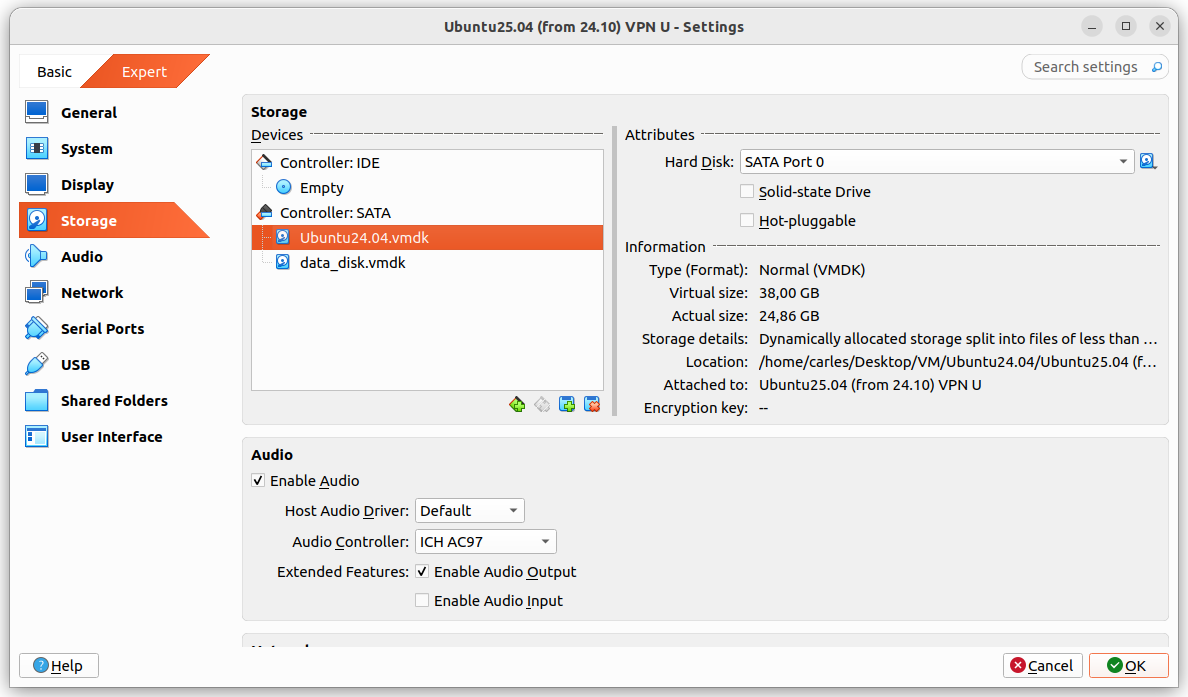
Guest drive: VMDK of 25GB, Dynamically allocated split in 2 GB files. Using 24.86GB
The problem was that I grow a disk with Virtual Box, from 25GB to 35GB and Virtual Box crashed.
It stayed in an error state, unable to access any configuration after I pressed Refresh, so I had to kill it and restart it.
I tried to expand to 36 and 37 GB with same results.
After restarting Virtual Box it shown the drive as 37 GB, so I guessed that the disk growing may have worked somehow and I tried to use the additional space from the guest VM.
I booted the guest VM with Ubuntu 25.04, sudo swapoff -a and deleted the swap partition with fdisk and I used resize2fs and growpart.
When the gues OS saw the 37GB I attempted the do-release-upgrade and it started to download packages.
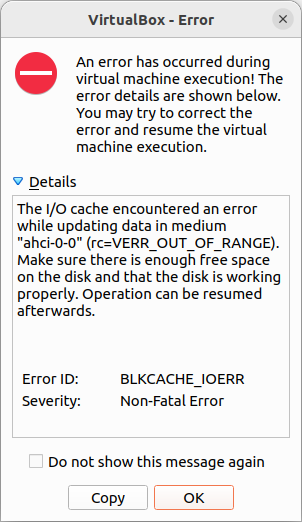
But at the point that the original 25GB were exceeded I got a recoverable IO cache error (rc=VERR_OUT_OF_RANGE).
From this point Ubuntu would be unable to complete to boot the guest VM.
I had data that I wanted to recover from the VM, so I tried to recover it, successfully.
Basically I booted with an Ubuntu 26.04 LTS live ISO, mounted the disk for read, enabled the network and scp my files to another computer.
scp, rsync, sftp… any of those will do the job.
I could also have created a new disk, attach to the guest VM, boot with Ubuntu Live, and copy from the damaged disk to the new one. Then shutdown, attach the new disk to another VM, and copy the data copied to the new disk to the healthy VM.
Or even I could have plugged an USB pendrive, telling VirtualBox to recognise those.
This is a mechanism I invented and I’ve been using for decades, to migrate or clone my Linux Desktops to other physical servers.
This script is focused on doing the job for Ubuntu but I was doing this already 30 years ago, for X Window as I was responsible of the Linux platform of a ISP (Internet Service Provider). So, it is compatible with any Linux Desktop or Server.
It has the advantage that is a very lightweight backup. You don’t need to backup /etc or /var as long as you install a new OS and restore the folders that you did backup. You can backup and restore Wine (Windows Emulator) programs completely and to/from VMs and Instances as well.
It’s based on user/s rather than machine.
And it does backup using the Timestamp, so you keep all the different version, modified over time. You can fusion the backups in the same folder if you prefer avoiding time versions and keep only the latest backup. If that’s your case, then replace s_PATH_BACKUP_NOW=”${s_PATH_BACKUP}${s_DATETIME}/” by s_PATH_BACKUP_NOW=”${s_PATH_BACKUP}” for instance. You can also add a folder for machine if you prefer it, for example if you use the same userid across several Desktops/Servers.
I offer you a much simplified version of my scripts, but they can highly serve your needs.
#!/usr/bin/env bash

# Author: Carles Mateo
# Last Update: 2022-10-23 10:48 Irish Time

# User we want to backup data for
s_USER="carles"
# Target PATH for the Backups
s_PATH_BACKUP="/home/${s_USER}/Desktop/Bck/"

s_DATE=$(date +"%Y-%m-%d")
s_DATETIME=$(date +"%Y-%m-%d-%H-%M-%S")

s_PATH_BACKUP_NOW="${s_PATH_BACKUP}${s_DATETIME}/"

echo "Creating path $s_PATH_BACKUP and $s_PATH_BACKUP_NOW"
mkdir $s_PATH_BACKUP
mkdir $s_PATH_BACKUP_NOW

s_PATH_KEY="/home/${s_USER}/Desktop/keys/2007-01-07-cloud23.pem"
s_DOCKER_IMG_JENKINS_EXPORT=${s_DATE}-jenkins-base.tar
s_DOCKER_IMG_JENKINS_BLUEOCEAN2_EXPORT=${s_DATE}-jenkins-blueocean2.tar
s_PGP_FILE=${s_DATETIME}-pgp.zip

# Version the PGP files
echo "Compressing the PGP files as ${s_PGP_FILE}"
zip -r ${s_PATH_BACKUP_NOW}${s_PGP_FILE} /home/${s_USER}/Desktop/PGP/*

# Copy to BCK folder, or ZFS or to an external drive Locally as defined in: s_PATH_BACKUP_NOW
echo "Copying Data to ${s_PATH_BACKUP_NOW}/Data"
rsync -a --exclude={} --acls --xattrs --owner --group --times --stats --human-readable --progress -z "/home/${s_USER}/Desktop/data/" "${s_PATH_BACKUP_NOW}data/"
rsync -a --exclude={'Desktop','Downloads','.local/share/Trash/','.local/lib/python2.7/','.local/lib/python3.6/','.local/lib/python3.8/','.local/lib/python3.10/','.cache/JetBrains/'} --acls --xattrs --owner --group --times --stats --human-readable --progress -z "/home/${s_USER}/" "${s_PATH_BACKUP_NOW}home/${s_USER}/"
rsync -a --exclude={} --acls --xattrs --owner --group --times --stats --human-readable --progress -z "/home/${s_USER}/Desktop/code/" "${s_PATH_BACKUP_NOW}code/"


echo "Showing backup dir ${s_PATH_BACKUP_NOW}"
ls -hal ${s_PATH_BACKUP_NOW}

df -h /
See how I exclude certain folders like the Desktop or Downloads with –exclude.
It relies on the very useful rsync program. It also relies on zip to compress entire folders (PGP Keys on the example).
If you use the second part, to compress Docker Images (Jenkins in this example), you will run it as sudo and you will need also gzip.
There is a final part, if you want to backup to a remote Server/s using ssh:
# continuation... to copy to a remote Server.

s_PATH_REMOTE="bck7@cloubbck11.carlesmateo.com:/Bck/Desktop/${s_USER}/data/"

# Copy to the other Server
rsync -e "ssh -i $s_PATH_KEY" -a --exclude={} --acls --xattrs --owner --group --times --stats --human-readable --progress -z "/home/${s_USER}/Desktop/data/" ${s_PATH_REMOTE}
I recommend you to use the same methodology in all your Desktops, like for example, having a data/ folder in the Desktop for each user.
You can use Erasure Code to split the Backups in blocks and store a piece in different Cloud Providers.
Also you can store your Backups long-term, with services like Amazon Glacier.
Other ideas are storing certain files in git and in Hadoop HDFS.
If you want you can CRC your files before copying to another device or server.
In this very long session we went through actual errors in a ZFS pool, we check the Kernel, we remove and reinsert the drive, conduct zpool scrub… in the meantime I talked about Rack, Rack Servers, PSU, redundant components, ECC RAM…
I was contributing already but since the 2th of May I started my radio space, also streamed in Twitch, google Podcast, Apple, Spotify… in Radio America Barcelona.
My space is named The New Digital World (“el nou món digital”) and I talk about tech news, technology, videogames and handy tricks.
This content is in Catalan language only, so I added to the blog as ending in [CA]
New Projects: Erasure Code
For my university thesis I’ve been creating an Erasure Coding solution that allows to encode and distribute the files seamlessly across an universe of Servers in different cloud providers, balancing the disk space used, super easy to use, and resilient to disaster and recovery.
I created my project, named Erasure Code www.erasurecode.com as Open Source, so all size of companies will be able to benefit from this technology, only available to multinationals until now.
I hope this will help tons of companies and startup, hopefully scientific startups, to save costs and focus more in their business and to make a better world.
Explanations about redefining reserved keywords like print or exit as a variable.
Style modification to add lines over the line number and over the Footnote.
My health
My health is improving.
Thanks to my self discipline, following a good diet, taking the medicines… I’ve seen an spectacular improvement since I was sent urgently to he hospital with risk for my life.
I’ve very grateful that amazing doctors care of me.
I had some ups and downs and downs while pushing to finish my final project for the HDip in Computer Science Cloud Computing, but I managed to complete everything on time.
I had to travel to visit amazing specialists, and had to pay the expensive treatments, however everything worked and my health has improved drastically. I am very happy to count with additional source of income, like the teaching programming and my technical books, which helped me to be able to deal with all these sorts of unexpected expenses. I appreciate every single sale of my books, as it made me feel useful and appreciated when I was a bit low, and the nice details some of the readers had. Thanks.
Firewall
I’ve keep blocking in the Firewall any IP and that network coming to the blog from Russia and Belarus. I’ve blocked millions of IP Addresses so far.
I’ve also blocked the traffic coming from CSP when I detect an attack and the IP belongs to them. Most of the attacks were coming from Digital Ocean, after your-server.de and hetzer.de and finally Amazon. Curiously some attacks came from IPs from Microsoft.
I’ve blocked all these ranges of IPs, hundreds of thousands.
Despite blocking all these IPs from CSPs, the number of visitors keeps growing.
At the end my blog is for Engineers and for people, I don’t have interest in bots, and I don’t get any revenue from ads (I never added ads) so I’m perfectly happy with having less visitors, but being humans that find help in the blog.
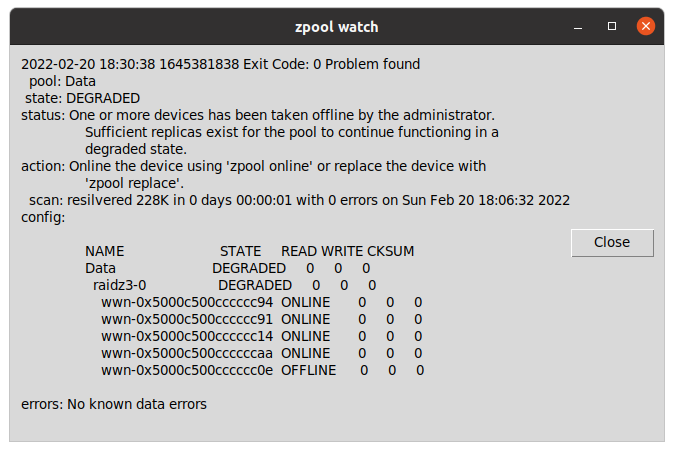
zpool watch is a small Python program for Linux workstations with graphical environment and ZFS, that checks every 30 seconds if your OpenZFS pools are Ok.
If a pool is not healthy, it displays a message in a window using tk inter.
Basically allows you to skip checking from the terminal zpool status continuously or to having to customize the ZED service to send an email and having to figure out how to it can spawn a window alert to the graphical system or what to do if the session has not been initiated.
carleslibs
Since last News from the Blog I’ve released carleslibs v.1.06, v.1.0.5 and v.1.0.4.
v.1.0.6 adds a new class OsUtils to deal with mostly-Linux Os tasks, like knowing the userid, the username, if it’s root, the distribution name and kernel version.
It also adds:
DatetimeUtils.sleep(i_seconds)
In v.1.0.5 I’ve included a new method for getting the Datetime in Unix Epoc format as Integer and increased Code Coverage to 95% for ScreenUtils class.
v. 1.0.4 contains a minor update, a method in StringUtils to escape html from a string.
It uses the library html (part of Python core) so it was small work to do for me to create this method, and the Unit Test for it, but I wanted to use carleslibs in more projects and adding it as core functionality, makes the code of these projects I’m working on, much more clear.
Minor refactors and adding more Code Coverage (Unit Testing), and protection in the code for division per zero when seconds passed as int are 0. (this was not an actual error, but is worth protecting the code just in case for the future)
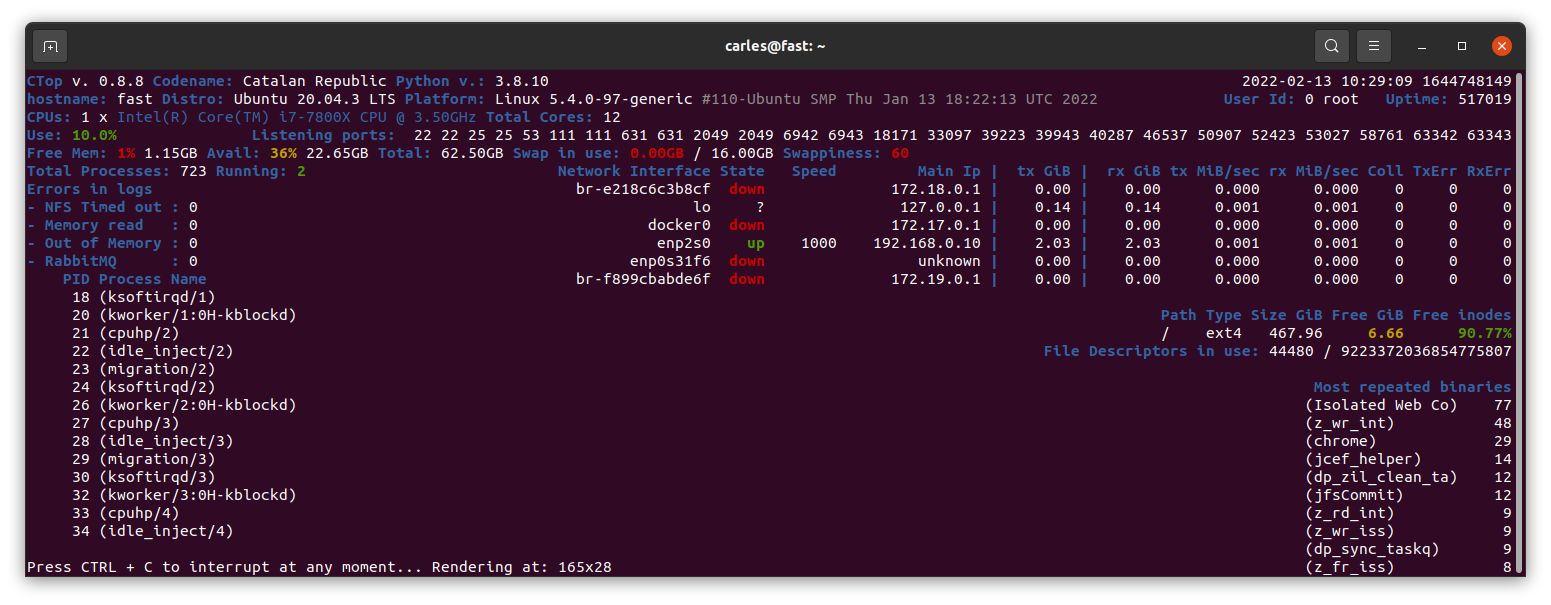
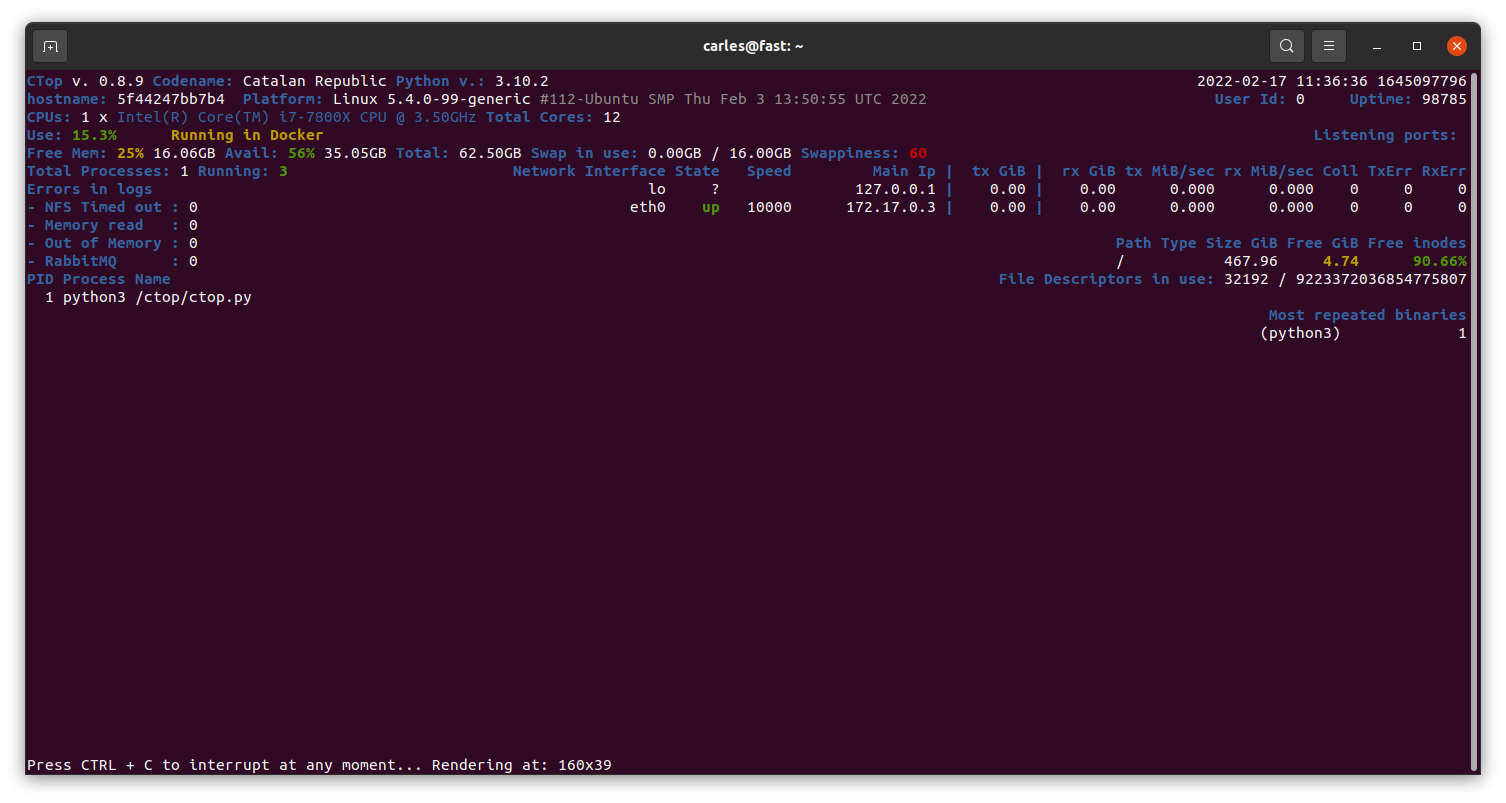
Currently in Master there is a stable version of 0.8.9 mainly fixing https://gitlab.com/carles.mateo/ctop/-/issues/51 which was not detecting when CTOP was running inside a Docker Container (reporting Unable to decode DMI).
My Books
Docker Combat Guide
Added 20 new pages with some tricks, like clearing the logs (1.6GB in my workstation), using some cool tools, using bind mounts and using Docker in Windows from command line without activating Docker Desktop or WSL.
One of my SATA 2TB 2.5″ 5,400 rpm drive got damaged and so was generating errors, so that was a fantastic opportunity to show how to detect and deal with the situation to replace it with a new SATA 2TB 3.5″ 7,200 rpm and fix the pool.
The company sent me the Stein, which is sent to the employees that serve for two years, with a recognition and a celebration called “The Circle of Honor”.
Books purchased
I bought this book as often I discover new ways, better, to explain the things to my students.
Sometimes I buy books for beginners, as I can get explained what I want to do super fast and some times they teach nice tricks that I didn’t know. I have huge Django books, and it took a lot to finish them.
A simpler book may only talk about how to install and work with it under a platform (Windows or Mac, as instance) but it is all that I require as the command to create projects are the same cross platform.
For example, you can get to install and to create a simple project with ORM, connected to the database, very quickly.
Software
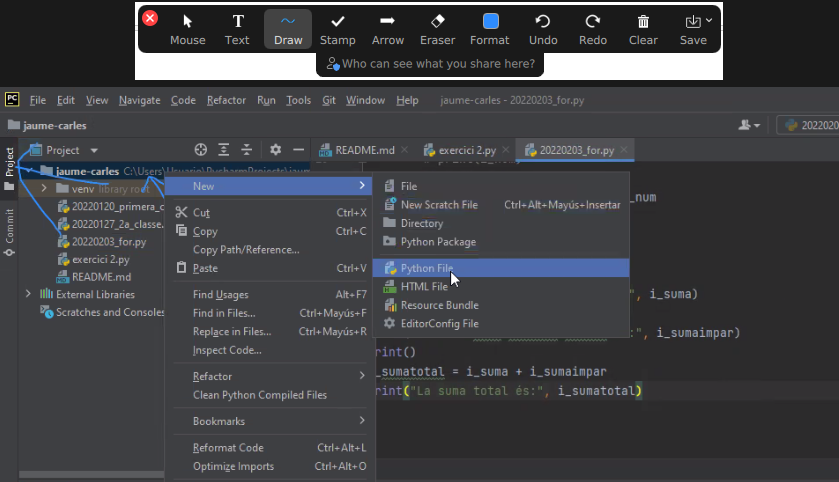
So I just discovered that Zoom has an option to draw in the shared screen, like Slack has. It is called Annotate. It is super useful for my classes. :)
Also discovered the icons in the Chat. It seems that not all the video calls accept it.
Hardware
As Working From Home I needed an scanner, I looked in Amazon and all of them were costing more than €200.
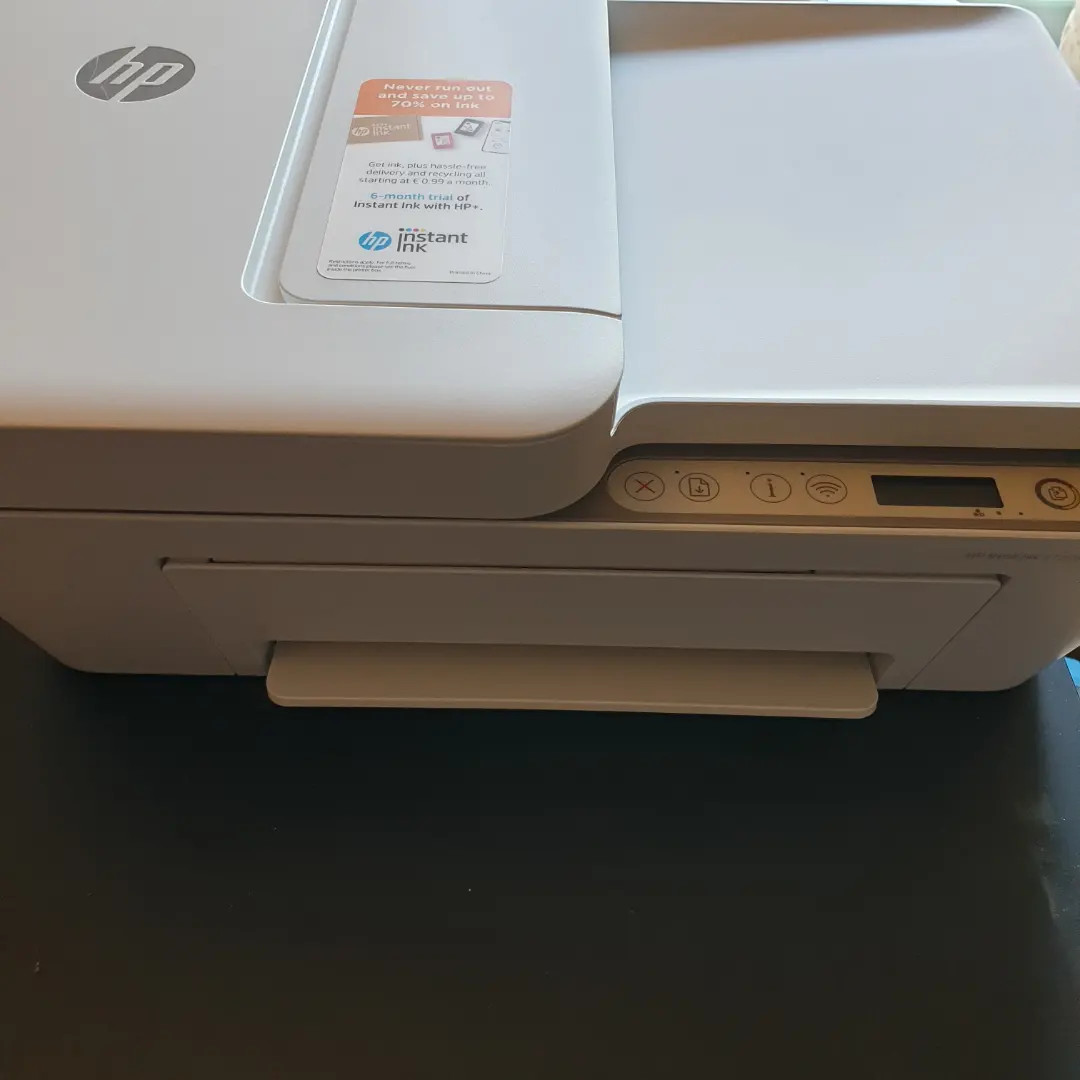
I changed my strategy and I bought a All-In-One from HP, which costed me €68.
So I’ll have a scanner and a backup printer, which always comes handy.
The nightmare started after I tried to connect it with Ubuntu.
Ubuntu was not recognizing it. Checking the manuals they force to configure the printer from an Android/iPhone app or from their web page, my understanding is for windows only. In any case I would not install the proprietary drivers in my Linux system.
Annoyed, I installed the Android application, and it was requesting to get Location permissions to configure it. No way. There was not possible to configure the printer without giving GPS/Location permissions to the app, so I cancelled the process.
I grabbed a Windows 10 laptop and plugged the All-in-one through the USB. I ran the wizard to search for Scanners and Printers and was not unable to use my scanner, only to configure as a printer, so I was forced to install HP drivers.
Irritated I did, and they were suggesting to configure the printer so I can print from Internet or from the phone. Thanks HP, you’ll be the next SolarWinds big-security-hole. I said no way, and in order to use the Wifi I have to agree to open that security door which is that the printer would be connected to Internet permanently, sending and receiving information. I said no, I’ll use only via USB.
Even selecting that, in order to scan, the Software forces me to create an account.
Disappointing. HP is doing very big stupid mistakes. They used to be a good company.
Since they stopped doing the drivers in Barcelona years ago, their Software and solutions (not the hardware) went to hell.
I checked the reviews in the App Store and so many people gave them 1 star and have problems… what a shame the way they created this solution.
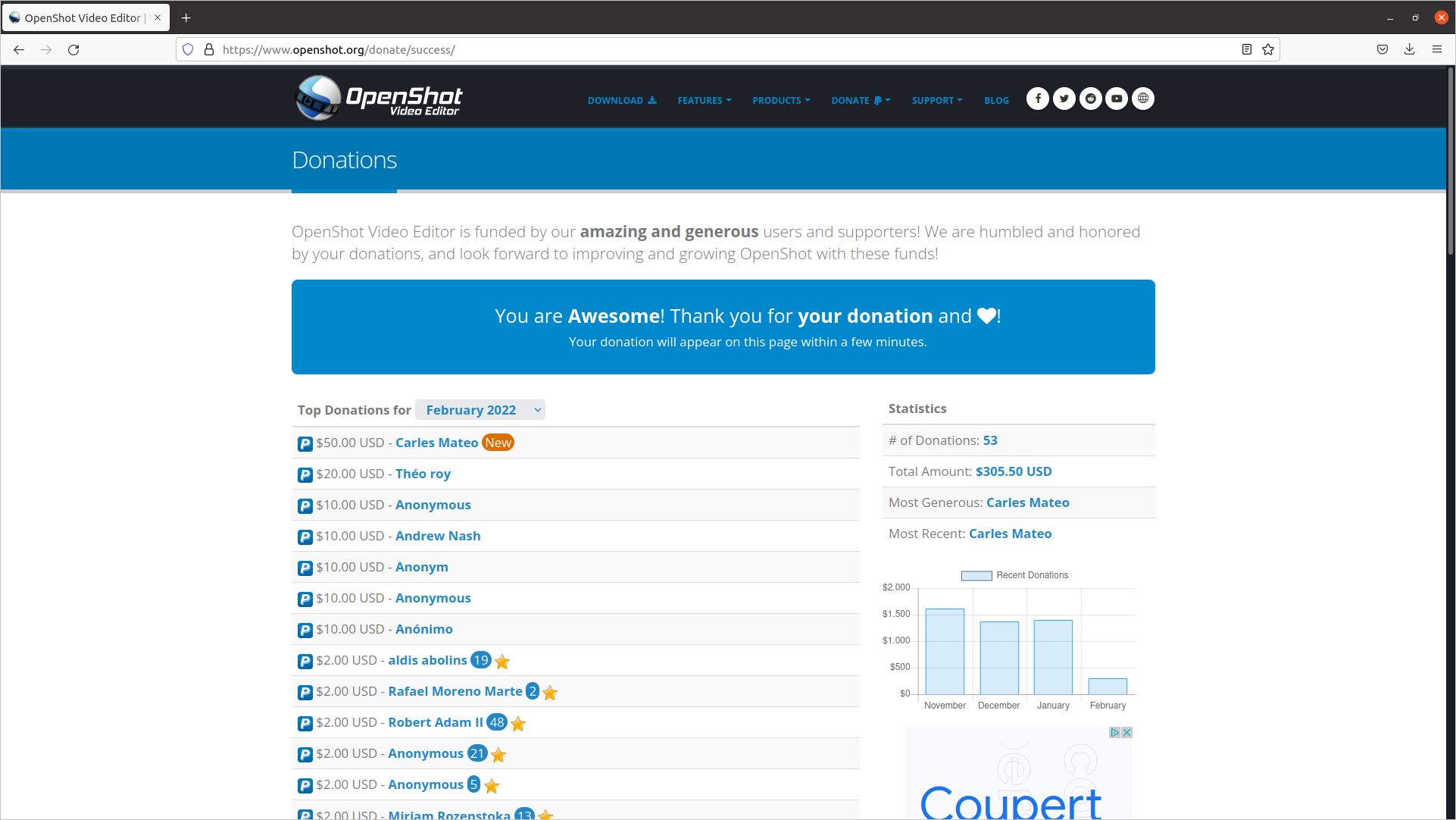
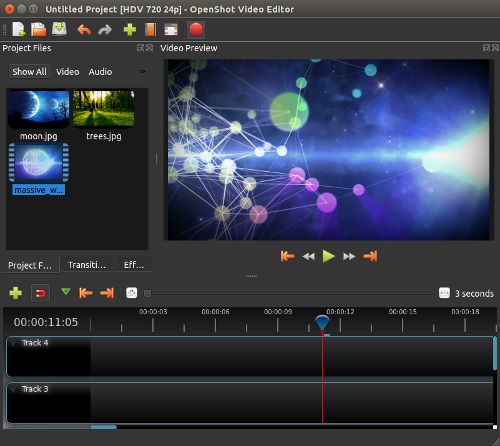
This is a great Open Source, multi-platform editor, so I wanted to support the creator.
Security
Attacks: looking for exploits
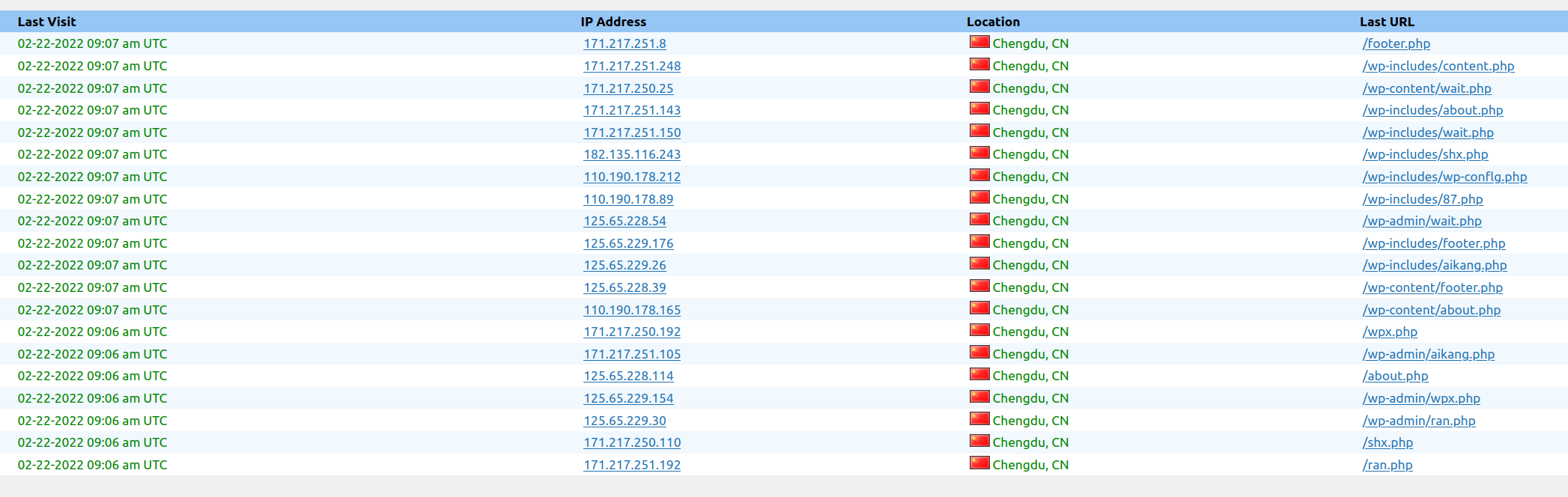
This is just a sample of a set of attacks to the blog in a 3 minutes interval.
Another one this morning:
Now all are blocked in the Firewall.
This is a non stop practice from spammers and pirates that has been going on for years.
It was almost three decades ago, when I was the Linux responsible of an ISP, and I was installing a brand new Linux system connected to a service called “infovia”, at the time when Internet was used with dial-up and modems, and in the interval of time of the installation, it got hacked. I had the Ethernet connected. So then already, this was happening.
The morning I was writing this, I blocked thousands of offending Ip Addresses.
Protection solutions
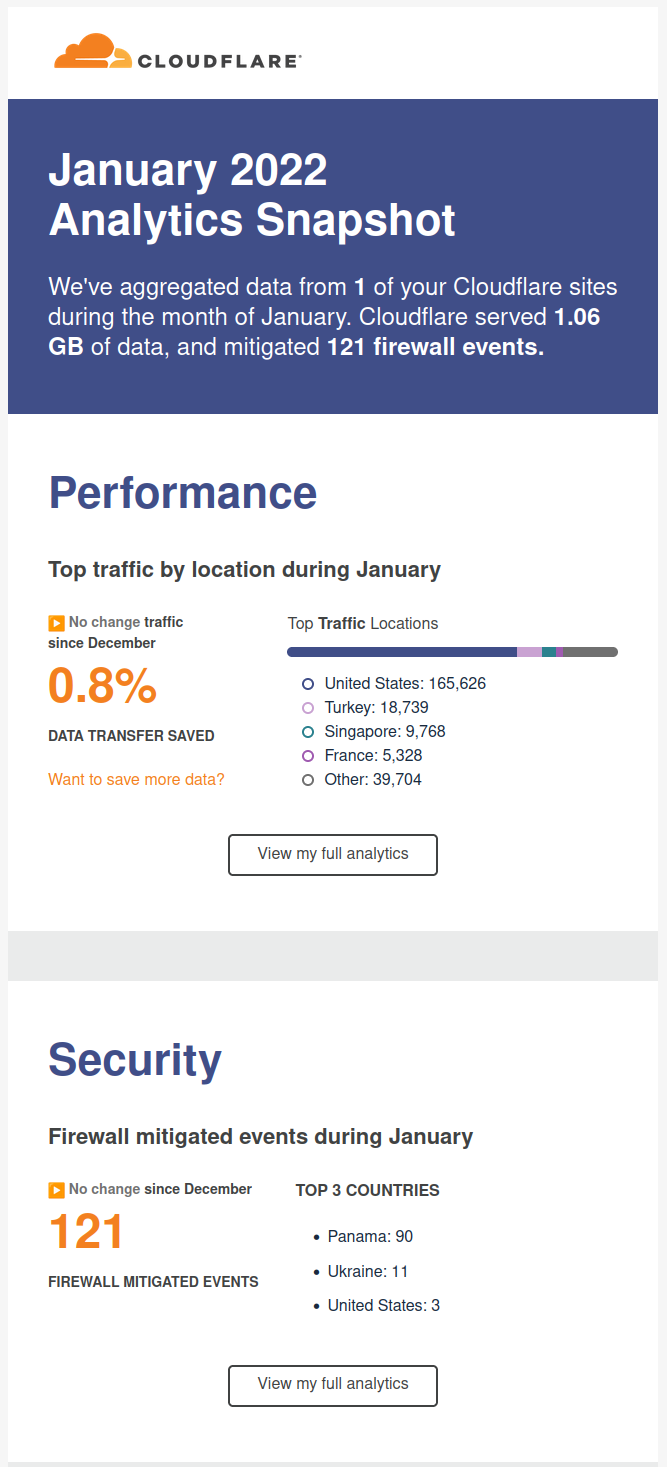
I recommend you to use CloudFlare, is a CDN/Cache/Accelerator with DoS protection and even in its Free version is really useful.
Fun/Games
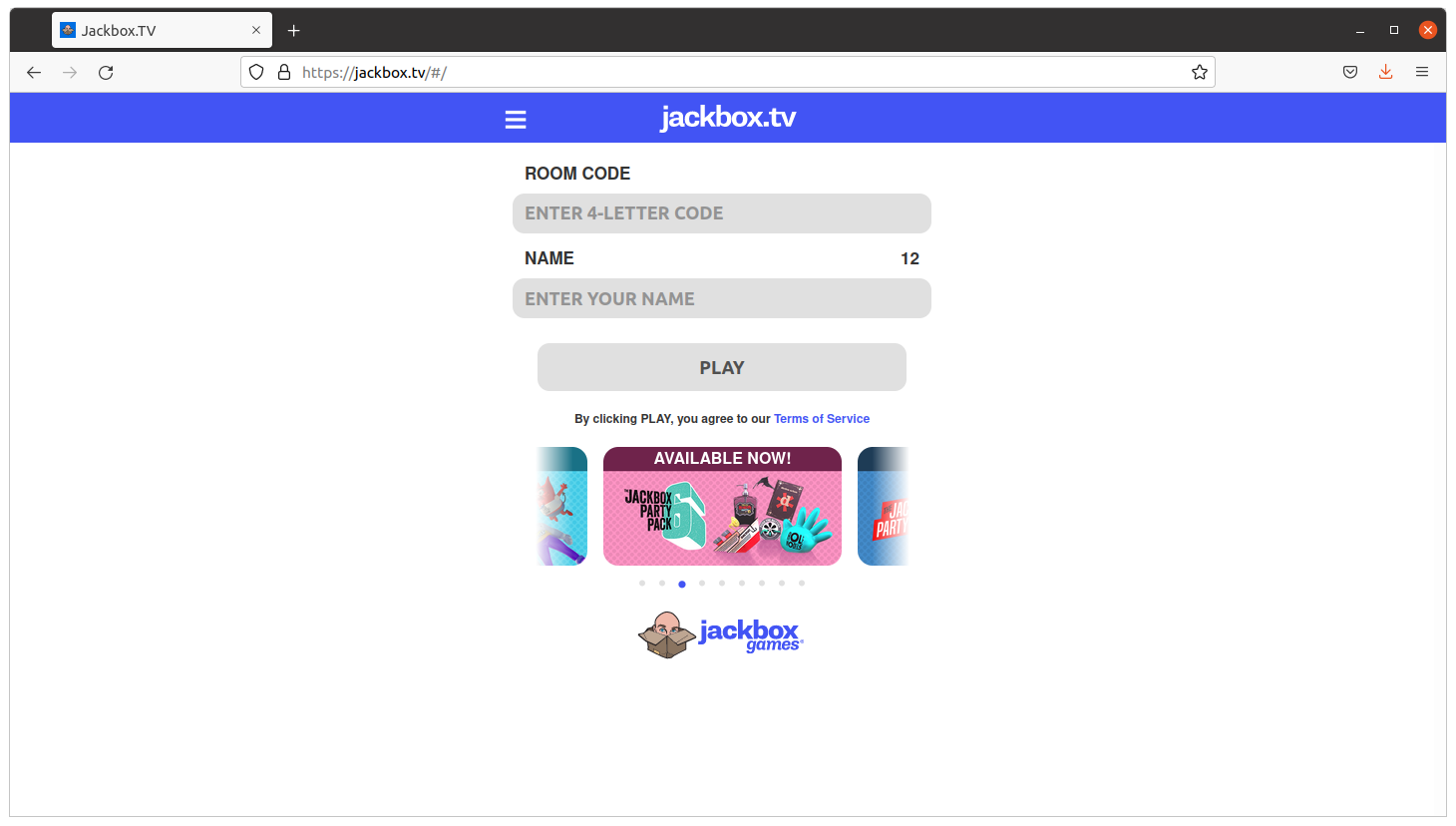
So I come with a game kind of Quiz that you can play with your friends, family or work colleagues working from home (WFH).
The idea is that the master shares screen and sound in Zoom, and then the rest connect to jackbox.tv and enter the code displayed on the master’s screen on their own browser, and an interactive game is started.
It is recommended that the master has two monitors so they can also play.
The games are so fun as a phrase appearing and people having to complete with a lie. If your friends vote your phrase, believing is true, you get points. If you vote the true answer, you get points too.
Very funny and recommendable.
Stuff
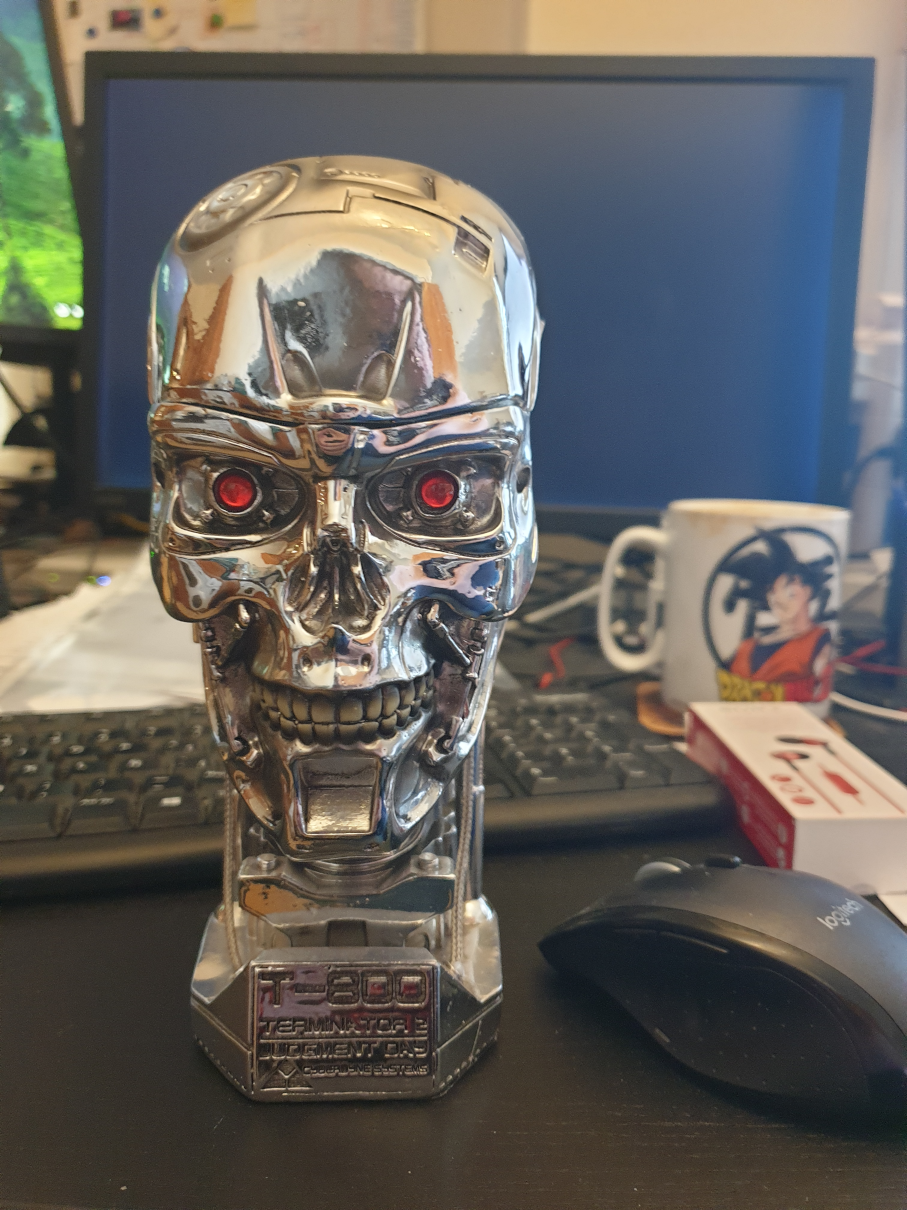
<humor>Skynet sent another terminator to end me, but I terminated it. Its processor lays exhibited in my home now</humor>
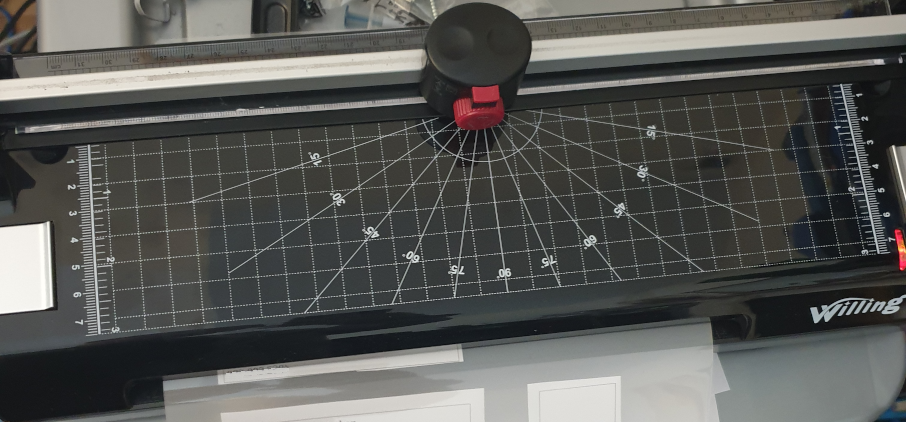
I bought a laminator.
It has also a ruler and a trimmer to cut the paper.
It was only €39 and I’ve to say that I’m very happy with the results.
It takes around 5 minutes to be ready, it takes to get to the hot-enough temperature, and feeds the pages slowly, around 50 secs a DIN-A4, but the results are worth the time.
I’ve protected my medical receipts and other value documents and the work was perfect. No bubbles at all. No big deal if the plastic covers are introduced not 100% straight. Even if you pass again an already plasticized document, all is good.
Fun
Databases
One of my friends sent me this image.
It is old, but still it’s fun. So it assumes the cameras of the parking or speed cameras, will OCR the plate to build a query, and that the code is not well protected. So basically is exploiting a Sql Injection.
Anybody working on the systems side, and with databases, knows how annoying are those potential situations.
I completed my ZFS on Ubuntu 20.04 LTS book. I had an error in an actual hard drive so I added a Troubleshooting section explaining how I fixed it.
I paused for a while the advance of my book Python: basic exercises for beginners, as my colleague Michela is translating it to Italian. She is a great Engineer and I cannot be more happy of having her help.
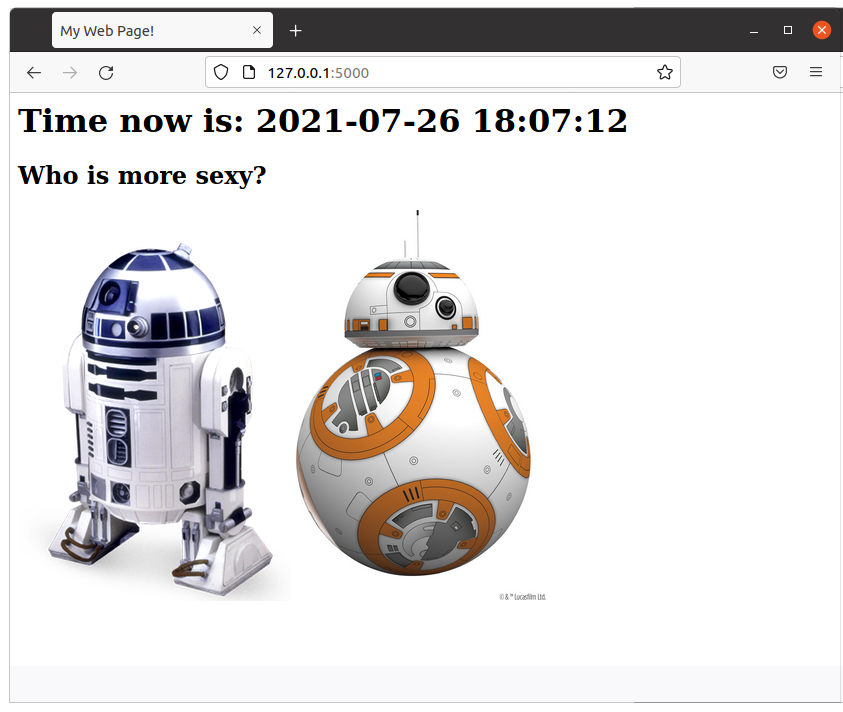
I added a new article about how to create a simple web Star Wars game using Flask. As always, I use Docker and a Dockerfile to automate the deployment, so you can test it without messing with your local system. The code is very simple and easy to understand.
This way I set an entry in /etc/hosts and I can do all the tests I want.
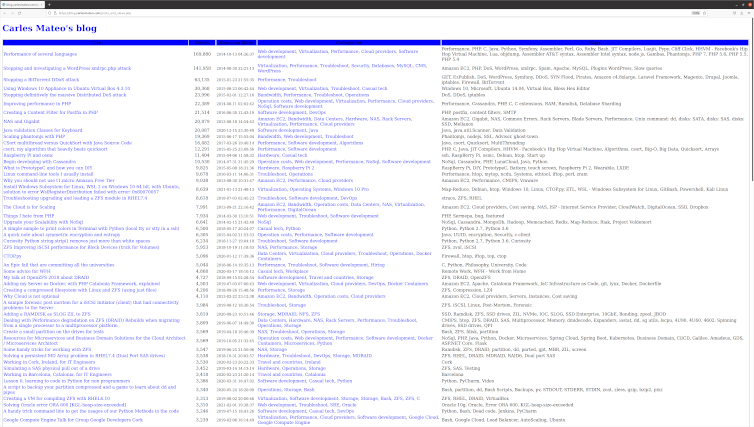
I added a new section to the blog, is a link where you can see all the articles published, ordered by number of views. /posts_and_views.php
Is in the main page, just after the recommended articles. Here you can see the source code.
I removed the Categories:
Storage
ZFS
In favor of:
Hardware
Storage
ZFS
So the articles with Categories in the group deleted were reassigned the Categories in the second group.
Visually:
I removed some annoying lines from the Quick Selection access. They came from inherited CSS properties from my WordPress, long time customized, and I created new styles for this section.
I adjusted the line-height to avoid separation between lines being too much.
I added a link in the section of Other Engineering Blogs that I like, to the great https://github.com/lesterchan site, author of many super cool WordPress plugins.
All the Operation Engineers and SREs that work with systems have found the situation of having a Server with the disk full of logs and needing to keep those logs, and at the same time needing the system to keep running.
This is an uncomfortable situation.
I remember when I was being interviewed in Facebook, in Menlo Park, for a SDM position in the SRE (Software Development Manager) back in 2013-2014. They asked me about a situation where they have the Server disk full, and they deleted a big log file from Apache, but the space didn’t come back. They told me that nobody ever was able to solve this.
I explained that what happened is that Apache still had the fd (file descriptor), and that he will try to write to end of that file, even if they removed the huge log file with rm command, from the system they will not get back any free space. I explained that the easiest solution was to stop apache. They agreed and asked me how we could do the same without restarting the Webserver and I said that manipulating the file descriptors under /proc. They told me what I was the first person to solve this.
How it works
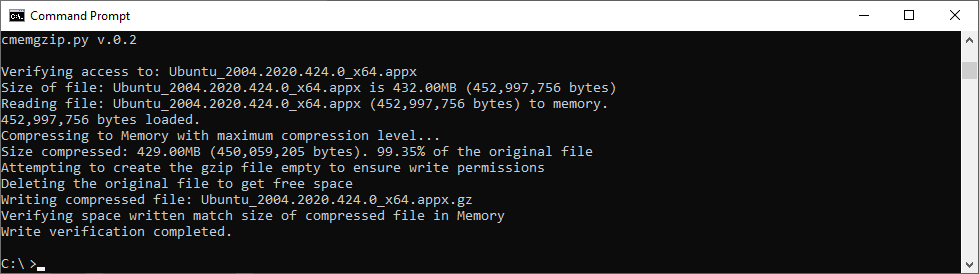
Basically cmemgzip will read a file, as binary, and will load it completely in to Memory.
Then it will compress it also in Memory. Then it will release the memory used to keep the original, will validate write permissions on the folder, will check that the compressed file is smaller than the original, and will delete the original and, using the new space now available in disk, write the compressed and smaller version of the file in gzip format.
Since version 0.3 you can specify an amount of memory that you will use for the blocks of data read from the file, so you can limit greatly the memory usage and compress files much more bigger than the amount of memory.
If for whatever reason the gz version cannot be written to disk, you’ll be asked for another route.
I mentioned before about File Descriptors, and programs that may keep those files open.
So my advice here, is that if you have to compress Apache logs or logs from a multi-thread program, and disk is full, and several instances may be trying to write to the log file: to stop Apache service if you can, and then run cmemgzip. I want to add it the future to auto-release open fd, but this is delicate and requires a lot of time to make sure it will be reliable in all the circumstances and will obey the exact desires of the SRE realizing the operation, without unexpected undesired side effects. It can be implemented with a new parameter, so the SysAdmin will know what is requesting.
Get the source code
You can decompress it later with gzip/gunzip.
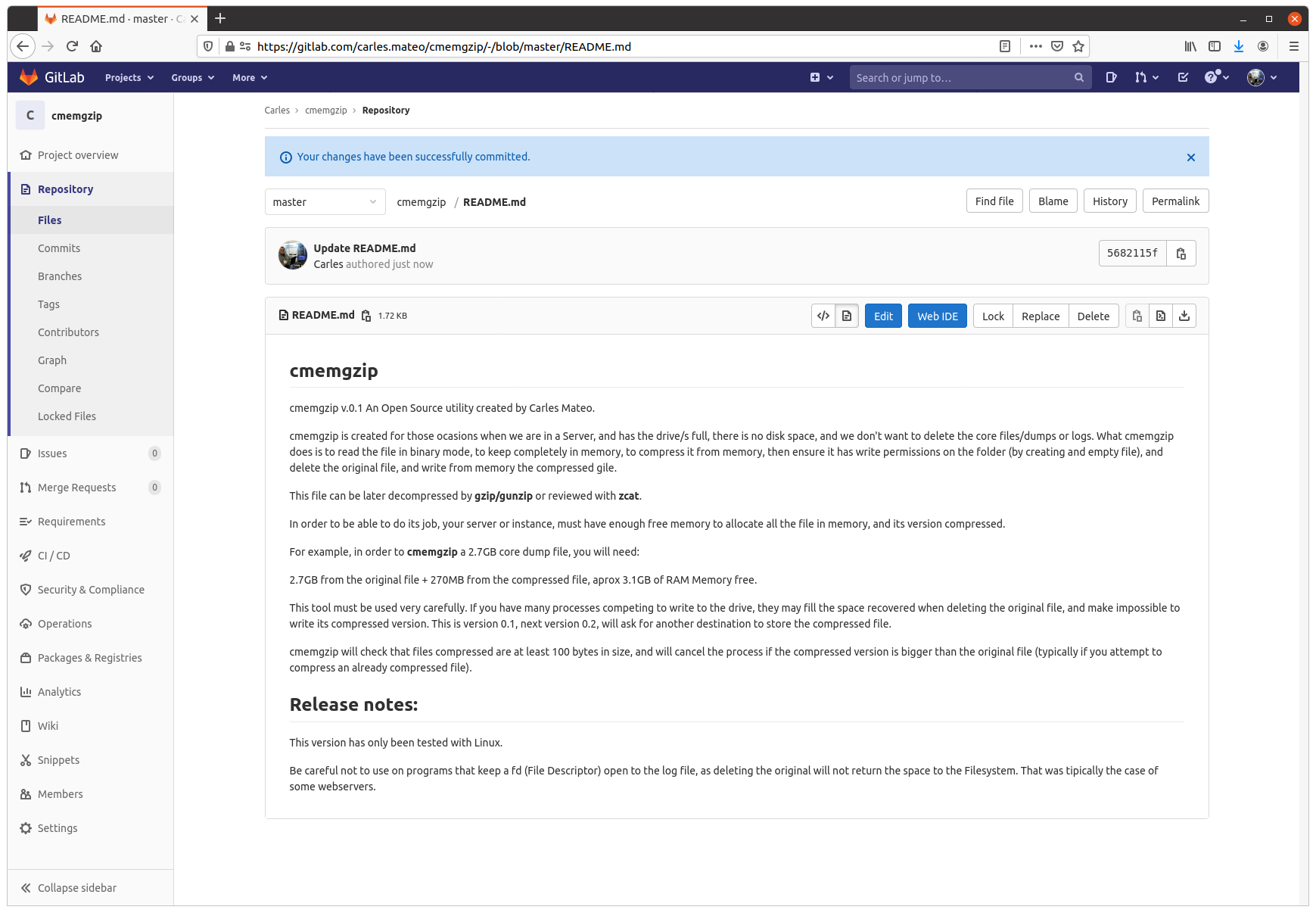
So about cmemgzip you can git clone the project from here:
The program is written in Python 3, and I gave it License MIT, so you can use it and the Open Source really with Freedom.
Do you want to test in other platforms?
This is a version 0.3.
I have only tested it in:
Ubuntu 20.04 LTS Linux for x64
Ubuntu 20.04 LTS 64 bits under Raspberry Pi 4 (ARM Processors)
Windows 10 Professional x64
Mac OS X
CentOS
It should work in all the platforms supporting Python, but if you want to contribute testing for other platforms, like Windows 32 bit, Solaris or BSD, let me know.
Alternative solutions
You can create a ramdisk and compress it to there. Then delete the original and move the compressed file from ramdisk to the hard drive, and unload the ramdrive Kernel Module. However we find very often with this problems in Docker containers or in instances that don’t have the Kernel module installed. Is much more easier to run cmemgzip.
Another strategy you can do for the future is to have a folder based on ZFS and compression. Again, ZFS should be installed on the system, and this doesn’t happen with Docker containers.
cmemgzip is designed to work when there is no free space, if there is free space, you should use gzip command.
In a real emergency when you don’t have enough RAM, neither disk space, neither the possibility to send the log files to another server to be compressed there, you could stop using the swap, and fdisk the swap partition to be a ext4 Linux format, format it, mount is, and use the space to compress the files. And after moving the files compressed to the original folder, fdisk the old swap partition to change type to Swap again, and enable swap again (swapon).
Memory requirements
As you can imagine, the weak point of cmemgzip, is that, if the file is completely loaded into memory and then compressed, the requirements of free memory on the Server/Instance/VM are at least the sum of the size of the file plus the sum of the size of the file compressed. You guess right. That’s true.
If there is not enough memory for loading the file in memory, the program is interrupted gracefully.
I decided to keep it simple, but this can be an option for the future.
So if your VM has 2GB of Available Memory, you will be able to use cmemgzip in uncompressed log files around 1.7GB.
In version 0.3 I implemented the ability to load chunks of the original file, and compress into memory, so I would be able use less memory. But then the compression is less efficient and initial tests point that I’ll have to keep a separate file for each compressed chunk. So I will need to created a uncompress tool as well, when now is completely compatible with gzip/gunzip, zcat, the file extractor from Ubuntu, etc…
For a big Server with a logfile of 40TB, around 300GB of RAM should be sufficient (the Servers I use have 768 GB of RAM normally).
Honestly, nowadays we find ourselves more frequently with VMs or Instances in the Cloud with small drives (10 to 15GB) and enough Available RAM, rather than Servers with huge mount points. This kind of instances, which means scaling horizontally, makes more difficult to have NFS Servers were we can move those logs, for security.
So cmemgzip covers very well some specific cases, while is not useful for all the scenarios.
I think it’s safe to say it covers 95% of the scenarios I’ve found in the past 7 years.
cmemgzip will not help you if you run out inodes.
Usage
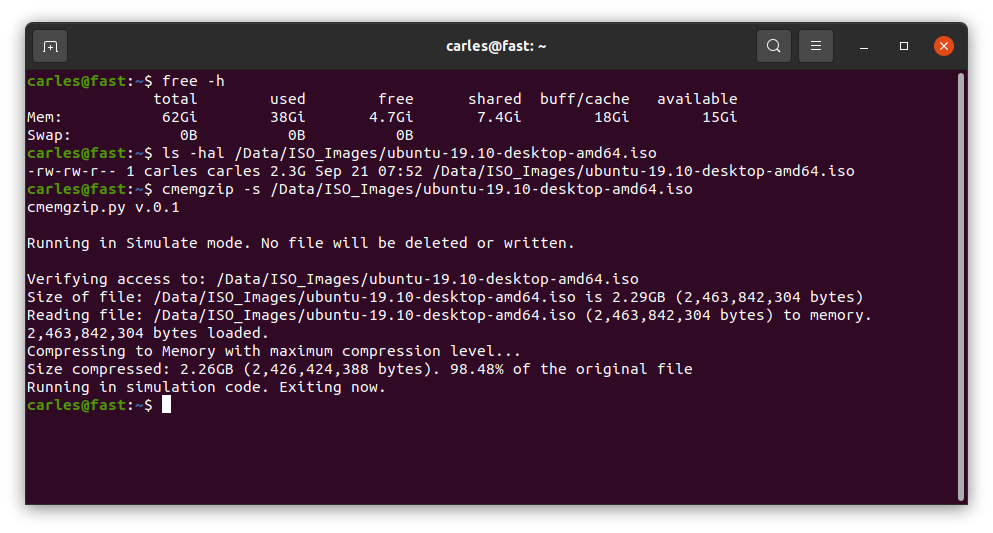
Usage is very simple, and I kept it very verbose as the nature of the work is Operations, Engineers need to know what is going on.
I return error level/exit code 0 if everything goes well or 1 on errors.
./cmemgzip.py /home/carles/test_extract/SherlockHolmes.txt

 cmemgzip.py v.0.1

 Verifying access to: /home/carles/test_extract/SherlockHolmes.txt
 Size of file: /home/carles/test_extract/SherlockHolmes.txt is 553KB (567,291 bytes)
 Reading file: /home/carles/test_extract/SherlockHolmes.txt (567,291 bytes) to memory.
 567,291 bytes loaded.
 Compressing to Memory with maximum compression level…
 Size compressed: 204KB (209,733 bytes). 36.97% of the original file
 Attempting to create the gzip file empty to ensure write permissions
 Deleting the original file to get free space
 Writing compressed file /home/carles/test_extract/SherlockHolmes.txt.gz
 Verifying space written match size of compressed file in Memory
 Write verification completed.
You can also simulate, without actually delete or write to disk, just in order to know what will be the
Installation
There are no third party libraries to install. I only use the standard ones: os, sys, gzip
So clone it with git in your preferred folder and just create a symbolic link with your favorite name:
I reproduced your case in a VM and paste here step by step. :)
Note: First of all, please do a backup of your data. I added an empty new disk, so ZFS had no doubt what was the master drive. Although you should have no problem as the first drive already forms part of the pool, a backup is recommended.
Quick answer: You need the zpool attach command.
Basically:
sudo zpool attach hdd0 existinghdd blankhdd
After, do:
zpool status
And you will see that a mirror has been created. Your data on the already existing drive will be keep, and will be replicated to the new one (Resilvered).
As ZFS only copys the actual information this process will take more or less depending on the amount of Data.
In my VM 300 GB were replicated in 3 seconds, while my experience with SAS and SATA drives, I was Resilvering 10 TB in less than 24 hours (for that I was using drives from 10TB to 14TB SAS) .
Now the long answer with everything I did in my Virtual Box VM:
lsblk --scsi
identify the two empty drives by:
ls /dev/disk/by-id/
Select one of them and create a pool like your: sudo zpool create hdd0 id_of_mydrive
See that pool /hdd0 has been created and mounted on root.
sudo zpool statussudo zpool listsudo ls -al /hdd0
Fill with some random data (or better copy files there) to generate a drive like data like you. I generated from random:
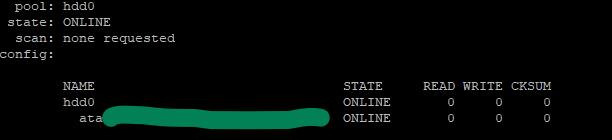
pool: hdd0
state: ONLINE
scan: resilvered 301M in 0 days 00:00:03 with 0 errors…

   NAME                            STATE   READ WRITE CKSUM
   hdd0
     mirror-0
       ata-VBOX_HARDDISK_VBa8...   ONLINE     0     0     0
       ata-VBOX_HARDDISK_VB8c...   ONLINE     0     0     0

errors: No known data errors
I verified the checksums.
zpool list will return as well 99GB of space available, as two drives of 100GB are being used in mirror.
So as kaulex mentioned the format is: zpool attach
Where device is your previous vdev with data (the single hard drive with Data in the ZFS pool named ‘hdd0’).
As I did you want to use the Id of the device and not the name, so you will use the identifier in /dev/disk/by-id/ and not sdb, sdc… (Please note, adding /dev/ is not necessary). The reason to do not use device names like sdb, sdc, sdea, etc… is that those names may change why live is running or between reboots. The id never changes. In real systems, not Virtual Box, they may start by wwn or ata.