Category Archives: CDN

How to protect your WordPress site using PHP Firewall plugin

This article explains how you can protect your WordPress site from attacks using my PHP Firewall WordPress plugin version 1.0.8.

This plugin is a commercial plugin, with one time fee, that it’s absolute worth it. It is not available as free plugin lite in WordPress.org. Only in my Software store. It is also available as PHP Firewall Drupal module.

Once you install the plugin, you click in Enable protection and the Firewall will start to detect attempts to find exploits in your server automatically, and will block the offending IPs.

If you Enable count of blocked requests you’ll see than in few minutes, the Firewall has blocked hundreds of attempts.

In this example, I activated the protection, and after some time it has automatically detected and blocked 118 offending IP Addresses, and has blocked 195 malevolent requests.

In 36 hours the number of blocked requests will get to thousands:

Enabling the count of blocked requests makes a small update in the database to increment the counter, it’s a very lightweight operation, but it is worth it to get an idea of how many malevolent requests the software is blocking. You can enable it for an hour, see how many bad requests you get, and disable it if you want.

Once you activate the protection you will start to see IP Addresses that have been blocked because they attempted a known exploit, and the IPs have been added to the list of Automatic offenders.

This function is known as WAF or Web Application Firewall.

Once an IP is detected as offender, it will get a 403 Forbidden answer from the Server immediately, and the precious resources from the server will be saved (CPU, Memory, Internet bandwidth).

If you want, you can delete the IP from the list to allow it access again (for example, if a colleague was doing a test).

As you see, you will get many IP from attackers blocked in a short window of time.

The reality is that bots are trying exploits against random IP Addresses all the times, and some times your server will go very slow because of all those bots trying to hack into your server, and your visitors will experience slow loading pages or even the server may crash due to all these bots activity. Also, depending on your Cloud provider, you may be paying for Internet Outgoing traffic that is consumed by bots.

So this plugin is a must have, in my opinion as Engineer. That’s why I created it. Because many people was asking for help.

But there are other types of abuse. For example, malicious bots will try to get access to your blog by doing requests with random passwords to wp-login.php every second.

The Firewall cannot block this route by default because is the route that legit users use to login to WordPress. But we have functionalities in the plugin to deal with these attacks (without having to analyse the web server logs, which is a task that System Administrators and Site Reliability Engineers do).

Activate Enable log of non blocked requests for analysis

This will record every allowed request (not the blocked ones), so we can analyse them.

Just scroll down, to Latest requests

As you can see there are IP Addresses that did a POST to /wp-login.php

That means that attempted to login in your site. So, they tried a password to hack your WordPress site.

Those IP Addresses are attempting to login every second or every two seconds.

These kind of attacks are not only bad, as they can get access to your site, they can also degrade the health of your database.

You can investigate where these IP’s come from doing a Whois search, or asking Google: whois 50.87.179.84

So, it’s a hosting from Bluehost / HostGator, a Cloud Provider. Servers from Cloud providers are typically hacked to try to hack other servers.

You can block the IP directly in the PHP Firewall using the custom rules, or as you can see in the information provider, this Cloud Provider has a NetRange / CIDR of 50.87.0.0/16.

A block /16 comprises 65,536 IP Addresses, so you’ll probably get attacks from many different IP’s in from that block. Instead of blocking just the IP that attacked your site, my approach is to block all the IP’s from that block.

So we add to Manual IP deny rules the block:

The reasoning about blocking all the 65,536 IP Addresses from the Cloud provider is that your WordPress site is probably a site for humans. You want humans to read your blog posts, or if it’s an e-Commerce site, you want to sell to humans. You don’t want bots to use the resources of your server or to try to hack your server. So blocking Cloud Provider’s IP ranges, seems like a good strategy.

If you are one of the few WordPress sites with third party integrations that need to be reached from Cloud providers, you can avoid denying those blocks of IP Addresses that your partners use.

We investigate the other IP:

And it’s the same case, so we also block the CIDR Block in the PHP Firewall.

A /22 block comprises 1,024 IP Addresses. So, with two lines in our firewall we have blocked potential malicious requests from 66,560 IP Addresses.

Obviously we cannot analize all the requests we get, but Firewall PHP plugin provides a very useful tool that will display the IP Addresses that did more request to our server in the last 24 hours.

Just click on Show IPs with most requests (last 24h)

The top 50 IP Addresses that performed more requests are displayed:

In this case, the first IP Address belongs to my own IP Address. Which makes sense because WordPress opened in the browser keeps doing requests to the server.

As I activated the log at 17:26:16 and it’s 21:44:10 in around 4 hours and 15 minutes I got an IP Addresses that did 264 requests.

The IP 134.209.183.0 has performed 264 requests that went through.

If I check the logs of the server I see that it was attempting to hack the server (trying user/password on wp-login.php)

grep "134.209.183.0" *.log

As you can see, this IP was requesting 12 requests per second trying to hack into /wp-login.php

And if we do the whois of this IP Address, it belongs to Digital Ocean:

So we block the entire block 134.209.176.0/20 in the PHP Firewall.

Now the server will block any request from the 4,096 in that block range and will not spend time and resources that are intended for your human visitors.

Most of the attacks come from Cloud providers. Normally are servers that got hacked, and they used those servers to try to hack other servers.

PHP Firewall provides great help in protecting your sites, specially if you don’t have a dedicated team of System Engineers that check the logs regularly, and block the offending IP Addresses in the firewalls.

After 12 hours we see more IP Addresses that made thousands of requests:

According to google those IP Addresses belong to Oracle Cloud:

So, we block the CIDR Block: 137.23.0.0/16 (which will block the two offending IP Addresses, as they form part of that block)

In the latest requests we can see how are new IP Addresses scanning for authors in order to try to attempt logins:

As you can see this IP Address is doing 10 requests in the same second trying passwords (POST to /wp-login.php) in order to attempt to hack the WordPress site.

We do a whois search to see who is the owner of that IP Address:

Is from DigitalOcean, the Cloud Provider. We block all the Netblock 139.59.0.0/16

We see a new IP attacking the server, it is attempting two connections per second POST to /xmlrpc.php which tries to perform actions on the site. xmlrpc.php is a legit mechanism from WordPress, for example to register pingbacks, so it is not blocked by default. But hackers use xmlrpc.php to try thousands of passwords at once without passing by the login screen.

If you do not use older mobile apps or specific remote publishing tools that rely on it you sholud block xmlrpc.php

The whois shows that many attacks come from this provider:

The site AbuseIPDB flags that IP as an attacker with more than 5,000 reports: https://www.abuseipdb.com/check/78.142.18.40

We can block the 256 IP Addresses of the class C, so: 78.142.18.0/24

We will also block the requests to /xmlrpc.php using Custom URL patterns:

Later, we see that there are more IPs attacking trying to abuse wp-login.php so we will block them:

We check the IP that is doing so many attempts to hack requesting wp-login.php

And all the range has been flagged for automated malicious activity and brute-force attempts

So we block all the 256 IP (class C) 93.152.221.0/24.

Two days later I check the IPs doing more requests:

I looked at the logs what requests was doing the first IP:

All were attempts to hack the site through /wp-login.php

We check what kind of IP is this, and it’s from a Cloud provider:

So we block the range 141.98.11.0/24 in IP Firewall.

If you have SSH to the server you can block it in the firewall.

For Ubuntu, with ufw that is:

sudo ufw insert 1 deny from 141.98.11.0/24 to any

A video of using WordPress PHP Firewall v. 1.1.0:

PHP Firewall WordPress plugin is a great help, as it blocks most of the attacks automatically, and offers you tools to detect the IPs that do more requests, so you can block them (or the entire range) easily, and to track the latest requests and export them.

Also, the price of the plugin is one time fee per site. Not a recurring payment.

There is also PHP Firewall Drupal module and a PrestaShop module.

If you want to acquire the Firewall rules that we have been collecting over the years, you can also buy the Firewall rules of Cloud providers from which we received attacks. These can be applied to any Firewall software, for instance Ubuntu ufw, or to my plugin/modules.

News from the Blog 2022-02-22

My Open Source projects

zpool watch
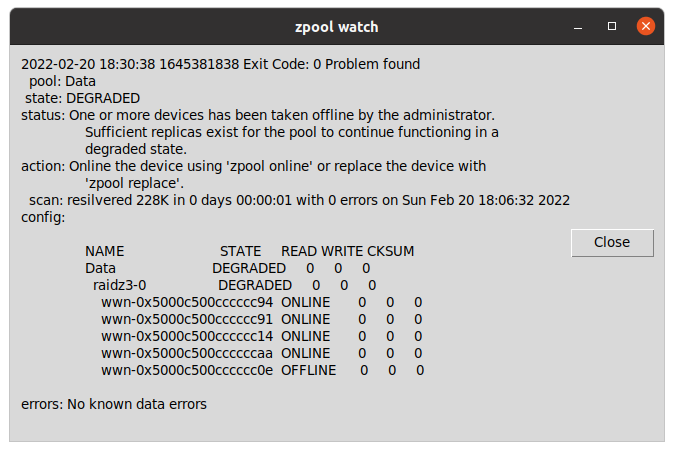
zpool watch is a small Python program for Linux workstations with graphical environment and ZFS, that checks every 30 seconds if your OpenZFS pools are Ok.

If a pool is not healthy, it displays a message in a window using tk inter.

Basically allows you to skip checking from the terminal zpool status continuously or to having to customize the ZED service to send an email and having to figure out how to it can spawn a window alert to the graphical system or what to do if the session has not been initiated.

carleslibs

Since last News from the Blog I’ve released carleslibs v.1.06, v.1.0.5 and v.1.0.4.

v.1.0.6 adds a new class OsUtils to deal with mostly-Linux Os tasks, like knowing the userid, the username, if it’s root, the distribution name and kernel version.

It also adds:

DatetimeUtils.sleep(i_seconds)

In v.1.0.5 I’ve included a new method for getting the Datetime in Unix Epoc format as Integer and increased Code Coverage to 95% for ScreenUtils class.

v. 1.0.4 contains a minor update, a method in StringUtils to escape html from a string.

It uses the library html (part of Python core) so it was small work to do for me to create this method, and the Unit Test for it, but I wanted to use carleslibs in more projects and adding it as core functionality, makes the code of these projects I’m working on, much more clear.

I’m working in the future v.1.0.7.

CTOP.py

I released the stable version 0.8.8 and tagged it.
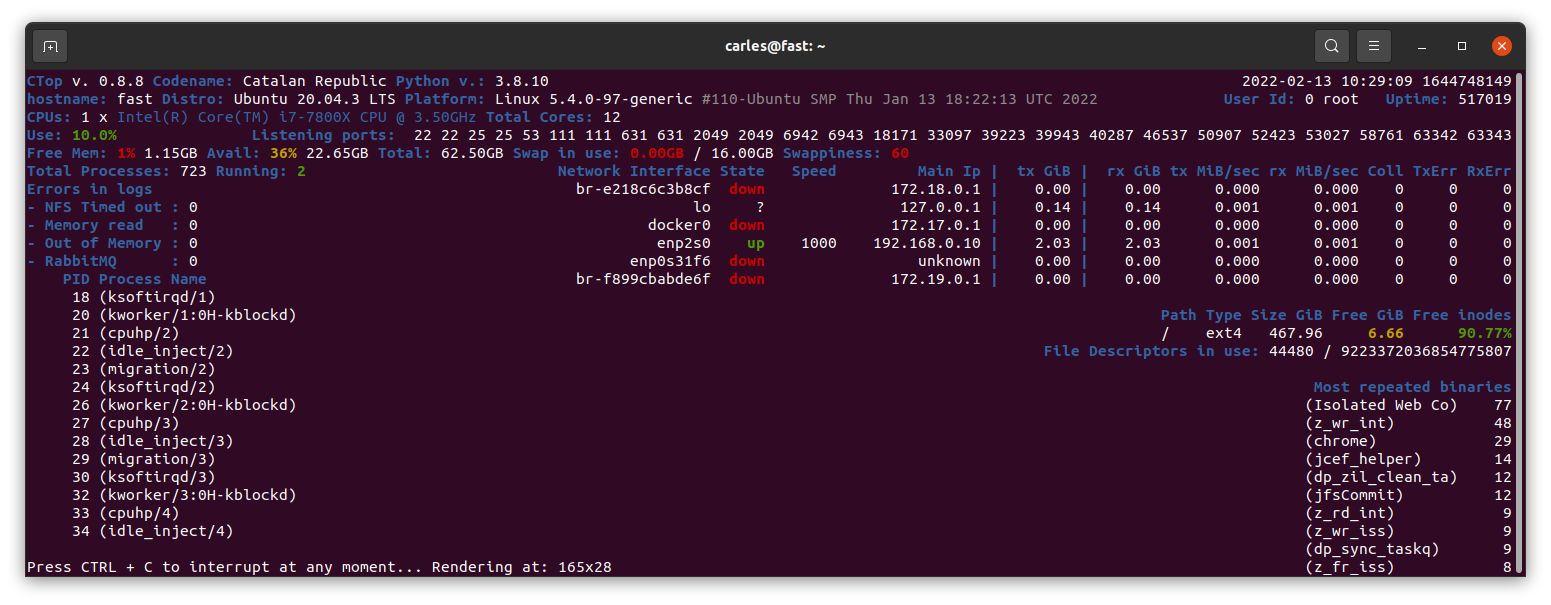
Minor refactors and adding more Code Coverage (Unit Testing), and protection in the code for division per zero when seconds passed as int are 0. (this was not an actual error, but is worth protecting the code just in case for the future)

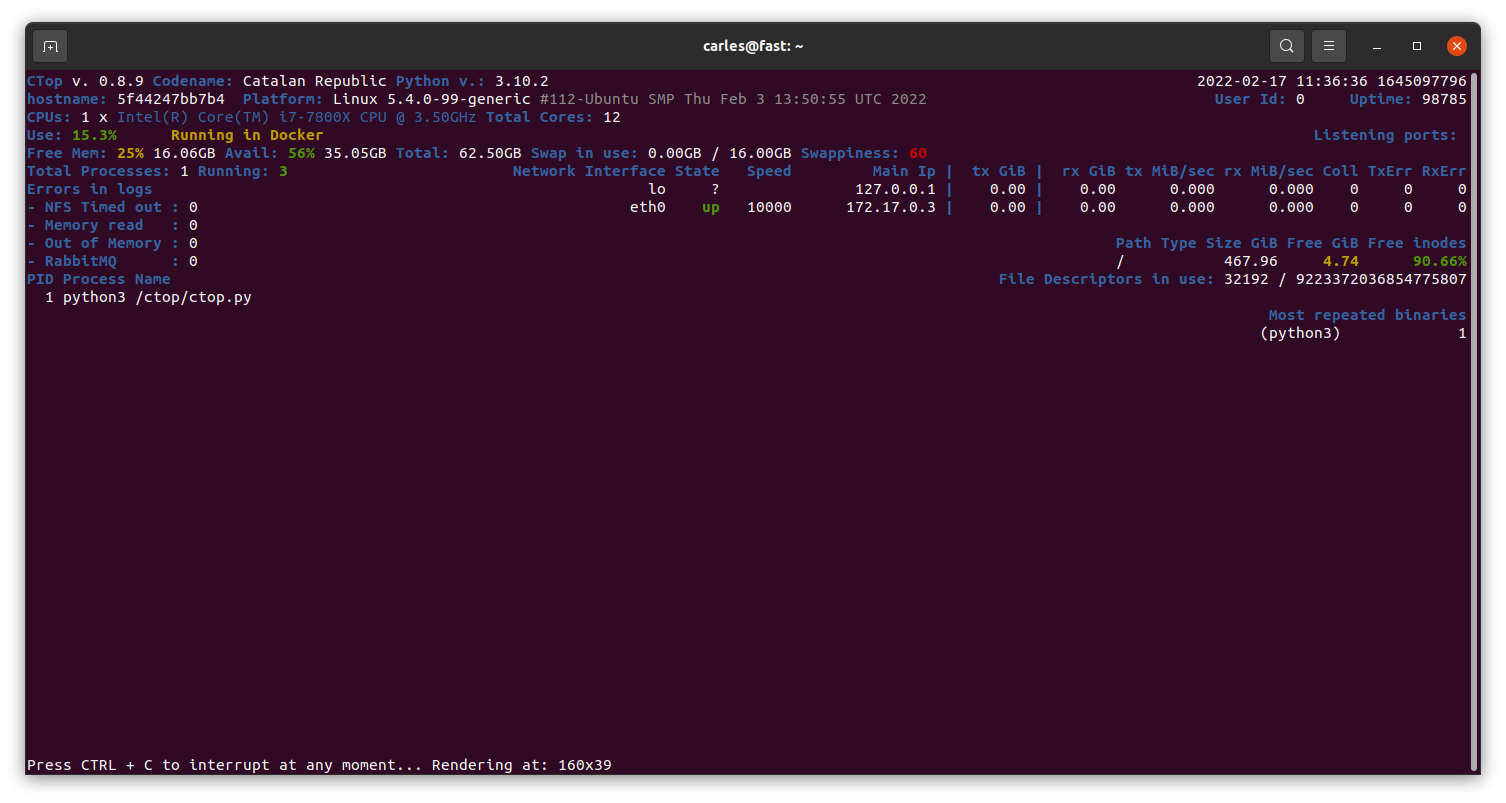
Working on branch 0.8.9.

Currently in Master there is a stable version of 0.8.9 mainly fixing https://gitlab.com/carles.mateo/ctop/-/issues/51 which was not detecting when CTOP was running inside a Docker Container (reporting Unable to decode DMI).
My Books

Docker Combat Guide

Added 20 new pages with some tricks, like clearing the logs (1.6GB in my workstation), using some cool tools, using bind mounts and using Docker in Windows from command line without activating Docker Desktop or WSL.

https://leanpub.com/docker-combat-guide/

BTW if you work with Windows and you cannot use Docker Desktop due to the new license, in this article I explain how to use docker stand alone in Windows, without using WSL.

ZFS on Ubuntu

One of my SATA 2TB 2.5″ 5,400 rpm drive got damaged and so was generating errors, so that was a fantastic opportunity to show how to detect and deal with the situation to replace it with a new SATA 2TB 3.5″ 7,200 rpm and fix the pool.

So I updated my ZFS on Ubuntu 20.04 LTS book.

Python 3

I’ve updated Python 3 Exercises for Beginners and added a new example of how to parse the <title> tag from an HTML page, using Beautifulsoup package, to the repository of Python 3 Combat Guide book.

I also added three new exercises, and solved them.

My friend Michela is translating the book to Italian. Thanks! :)

If you already purchased any of my books, you can download the updates of them when I upload them to LeanPub.

Free courses

Code Challenges

One of my students sent me this platform, which is kinda hackerrank, but oriented to video games. To solve code challenges by programming video games.

He is having plenty of fun:

https://www.codingame.com/start

More Symfony, APIs

If you enjoyed the Free Videos about Symfony, there is more.

https://symfonycast.com/screencast/api-platform

It talks about a bundle for building APIs.

And this tutorial explains in detail how to work with Webpack Encore:

https://symfonycasts.com/screencast/webpack-encore

100 Days of Code: Python Bootcamp

A friend of mine, and colleague, Michela, is following this bootcamp and recommends it for people learning from ground 0.

https://udemy.com/course/100-days-of-code/

My work at Blizzard

The company sent me the Stein, which is sent to the employees that serve for two years, with a recognition and a celebration called “The Circle of Honor”.

Books purchased

I bought this book as often I discover new ways, better, to explain the things to my students.

Sometimes I buy books for beginners, as I can get explained what I want to do super fast and some times they teach nice tricks that I didn’t know. I have huge Django books, and it took a lot to finish them.

A simpler book may only talk about how to install and work with it under a platform (Windows or Mac, as instance) but it is all that I require as the command to create projects are the same cross platform.

For example, you can get to install and to create a simple project with ORM, connected to the database, very quickly.

Software

So I just discovered that Zoom has an option to draw in the shared screen, like Slack has. It is called Annotate. It is super useful for my classes. :)
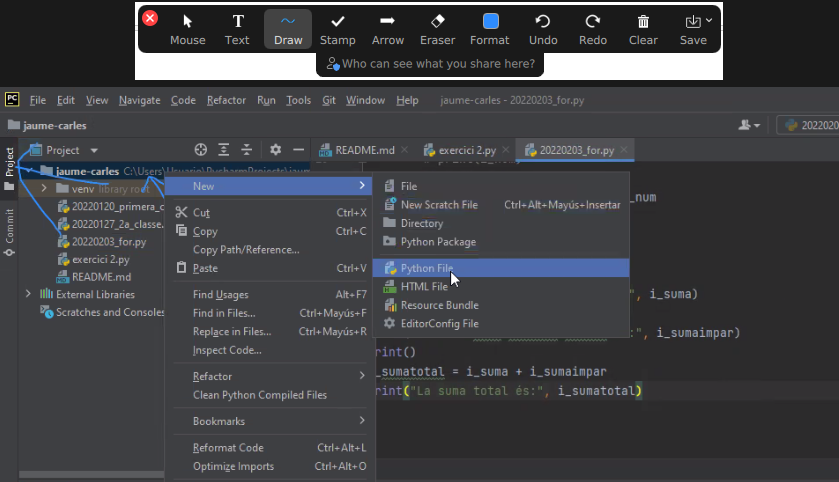
Also discovered the icons in the Chat. It seems that not all the video calls accept it.

Hardware

As Working From Home I needed an scanner, I looked in Amazon and all of them were costing more than €200.

I changed my strategy and I bought a All-In-One from HP, which costed me €68.

So I’ll have a scanner and a backup printer, which always comes handy.

The nightmare started after I tried to connect it with Ubuntu.

Ubuntu was not recognizing it. Checking the manuals they force to configure the printer from an Android/iPhone app or from their web page, my understanding is for windows only. In any case I would not install the proprietary drivers in my Linux system.

Annoyed, I installed the Android application, and it was requesting to get Location permissions to configure it. No way. There was not possible to configure the printer without giving GPS/Location permissions to the app, so I cancelled the process.

I grabbed a Windows 10 laptop and plugged the All-in-one through the USB. I ran the wizard to search for Scanners and Printers and was not unable to use my scanner, only to configure as a printer, so I was forced to install HP drivers.

Irritated I did, and they were suggesting to configure the printer so I can print from Internet or from the phone. Thanks HP, you’ll be the next SolarWinds big-security-hole. I said no way, and in order to use the Wifi I have to agree to open that security door which is that the printer would be connected to Internet permanently, sending and receiving information. I said no, I’ll use only via USB.

Even selecting that, in order to scan, the Software forces me to create an account.

Disappointing. HP is doing very big stupid mistakes. They used to be a good company.

Since they stopped doing the drivers in Barcelona years ago, their Software and solutions (not the hardware) went to hell.

I checked the reviews in the App Store and so many people gave them 1 star and have problems… what a shame the way they created this solution.

Donations

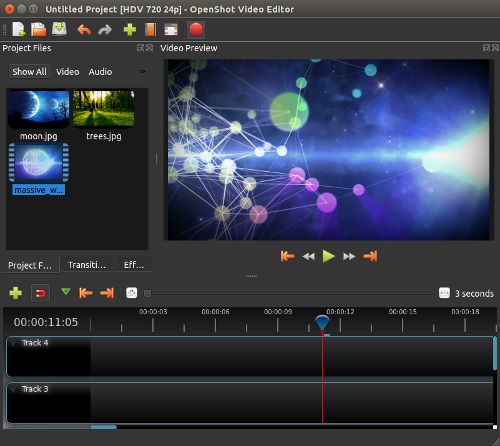
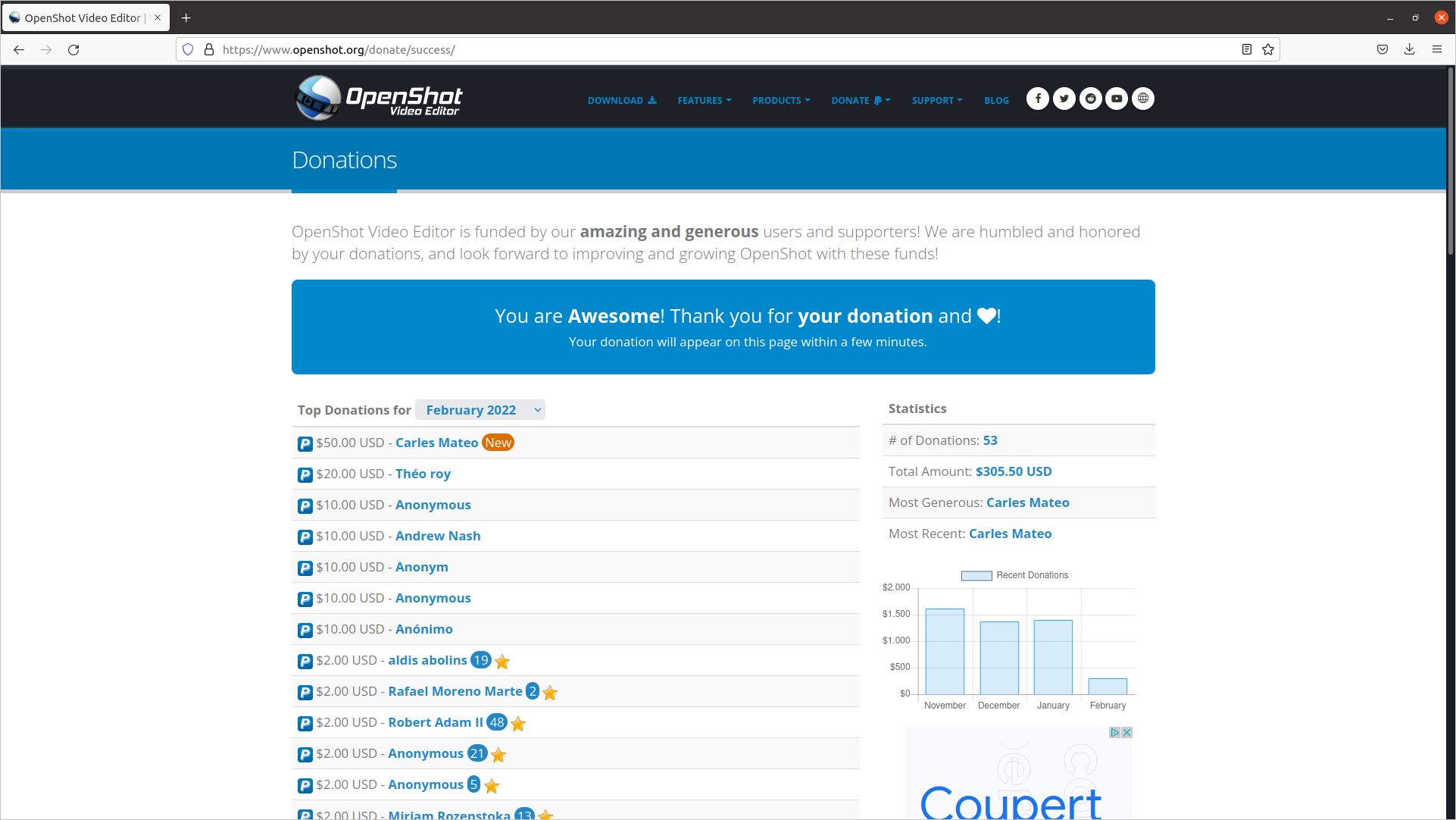
I made a donation to OpenShot Video Editor.

This is a great Open Source, multi-platform editor, so I wanted to support the creator.
Security

Attacks: looking for exploits

This is just a sample of a set of attacks to the blog in a 3 minutes interval.

Another one this morning:
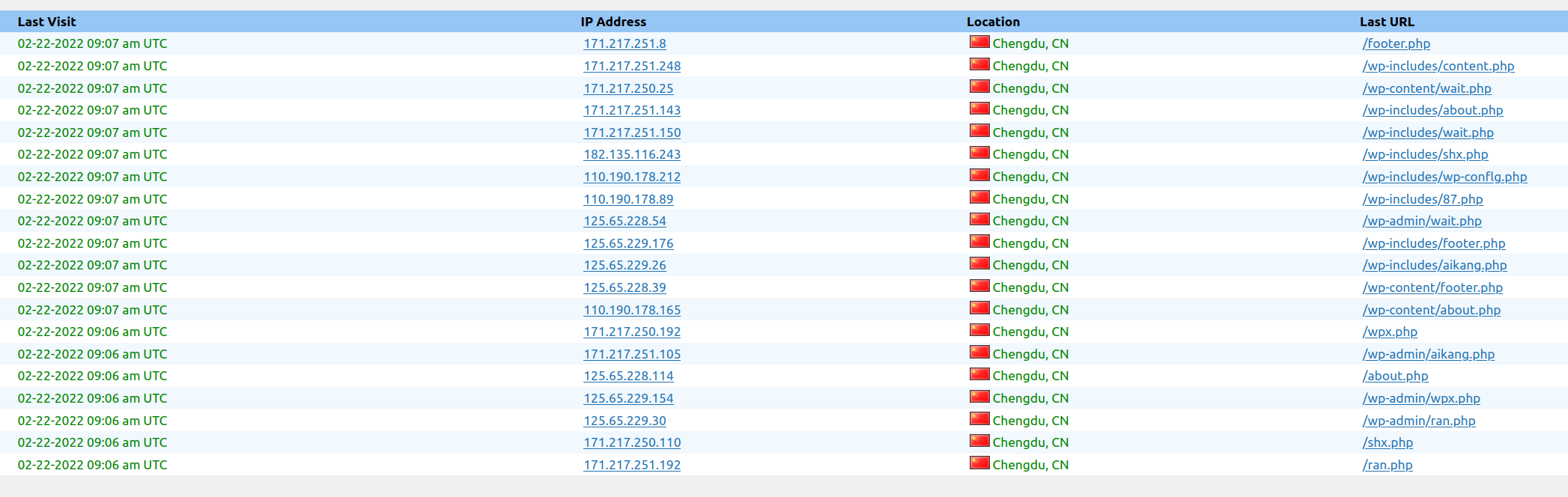
Now all are blocked in the Firewall.

This is a non stop practice from spammers and pirates that has been going on for years.

It was almost three decades ago, when I was the Linux responsible of an ISP, and I was installing a brand new Linux system connected to a service called “infovia”, at the time when Internet was used with dial-up and modems, and in the interval of time of the installation, it got hacked. I had the Ethernet connected. So then already, this was happening.

The morning I was writing this, I blocked thousands of offending Ip Addresses.

Protection solutions

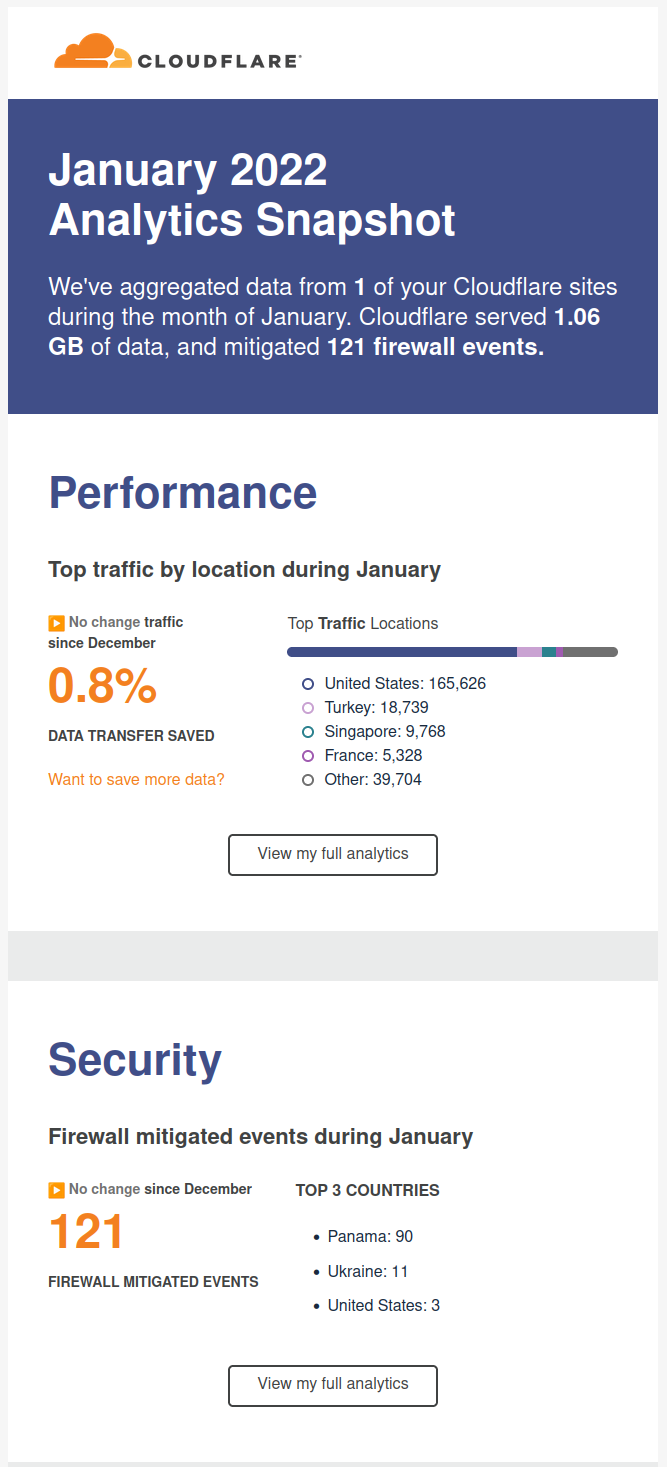
I recommend you to use CloudFlare, is a CDN/Cache/Accelerator with DoS protection and even in its Free version is really useful.
Fun/Games

So I come with a game kind of Quiz that you can play with your friends, family or work colleagues working from home (WFH).

The idea is that the master shares screen and sound in Zoom, and then the rest connect to jackbox.tv and enter the code displayed on the master’s screen on their own browser, and an interactive game is started.
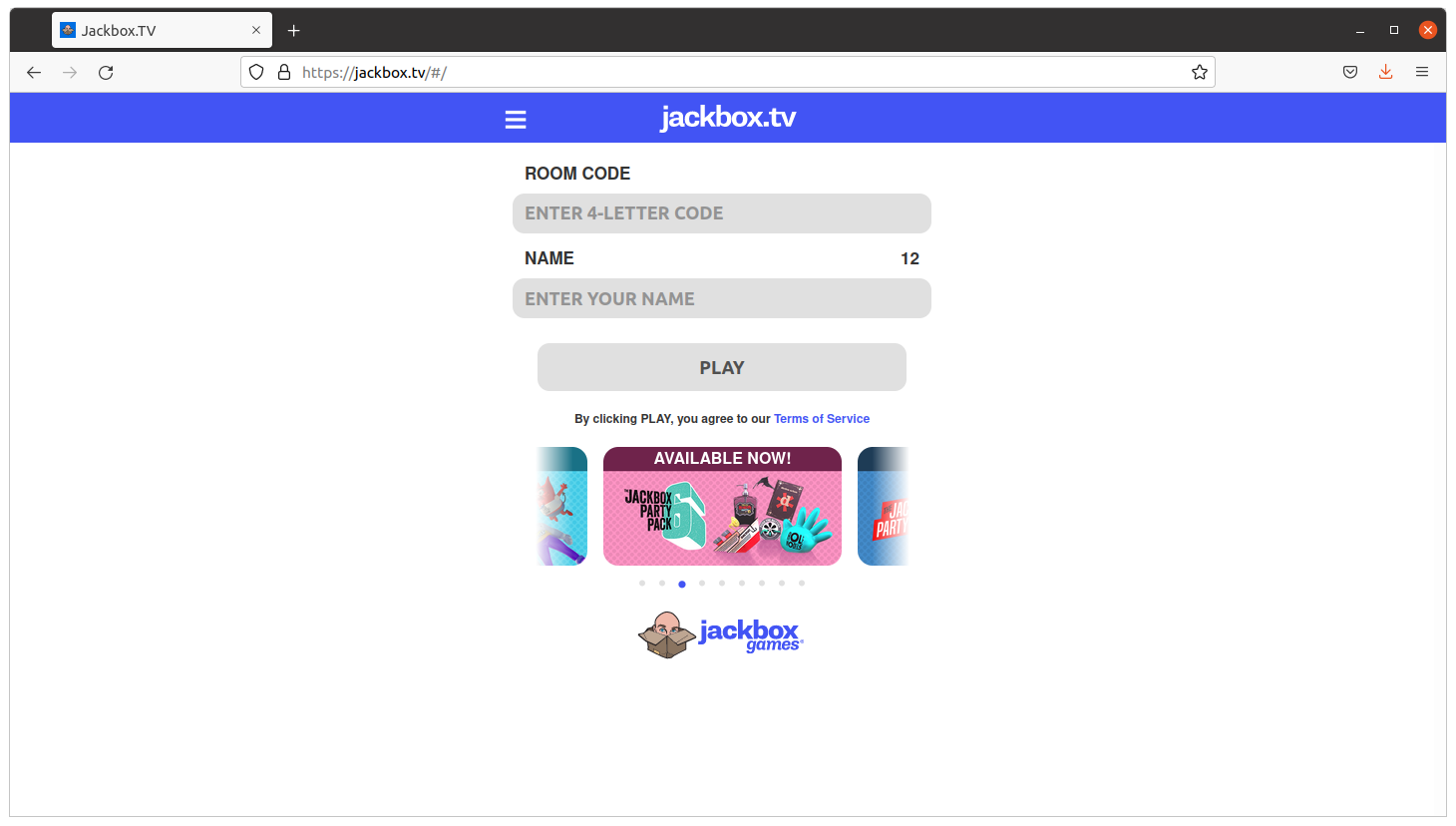
It is recommended that the master has two monitors so they can also play.

The games are so fun as a phrase appearing and people having to complete with a lie. If your friends vote your phrase, believing is true, you get points. If you vote the true answer, you get points too.

Very funny and recommendable.

Stuff

<humor>Skynet sent another terminator to end me, but I terminated it. Its processor lays exhibited in my home now</humor>

I bought a laminator.

It has also a ruler and a trimmer to cut the paper.

It was only €39 and I’ve to say that I’m very happy with the results.

It takes around 5 minutes to be ready, it takes to get to the hot-enough temperature, and feeds the pages slowly, around 50 secs a DIN-A4, but the results are worth the time.

I’ve protected my medical receipts and other value documents and the work was perfect. No bubbles at all. No big deal if the plastic covers are introduced not 100% straight. Even if you pass again an already plasticized document, all is good.

Fun

Databases

One of my friends sent me this image.

It is old, but still it’s fun. So it assumes the cameras of the parking or speed cameras, will OCR the plate to build a query, and that the code is not well protected. So basically is exploiting a Sql Injection.

Anybody working on the systems side, and with databases, knows how annoying are those potential situations.

Python and coding

One of my colleagues shared this :)