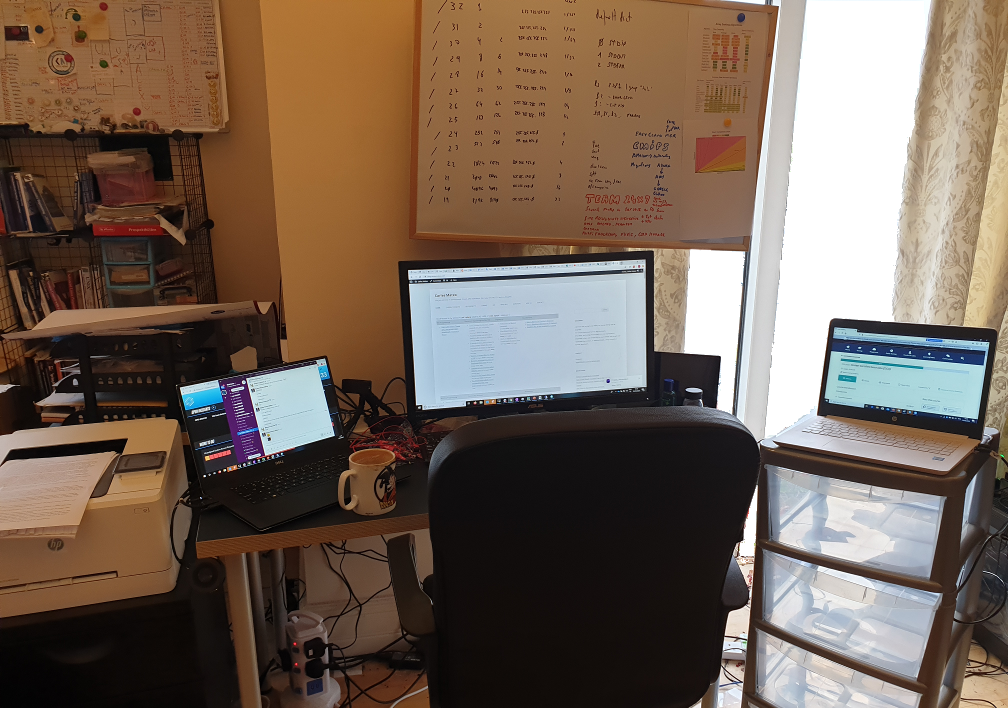
Some advice for WFH (Working From Home, especially under the covid lock down)

Last updated: 2022-08-03

I wrote this article at the beginning of the lock-down during the pandemic in 2020, to help others to adapt healthy.

Those are crazy times in which is difficult to handle working from home, doing the lock down…

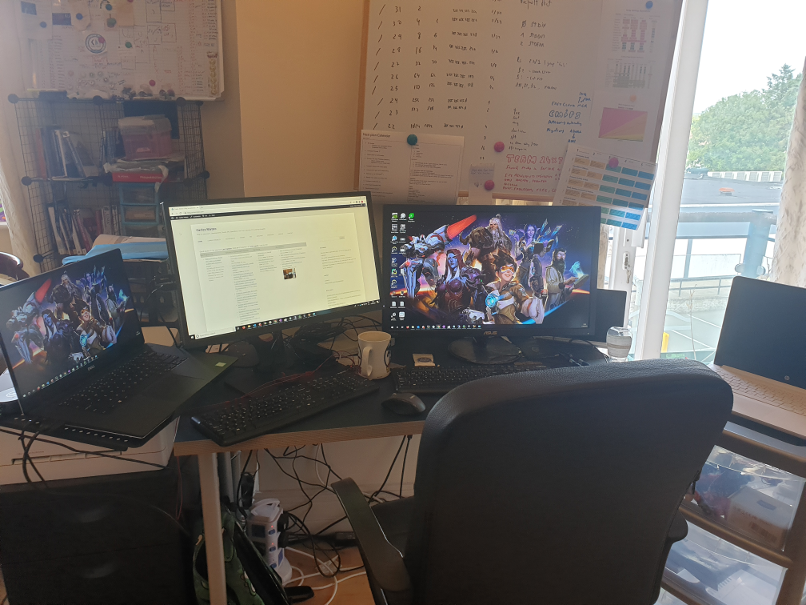
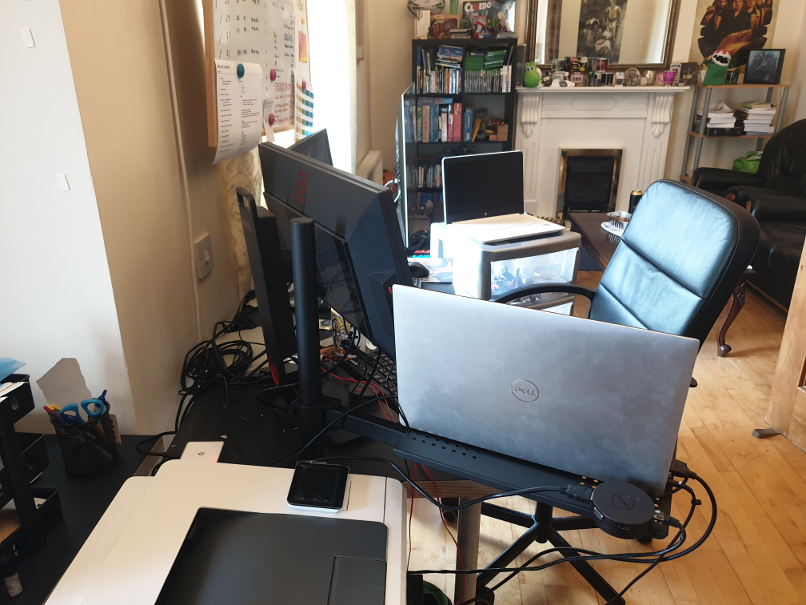
Evolved a bit my setup
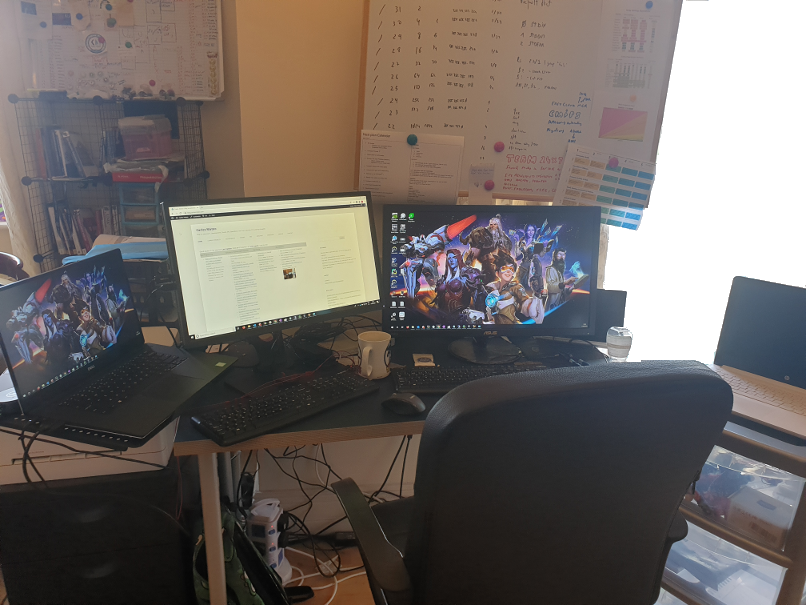
This is better

But very nice times in which other people help others. Doctors and sanitary personnel fight in first line, truck drivers and supermarket staff are doing extra hours to provide to the society, investigators are working hard to get a vaccine…

Is beautiful that so many people are helping and contributing to the society.

I want to provide my humble experience on working remotely, from many years working remotely, so you avoid going bananas. Is very easy get depressed, anxious… So here is my advice.

  1. Stick to a routine
    Respect the working times, like if you was going to the office.
    Dress yourself like a normal day in the office. Don’t be all day in pajamas or sport wear. Switch to sports wear when you finish your daily work at 6PM, if you want, but not before.
    If you talk via Slack, myself always keep the video turned on, as is a way to force myself into dressing and taking care of my look.
    I take a shower, dress like an Engineer at work, I have my break for breakfast and for lunch, and when I finish work I study 30 minutes and do exercise 30 minutes or more. Then I take another shower and I consider myself free.
    Note: The only exception I do to the dressing is in the shoes. I don’t wear any shoes, as my feet really enjoy walking freely over the parket.
  2. Take care of yourself
    Shave, cut your nails… be polite. The same way you would if you had to go to the office.
  3. Stick to the working clock
    As said in the stick to a routine advice, work your time, from 9AM to 6PM, and don’t get lost. The week ends are week ends, don’t work to free your mind.
    For the week ends I have my side projects, like writing books.
  4. Walk
    If you can, walk an enjoy nature as much as you can. This clears the mind and keeps your mental health wellness.
  5. Do exercise
    May be walking, but if you have a home bicycle, use it.
    Try to set a goal, like 15 minutes of bicycle daily, and grow from there, of keep it like that. But doing even 15 minutes of cardio every day will be highly beneficial for your mind and body.
    You may find it easy to do if you play videogames while cycling, or watch Netflix.
  6. Stretch
    After doing exercise stretch your muscles.
  7. See the light
    As much as you can, see the sun light. Try to do walks too and see nature.
    Daylight and nature are amazingly good for your mental health and morale.
  8. Study/Learn new things
    I keep this as part of my routine. I study every day in Linux Academy or read a book at least half an hour. I’ve done this for years.
  9. Keep you hydrated
    Drink lots of water.
    I said water, not sugar drinks or carbonated ones, which are very unhealthy.
  10. Do your breaks
    After each 1 hour of work try to walk a bit in the house, to focus your view in distant points to relax your ocular muscles.
  11. Ergonomics and light
    Try to have a correct light in the working are, a comfortable chair, the right height for the keyboard and for the monitor, so your neck doesn’t hurt and your hands neither.
  12. Do like in the office: discipline
    In the office you don’t drink, you don’t smoke at your desk.
    So do the same. If you want to smoke one cigar after 2 hours of work, Ok, but don’t loss yourself in self-indulgence. Set strict rules respect alcohol if you love beer:
    No alcohol during working hours.
    Years ago I was CTO of a company with Team in half the world and I had a Team in Belarus. The Team Lead would be drunk in the sofa at business hours and start talking common words. If you have weak points, you don’t want to lose yourself. Be disciplined.
  13. Set boundaries with your family and pets
    If you want to close the door of the room you work, your cat is not gonna die.
    It is used to be alone when you’re are in the office.
    So if it’s excessively demanding and wants you to pet him, or jumps over your laptop’s keyword while you are typing commands as root, set boundaries. Close the door. He can take it.
    Also for the kids, the wife, the mother.
    Please, do not disturb me while I’m working. We will play after.
  14. During covid-19 lockdown, do videoconference
    Do videoconference with your family and friends.
    You can use Slack, Skype, Zoom, Whatsapp, Facebook Messenger…
    I schedule a daily whatsapp video conf with my family, and a weekly with my cool friend Alex :)
  15. Socialize.
    When the lockdown is over, try as much to socialize, or at least to see friendly faces irl. If you can’t because you’re an expat, go to the coffee and to the commercial center to see faces, for the sake of your mental health. If the law and common sense allow it, try to go to a gym to get back to be fit and healthy.
  16. Despite your beliefs about vaccines, take fruits, and vegetables.
    You are certainly exiting less home, so your intake of sun is also reduced.
    Myself I take vitamin supplements.
  17. Be very patient with your colleagues and Team members
    We are all humans and each one has its own situation.
    Some people may feel depressed, alone, others may have problems with the partners or the parents of her/him living with them.
    Other may have a cat trolling all the time stopping the work.
    Others may have hyperactive children, or just having a poor chair, poor desk, and having only the laptop and no external monitor.
    Others may have the family far, in another country, and suffer for them.
    Be patient and understanding. Be Human.
  18. Have a good Internet connection and use Ethernet cable, not Wifi if possible
    I have 360 Mbit at home with Virgin and I connect the laptops with Ethernet Gigabit cables. That brings me the best and most stable connection.
    In case of emergency I can do tethering with the phone (share the connection using the phone as Wifi Hotspot)
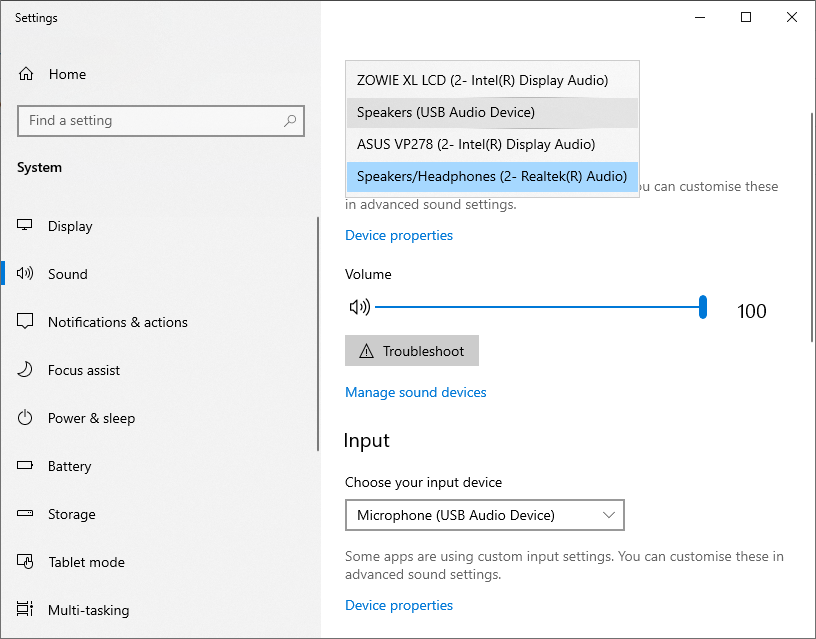
  19. Use cable headsets, not Bluetooth if possible, and use the microphone from the headset not the one from the laptop
    The Bluetooth can be very useful to allow you to move around during audio calls, but some times they provide a poor signal and the sound is lost or may sound metallic or they perform poorly when they have few battery, or they can let you down.
    Using the microphone embedded in the laptop sends echo to your partners, many times.
    If you don’t use headphones the sound coming from the speakers can couple with the microphone and make it very uncomfortable to your partners talking in a video conference, as they will hear themselves with echo.
    If you use Bluetooth, I recommend to have cable headsets at least as backup in case the Bluetooth runs out of battery.
  20. Use a camera with cover or add a plastic cover that slides to your webcam.
    It is good to have a physical barrier to prevent your camera turning on and you not knowing, and to get used to block the camera after you used.
  21. Have spare Hardware and cables
    In this time of lockdown, is good to have spare cables and adapters for everything. Just in case they die.
    If you can have a spare monitor, and spare laptops this is great too.
    I have 3 laptops, plus one tower, plus several raspberry pis, plus the tablet, plus my working laptop. If one dies, I can use the others.
    I always have all kind of Hardware and cables as spare (Gigabit switches, power adapters, international adapters, Ethernet cables, USB cables, headphones…). Even if I can buy in Amazon nothing can stop me.
    One day we had an incident with Virgin, which affected all Ireland.
    I was out as the Fiber was not working and the phone was with Virgin too, but I have two additional SIM cards and spare phones, from vodaphone and Tesco mobile.
    So I’m well protected. :)
    As per the comment of Jordi Soler, I update the list of gadgets, mentioning my Hp Laserjet Color Printer, very handy to print document that I have to sign and then scan and sending back by email, and the UPS.
    The UPS is cool, as if electricity goes down I don’t loss Fiber Internet.
    Imagine, a router connected to the UPS can last hours! however is very infrequent that in Ireland we loss electricity. And the issues I experienced in 3 years were quickly resolved (unlike Barcelona where once more than 300,000 people were 3 days without electricity).
  22. Keep doing backups
    If talking about job things, you can upload to Corporate Google Drive or Microsoft One Drive.
  23. Do exercise regularly
    I bought a static bicycle and a pair of weights, nintendo boxing games, so I keep fit.
    Sitting all the day and not doing any exercise in not made for humans and is bad for your health.
  24. Play videogames
    Playing videogames can keep your amused and distracted, with a goal you do to relax.
  25. Have fun.
    Play Quizz style games online, with your friends/university/work mates
    Playing Questions/Answers games with other people can be a great source of fun.
    Recently I played with my friends at work at jackbox.tv , coordinating through Zoom, and it was really fun.
    I also play in the Quizz that was being performed at my local pub every week, and when the lockdown closed the pubs, they moved to Internet. It is great to see some of the people I was seeing at the pub, and revive these moment, even from home, virtually.
  26. Check your health
    Take that blood analysis, the breast yearly revision, or whatever test you should do regularly. Performing a blood analysis is particularly a good idea. Most people got weight with the lockdown, and the lack of activity can have had an adverse effect in your health. I recommend you to take a blood analysis to make sure all is good with your health.
    Deciding to take a proactive blood analysis saved my life.
  27. It is a good moment to go to the university
    Pick your dream’s degree, that you can do remotely, and before you can realize you’ll have your degree and a bunch of nice good friends. :)
    Specially if you are older than 40/45 years, many universities will grant you access with your motivation letter.
    I recommend you evening degrees designed for people that work.
    They will be helpful and understanding, flexible, and provide workloads more reasonable for people with families and work.
    Also some countries subsidize certain degrees, for example in IT, as they want workers to be digital capable.
  28. My friend Nico C. de F. provided a super useful tip:
    When in a call say only nice things (if you talk to another person, if you pick the phone…) always assume you’re not muted.
    And that’s super true! How many times we have heard or seen something that the other person regretted sharing. Even if you muted your Zoom call, it could happen that it gets unmuted (like pressing ALT A).
  29. Keep liquids far from your hardware
    It is very easy to poor a cup or glass full of liquid over your laptop or keyboard
A practical sense of humor

Security risks

One of the problems with the laptops and battery-power devices in general is that if we have them connected to the energy line all the time, never using the battery, the battery just loses effectiveness and dies.

But some batteries can also explode.

As we are working all day at home now, our laptops are connected 100% of the time.

In my case one of the equipment I use is a Dell Laptop and the battery started to swallow and to bring the touchpad up. As the temperature of the laptop internally increased by the battery being hot as it swallows, you may notice the internal fan doing extra hours, running almost all the time, a high temperature on the chassis. High temperatures can lead to laptop malfunction like hang or reboot.

In extreme cases the battery can explode, so you should replace it if it is swallowing.

So I recommend you from time to time to unplug the power cable and run the laptop on battery until it almost completely depletes, or at leas for a couple hours before plugging the power cable again.

In another order of things I recommend you not to do drugs. Drugs affect your brain, and is hard enough to be isolated in lock down, to add chemicals messing with your neurons.

Refreshing settings in a Docker immutable image with Python and Flask

This is a trick to restart a Service that is running on a immutable Docker, with some change, and you need to refresh the values very quickly without having to roll the CI/CD Jenkins Pipeline and uploading a new image.

So why would you need to do that?.

I can think about possible scenarios like:

  • Need to roll out an urgent fix in a time critical manner
  • Jenkins is broken
  • Somebody screw it on the git master branch
  • Docker Hub is down
  • GitHub is down
  • Your artifactory is down
  • The lines between your jumpbox or workstation and the secure Server are down and you have really few bandwidth
  • You have to fix something critical and you only have a phone with you and SSH only
  • Maybe the Dockerfile had latest, and the latest image has changed
FROM os:latest

The ideal is that if you work with immutable images, you roll out a new immutable image and that’s it.

But if for whatever reason you need to update this super fast, this trick may become really handy.

Let’s go for it!.

Normally you’ll start your container with a command similar to this:

docker run -d --rm -p 5000:5000 api_carlesmateo_com:v7 prod 

The first thing we have to do is to stop the container.

So:

docker ps

Locate your container across the list of running containers and stop it, and then restart without the –rm:

docker stop container_name
docker run -d -p 5000:5000 api_carlesmateo_com:v7 prod

the –rm makes the container to cleanup. By default a container’s file system persists even after the container exits. So don’t start it with –rm.

Ok, so login to the container:

docker exec -it container_name /bin/sh 

Edit the config you require to change, for example config.yml

If what you have to update is a password, and is encoded in base64, encode it:

echo -n "ThePassword" | base64
VGhlUGFzc3dvcmQ=

Stop the container. You can do it by stopping the container with docker stop or from inside the container, killing the listening process, probably a Python Flask.

If your Dockerfile ends with something like:

ENTRYPOINT ["./webservice.py"]

And webservice.py has Python Flask code similar to this:

#!/usr/bin/python3
#
# webservice.py
#
# Author: Carles Mateo
# Creation Date: 2020-05-10 20:50 GMT+1
# Description: A simple Flask Web Application
#              Part of the samples of https://leanpub.com/pythoncombatguide
#              More source code for the book at https://gitlab.com/carles.mateo/python_combat_guide
#


from flask import Flask, request
import logging

# Initialize Flask
app = Flask(__name__)


# Sample route so http://127.0.0.1/carles
@app.route('/carles', methods=['GET'])
def carles():
    logging.critical("A connection was established")
    return "200"

logging.info("Initialized...")

if __name__ == "__main__":
    app.run(host='0.0.0.0', port=5000, debug=True)

Then you can kill the process, and so ending the container, from inside the container by doing:

ps -ax | grep webservice
 5750 root     56:31 {webservice.py} /usr/bin/python /opt/webservice/webservice.py
kill -9 5790

This will finish the container the same way as docker stop container_name.

Then start the container (not run)

docker start container_name

You can now test from outside or from inside the container. If from inside:

/opt/webservice # wget localhost:5000/carles
Connecting to localhost:5000 (127.0.0.1:5000)
carles               100% |**************************************************************************************************************|     3  0:00:00 ETA
/opt/webservice # cat debug.log
2020-05-06 20:46:24,349 Initialized...
2020-05-06 20:46:24,359  * Running on http://0.0.0.0:5000/ (Press CTRL+C to quit)
2020-05-06 20:46:24,360  * Restarting with stat
2020-05-06 20:46:24,764 Initialized...
2020-05-06 20:46:24,771  * Debugger is active!
2020-05-06 20:46:24,772  * Debugger PIN: 123-456-789
2020-05-07 13:18:43,890 127.0.0.1 - - [07/May/2020 13:18:43] "GET /carles HTTP/1.1" 200 -

if you don’t use YAML files or what you need is to change the code, all this can be avoided as when you update the Python code, Flash realizes that and reloads. See this line in the logs:

2020-05-07 13:18:40,431  * Detected change in '/opt/webservice/wwebservice.py', reloading

The webservice.py autoreloads because we init Flask with debug set to on.

You can also start a container with shell directly:

sudo docker run -it ctop /bin/bash

Python Combat Guide published

After some work reviewing it and ensuring it has the expected quality, I finally published my book Python Combat Guide.

Is an atypical creation. Is more a Master Class to my best friend, it could be a SDM, TL leading a small Software Development department, a Coder or a Scientist wanting to join IT as programmer and to learn a lot of stuff very quickly, than rather a formal Python Book for learning. Absolutely is not for beginners.

If you want to buy it, to explore the TOC, extended description…

https://leanpub.com/pythoncombatguide

Bash Script: Count repeated lines in the logs

Last Update: 2022-02-19 15:08 Irish Time

This small script will count repeated patterns in the Logs.

Ideal for checking if there are errors that you’re missing while developing.

#!/usr/bin/env bash
# count_repeated_pattern_in_logs.sh
# By Carles Mateo
# Helps to find repeated lines in Logs
LOGFILE_MESSAGES="/var/log/messages"
LOGFILE_SYSLOG="/var/log/syslog"
if [[ -f "${LOGFILE_MESSAGES}" ]]; then
    LOGFILE=${LOGFILE_MESSAGES}
else
    LOGFILE=${LOGFILE_SYSLOG}
    if [[ ! -f "${LOGFILE_SYSLOG}" ]]; then
        echo "${LOGFILE_MESSAGES} and ${LOGFILE_SYSLOG} do not exist. Exitting"
        exit 1
    fi
fi
echo "Using Logfile: ${LOGFILE}"
CMD_OUTPUT=`cat ${LOGFILE} | awk '{ $1=$2=$3=$4=""; print $0 }' | sort | uniq --count | sort --ignore-case --reverse --numeric-sort`
echo -e "$CMD_OUTPUT"

Basically it takes out the non relevant fields that can prevent from detecting repetition, like the time, and prints the rest.
Then you will launch it like this:

count_repeated_pattern_in_logs.sh | head -n20

If you are checking a machine with Ubuntu UFW (Firewall) and want to skip those likes:

./count_repeated_pattern_in_logs.sh | grep -v "UFW BLOCK" | head -n20

You can also run the same against the output of dmesg -T for counting over the messages in the Kernel this year:

dmesg -T | awk '{ $1=$2=$3=$4=""; print $0 }' | sort | uniq --count | sort --ignore-case --reverse --numeric-sort

And as sample output, the top messages are Ip’s blocked by the Firewall:

     10     2022] [UFW BLOCK] IN=ens4 OUT= MAC=42:01:02:03:04:05:06:07:0a:80:00:01:08:00 SRC=3.217.247.223 DST=10.128.0.2 LEN=40 TOS=0x00 PREC=0x00 TTL=54 ID=0 DF PROTO=TCP SPT=60636 DPT=443 WINDOW=0 RES=0x00 RST URGP=0
      8     2022] [UFW BLOCK] IN=ens4 OUT= MAC=42:01:02:03:04:05:06:07:0a:80:00:01:08:00 SRC=99.41.165.200 DST=10.128.0.2 LEN=40 TOS=0x00 PREC=0x00 TTL=57 ID=0 DF PROTO=TCP SPT=53960 DPT=443 WINDOW=0 RES=0x00 RST URGP=0
      7     2022] [UFW BLOCK] IN=ens4 OUT= MAC=42:01:02:03:04:05:06:07:0a:80:00:01:08:00 SRC=183.82.177.237 DST=10.128.0.2 LEN=40 TOS=0x00 PREC=0x00 TTL=59 ID=0 DF PROTO=TCP SPT=17697 DPT=443 WINDOW=0 RES=0x00 RST URGP=0
      6     2022] [UFW BLOCK] IN=ens4 OUT= MAC=42:01:02:03:04:05:06:07:0a:80:00:01:08:00 SRC=157.90.181.146 DST=10.128.0.2 LEN=40 TOS=0x00 PREC=0x00 TTL=60 ID=0 DF PROTO=TCP SPT=53558 DPT=443 WINDOW=0 RES=0x00 RST URGP=0
      6     2022] [UFW BLOCK] IN=ens4 OUT= MAC=42:01:02:03:04:05:06:07:0a:80:00:01:08:00 SRC=137.226.113.44 DST=10.128.0.2 LEN=40 TOS=0x00 PREC=0x00 TTL=43 ID=0 DF PROTO=TCP SPT=55338 DPT=443 WINDOW=0 RES=0x00 RST URGP=0

Working abroad and the English complexes and insecurity of non natives

I write this article thinking in all my friends that feel insecure about talking in English.

They think about if they are pronouncing correctly, or if they are building the phrases in the correct grammar order. That’s school’s system fault, I think.

As Catalans we learn new languages easily. We talk Catalan native, and Spanish, and in the school we are taught French and English, and if things have not changed, we can choose between Latin and Greek. (I studied both)

But doing 1 or 2 hours per week of English doesn’t grant you a good level of the language, and in fact, few people in Catalonia and Barcelona speak fluent English with a good accent.

I learnt English by myself, by reading programming manuals when I was 5 years old. I also learnt to play chess by watching others playing and when I won the first time I played, against a guy 5 years older than me, he could not believe it was my first match.

I was 10, I think.

When I started classes in the school I realized that I already knew English.

Commands in Basic, like list, run, print, goto, had the same meaning than in the human spoken language.

I grew and I saw that the translations of technical books to Spanish (no Catalan was available) were horrible. They were actually translating commands, so since 15 y.o. I only read manuals in English.

In several jobs, for multinationals, I had to talk with colleagues from different parts of the world, so I was talking Portuguese, some times Italian or French, I could read a bit of German (Was head of Department in Volkswagen IT, gedas), and obviously English.

Still it is not the same when you talk using a subset of the language, basically referred to Hardware and Software, than fully living abroad.

Starting English is easy, you can use present and will for the future and did for the past, and you can make it work. But when you start with the phrasal verbs, the irregular verbs, different time conjugations… English is a context language and it is not a phonetic language, words that are written exactly the same way, sound different, and words that sound the same are written different. So it has a lot of exceptions.

But in this, in the exceptions, and in the fact that is widely expanded, is where we can find the strength to grow without fear.

Catalan is spoken very differently if we are in Barcelona, Lleida, Girona, Tarragona or if we are in València, or Menorca, or Alguer or the country of Andorra.

So the same happens with English. It is not only very different from England to the States, to Australia, to Scotland, to Ireland… also is very different from Dublin and Cork, or from different parts in The States, like Texas and California.

Also there are many people that talks it in Europe, in India… and all of them have different accent!.

So in my experience everybody will understand you. Specially because English is fully understood by the context. Maybe they need you to end the phrase to understand, but they will.

There are also annoying differences that can make you think that your are making mistakes.

Like:

  • Data Center (American) vs Data Center (England)
  • Color (American) vs Colour
  • Humor (American) vs Humour

Don’t be surprised if many native people find your accent exotic, and they love it.

That’s what happened to me many times.

Also I think the school is terrible teaching. They teach children all those rigid grammar expressions, when the live language is much more fluent and free.

For example, one person from Barcelona, will be nervous asking to a colleague:

  • Are you going to the cinema tonight?
  • Have you finally had gone to Disney World?

And he will be nervous thinking in real time if he is building the phrase right.

When, after 2 years will realize that people say:

  • You go to cinema tonight?
  • Did you go to Disney World finally?

The latest are very close to the grammar we use with Catalan, and so hence easy to express fluently.

I can share with you the process I follow to improve my English.

Since the 15 y.o. I was reading all the manuals in English.

I was watching some movies in English, at the beginning with subtitles in Spanish (no Catalan was available) and later with the subtitles in English.

Since 2013, when I was invited by Amazon to Dublin and by Facebook to Menlo Park (US), I started to watch all the movies and sit coms in English.

At the beginning with subtitles in English with the idea to correlate pronunciation and writing. To get my ears used to it.

I went to conferences, and I saw some people, with living years in English speaking countries, that had a much more difficult to understand accent than mine. They were people with reputation. And I understood that IT guys, we are very lucky to be valued by what we know. By our brain.

After all my life reading in English and 4 years watching all the movies in English, my accent had improved, but when I arrived to Cork I had difficulties understanding some the Irish. So I had to get used to the music, the cadence, of the way they talk, and to some words and expressions, and to the humor sense.

I asked my Irish colleagues to correct me when I pronounced wrong, and they were so nice to do it. And they did in a very polite way, for example if I would say:

Is a new Engineer coming to the Team?

And I would put the emphasis on the i of Engineer (the accent), Kevin would repeat the word in the right pronunciation. So I had the chance to learn how it rightly sound.

And I would repeat to make sure I got it.

One thing I think is that one has to be thankful for the time and interest that others dedicate to you. We have all a limited time on the planet, so when somebody invests some time in teaching you or helping you to learn, is giving you something that he will not get back. Even if you pay him/her, still that time will not go back to that person.

So I appreciate when people help me, and I don’t appreciate it less because I pay them.

Talking, listening, is the best real way to learn.

With 100% of reading in English, 100% of movies being watch in English, and nearly 100% of talking and listening in English my language skills reached to the next level. So I can talk in conferences, I can write books and technical documentation. And still I learn a lot of English every day. New words, or rich forms to express the things, reading the newspaper, for example. I really enjoy it.

But is like swimming or going in bicycle: learn by doing.

The Ethernet standards group announces a new 800 GbE specification

Here is the link to the new: https://www.pcgamer.com/amp/the-ethernet-standards-group-developed-a-new-speed-so-fast-it-had-to-change-its-name/

This is a great new for scaling performance in the Data Centers. For routers, switches…

And this makes me think about all the Architects that are using Memcached and Redis in different Servers, in Networks of 1Gbps and makes me want to share with you what a nonsense, is often, that.

So the idea of having Memcache or Redis is just to cache the queries and unload the Database from those queries.

But 1Gbps is equivalent to 125MB (Megabytes) per second.

Local RAM Memory in Servers can perform at 24GB and more (24,000,000 Megabytes) per second, even more.

A PCIE NVMe drive at 3.5GB per second.

A local SSD drive without RAID 550 MB/s.

A SSD in the Cloud, varies a lot on the provider, number of drives, etc… but I’ve seen between 200 MB/s and 2.5GB/s aggregated in RAID.

In fact I have worked with Servers equipped with several IO Controllers, that were delivering 24GB/s of throughput writing or reading to HDD spinning drives.

If you’re in the Cloud. Instead of having 2 Load Balancers, 100 Front Web servers, with a cluster of 5 Redis with huge amount of RAM, and 1 MySQL Master and 1 Slave, all communicating at 1Gbps, probably you’ll get a better performance having the 2 LBs, and 11 Front Web with some more memory and having the Redis instance in the same machine and saving the money of that many small Front and from the 5 huge dedicated Redis.

The same applies if you’re using Docker or K8s.

Even if you just cache the queries to drive, speed will be better than sending everything through 1 Gbps.

This will matter for you if your site is really under heavy load. Most of the sites just query the MySQL Server using 1 Gbps lines, or 2 Gbps in bonding, and that’s enough.

Troubleshooting a shell prompt irresponsible that locks/hangs intermittently

You do df -h or ls / and the terminal freezes and not even CTRL + C works, you have a lock.

Normally this is due to a lock of the system trying to perform an IO.

Could be a physical spinning disk failing, but the most probably nowadays is that you have a network mount point and it is timing out.

If you execute mount and you get a timeout, and when you finally see the list you see a NFS, iSCSI or another kind of Network mount (you will see an Ip Address), check for errors.

To do this in CentOS/RHEL you can do as root:

dmesg | grep -i "timed"

or depending on the System

cat /var/log/messages | grep -i "timed"

You’ll get something like this:

[root@compute01 carles]# dmesg -T | grep timed | head -n5
[Fri Mar 20 02:27:44 2020] nfs: server storage07 not responding, timed out
[Fri Mar 20 02:27:44 2020] nfs: server storage07 not responding, timed out
[Fri Mar 20 02:27:44 2020] nfs: server storage07 not responding, timed out
[Fri Mar 20 02:27:44 2020] nfs: server storage07 not responding, timed out
[Fri Mar 20 02:27:45 2020] nfs: server storage07 not responding, timed out

Please note I use dmesg -T in order to have human readable date instead of Unix Epoch.

You can count the errors today:

[root@compute01 carles]# dmesg -T | grep time | grep "Mon Apr 6" | wc --lines
3123

Lesson 0, learning to code in Python for non programmers

Please note: Even if I tried to make it easy, probably there are too many concepts for a non-programmer. Will try to deliver more basic previous knowledge and foundations, so people with zero knowledge don’t feel overwhelmed.

Start by installing Python 3.8 or 3.9 in your computer, and the IDE PyCharm. Install also Git, and create an account in GitLab so you can share code with other people and understand how Git works.

Here you can read the basic steps for setup PyCharm and GitLab.

Ok, so you can take a look at my video, and hopefully it makes spark your motivation to learn by yourself. :)

I’ve been asked why I used print(“”) instead of print().

Is a good question. The reason is, when we programmed in Python 2.x the native way was to print without parenthesis, like:

print "Hello World!"

Python 3.x was incompatible with that and requires to use parenthesis, like:

print("Hello World!")

Fortunately Python 2.x accepts also to print using parenthesis. In order to have compatibility within Python 2.x and Python 3.x or for future compatibility we were using always print(“Whatever”) in Python2.

However, there is one difference.

If you user print() or print(“”) in Python3 that will generate an empty line.

In Python 2 print(“”) will generate too an empty line, nevertheless print() in Python2 will print two parenthesis. We don’t want that.

This is illustrated in this screenshot:

So all the people that are at home, closed down for coronavirus, you have a chance now to start learning Python and from there get a live as programmer.

You can download the code for this lesson 0, from:

https://gitlab.com/carles.mateo/teach-unit-testing/-/blob/master/lesson0/tree.py

Capturing data from keyboard

In order to be able to do more samples, and then being a bit interesting an dynamic, I will introduce here how to get data inputted by the Keyboard.

print("Please enter your name:")
s_name = input()

This will add whatever we type, without the final Enter, to the String variable s_name.

Capturing numbers from Keyboard

How we do to capture a number, like how old are you, in years?.

The same way, and then we convert this to an Integer value. An Integer is a data type which is basically a number, not decimal. Like: 1, 2, 7, 1000 o -5.

print("Please enter your name:")
s_name = input()

print("Please enter your age:")
s_age = input()
# With int() we convert a String to an Integer, as long as it is possible.
# Wit str() we convert a Integer to a String, as long as it is possible.
i_age = int(s_age)

If you enter a number incorrectly and so that cannot be converted, you will get an Exception Error. That is something that happened in a way that was not expected. These error can be trapped, and we will see this later, in the future.

You know:

  • How to capture data from the keyboard with input()
  • How to convert data entered as String to Integer with int()
  • How to sum two numbers, like 2 + 3
  • How to subtract two numbers, like 2 – 3
  • How to multiply, like 2 * 3

So know, you should be able to solve a basic arithmetic exercise in Hacker Rank:

https://www.hackerrank.com/challenges/python-arithmetic-operators/problem

More sources with explanations

I’m teaching Unit Testing, Refactors, Quality Code and moving from Procedural to OOP to some colleagues, you can find source code for our classes here (please, be aware that there are some error made on purpose to show why and why not do things and hot to apply proper unit testing)

https://gitlab.com/carles.mateo/teach-unit-testing/-/tree/master

More resources

There are many free useful resources to learn Python:

I cancelled my Amazon Prime subscription

I was using a lot Amazon. Sending parcels to my previous job offices, and now to Blizzard offices, so I subscribed to Amazon Prime. With COVID-19 virus we were sent to do Remote Work, and now with the lock down basically I’m 99.99% of the time at home.

I did a test to see how it works sending to home during the pandemic.

I choose two different items, I reviews the order, they were going to be delivered separately, one day of distance.

I choose two items that will fit in my mailbox, separated or together. One USB3 3mts male female and a Blu-ray movie.

My surprise comes when I go to the mailbox one day before and I see that I have a paper from an-post telling that they pass by to deliver my parcel, and they did not leave because it doesn’t fit the mailbox and they did not want to leave it a common space. For my surprise both Amazon parcels were grouped and sent before time. Maybe in a bigger box. But the mailman did not ring my door.

The paper tells me to get my parcel in the middle of the city, during the lock down. No way! I’m not going to risk my health and specially from elders, just to grab a cable and a movie.

I had the chance to request re-delivery to an Post, so I do. I fill all the info, I inform my phone number, email, I indicate which door to ring, and two days after as promised… a paper from an Post!.

They did not even rang my bell again.

I go to Amazon to cancel the order, but the process is only created for if you got the items.

Fuck it. I’m not going to order anything else to Amazon until that COVID-19 passes.

I don’t know if the postman just avoids people for fear to contagion or the process of an Post is awful and he didn’t get any information. But I’ll not buy anything even if I cannot buy in other places cause the lock down.

I was going to maintain my Amazon Prime subscription, even if I know that I’ll not use it much with the lock down, but makes no sense. Also:

  • I use Netflix and my Raspberry Pi 4, I was not using Amazon Prime Video.
  • I use Spotify, I was not using Amazon Prime Music.
  • I like to read in paper, not in eBook, so I was not using the eReader options.

A nice way to loss a customer.

Datacenters, D&R and coronavirus

I’ve been working for years within Data centers, with D&R strategies, and then in the middle of COVID-19, with huge demands on increments of bandwidth and compute, some DCs decided to do not allow in the Engineers of their customers.

As somebody that had my own Startup and CSP and had infrastructure in DCs and servers from customers in colocation, and has replaced Hw components at 1AM, replaced drives from broken RAIDs, and fixed systems so many times inside so many Datacenters across the world, I’m shocked about that.

I understand health reasons can be argued, but I still have Servers in Datacenters because we all believed they were the most safe place, prepared for disaster and recovery, with security, 24×7… and now, one realise that cannot enter to fix or upgrade the own machines.
Please note, still you can use the remote hands from the DC, although this is not a good idea many times, I’m not sure this will still be an available option when the lock down in those countries becomes more strict.

I’m wondering if DCs current model have any future at all.

I think most of the D&R strategies from now will be in the cloud, in different regions, with different providers, so companies can resist providers or governments letting them down.