Category Archives: Software development

Firsts steps programming in Python 3 with PyCharm and Git

This is a very simple guide for beginners, to benefit from using this amazing Python IDE with Git.

You may think that it’s a bit difficult and why you should use it. The first reason I would tell is because it marks the errors, not just syntax errors also if you have typos or you forgot an import or you forgot to declare a variable, has autocomplete, will mark when you don’t follow standards, etc… If you want to be a professional, this is the tool that most Python professional developers and companies use.

Go to Jetbrains page and from there select Developer Tools and PyCharm.

You can use this url to go directly:

https://www.jetbrains.com/pycharm/

PyCharm Community Edition is completely free.

If you don’t have it, create an account in Gitlab. I recommend you to use Gitlab over Github.

Before continuing you’ll have to validate your account by clicking the email that Gitlab sent you.

Create a New project, by pressing the blue button with this label.

Choose Create blank project.

If you select Public everybody will be able to see your code, I recommend you to start with a Private project.

Let checked Initialize repository with a README as this will save you plenty of time and will allow you to start working immediately.

The project will be created for you.

Hit the Clone blue button and it will provide two methods to clone your git repository. You will copy the Clone with HTTPS url.

There are different ways to clone a new project.

Assuming you already have one opened go to Main Menu > Git > Clone

In the URL field paste the URL you copied from Gitlab, in my case:

https://gitlab.com/carles.mateo/carles-mateo-demo-project.git

And press the blue botton Clone.

If you don’t have Git installed, PyCharm will tell you in red, and will allow you to install it for you. It is a very convenient way to install it, specially if you use Windows.

In Ubuntu or Debian Linux installing git is so easy as typing from the Terminal:

sudo apt install git

If it’s your first time PyCharm will ask you for your credentials in Gitlab, so your username or email, and your password.

As it is you own new project and it’s empty, you can trust it. Hit Trust Project.

A window with tips will appear, you can close it.

As you see your project is empty. Only has a the default README.md file created by Gitlab.

Creating new Python files

On the top left, over the name of your project folder press with the Right button of the mouse and select New > Python File

Enter the name of the file, I choose helloworld and press Enter.

You will be asked if you want to add automatically the file to Git. This refers to your local Git repository. Say Yes and you will see the file changing from color Red, which means it is not added to the repository to Green. Green means that is added, but has never been committed.

Just add this line to helloworld.py

print("Hello World")

Note: I made a typo and I wrote “helloworl.py” instead of “helloworld.py”, I will show how to fix this later.

Now, press over the file name over the top left, with the Right button of the mouse, and select Run helloworl (In your case will be Run helloword)

Note: To be able to run a Python program, you need to have Python installed.

Note2: Do not start the name of your file by test as PyCharm will consider that you are writing Unit Testing Code, and will not show the option to run the code, but to run with pytest (if you have pytest framework installed).

And you see on the bottom how it worked and printed “Hello World”.

To rename the file you’ll click over it with the Right button of the mouse and select Refactor > Rename

Type the correct name, in my case “helloworld.py” and for the Scope select: Current File.

PyCharm is so powerful that can search for your entire project to see if other files are using that file and will update the code to reflect the file name change. By indicating Scope: Current File we are telling that the change affects only to this file, and by not marking Search for references and not marking Search in comments and strings you are indicating to PyCharm that it should not search in code and comments to update them with the new file. This option is really useful when you get more confident with programming.

Perfect. Now you want to commit the file to the repository and Push.

The first time PyCharm will ask you how people will know you, that is, your visible name in the Git History of Commits, and your email. You can mark to use these properties locally. This is basically because Git needs to know how to identify you. Consider that Git was created to work with Teams, so everybody should know who made what. Add your friendly name, like “Carles Mateo” and your email. I recommend you to check to use this info for Git globally (all the projects in your computer).

When you commit you’re expected to provide a Commit Message. As Git is used by teams, to work on the same code, try to explain briefly what your changes consisted on.

If you press Commit, you will see how helloworld.py is no longer in color green, now is black. This means that the file is up to date respect our local Git.

Go to the Main Menu and select Git > Push.

You’ll see a message in the bottom indicating that your code has been pushed to the repository.

Now, you can refresh your browser, and you’ll see the changes in Gitlab:

PyCharm vs VSCode

I got asked what are the advantage from PyCharm respect VSCode.

I may refer to this excellent comparison:

While VSCode has some great support for Python coding with the ‘Python’ plugin by Microsoft, PyCharm is truly designed for Python development and it shows.

https://tangenttechnologies.ca/blog/pycharm-vs-vscode/

https://tangenttechnologies.ca/blog/pycharm-vs-vscode/

A simple Python script to get the date and time in Unix Epoch and in local time

The Unix Epoch is the time, in seconds, that has passed since 1970-01-01 00:00:00 UTC.

#!/usr/bin/env python3

#
# Date time methods
#
# Author: Carles Mateo
# Creation Date: 2019-11-20 17:23 IST
# Description: Class to return Date, datetime, Unix EPOCH timestamp
#

import datetime
import time


class DateTimeUtils:

    def get_unix_epoch(self):
        """
        Will return the EPOCH Time. For convenience is returned as String
        :return:
        """
        s_now_epoch = str(int(time.time()))

        return s_now_epoch

    def get_datetime(self, b_milliseconds=False):
        """
        Return the datetime with miliseconds in format YYYY-MM-DD HH:MM:SS.xxxxx
        or without milliseconds as YYYY-MM-DD HH:MM:SS"""
        if b_milliseconds is True:
            s_now = str(datetime.datetime.now())
        else:
            s_now = str(datetime.datetime.now().strftime("%Y-%m-%d %H:%M:%S"))

        return s_now


def main():
    o_datetime = DateTimeUtils()
    s_now_epoch = o_datetime.get_unix_epoch()
    s_now_date = o_datetime.get_datetime()

    print(s_now_epoch)
    print(s_now_date)


main()

You can also get the code from:

https://gitlab.com/carles.mateo/blog.carlesmateo.com-source-code/

News from the Blog 2022-02-22

My Open Source projects

zpool watch

zpool watch is a small Python program for Linux workstations with graphical environment and ZFS, that checks every 30 seconds if your OpenZFS pools are Ok.

If a pool is not healthy, it displays a message in a window using tk inter.

Basically allows you to skip checking from the terminal zpool status continuously or to having to customize the ZED service to send an email and having to figure out how to it can spawn a window alert to the graphical system or what to do if the session has not been initiated.

carleslibs

Since last News from the Blog I’ve released carleslibs v.1.06, v.1.0.5 and v.1.0.4.

v.1.0.6 adds a new class OsUtils to deal with mostly-Linux Os tasks, like knowing the userid, the username, if it’s root, the distribution name and kernel version.

It also adds:

DatetimeUtils.sleep(i_seconds)

In v.1.0.5 I’ve included a new method for getting the Datetime in Unix Epoc format as Integer and increased Code Coverage to 95% for ScreenUtils class.

v. 1.0.4 contains a minor update, a method in StringUtils to escape html from a string.

It uses the library html (part of Python core) so it was small work to do for me to create this method, and the Unit Test for it, but I wanted to use carleslibs in more projects and adding it as core functionality, makes the code of these projects I’m working on, much more clear.

I’m working in the future v.1.0.7.

CTOP.py

I released the stable version 0.8.8 and tagged it.

Minor refactors and adding more Code Coverage (Unit Testing), and protection in the code for division per zero when seconds passed as int are 0. (this was not an actual error, but is worth protecting the code just in case for the future)

Working on branch 0.8.9.

Currently in Master there is a stable version of 0.8.9 mainly fixing https://gitlab.com/carles.mateo/ctop/-/issues/51 which was not detecting when CTOP was running inside a Docker Container (reporting Unable to decode DMI).

My Books

Docker Combat Guide

Added 20 new pages with some tricks, like clearing the logs (1.6GB in my workstation), using some cool tools, using bind mounts and using Docker in Windows from command line without activating Docker Desktop or WSL.

https://leanpub.com/docker-combat-guide/

BTW if you work with Windows and you cannot use Docker Desktop due to the new license, in this article I explain how to use docker stand alone in Windows, without using WSL.

ZFS on Ubuntu

One of my SATA 2TB 2.5″ 5,400 rpm drive got damaged and so was generating errors, so that was a fantastic opportunity to show how to detect and deal with the situation to replace it with a new SATA 2TB 3.5″ 7,200 rpm and fix the pool.

So I updated my ZFS on Ubuntu 20.04 LTS book.

Python 3

I’ve updated Python 3 Exercises for Beginners and added a new example of how to parse the <title> tag from an HTML page, using Beautifulsoup package, to the repository of Python 3 Combat Guide book.

I also added three new exercises, and solved them.

My friend Michela is translating the book to Italian. Thanks! :)

If you already purchased any of my books, you can download the updates of them when I upload them to LeanPub.

Free courses

Code Challenges

One of my students sent me this platform, which is kinda hackerrank, but oriented to video games. To solve code challenges by programming video games.

He is having plenty of fun:

https://www.codingame.com/start

More Symfony, APIs

If you enjoyed the Free Videos about Symfony, there is more.

https://symfonycast.com/screencast/api-platform

It talks about a bundle for building APIs.

And this tutorial explains in detail how to work with Webpack Encore:

https://symfonycasts.com/screencast/webpack-encore

100 Days of Code: Python Bootcamp

A friend of mine, and colleague, Michela, is following this bootcamp and recommends it for people learning from ground 0.

https://udemy.com/course/100-days-of-code/

My work at Blizzard

The company sent me the Stein, which is sent to the employees that serve for two years, with a recognition and a celebration called “The Circle of Honor”.

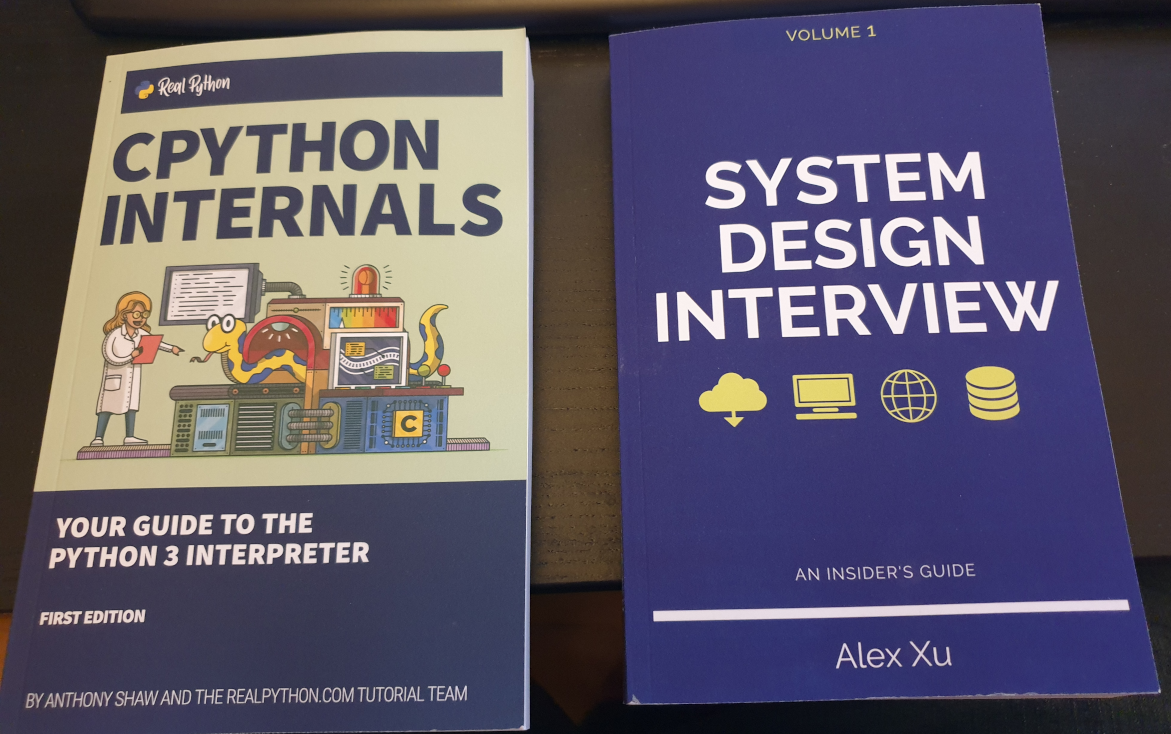
Books purchased

I bought this book as often I discover new ways, better, to explain the things to my students.

Sometimes I buy books for beginners, as I can get explained what I want to do super fast and some times they teach nice tricks that I didn’t know. I have huge Django books, and it took a lot to finish them.

A simpler book may only talk about how to install and work with it under a platform (Windows or Mac, as instance) but it is all that I require as the command to create projects are the same cross platform.

For example, you can get to install and to create a simple project with ORM, connected to the database, very quickly.

Software

So I just discovered that Zoom has an option to draw in the shared screen, like Slack has. It is called Annotate. It is super useful for my classes. :)

Also discovered the icons in the Chat. It seems that not all the video calls accept it.

Hardware

As Working From Home I needed an scanner, I looked in Amazon and all of them were costing more than €200.

I changed my strategy and I bought a All-In-One from HP, which costed me €68.

So I’ll have a scanner and a backup printer, which always comes handy.

The nightmare started after I tried to connect it with Ubuntu.

Ubuntu was not recognizing it. Checking the manuals they force to configure the printer from an Android/iPhone app or from their web page, my understanding is for windows only. In any case I would not install the proprietary drivers in my Linux system.

Annoyed, I installed the Android application, and it was requesting to get Location permissions to configure it. No way. There was not possible to configure the printer without giving GPS/Location permissions to the app, so I cancelled the process.

I grabbed a Windows 10 laptop and plugged the All-in-one through the USB. I ran the wizard to search for Scanners and Printers and was not unable to use my scanner, only to configure as a printer, so I was forced to install HP drivers.

Irritated I did, and they were suggesting to configure the printer so I can print from Internet or from the phone. Thanks HP, you’ll be the next SolarWinds big-security-hole. I said no way, and in order to use the Wifi I have to agree to open that security door which is that the printer would be connected to Internet permanently, sending and receiving information. I said no, I’ll use only via USB.

Even selecting that, in order to scan, the Software forces me to create an account.

Disappointing. HP is doing very big stupid mistakes. They used to be a good company.

Since they stopped doing the drivers in Barcelona years ago, their Software and solutions (not the hardware) went to hell.

I checked the reviews in the App Store and so many people gave them 1 star and have problems… what a shame the way they created this solution.

Donations

I made a donation to OpenShot Video Editor.

This is a great Open Source, multi-platform editor, so I wanted to support the creator.

Security

Attacks: looking for exploits

This is just a sample of a set of attacks to the blog in a 3 minutes interval.

Another one this morning:

Now all are blocked in the Firewall.

This is a non stop practice from spammers and pirates that has been going on for years.

It was almost three decades ago, when I was the Linux responsible of an ISP, and I was installing a brand new Linux system connected to a service called “infovia”, at the time when Internet was used with dial-up and modems, and in the interval of time of the installation, it got hacked. I had the Ethernet connected. So then already, this was happening.

The morning I was writing this, I blocked thousands of offending Ip Addresses.

Protection solutions

I recommend you to use CloudFlare, is a CDN/Cache/Accelerator with DoS protection and even in its Free version is really useful.

Fun/Games

So I come with a game kind of Quiz that you can play with your friends, family or work colleagues working from home (WFH).

The idea is that the master shares screen and sound in Zoom, and then the rest connect to jackbox.tv and enter the code displayed on the master’s screen on their own browser, and an interactive game is started.

It is recommended that the master has two monitors so they can also play.

The games are so fun as a phrase appearing and people having to complete with a lie. If your friends vote your phrase, believing is true, you get points. If you vote the true answer, you get points too.

Very funny and recommendable.

Stuff

<humor>Skynet sent another terminator to end me, but I terminated it. Its processor lays exhibited in my home now</humor>

I bought a laminator.

It has also a ruler and a trimmer to cut the paper.

It was only €39 and I’ve to say that I’m very happy with the results.

It takes around 5 minutes to be ready, it takes to get to the hot-enough temperature, and feeds the pages slowly, around 50 secs a DIN-A4, but the results are worth the time.

I’ve protected my medical receipts and other value documents and the work was perfect. No bubbles at all. No big deal if the plastic covers are introduced not 100% straight. Even if you pass again an already plasticized document, all is good.

Fun

Databases

One of my friends sent me this image.

It is old, but still it’s fun. So it assumes the cameras of the parking or speed cameras, will OCR the plate to build a query, and that the code is not well protected. So basically is exploiting a Sql Injection.

Anybody working on the systems side, and with databases, knows how annoying are those potential situations.

Python and coding

One of my colleagues shared this :)

A simple example to grab the title of a page using Python and beautifulsoup4

A really simple code I added to my Python 3 Exercises for Beginners book, to grab the title of a Web page.

from urllib import request
from bs4 import BeautifulSoup

s_url = "https://blog.carlesmateo.com/movies-i-saw/"
s_html = request.urlopen(s_url).read().decode('utf8')

o_soup = BeautifulSoup(s_html, 'html.parser')
o_title = o_soup.find('title')

print(o_title.string) # Prints the tag string content

# Another possible way
if o_soup.title is not None:
    s_title = o_soup.title.string
else:
    s_title = o_title.title
print(s_title)

I also included this code in the code repository for Python 3 Combat Guide book.

https://gitlab.com/carles.mateo/python_combat_guide/-/blob/master/src/html_parse_beautifulsoup4.py

News from the Blog 2022-01-22

News for the Blog

It has been 9 years since I created the blog, and some articles have old content that still get many visitors. To make sure they get the clear picture and not obsolete information, all the articles of the taxonomy POST, will include the Date and Time when the article was first published.

I also removed the annoying link “Leave a comment” on top. I think it influences some people to leave comments before actually having read the article.

It is still possible to add comments, but they are on the bottom of the page. I believe it makes more sense this way. This is the way.

Technically that involved modifying the files of my template:

  • functions.php
  • content.php

My Books

Automating and Provisioning to Amazon AWS using boto3 Amazon’s SDK for Python 3

I finished my book about Automating and Provisioning to Amazon AWS using boto3 Amazon’s SDK for Python 3.

It’s 128 pages in Full size DIN-A4 DRM-Free, and comes with a link to code samples of a real project CLI Menu based.

Docker Combat Guide

I have updated my book Docker Combat Guide and I added a completely new section, including source code, to work with Docker’s Python SDK.

I show the Docker SDK by showing the code of an actual CLI program I wrote in Python 3.

Here you can see a video that demonstrates how I launched a project with three Docker Containers via Docker compose. The Containers have Python, Flask webserver, and redis as bridge between the two Python Containers.

All the source code are downloadable with the book.

Watch at 1080p at Full Screen for better experience

My Classes

In January I resumed the coding classes. I have new students, and few spots free in my agenda, as some of my students graduated and others have been hired as Software Developers. I can not be more proud. :)

Free Training

Symfony is one of the most popular PHP Frameworks.

You can learn it with these free videos:

https://symfonycasts.com/screencast/symfony/

Software Licenses I Purchased

Before leaving 2021, I registered WinRAR for Windows.

WinRAR is a compressing Software that has been with us for 19 years.

I’m pretty sure I registered it in the past, but these holidays I was out only with two Window laptops and I had to do some work for the university and WinRAR came it handy, so I decided to register it again.

I create Software and Books, and I earn my life with this, so it makes a lot of sense to pay others for their good work crafting Software.

Books I Purchased

I bought this book and by the moment is really good. I wanted to buy some updated books as all my Linux books have some years already. Also I keep my skills sharp by reading reading reading.

Hardware I purchased

So I bought a cheap car power inverter.

The ones I saw in Amazon were €120+ and they were not very good rated, so I opted to buy a cheap one in the supermarket and keep it on the car just in case one day I need it. (My new Asus Zenbook laptop has 18 hours of autonomy and I don’t charge it for days, but you never know)

For those that don’t know, a power inverter allows you to get a 220V (120V in US) plug, from the connection of the lighter from your car. Also you can get the energy from an external car battery. This comes in really handy to charge the laptop, cameras, your drone… if you are in the nature and you don’t have any plug near.

I bought one years ago to power up Raspberry Pi’s when I was doing Research for a project I was studying to launch.

Fun

Many friends are using Starlink as a substitute of fiber for their rural homes, and they are super happy with it.

One of them send me a very fun article.

It is in Italian, but you can google translate it.

https://leganerd.com/2022/01/10/starlink-ha-un-piccolo-e-adorabile-problema-con-i-gatti/

Anyways you can get the idea of what’s going on in the picture :)

So tell me… so your speed with Starlink drops 80% in winter uh… aha…

Random news about Software

I tried the voice recognition in Slack huddle, and it works pretty well. Also Zoom has this feature and they are great. Specially when you are in a group call, or in a class.

My health

I was experimenting some problems, so I scheduled an appointment to get blood analysis and to be checked. Just in case.

TL;TR I could have died.

The doctors saw my analysis and sent me to the hospital urgently, where they found something that was going to be lethal. For hours they were checking me and doing several more analysis and tests to discard false positives, etc… and they precisely found the issue and provided urgent treatment and confirmed that I could have died at any moment.

Basically I dodged a bullet.

I was doing certain healthy things that helped me in a situation that could have been deadly or extremely dangerous to my health.

With the treatment and my strict discipline, I reverted the situation really quick and now I have more health and more energy than before. I feel rejuvenated.

I’m feeling lucky that with my work, the classes, the books I wrote, etc… I didn’t have to worry about the expensive medicines, the transport, etc… It was a bad moment, during Christmas, with so many people on holidays, pharmacies and GPs closed, so I had to spend more time looking for, traveling, and to pay more than it would had been strictly necessary. Despite all the time I used to my health, I managed to finish my university duties on time, and I didn’t miss my duties at work after the hospital, neither I had to cancel any programming classes or mentoring sessions. Nobody out of my closest circle knew what was going on, with the exception of my boss, which I kept informed in real time, just in case there was any problem, as I didn’t want to let down the company and have my duties at work to be unattended if something major happened.

I was not afraid to die. Unfortunately I’ve lost very significant people since I was a child. Relatives, very appreciated bosses and colleagues which I considered my friends, and great friends of different circles. Illnesses, accidents, and a friend of mine committed suicide years ago, and some of my partners attempted it (before we know each other). When you see people that are so good leaving, this brings a sadness that cannot be explained with words. I have had a tough life.

We have a limited time, and he have freedom to make choices. Some people choose to be miserable, to mistreat others, to lie, to cheat, to be unfaithful, to lack ethic and integrity. Those are their choices. Their wasted time will not come back.

Some of my friends are doctors. I admire them. They save lives and improve the quality of life of people with health problems.

I like being an Engineer cause I can create things, I can build instead of destroy, I can help to improve the world, and I can help users to have a good time and to avoid the frustration of services being down. I chose to do a positive work. So many times I’ve been offered much bigger salaries to do something I didn’t like, or by companies that I don’t admire, and I refused. Cause I wanted to make a better world. I know many people don’t think like that, and they only take take take. They are even unable to understand my choices, even to believe that I’m like that. But it’s enough that I know what I’m doing, and that it makes sense for me, and that I know that I’m doing well. And then, one day, you realize, that doing well, being fair and nice even if other people stabbed you in the back, you got to know fantastic people like you, and people that adore you and love to have you in their life, in their companies… So I’m really fortunate. To all the good-hearted people around, that give without expect anything in return, that try to make the world a better place, thank you.

News from the blog 2021-12-07

Charity

I’ve donated to Equitas Health.

Equitas Health helps thousands of HIV-positive in Ohio, Dayton and Columbus.

Thousands more are reached with our prevention, testing, and other services. We are excited about embracing our expanded mission as a strategic step to further that legacy and its reach by providing care for all – with a focus on a safe and open space and highest quality healthcare for the LGBTQ community and others who are medically underserved.

https://equitashealth.com/get-involved/give/donate-now/

I did my donation following a post by Terra Field, a former colleague at Blizzard and later leading Netflix’s Trans *ERG, but I didn’t see that she organized a gofund campaign, so I donated again :)

If you want to help them:

https://www.gofundme.com/f/transphobia-is-not-a-joke?utm_source=customer&utm_medium=copy_link_all&utm_campaign=m_pd+share-sheet

https://equitashealth.com/get-involved/give/donate-now/

Articles

I created an article about provisioning to Amazon AWS EC2 and running playbooks (recipes) using Ansible, and Dynamic Directory to store the public ip’s or dns public names in an inventory.

As I saw that there is a lack of clarity in the articles about this theme.

I also provided two alternatives ways, one pure Python3 and the other Bash based (grep awk tr)

Books

The books I publish in LeanPub have two prices, the suggested price, which is the price I consider the right price for the book, and the minimum price, which is the minimum price I authorized a reader can pay to have it.

You can buy it for the minimum price. You know better than anyone your economy.

So when a reader buys one of my books for the suggested price, instead of the minimum price, it’s really showing how they appreciate may work.

So thanks for all the support and appreciation you show!. :)

One of the motives I chose Leanpub platform is because I think is fair. No DRM, no BS. And the reader can ask for a refund within 45 days if they don’t like the book. It also makes very happy seeing that I don’t have any refunds. I appreciate it as a token of the usefulness of my work. Thanks. :)

Updates to Docker Combat File book (v.16 2021-11-24)

I added a nice trick to reverse engineering the original Dockerfile from a running Image.

I also added another typical copy and paste error into the Troubleshoot section.

https://leanpub.com/docker-combat-guide

Automating and Provisioning Amazon AWS (EC2, EBS, S3, CloudWatch) with boto3 (Amazon’s SDK for Python 3) and Python 3 book

I’m writing a book about how to automate your Amazon AWS tasks using Amazon’s AWS Python 3 SDK boto3, provisioning new instances, stopping, starting, creating volumes, creating/deleting buckets in S3, uploading/downloading files from S3…

It is currently 20% completed. With 43 pages it shows EC2 section already.

https://leanpub.com/amazon-aws-boto3

Open Source

I’ve working in carleslibs v.1.0.3. I added MenuUtils class, which allows to assemble menus super quickly, that execute the code referenced in the menu array. Ideal for building CLI applications very fast.

I also added KeyboardUtils class, which allows to ask the user for String within certain lengths allowing or not spaces and/or underscores, and ask user for Integer values within a certain min and max, having 0 for go back.

The plan is to release the new version of carleslibs as soon as I’ve tested it properly.

Social part

For those who follow my recommendations, as always, I have updated the list of new movies I watched and the list of new videogames I played.

Provisioning AWS EC2 Instances with Ansible and Automating Apache deployment with or without using Ansible Dynamic Inventory from Ubuntu 20.04 LTS

This article is being included in my book Provisioning to Amazon AWS using boto3 SDK for Python 3.

Pre-requisites

I’ll use Ubuntu 20.04 LTS.

Python 2 is required for Ansible.

Python 3 is required for our programs.

sudo apt install python2 python3 python3-pip
# Install boto for Python 2 for Ansible (alternative way if pip install boto doesn't work for you)
python2 -m pip install boto
# Install Ansible
sudo apt install ansible

If you want to use Dynamic Inventory

So you can use the Python 2 ec2.py and ec2.ini files, adding them as to the /etc/ansible with mask +x, to use the Dynamic Inventory.

You will need to have your credentials set.

I use Environment variables:

#!/bin/bash

export ANSIBLE_HOST_KEY_CHECKING=false
export AWS_ACCESS_KEY=AKIXXXXXXXXXXXXXOS
export AWS_SECRET_KEY=e4dXXXXXXXXXXXXXXXXXXXXXXXXXXXXXXXXXY6F

Then use the calls inside the shell script, or assuming that the previous file was named credentiasl.sh use source credentials.sh

ec2.py is written in Python 2, so probably will fail for you as it is invoked by python and your default interpreter will be Python 3.

So edit the first line of /etc/ansible/ec2.py and add:

#!/bin/env python2

Once credentials.sh is sourced, then you can just invoke ec2.py to get the list of your Instances in a JSON format dumped by ec2.py

/etc/ansible/ec2.py --list

You can get that JSON file and load it and get the information you need, filtering by group.

You can call:

/etc/ansible/ec2.py --list > instances.json

Or you can run a Python program that escapes to shell and executes ec2.py –list and loads the Output as a JSON file.

I use my carleslibs here to escape to shell using my class SubProcessUtils. You can install them, they are Open Source, or you can code manually if you prefer importing subprocess Python library and catching the stdout, stderr.

import json
from carleslibs import SubProcessUtils

if __name__ == "__main__":
    s_command = "/etc/ansible/ec2.py"

    o_subprocess = SubProcessUtils()
    i_error_code, s_output, s_error = o_subprocess.execute_command_for_output(s_command, b_shell=True, b_convert_to_ascii=True, b_convert_to_utf8=False)
    if i_error_code != 0:
        print("Error escaping to shell!", i_error_code)
        print(s_error)
        exit(1)

    json = json.loads(s_output)

    d_hosts = json["_meta"]["hostvars"]

    for s_host in d_hosts:
        # You'll get a ip/hostnamename in s_host which is the key
        # You have to check for groups and the value for the key Name, in order to get the Name of the group
        # As an exercise, print(d_hosts[s_host]) and look for:
        # @TODO: Capture the s_group_name
        # @TODO: Capture the s_addres
        if s_group_name == "yourgroup":
             # This filters only the instances with your group name, as you want to create an inventory file just for them
             # That's because you don't want to launch the playbook for all the instances, but for those in your group name in the inventory file.
             a_hostnames.append(s_address)

    # After this you can parse you list a_hostnames and generate an inventory file yourinventoryfile 
    # The [ec2hosts] in your inventory file must match the hosts section in your yaml files
    # You'll execute your playbook with:
    # ansible-playbook -i yourinventoryfile youryamlfile.yaml

So an example of a yaml to install Apache2 in Ubuntu 20.04 LTS spawned instances , let’s call it install_apache2.yaml would be:

---
- name: Update web servers
  hosts: ec2hosts
  remote_user: ubuntu

  tasks:
  - name: Ensure Apache is at the latest version
    apt:
      name: apache2
      state: latest
      update_cache: yes
    become: yes

As you can see the section hosts: in the YAML playbook matches the [ec2hosts] in your inventory file.

You can choose to have your private key certificate .pem file in /etc/ansible/ansible.cfg or if you want to have different certificates per host, add them after the ip/address in your inventory file, like in this example:

[localhost]
127.0.0.1
[ec2hosts]
63.35.186.109	ansible_ssh_private_key_file=ansible.pem

The ansible.pem certificate must have restricted permissions, for example chmod 600 ansible.pem

Then you end by running:

ansible-playbook -i yourinventoryfile install_ubuntu.yaml

If you don’t want to use Dynamic Directory

The first method is to use add_host to print in the screen the properties form the ec2 Instances provisioned.

The trick is to escape to shell, executing ansible-playbook and capturing the output, then parsing the text looking for the ‘public_ip:’

This is the Python 3 code I created:

class AwesomeAnsible:

    def extract_public_ips_from_text(self, s_text=""):
        """
        Extracts the addresses returned by Ansible
        :param s_text:
        :return: Boolean for success, Array with the Ip's
        """

        b_found = False
        a_ips = []

        i_count = 0
        while True:
            i_count += 1
            if i_count > 20:
                print("Breaking look")
                break
            s_substr = "'public_ip': '"
            i_first_pos = s_text.find(s_substr)
            if i_first_pos > -1:
                s_text_sub = s_text[i_first_pos + len(s_substr):]
                # Find the ending delimiter
                i_second_pos = s_text_sub.find("'")
                if i_second_pos > -1:
                    b_found = True
                    s_ip = s_text_sub[0:i_second_pos]
                    a_ips.append(s_ip)
                    s_text_sub = s_text_sub[i_second_pos:]
                    s_text = s_text_sub
                    continue

            # No more Ip's
            break

        return b_found, a_ips

Then you’ll use with something like:

        # Catching the Ip's from the output
        b_success, a_ips = self.extract_public_ips_from_text(s_output)
        if b_success is True:
            print("Public Ips:")
            s_ips = ""
            for s_ip in a_ips:
                print(s_ip)
                s_ips = s_ips + self.get_ip_text_line_for_inventory(s_ip)
            print("Adding Ips to group1_inventory file")
            self.o_fileutils.append_to_file("group1_inventory", s_ips)
            print() 

The get_ip_text_line_for_inventory_method() returns a line for the inventory file, with the ip and the key to use separated by a tab (\t):

    def get_ip_text_line_for_inventory(self, s_ip, s_key_path="ansible.pem"):
        """
        Returns the line to add to the inventory, with the Ip and the keypath
        """
        return s_ip + "\tansible_ssh_private_key_file=" + s_key_path + "\n"

Once you have the inventory file, like this below, you can execute the playbook for your group of hosts:

[localhost]
127.0.0.1
[ec2hosts]
63.35.186.109	ansible_ssh_private_key_file=ansible.pem
ansible-playbook -i yourinventoryfile install_ubuntu.yaml

Alternative way parsing with awk and grep

You can run this Bash Shell Script to get only the public ips when you provision to Amazon AWS EC2 the Instances from your group named group1 in this case:

./launch_aws_instances-group1.sh | grep "public_ip" | awk '{ print $13; }' | tr -d "',"
52.213.232.199

In this example 52.213.232.199 is the Ip from the Instance I provisioned.

So to put it together, from a Python file I generate this Bash file and I escape to shell to execute it:

#!/bin/bash

export ANSIBLE_HOST_KEY_CHECKING=false
export AWS_ACCESS_KEY=AKIXXXXXXXXXXXXXOS
export AWS_SECRET_KEY=e4dXXXXXXXXXXXXXXXXXXXXXXXXXXXXXXXXXY6F

# Generate a new Inventory File
echo "[localhost]" > group1_inventory
echo "127.0.0.1" >> group1_inventory
echo "[ec2hosts]" >> group1_inventory

ansible-playbook -i group1_inventory launch_aws_instances-group1.yaml

I set again the credentials because as this Bash Shell Script is invoked from Python, there are not sourced.

The trick in here is that the launch_aws_instances-group1.yaml file has a task to add the hosts to Ansible’s in memory inventory, and to print the information.

That output is what I scrap from Python and then I use extract_public_ips_from_text() showed before.

So my launch_aws_instances-group1.yaml (which I generate from Python customizing the parameter) looks like this:

# launch_aws_instances.yaml

- hosts: localhost
  connection: local
  gather_facts: False
  vars:
      s_keypair_name: "ansible"
      s_instance_type: "t1.micro"
      s_image: "ami-08edbb0e85d6a0a07"
      s_group: "ansible"
      s_region: "eu-west-1"
      i_exact_count: 1
      s_tag_name: "ansible_group1"
  tasks:

    - name: Provision a set of instances
      ec2:
         key_name: "{{ s_keypair_name }}"
         region: "{{ s_region }}"
         group: "{{ s_group }}"
         instance_type: "{{ s_instance_type }}"
         image: "{{ s_image }}"
         wait: true
         exact_count: "{{ i_exact_count }}"
         count_tag:
            Name: "{{ s_tag_name }}"
         instance_tags:
            Name: "{{ s_tag_name }}"
      register: ec2_ips
      
    - name: Add all instance public IPs to host group
      add_host: hostname={{ item.public_ip }} groups=ec2hosts
      loop: "{{ ec2_ips.instances }}"

In this case I use t1.micro cause I provision to EC2-Classic and not to the default VPC, otherwise I would use t2.micro.

So I have a Security Group named ansible created in Amazon AWS EC2 console as EC2-Classic, and not as VPC.

In this Security group I opened the Inbound HTTP Port and the SSH port for the Ip from I’m provisioning, so Ansible can SSH using the Key ansible.pem

The Public Key has been created and named ansible as well (section key_name under ec2).

The Image used is Ubuntu 20.04 LTS (free tier) for the region eu-west-1 which is my wonderful Ireland.

For the variables (vars) I use the MT Notation, so the prefixes show exactly what we are expecting s_ for Strings i_ for Integers and I never have collisions with reserved names.

It is very important to use the count_tag and instance_tags with the name of the group, as the actions will be using that group name. Remember the idempotency.

The task with the add_host is the one that makes the information for the instances to be displayed, like in this screenshot.

Python Programming class for beginners 2021-11-11

Suggested optional pre-requisites to have before the class

  • Install Python 3 (3.8 recommended, any version from Python 3.6 is fine)
  • Install PyCharm Community Edition or Professional Edition (is free for 30 days only)

Suggested optional reading material

Examples of the class today have been upload here

Material from some other classes

On this class, recorded on the video (1h 48m)

Why there are different types of variables

  • Memory
    • All are 0 and 1’s
  • How big can be a variable (float, integer, string)
  • Operations performed, like +
  • MT Notation I use

The order in which the instructions are performed (top to bottom).

  • Declaring a variable
  • We can call thinks that were previously defined up (like functions)
  • Loops will send the execution pointer up
  • Operations with integer variables
    • Additions
  • Operations with Strings

Language syntax and tricks (write a Notebook with your own notes)

  • Pre-created solutions, like reverse an string with for
  • Open a file, read the contents by lines to string, split the strings to arrays by a separator, like tab or space, get what you want by position.
with open(s_filename) as file:
    for s_line in file:
        print(s_line)

# Show Exceptions

# Show hexadecimal of the text:

# cd /home/carles/Desktop/code/carles/python-classes/2021-11-11

# hexdump -c text.txt

# remove enters, spaces at the end of the file with s_line.rstrip()

The blocks and functions

  • Indentation
  • Typical error missing :
  • Functions are for reusing code and reducing errors
    • As they are for reusing, they are flexible (parameters)

The while loop

  • The condition True
  • The condition in a variable
  • The condition in a if
  • Break
  • Pattern counter inside a loop

Building a Menu for user selection in text mode

  • Input
  • Validation

Questions

  • As part of the questions, a question about the mental process to Build the solution was raised.
    • TODO: Was explained
    • The importance of keeping Notes with snippets of code that you normally use one time and another
    • How to search in Google to find explanations in Python sites
  • A question was raised about how menus could be implemented using OOP
    • A parent Menu class, with a MenuAdmin class inheriting was demonstrated. The MenuAdmin inherits the menu options from the parent Menu, and adds Admin only options.

News from the Blog 2021-11-11

New Articles

How to communicate with your Python program running inside a Docker Container, using Linux Signals

Hope you’ll have fun reading this article:

Communicating with Docker Containers via Linux Signals and Python

I migrated my last services from Amazon and the blog to Google Compute Engine (GCE / GCP)

I wrote a Postmortem analysis about the process of migrating my last services from my 11 year old Amazon account.

Updates

Updates to articles

I updated the article about Python weird things that you may not know adding the Ellipsis …

I’ve been working in some Cassandra examples. I may publish an article soon about using it from Python and Docker.

Updates to My Books

I updated my Python and Docker books.

I’m currently writing a book about using Amazon AWS Python SDK (boto3).

Updates to Open Source projects

I have updated ctop, fixed two bugs and increased Code Coverage.

I made a new tag and released the last Stable Version:

https://gitlab.com/carles.mateo/ctop/-/tags/0.8.7

On top of my local Unit Testing, I have Jenkins checking that I don’t commit anything that breaks the Tests.

Some time ago I wrote some articles about how you can setup jenkins in a Docker Container.

Miscellaneous

Charity

I’ve donated to Wikipedia.

Only 2% of the viewers donate, so I answered the call every time it was made.

This is my 5th donation to Wikimedia.

I consider that Freedom is very important.

I bought these new books

One of my secrets to be on top is that I’m always studying.

I study all the time, at work and in my free time.

I use Linux Academy and I buy books in paper. I don’t connect with reading in tablets. I think information is stored better when read in paper. I use also a marker and pointers to keep a direct access to the most interesting points on the books.

And I study all kind of themes. Obviously I know a lot of Web Scraping, but there is always room for learning more. And whatever new I learn helps me to be better with my students and more clear writing my books.

I’ve never been a Front End, but I’ve been able to fix bugs in the Front End engines from the companies I worked for, like Privalia. I was passed a bug that prevented the Internet Explorer users to buy just one hour before we launching a massive campaign. I debugged and I found a variable named “value” so the html looked like <input name="value" value="">. In less than 30 minutes I proved to the incredulous Head of Development and the CTO that a bug in Internet Explored was causing a conflict when fetching the value from the input named value. We deployed to Production the update and the campaign was a total success. So I consider knowing Javascript and Front also a need, even if I don’t work directly with it. I want to be able to understand all the requirements and possibilities, and weaknesses, so I can fix bugs and save the day. That allowed me to fix scalability problems in Nodejs and Phantomjs projects too. (They are Javascript Server Side, event driven, projects)

It seems that Amazon.co.uk works well again for Ireland. My two last orders arrived on time and I had no problems of border taxes apparently.

Nice Python article

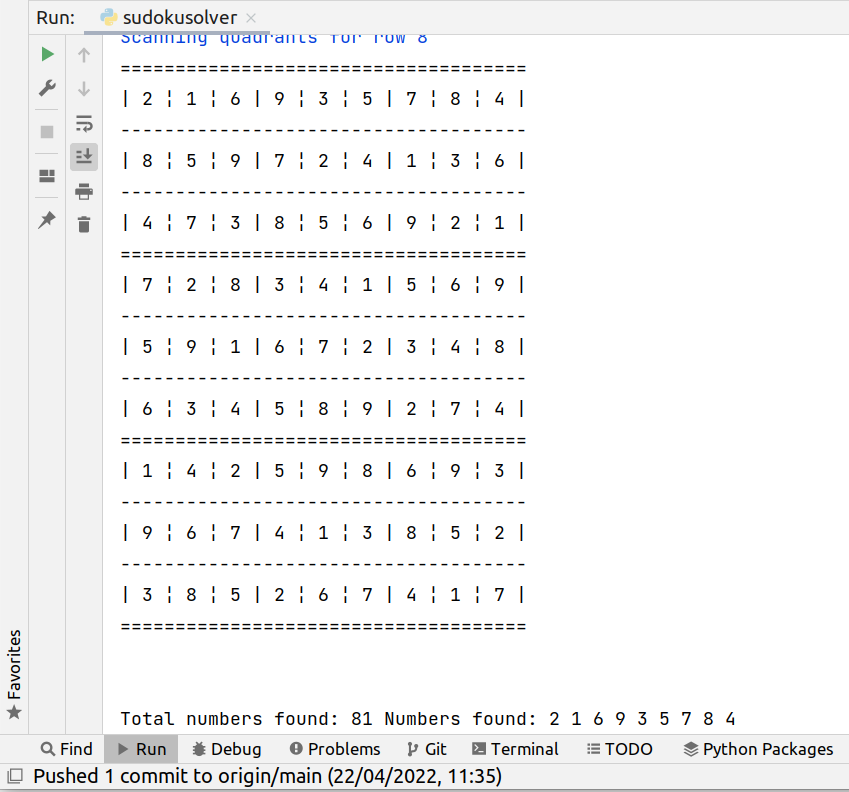
I enjoyed a lot this article, cause explains part of what I did with my student and friend Albert, in a project that analyzes the access logs from Apache for patterns of attempts of exploits, then feeds a database, and then blocks those offender Ip Addresses in the Firewall.

The article only covers the part of Pandas, of reading the access.log file and working with it, but is a very well redacted article:

https://mmas.github.io/read-apache-access-log-pandas

Nice Virtual Volumes article from VMware

I prefer Open Source, but there are very good commercial products too.

I liked this article about Virtual Volumes from VMWare:

Understanding Virtual Volumes (vVols) in VMware vSphere 6.7/7.0 (2113013)

https://kb.vmware.com/s/article/2113013

Thanks Blizzard (again)

There is a very nice initiative where we can nominate 4 colleagues a year, that we think that deserve a recognition.

My colleagues voted for me, so I received a gift voucher that I can spend in Ireland stores like Ikea, Pc World, Argos, Adidas, App Store & iTunes…

So thanks a million buds. :)

Communicating with Docker Containers via Linux Signals and Python

Normally if we need to refresh a config in a Container we will spawn a new one, or we will access with sudo docker exec -it /bin/sh mycontainer for instance and force a reload, or we will have to restart the Container.

What if we want to be able to reload the config at any moment without restarting the process, or to trigger a process in our Container (like a dump or a flush) in another way than implementing an API?.

An unexplored way, for many, to communicate with your Container’s main process is to send Signals.

So basically I will show you how you can trap Signals within a Python process which is the main process for your Docker Container, and send them from your Hypervisor with the command:

sudo docker kill --signal=SIGUSR1

I choose to use SIGUSR1 as it is reserved for user defined Signals.

You can clone the project or get the source code from:

https://gitlab.com/carles.mateo/docker-signal

The Dockerfile

FROM ubuntu:20.04

MAINTAINER Carles Mateo

RUN apt update && apt install -y python3 python3-pip vim less && apt-get clean

# This will make sure printing in the Screen when running in dettached mode
ENV PYTHONUNBUFFERED=1

ENV DOCKERSIGNAL /var/dockersignal

RUN mkdir -p $DOCKERSIGNAL

COPY *.py $DOCKERSIGNAL

WORKDIR $DOCKERSIGNAL

# Again to enforce printing to the Screen when running dettached
CMD ["python3", "-u", "/var/dockersignal/dockersignal.py"]

The dockersignal.py file

# By Carles Mateo https://blog.carlesmateo.com

import signal
import time


def handler(signum, frame):
    print('Signal handler called with signal', signum)

    if signum == 10:
        # 10 is the equivalent to SIGUSR1 for most x86/ARM (not for Alpha/Sparc, MIPS, PARISC)
        print("Simulated action: Reload config")


if __name__ == "__main__":

    print("Waiting for a Signal")
    # Listed for this signal, so can listen for more
    signal.signal(signal.SIGUSR1, handler)

    while True:
        # Do Whatever
        time.sleep(1)

A shell file to build and run the Container like a pro

#!/bin/bash

DOCKER_CONTAINER_NAME="docker-signal"
DOCKER_IMAGE_NAME="docker-signal"

printf "Removing old Container %s\n" "${DOCKER_CONTAINER_NAME}"
sudo docker rm "${DOCKER_IMAGE_NAME}"

printf "Removing old Image %s\n" "${DOCKER_IMAGE_NAME}"
sudo docker image rm "${DOCKER_IMAGE_NAME}"

echo "Creating Docker Image"
sudo docker build -t ${DOCKER_IMAGE_NAME} . --no-cache

retVal=$?
if [ $retVal -ne 0 ]; then
    printf "Error. Exit code %s\n" ${retVal}
    exit
fi

echo "Running Docker Container ${DOCKER_CONTAINER_NAME} based in image ${DOCKER_IMAGE_NAME}"
sudo docker run --cpus="1.0" --name ${DOCKER_CONTAINER_NAME} ${DOCKER_IMAGE_NAME}

See it in action

References

https://docs.docker.com/engine/reference/commandline/kill/

https://man7.org/linux/man-pages/man7/signal.7.html

https://docs.python.org/3/library/signal.html

If you want you can buy my Docker Combat Guide book.