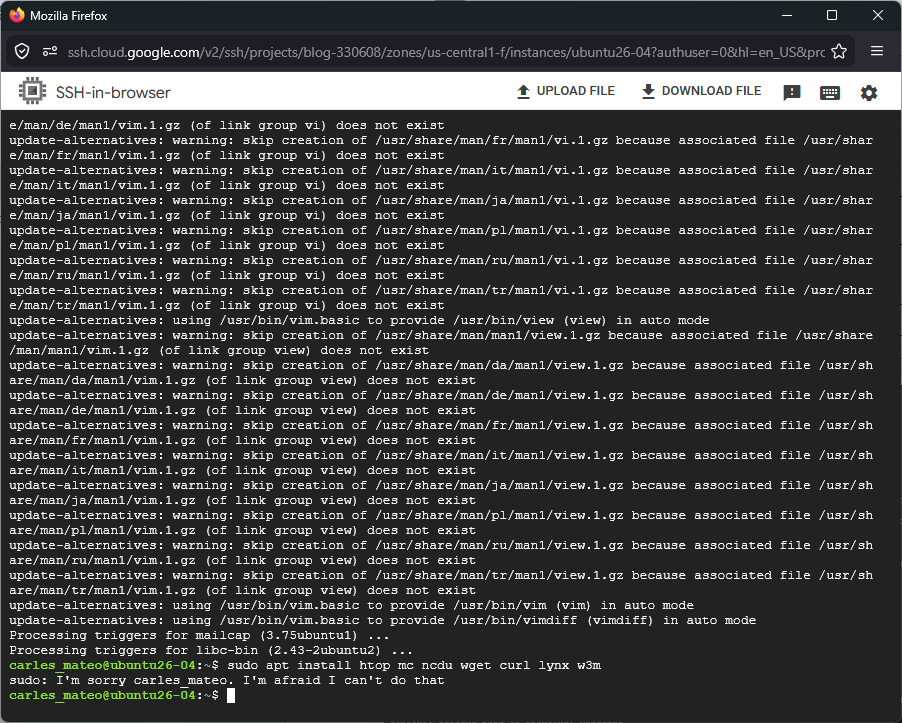
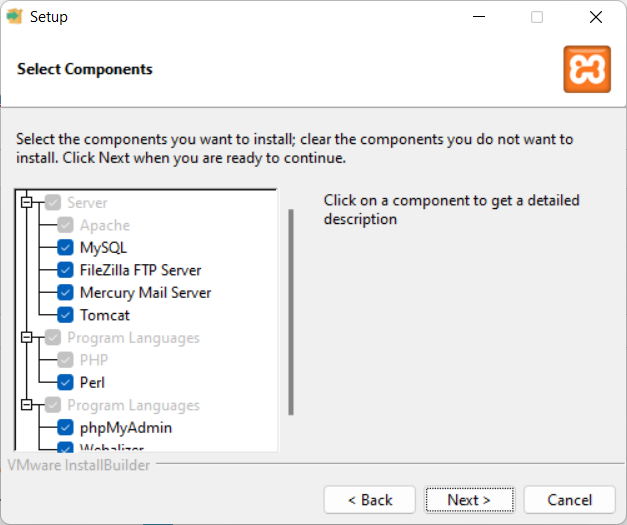
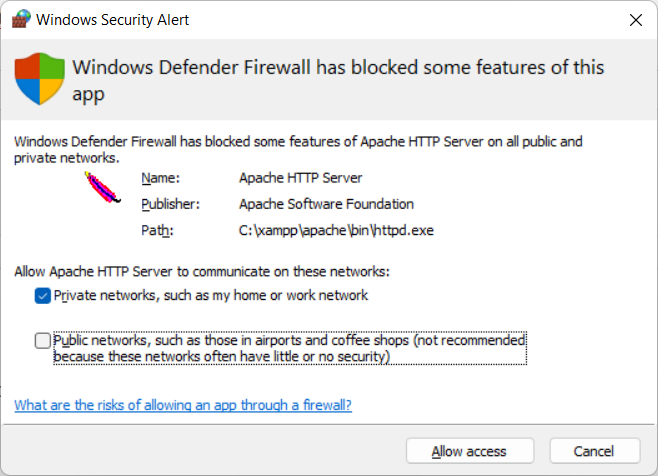
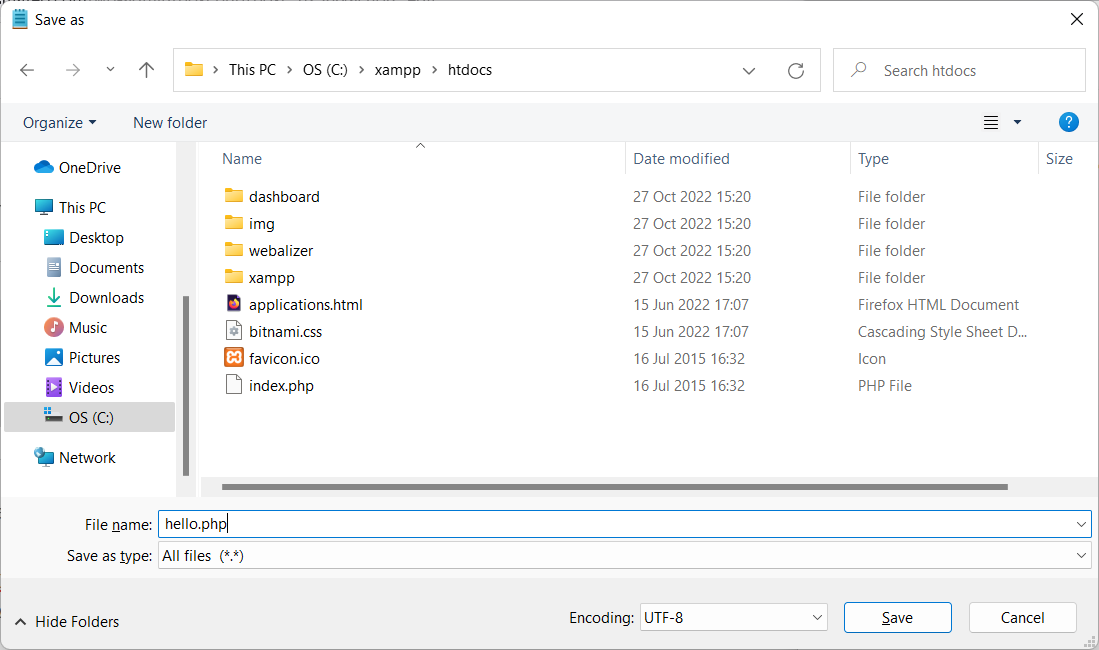
The video shows step by step how to create an Instance in Google Cloud Compute Engine of the type e2, increase the size of the disk, and install Ubuntu 26.04 LTS Server.
Also shows how the new htop looks, with new IO options.
You know that utilites from coreutils have been rewriten in Rust, like sudo. I was wondering if it would work well. I thoguht I was encountering the first problems, after I experienced that when launched sudo, like in example, a sudo apt install package , sudo then stops working and I’ve to exit the shell and relogin.
I found that it is Google Cloud that removes my user from google-sudoers after 3 minutes.
You have installed eZ Launchpad, and you can execute the binary ez from your home folder or other paths, however when you execute it from a project folder you cloned with git (with its .platform.app.yaml file) ez returns to prompt without any error message.
The exit code is 255, but even if you strace the process you don’t find the exact problem.
Inside your project you run ez without any argument in a clean install of Ubuntu 24.04 LTS with PHP 8.3, or with PHP 8.4, without xDebug, without opcache, without memory limit… nothing works with no visible error message in the logs or in the error output. However if you run it outside the project folder, it works, and it displays the typical help messages.
I reproduced this behavior on several Ubuntu computers. The fix I found is to execute ez with PHP 8.1
You can install PHP8.1 from ondrej repository, then you can update alternates to execute PHP 8.1 by default in your system, or you create the project by invoking ez with PHP 8.1 explicitly with:
php8.1 ~/ez create
This will kickstart the creation of your ez project based on Docker containers.
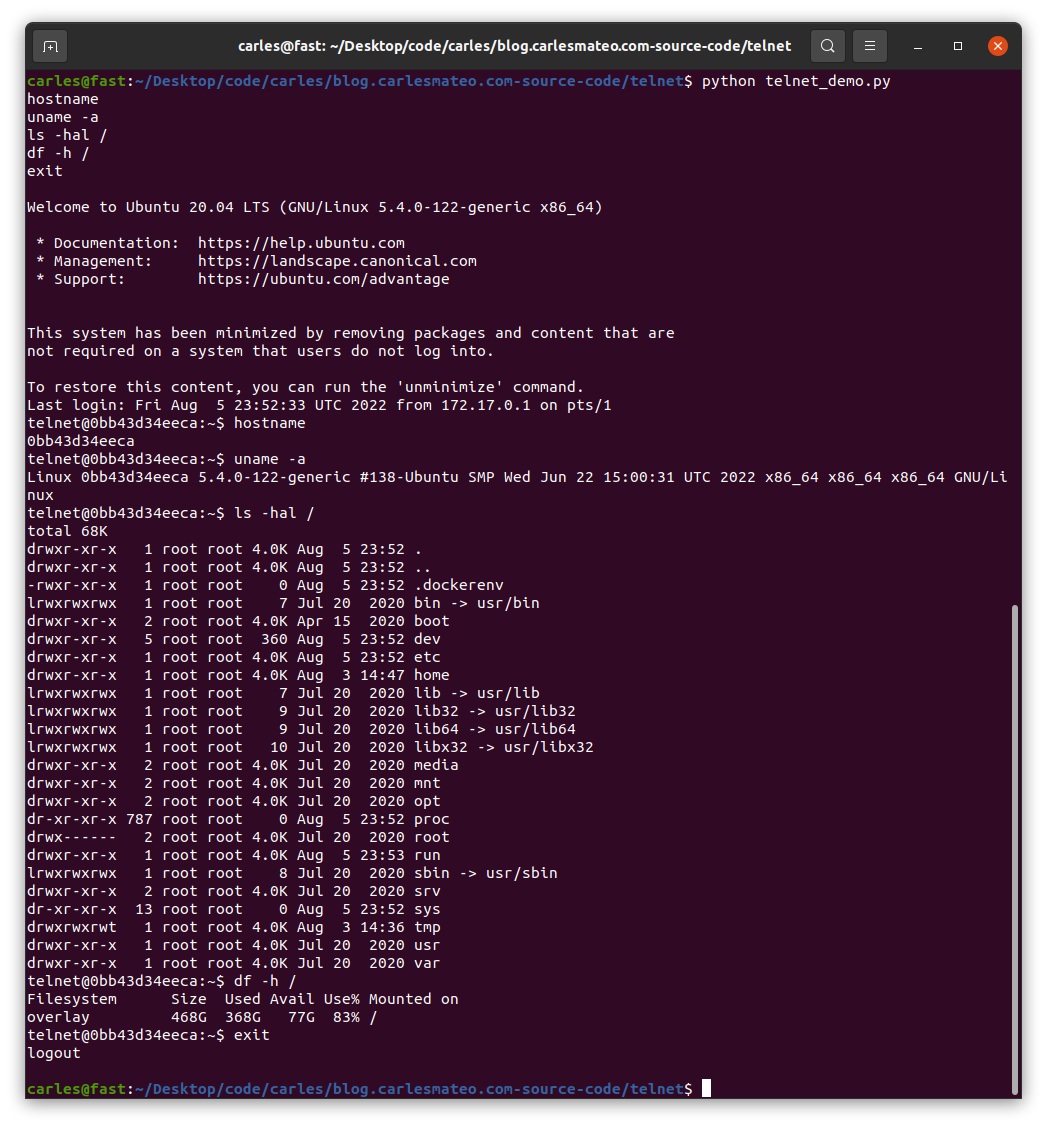
FROM ubuntu:20.04

MAINTAINER Carles Mateo

ARG DEBIAN_FRONTEND=noninteractive

# This will make sure printing in the Screen when running in detached mode
ENV PYTHONUNBUFFERED=1

RUN apt-get update -y && apt install -y sudo telnetd vim systemctl  && apt-get clean

RUN adduser -gecos --disabled-password --shell /bin/bash telnet

RUN echo "telnet:telnet" | chpasswd

EXPOSE 23

CMD systemctl start inetd; while [ true ]; do sleep 60; done
You can see that I use chpasswd command to change the password for the user telnet and set it to telnet. That deals with the complexity of setting the encrypted password.
File: build_docker.sh
#!/bin/bash

s_DOCKER_IMAGE_NAME="ubuntu_telnet"

echo "We will build the Docker Image and name it: ${s_DOCKER_IMAGE_NAME}"
echo "After, we will be able to run a Docker Container based on it."

printf "Removing old image %s\n" "${s_DOCKER_IMAGE_NAME}"
sudo docker rm "${s_DOCKER_IMAGE_NAME}"

printf "Creating Docker Image %s\n" "${s_DOCKER_IMAGE_NAME}"
sudo docker build -t ${s_DOCKER_IMAGE_NAME} .
# If you don't want to use cache this is your line
# sudo docker build -t ${s_DOCKER_IMAGE_NAME} . --no-cache

i_EXIT_CODE=$?
if [ $i_EXIT_CODE -ne 0 ]; then
    printf "Error. Exit code %s\n" ${i_EXIT_CODE}
    exit
fi

echo "Ready to run ${s_DOCKER_IMAGE_NAME} Docker Container"
echo "To run in type: sudo docker run -it -p 23:23 --name ${s_DOCKER_IMAGE_NAME} ${s_DOCKER_IMAGE_NAME}"
When you run sudo ./build_docker.sh the image will be built. Then run it with:
sudo docker run -it -p 23:23 --name ubuntu_telnet ubuntu_telnet
If you get an error indicating that the port is in use, then your computer has already a process listening on the port 23, use another.
You will be able to stop the Container by pressing CTRL + C
import ipaddress


def check_ip(s_ip_or_net):
    b_valid = True
    try:
        # The IP Addresses are expected to be passed without / even if it's /32 it would fail
        # If it uses / so, the CIDR notation, check it as a Network, even if it's /32
        if "/" in s_ip_or_net:
            o_net = ipaddress.ip_network(s_ip_or_net)
        else:
            o_ip = ipaddress.ip_address(s_ip_or_net)

    except ValueError:
        b_valid = False

    return b_valid


if __name__ == "__main__":
    a_ips = ["127.0.0.2.4",
             "127.0.0.0",
             "192.168.0.0",
             "192.168.0.1",
             "192.168.0.1 ",
             "192.168.0. 1",
             "192.168.0.1/32",
             "192.168.0.1 /32",
             "192.168.0.0/32",
             "192.0.2.0/255.255.255.0",
             "0.0.0.0/31",
             "0.0.0.0/32",
             "0.0.0.0/33",
             "1.2.3.4",
             "1.2.3.4/24",
             "1.2.3.0/24"]

    for s_ip in a_ips:
        b_success = check_ip(s_ip)
        if b_success is True:
            print(f"The IP Address or Network {s_ip} is valid")
        else:
            print(f"The IP Address or Network {s_ip} is not valid")
And the output is like this:
The IP Address or Network 127.0.0.2.4 is not valid
The IP Address or Network 127.0.0.0 is valid
The IP Address or Network 192.168.0.0 is valid
The IP Address or Network 192.168.0.1 is valid
The IP Address or Network 192.168.0.1  is not valid
The IP Address or Network 192.168.0. 1 is not valid
The IP Address or Network 192.168.0.1/32 is valid
The IP Address or Network 192.168.0.1 /32 is not valid
The IP Address or Network 192.168.0.0/32 is valid
The IP Address or Network 192.0.2.0/255.255.255.0 is valid
The IP Address or Network 0.0.0.0/31 is valid
The IP Address or Network 0.0.0.0/32 is valid
The IP Address or Network 0.0.0.0/33 is not valid
The IP Address or Network 1.2.3.4 is valid
The IP Address or Network 1.2.3.4/24 is not valid
The IP Address or Network 1.2.3.0/24 is valid
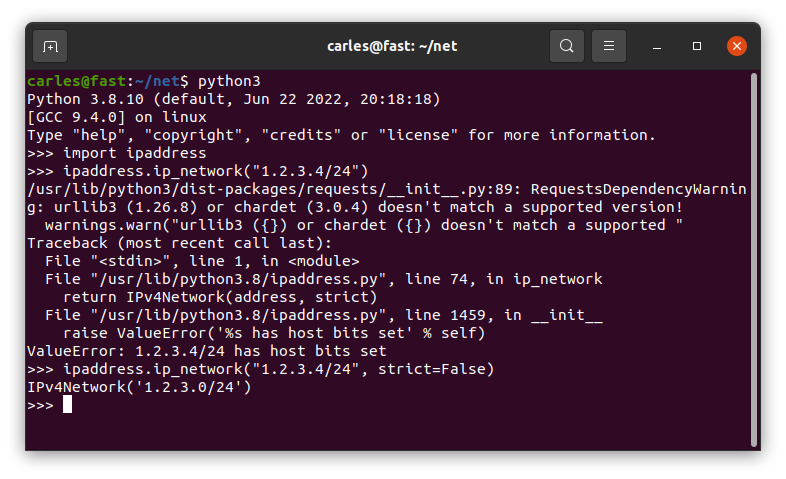
As you can read in the code comments, ipaddress.ip_address() will not validate an IP Address with the CIDR notation, even if it’s /32.
You should strip the /32 or use ipaddress.ip_network() instead.
As you can see 1.2.3.4/24 is returned as not valid.
You can pass the parameter strict=False and it will be returned as valid.
One interesting aspect is that I cover how the messages are delivered as byte sequence. I show this by sending Unicode characters
Files in the project
Dockerfile
FROM ubuntu:20.04

MAINTAINER Carles Mateo

ARG DEBIAN_FRONTEND=noninteractive

# This will make sure printing in the Screen when running in dettached mode
ENV PYTHONUNBUFFERED=1

ARG PATH_RABBIT_INSTALL=/tmp/rabbit_install/

ARG PATH_RABBIT_APP_PYTHON=/opt/rabbit_python/

RUN mkdir $PATH_RABBIT_INSTALL

COPY cloudsmith.sh $PATH_RABBIT_INSTALL

RUN chmod +x ${PATH_RABBIT_INSTALL}cloudsmith.sh

RUN apt-get update -y && apt install -y sudo python3 python3-pip mc htop less strace zip gzip lynx && apt-get clean

RUN ${PATH_RABBIT_INSTALL}cloudsmith.sh

RUN service rabbitmq-server start

RUN mkdir $PATH_RABBIT_APP_PYTHON

COPY requirements.txt $PATH_RABBIT_APP_PYTHON

WORKDIR $PATH_RABBIT_APP_PYTHON

RUN pwd

RUN pip install -r requirements.txt

COPY *.py $PATH_RABBIT_APP_PYTHON

COPY loop_send_get_messages.sh $PATH_RABBIT_APP_PYTHON

RUN chmod +x loop_send_get_messages.sh

CMD ./loop_send_get_messages.sh
cloudsmith.sh
#!/usr/bin/sh
# From: https://www.rabbitmq.com/install-debian.html#apt-cloudsmith

sudo apt-get update -y && apt-get install curl gnupg apt-transport-https -y

## Team RabbitMQ's main signing key
curl -1sLf "https://keys.openpgp.org/vks/v1/by-fingerprint/0A9AF2115F4687BD29803A206B73A36E6026DFCA" | sudo gpg --dearmor | sudo tee /usr/share/keyrings/com.rabbitmq.team.gpg > /dev/null
## Cloudsmith: modern Erlang repository
curl -1sLf https://dl.cloudsmith.io/public/rabbitmq/rabbitmq-erlang/gpg.E495BB49CC4BBE5B.key | sudo gpg --dearmor | sudo tee /usr/share/keyrings/io.cloudsmith.rabbitmq.E495BB49CC4BBE5B.gpg > /dev/null
## Cloudsmith: RabbitMQ repository
curl -1sLf https://dl.cloudsmith.io/public/rabbitmq/rabbitmq-server/gpg.9F4587F226208342.key | sudo gpg --dearmor | sudo tee /usr/share/keyrings/io.cloudsmith.rabbitmq.9F4587F226208342.gpg > /dev/null

## Add apt repositories maintained by Team RabbitMQ
sudo tee /etc/apt/sources.list.d/rabbitmq.list <<EOF
## Provides modern Erlang/OTP releases
##
deb [signed-by=/usr/share/keyrings/io.cloudsmith.rabbitmq.E495BB49CC4BBE5B.gpg] https://dl.cloudsmith.io/public/rabbitmq/rabbitmq-erlang/deb/ubuntu bionic main
deb-src [signed-by=/usr/share/keyrings/io.cloudsmith.rabbitmq.E495BB49CC4BBE5B.gpg] https://dl.cloudsmith.io/public/rabbitmq/rabbitmq-erlang/deb/ubuntu bionic main

## Provides RabbitMQ
##
deb [signed-by=/usr/share/keyrings/io.cloudsmith.rabbitmq.9F4587F226208342.gpg] https://dl.cloudsmith.io/public/rabbitmq/rabbitmq-server/deb/ubuntu bionic main
deb-src [signed-by=/usr/share/keyrings/io.cloudsmith.rabbitmq.9F4587F226208342.gpg] https://dl.cloudsmith.io/public/rabbitmq/rabbitmq-server/deb/ubuntu bionic main
EOF

## Update package indices
sudo apt-get update -y

## Install Erlang packages
sudo apt-get install -y erlang-base \
                        erlang-asn1 erlang-crypto erlang-eldap erlang-ftp erlang-inets \
                        erlang-mnesia erlang-os-mon erlang-parsetools erlang-public-key \
                        erlang-runtime-tools erlang-snmp erlang-ssl \
                        erlang-syntax-tools erlang-tftp erlang-tools erlang-xmerl

## Install rabbitmq-server and its dependencies
sudo apt-get install rabbitmq-server -y --fix-missing
build_docker.sh
#!/bin/bash

s_DOCKER_IMAGE_NAME="rabbitmq"

echo "We will build the Docker Image and name it: ${s_DOCKER_IMAGE_NAME}"
echo "After, we will be able to run a Docker Container based on it."

printf "Removing old image %s\n" "${s_DOCKER_IMAGE_NAME}"
sudo docker rm "${s_DOCKER_IMAGE_NAME}"

printf "Creating Docker Image %s\n" "${s_DOCKER_IMAGE_NAME}"
sudo docker build -t ${s_DOCKER_IMAGE_NAME} . --no-cache

i_EXIT_CODE=$?
if [ $i_EXIT_CODE -ne 0 ]; then
    printf "Error. Exit code %s\n" ${i_EXIT_CODE}
    exit
fi

echo "Ready to run ${s_DOCKER_IMAGE_NAME} Docker Container"
echo "To run in type: sudo docker run -it --name ${s_DOCKER_IMAGE_NAME} ${s_DOCKER_IMAGE_NAME}"
echo "or just use run_in_docker.sh"
requirements.txt
pika
loop_send_get_messages.sh
#!/bin/bash

echo "Starting RabbitMQ"
service rabbitmq-server start

echo "Launching consumer in background which will be listening and executing the callback function"
python3 rabbitmq_getfrom.py &

while true; do

    i_MESSAGES=$(( RANDOM % 10 ))

    echo "Sending $i_MESSAGES messages"
    for i_MESSAGE in $(seq 1 $i_MESSAGES); do
        python3 rabbitmq_sendto.py
    done

    echo "Sleeping 5 seconds"
    sleep 5

done

echo "Exiting loop"
A quick video, of 3 minutes, that shows you how it works.
If you don’t have pandas installed you’ll have to install it and lxml, otherwise you’ll get an error:
  File "/home/carles/Desktop/code/carles/blog.carlesmateo.com-source-code/venv/lib/python3.8/site-packages/pandas/io/html.py", line 872, in _parser_dispatch
    raise ImportError("lxml not found, please install it")
ImportError: lxml not found, please install it
You can install both from PyCharm or from command line with:
pip install pandas
pip install lxml
And here the source code:
import pandas as pd


if __name__ == "__main__":

    # Do not truncate the data when printing
    pd.set_option('display.max_colwidth', None)
    # Do not truncate due to length of all the columns
    pd.set_option('display.max_columns', None)
    pd.set_option('display.max_rows', None)
    pd.set_option('display.width', 2000)
    # pd.set_option('display.float_format', '{:20,.2f}'.format)

    o_pd_my_movies = pd.read_html("https://blog.carlesmateo.com/movies-i-saw/")
    print(len(o_pd_my_movies))

    print(o_pd_my_movies[0])
FROM ubuntu:20.04

MAINTAINER Carles Mateo

ARG DEBIAN_FRONTEND=noninteractive

RUN apt update && \
    apt install -y vim python3-pip &&  \
    apt install -y net-tools mc vim htop less strace zip gzip lynx && \
    apt install -y apache2 mysql-server ntpdate libapache2-mod-php7.4 mysql-server php7.4-mysql php-dev libmcrypt-dev php-pear && \
    apt install -y git && apt autoremove && apt clean && \
    pip3 install pytest

RUN a2enmod rewrite

RUN echo "Europe/Ireland" | tee /etc/timezone

ENV APACHE_RUN_USER  www-data
ENV APACHE_RUN_GROUP www-data
ENV APACHE_LOG_DIR   /var/log/apache2
ENV APACHE_PID_FILE  /var/run/apache2/apache2.pid
ENV APACHE_RUN_DIR   /var/run/apache2
ENV APACHE_LOCK_DIR  /var/lock/apache2
ENV APACHE_LOG_DIR   /var/log/apache2

COPY phpinfo.php /var/www/html/

RUN service apache2 restart

EXPOSE 80

CMD ["/usr/sbin/apache2", "-D", "FOREGROUND"]
File: phpinfo.php
<html>
<?php

// Show all information, defaults to INFO_ALL
phpinfo();

// Show just the module information.
// phpinfo(8) yields identical results.
phpinfo(INFO_MODULES);
?>
</html>
File: build_docker.sh
#!/bin/bash

s_DOCKER_IMAGE_NAME="lampp"

echo "We will build the Docker Image and name it: ${s_DOCKER_IMAGE_NAME}"
echo "After, we will be able to run a Docker Container based on it."

printf "Removing old image %s\n" "${s_DOCKER_IMAGE_NAME}"
sudo docker rm "${s_DOCKER_IMAGE_NAME}"

printf "Creating Docker Image %s\n" "${s_DOCKER_IMAGE_NAME}"
# sudo docker build -t ${s_DOCKER_IMAGE_NAME} . --no-cache
sudo docker build -t ${s_DOCKER_IMAGE_NAME} .

i_EXIT_CODE=$?
if [ $i_EXIT_CODE -ne 0 ]; then
    printf "Error. Exit code %s\n" ${i_EXIT_CODE}
    exit
fi

echo "Ready to run ${s_DOCKER_IMAGE_NAME} Docker Container"
echo "To run in type: sudo docker run -p 80:80 --name ${s_DOCKER_IMAGE_NAME} ${s_DOCKER_IMAGE_NAME}"
echo "or just use run_in_docker.sh"

echo
echo "If you want to debug do:"
echo "docker exec -i -t ${s_DOCKER_IMAGE_NAME} /bin/bash"
If you are getting an error like this when you try to provision using rsync or running commands from SSH from a Docker Instance from a worker node in Jenkins, having your SSH Key as a variable in Jenkins, here is a way to solve it.
These are the kind of errors that you’ll be receiving:
Load key "ssh_yourserver": invalid format

web@myserver.carlesmateo.com: Permission denied (publickey).

rsync: connection unexpectedly closed (0 bytes received so far) [sender]

rsync error: unexplained error (code 255) at io.c(235) [sender=3.1.3]

script returned exit code 255
So this applies if you copied your .pem file as text and pasted in a variable in Jenkins.
You’ll find yourself with the load key invalid format error.
I would suggest to use tokens and Vault or Consul instead of pasting a SSH Key, but if you need to just solve this ASAP that’s the trick that you need.
First encode your key with base64 without any wrapping. This is done with this command:
Note that in this case I’m ignoring Strict Host Key Checking, which is not the preferred option for security, but you may want to use it depending on your strategy and characteristics of your Cloud Deployments.
Note also that I’m indicating as User Known Hosts File /dev/null. That is something you may want to have is you provision using Docker Containers that immediately destroyed after and Jenkins has not created the user properly and it is unable to write to ~home/.ssh/known_hosts
I mention the typical errors where engineers go crazy and spend more time fixing.