In coding theory, an erasure code is a forward error correction (FEC) code under the assumption of bit erasures (rather than bit errors), which transforms a message of k symbols into a longer message (code word) with n symbols such that the original message can be recovered from a subset of the n symbols. The fraction r = k/n is called the code rate. The fraction k’/k, where k’ denotes the number of symbols required for recovery, is called reception efficiency.
So Raid systems applied to drives are Erasure Code too.
But I want to talk about Erasure Code for the needs of organizations like Instagram, that need to store huge amount of files and they cannot afford to lose the data simply because several drives, or all the Server, fails.
So what is the way to make this sure if you have thousands of Servers?.
Many Start ups that require to host files, cannot afford to have every file duplicated or triplicated in other systems.
So how to do this in a cheap an efficient way?.
Here is where Erasure Coding comes to play.
Erasure Coding work so simply as:
Given a given file, for example, 1 video of 10 MB
We apply the Erasure Coding to encode the file
We select, for example, to generate 3 additional chunks
So our original 10MB file fill be split in 13 blocks (13 new files), each block will have approx. 1MB
We can rebuild the original file by combining any 10 of those 13 files
That means that we can afford to loss 3 blocks (1MB files) and we will still be able to reconstruct the original file.
Examples:
Ok, so now imagine we have 13 identical Servers, and we encode all our files, using Erasure Coding. Imagine that we store each block in a different Server. That means that we can lose 3 Servers and still have all our information intact.
Imagine we have 100 Servers, and we split all those files to the Servers that have more free space available. We could lose 3 Serversand still not having lose any information. If we are really lucky (or the SDS – Software Defined Storage is very clever) we could lose more than 3 Servers.
Now imagine we have 100 Racks full of Servers. Our SDS selects the Rack that has more free space and places one of the blocks in there, and the same for the other 12 blocks. We could afford to lose 3 racks without losing any Data. That’s more manageable for Google or Yahoo than managing at Server Level.
We can use Erasure coding with different configs like 8+3, or 10+4… The sample I choose 10+3 is easy to understand, as we clearly see that will occupy only 30% of additional space.
Those blocks can conveniently be stored in different Servers, across different regions too, for example, using a config of 9+3 you can have 4 different Cloud Providers in different geographic regions, and each holding 25% of the required files, so 3 files each. Then, you only require 3 Cloud providers to rebuild the original file (you only precise 9 surviving blocks, not all 12). Possibilities are infinite.
When one Rack is down, you can rebalance all the blocks that were there to another rack.
Also you can have different Servers, with different capacity… your SDS should be clever enough to accommodate the blocks for protection and space efficiency. To checksum them to ensure no corruption in the block as was stored or transported over the network. Your SDS Software should be clever enough to be able to add new nodes and Racks, and to substract nodes, to Rebalance, to checksum the blocks in the Servers… and to store the information effectively on the local Servers (not many files per folder…), to use Commodity Hardware with low memory, or even VM’s… if your System is good enough it will even put to sleep, to save energy, the Servers that are not in use (typically the Servers that are full), until required.
Also, when in need to recover a file, the clever SDS Software, using multithread, will ask to the 9 locations at the same time, in parallel, so using all the available bandwidth, in order to fetch the blocks and rebuild the original file really quick. This can also be implemented with no single point of failure, will all the nodes being able to be the headnode.
That’s exactly what my Erasure Coding solution did.
I invented a lot of technologies to scale out since I created my messenger in 1996.
You can do it yourself, or use existing Erasure Coding solutions. The most known is OpenStack Swift, although in my opinion is a pain to configure and to maintain.
This is the history it happen to me some time ago, and so the commands I used to troubleshot. The purpose is to share knowledge in a interactive way. There are some hidden gems that you’ll acquire if you have the patience to go over all the document and read it all…
I had qualified Intel Xeon single processor platform to run my DRAID (ZFS Declustered RAID) project for my employer.
The platforms I qualified were:
1) single processor for Cold Storage (SAS Spinning drives): 4U60, newest models 4602
2) for multiprocessor: the 4U90 (90 Spinning drives) and Flash: All-Flash-Arrays.
The amounts of RAM I was using for my tests range for 64GB to 384GB.
Somebody in the company, at executive level, assembled an experimental config that was totally new for us and wanted to try by their own. It was the 4602 with multiprocessor and 32GB of RAM.
When they were unable to make it work at the expected speed, they required me to troubleshot and to make it work.
The 4602 single processor had two IOC (Input Output Controller, LSI Logic / Symbios Logic SAS3008 PCI-Express Fusion-MPT SAS-3 (rev 02) ), while the 4602 double processor had four IOC, so given that each of those IOC can perform at peaks of 6GB/s, with a maximum total of 24 GB/s, the performance when reading/writing from all the drives should be better.
But this Server was returning double times for Rebuilding, respect the single processor version, which didn’t make any sense.
I had to check everything. There was the commands I ran:
Check the upgrade of the CPU:
htop
lscpu
Changing the Zoning.
Those Servers use SAS drives dual ported, which means that two different computers can be connected to the same drive and operate at the same time. Is up to you to make sure you don’t introduce corruption. Those systems are used mainly for HA (High Availability).
Those Systems allow to be configured in different zoning modes. That’s the way on how each of the two servers (Controllers) see the disk. In one zoning each Controller sees only 30 drives, in another each IOC sees all the drives (for redundancy but performance constrained to 1 IOC Speed).
The config I set is each IOC will see 15 drives, so each one of the 4 IOC will have 6GB/s for 15 drives. Given that these spinning drives perform in the outtermost part of the cylinder at 265MB/s, that means that at maximum speed one IOC will be using 3.97 GB/s, will say 4GB/s. Plenty of bandwidth.
Note: Spinning drives have different performance depending on how close you’re to the cylinder. In the innermost part it goes under 145 MB/s, and if you read all of those drive sequentially with dd it will return an average speed of 145 MB/s.
With this command you can sive live how it performs and the average read speed in real time. Use skip to jump to that position (relative to bs) in the drive, so you can test directly the speed at the innermost close to the cylinder part of t.
dd if=/dev/sda of=/dev/null bs=1M status=progress
I saw that the zoning was not right one, so I set it correctly:
The sleeps after rebooting the expanders are recommended. Rebooting the Operating System too, to avoid problems with some Software as the expanders changed live.
If you have ZFS pools or workloads stop them and export the pool before messing with the expanders.
In order to check to which drives is connected each IOC:
I do this for all the drives at the same time and with iostat:
iostat -y 1 1
I check the status of the memory with:
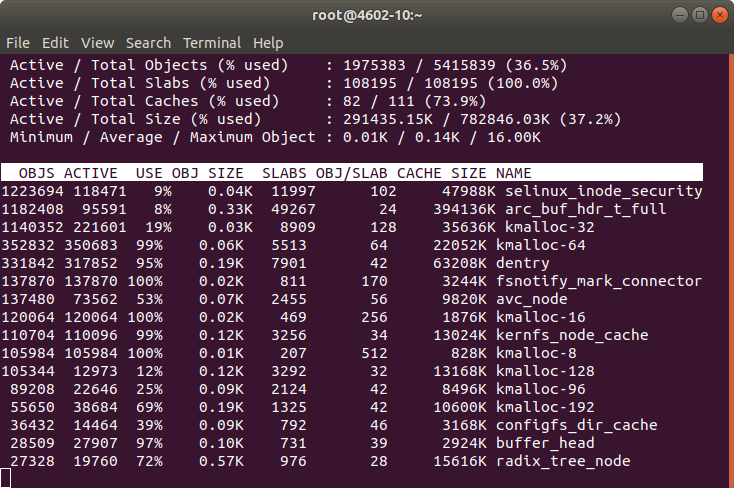
slabtop
free
htop
I checked the memory and htop during a Rebuild. Memory was more than enough. However CPU usage was higher than expected.
The red bars in the image correspond to kernel processes, in this case is the DRAID Rebuild. I see that the load is higher than the usual with a single processor.
I capture all the parameters from ZFS with:
zfs get all
All this information is logged into my forensics document, so later can be checked by my Team or I can share with other Architects or other members of the company. I started this methodology after I knew how Google do their SRE forensics / postmortem documents. Also for myself is useful for the future to have a log of the commands I executed and a verbose output of the results.
I install the smp_utils
yum install smp_utils
Check things:
ls -al /dev/bsg/
total 0drwxr-xr-x. 2 root root 3020 May 22 10:16 .
drwxr-xr-x. 20 root root 8680 May 22 10:16 ..
crw-------. 1 root root 248, 76 May 22 10:00 1:0:0:0
crw-------. 1 root root 248, 126 May 22 10:00 10:0:0:0
crw-------. 1 root root 248, 127 May 22 10:00 10:0:1:0
crw-------. 1 root root 248, 136 May 22 10:00 10:0:10:0
crw-------. 1 root root 248, 137 May 22 10:00 10:0:11:0
crw-------. 1 root root 248, 138 May 22 10:00 10:0:12:0
crw-------. 1 root root 248, 139 May 22 10:00 10:0:13:0
[...]
There are some errors, and I check with the Hardware Team, which pass a battery of tests on the machine and say that the machine passes. They tell me that if the errors counted were in order of millions then it would be a problem, but having few of them is usual.
My colleagues previously reported that the memory was performing well, and the CPU too. They told me that the speed was exactly double respect a platform with one single CPU of the same kind.
Even if they told me that, I ran cmips tests to make sure.
git clone https://github.com/cmips/cmips_bin
It scored 16,000. The performance was Ok in general terms but the problem is that I didn’t have a baseline for that processor in single processor, so I cannot make sure that the memory bandwidth was Ok. The performance was less that an Amazon c3.8xlarge. The system I was testing is a two processor system, but each CPU is cheap, around USD $400.
Still my gut feeling was telling me that this double processor server should score more.
lscpu
[root@DRAID-1135-14TB-2CPU ~]# lscpu
Architecture: x86_64
CPU op-mode(s): 32-bit, 64-bit
Byte Order: Little Endian
CPU(s): 32
On-line CPU(s) list: 0-31
Thread(s) per core: 2
Core(s) per socket: 8
Socket(s): 2
NUMA node(s): 2
Vendor ID: GenuineIntel
CPU family: 6
Model: 79
Model name: Intel(R) Xeon(R) CPU E5-2620 v4 @ 2.10GHz
Stepping: 1
CPU MHz: 2299.951
CPU max MHz: 3000.0000
CPU min MHz: 1200.0000
BogoMIPS: 4199.73
Virtualization: VT-x
L1d cache: 32K
L1i cache: 32K
L2 cache: 256K
L3 cache: 20480K
NUMA node0 CPU(s): 0-7,16-23
NUMA node1 CPU(s): 8-15,24-31
Flags: fpu vme de pse tsc msr pae mce cx8 apic sep mtrr pge mca cmov pat pse36 clflush dts acpi mmx fxsr sse sse2 ss ht tm pbe syscall nx pdpe1gb rdtscp lm constant_tsc arch_perfmon pebs bts rep_good nopl xtopology nonstop_tsc aperfmperf eagerfpu pni pclmulqdq dtes64 monitor ds_cpl vmx smx est tm2 ssse3 sdbg fma cx16 xtpr pdcm pcid dca sse4_1 sse4_2 x2apic movbe popcnt tsc_deadline_timer aes xsave avx f16c rdrand lahf_lm abm 3dnowprefetch epb cat_l3 cdp_l3 intel_ppin intel_pt ibrs ibpb stibp tpr_shadow vnmi flexpriority ept vpid fsgsbase tsc_adjust bmi1 hle avx2 smep bmi2 erms invpcid rtm cqm rdt_a rdseed adx smap xsaveopt cqm_llc cqm_occup_llc cqm_mbm_total cqm_mbm_local dtherm ida arat pln pts spec_ctrl intel_stibp
I check the memory configuration with:
dmidecode -t memory
I examined the results, I see that the processor can only operate the DDR4 ECC 2400 Memory at 2133 and… I see something!. This Controller before was a single processor with 2 Memory Sticks of 16GB each, dual rank.
I see that now I have the same number of sticks in that machine, but I have two CPU!. So 2 Memory sticks in total, for 2 CPU.
That’s no good. The memory must be in pairs and in the right slots to get the maximum performance.
1 memory module for 1 CPU doesn’t allow to have Dual Channel and probably is affecting the performance. Many Servers will not even boot if you add an odd number of memory sticks per CPU.
And many Servers can operate at full speed only if all the banks are filled.
I request to the Engineers in Silicon Valley to add 4 modules in the right slots. They did, and I repeated the tests and the performance was doubled then.
After some days I had some time with the machine, I repeated the test and I got a CMIPS Score of around 20,000.
Multiprocessor world is far more complicated than single processor. Some times things can work not as expected, and not be evident, for example cache pipeline can act diferent for a program working in multiprocessor and single processor. Or the QPI could be saturated.
After this I shared my forensics document with as many Engineers as I could, so they could learn how I did to troubleshot the problem, and what was the origin of it, and I asked them to do the same so we can track their steps and progress if something needs to be troubleshoot.
After proper intensive testing the Server was qualified. Lesson here is that changes cannot be commited quickly, need their time.
Nothing new, zombie computers, hackers, pirates, networks of computers… trying to abuse the system and to hack into it. Why? There could be many reasons, from storing pirate movies, trying to use your Server for sending Spam, try to phishing or to host Ransomware pages…
Most of those guys doesn’t know that is almost impossible to Spam from Amazon. Few emails per hour can come out from the Server unless you explicitly requests that update and configure everything.
But I thought it was a great opportunity to force myself to update the Operating System, core tools, versions of PHP and MySql.
Forensics / Postmortem of the incident
The task was divided in two parts:
Understanding the origin of the attack
Blocking the offending Ip addresses or disabling XMLRPC
Making the VM boot again (problems with Amazon AWS)
I didn’t know why it was not booting so.
Upgrading the OS
I disabled the access to the site while I was working using Amazon Web Services Firewall. Basically I turned access to my ip only. Example: 8.8.8.8/32
I changed 0.0.0.0/0 so the world wide mask to my_Ip/3
That way the logs were reflecting only what I was doing from my Ip.
Dealing with Snapshots and Volumes in AWS
Well the first thing was doing an Snapshot.
After, I tried to boot the original Blog Server (so I don’t stop offering service) but no way, the Server appeared to be dead.
So then I attached the Volume to a new Server with the same base OS, in order to extract (dump) the database. Later I would attach the same Volume to a new Server with the most recent OS and base Software.
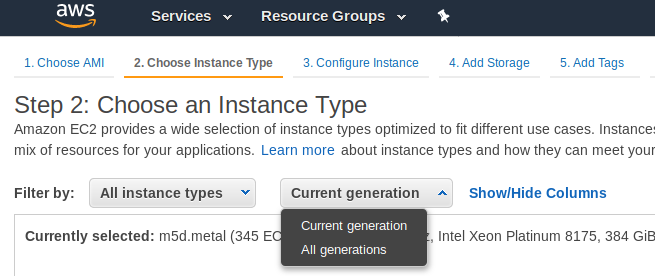
Something that is a bit annoying is that the new Instances, the new generation instances, run only in VPC, not in Amazon EC2 Classic. But my static Ip addresses are created for Amazon EC2 Classic, so I could not use them in new generation instances.
I choose the option to see all the All the generations.
Upgrading the system base Software had its own challenges too.
Upgrading the OS / Base Software
My approach was to install an Ubuntu 18.04 LTS, and install the base Software clean, and add any modification I may need.
I wanted to have all the supported packages and a recent version of PHP 7 and the latest Software pieces link Apache or MySQL.
Config files that before were working stopped working as the new Apache version requires the files or symlinks under /etc/apache2/sites-enabled/ to end with .conf extension.
Also some directives changed, so some websites will not able to work properly.
Those projects using my Catalonia Framework were affected, although I have this very well documented to make it easy to work with both versions of Apache Http Server, so it was a very straightforward change.
From the previous version I had to change my www.cataloniaframework.com.conf file and enable:
<Directory /www/www.cataloniaframework.com> Options Indexes FollowSymLinks MultiViews AllowOverride All Order allow,deny allow from all </Directory>
Then Open the ports for the Web Server (443 and 80).
sudo ufw allow in "Apache Full"
Then service apache restart
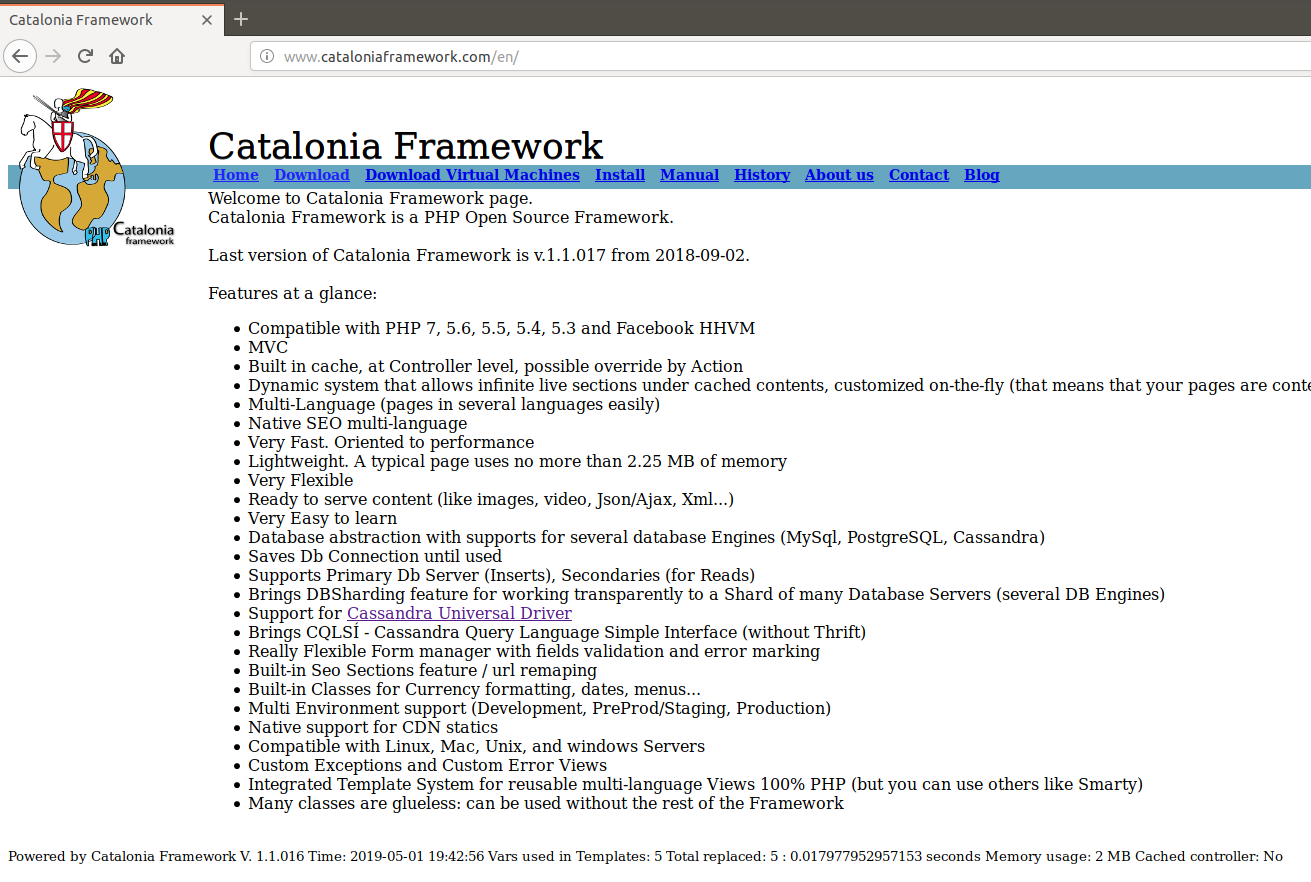
Catalonia Framework Web Site, which is also created with Catalonia Framework itself once restored
MySQL
The problem was to use the most updated version of the Database. I could use one of the backups I keep, from last week, but I wanted more fresh data.
I had the .db files and it should had been very straightforward to copy to /var/lib/mysql/ … if they were the same version. But they weren’t. So I launched an instance with the same base Software as the old previous machine had, installed mysql-server, stopped it, copied the .db files, started it, and then I made a dump with mysqldump –all-databases > 2019-04-29-all-databases.sql
Note, I copied the .db files using the mythical mc, which is a clone from Norton Commander.
Then I stopped that instance and I detached that volume and attached it to the new Blog Instance.
I did a Backup of my original /var/lib/mysql/ files for the purpose of faster restoring if something went wrong.
I mounted it under /mnt/blog_old and did mysql -u root -p < /mnt/blog_old/home/ubuntu/2019-04-29-all-databases.sql
That worked well I had restored the blog. But as I was watching the /var/log/mysql/error.log I noticed some columns were not where they should be. That’s because inadvertently I overwritten the MySql table as well, which in MySQL 5.7 has different structure than in MySQL 5.5. So I screwed. As I previewed this possibility I restored from the backup in seconds.
So basically then I edited my .sql files and removed all that was for the mysql database.
I started MySql, and run the mysql import procedure again. It worked, but I had to recreate the users for all the Databases and Grant them permissions.
GRANT ALL PRIVILEGES ON db_mysqlproxycache.* TO 'wp_dbuser_mysqlproxy'@'localhost' IDENTIFIED BY 'XWy$&{yS@qlC|<¡!?;:-ç';
PHP7
Some modules in my blogs where returning errors in /var/log/apache2/mysite-error.log so I checked that it was due to lack of support of latest PHP versions, and so I patched manually the code or I just disabled the offending plugin.
WordPress
As seen checking the /var/log/apache2/blog.carlesmateo.com-error.log some URLs where not located by WordPress.
For example:
The requested URL /wordpress/wp-json/ was not found on this server
I had to activate modrewrite and then restart Apache.
a2enmod rewrite; service apache2 restart
Making the site more secure
Checking at the logs of Apache, /var/log/apache2/blog.carlesmateo.com-access.log I checked for Ip’s accessing Admin areas, I looked for 404 Errors pointing to intents to exploit any unsafe WP Plugin, I checked for POST protocol as well.
I added to the Ubuntu Uncomplicated Firewall (UFW) the offending Ip’s and patched the xmlrpc.php file to exit always.
I encountered that Server, Xeon, 128 GB of RAM, with those 58 Spinning drives 10 TB and 2 SSD of 2 TB each, where I was testing the latest version of my Software.
Monitoring long term tests, data validation, checking for memory leaks… I notice the Server is using 70 GB of RAM. Only 5.5 GB are used for buffers according to the usual tools (top, htop, free, cat /proc/meminfo, ps aux…) and no programs are eating that amount, so where is the RAM?. The rest of the Servers are working well, including models: same mode, 4U60 with 64 GB of RAM, 4U90 with 128 GB and All-Flash-Array with 256 GB of RAM, only using around 8 GB of RAM even under load. iSCSI sharings being used, with I/O, iSCSI initiators trying to connect and getting rejected, several requests for second, disk pulling, and that usual stuff. And this is the only unit using so many memory, so what?. I checked some modules to see memory consumption, but nothing clear. Ok, after a bit of investigation one member of the Team said “Oh, while you was on holidays we created a Ramdisk and filled it for some validations, we deleted that already but never rebooted the Server”. Ok. The easy solution would be to reboot, but that would had hidden a memory leak it that was the cause. No, I had to find the real cause.
I requested assistance of one my colleagues, specialist, Kernel Engineer. He confirmed that processes were not taking that memory, and ask me to try to drop the cache.
So I did:
sync
echo 3 > /proc/sys/vm/drop_caches
Then the memory usage drop to 11.4 GB and kept like that while I maintain sustained the load.
That’s more normal taking in count that we have 16 Volumes shared and one host is attempting to connect to Volumes that do not exist any more like crazy, Services and Cronjobs run in background and we conduct tests degrading the pool, removing drives, etc..
After tests concluded memory dropped to 2 GB, which is what we use when we’re not under load.
Note: In order to know about the memory being used by Kernel slab cache in real time you can use command:
This trick may be useful for you. Almost surely if you power cycle, completely powering down your Server you’ll fix booting too. Unfortunately we do not always have access to the Data Center or Remote Hands service available, so this trick may be useful for you.
Ok, as you know I work with ZFS, DRAID, Erasure Coding… and Cold Storage.
I work with big disks, SAS, SSD, and NVMe.
Sometimes I need to conduct some tests that involve filling completely to 100% the pool.
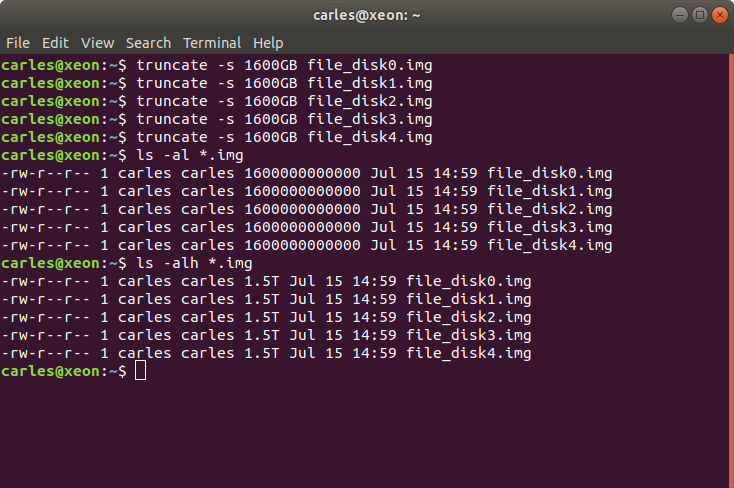
That’s very slow having to fill 14TB drives, with Servers with 60, 90 and 104 drives, for obvious reasons. So here is a handy script for partitioning those drives with a small partition, then you use the small partition for creating a pool that will fill faster.
1. Get the list of drives in the system
For example this script can help
If your drives had a previous partition this script will detect them, and will use only the drives with wwn identifier.
Warning: some M.2 booting drives have wwn where others don’t. Use with caution.
2. Identify the boot device and remove from the list
3. Do the loop with for DRIVE in $DRIVES or manually:
Please, note:
Nothing is exactly the same as a physical disk pull.
A physical disk pull can trigger errors by the expander that will not be detected just emulating.
Hardware failures are complex, so you should not avoid testing physically.
If your company has the Servers in another location you should request them to have Servers next to you, or travel to the location and spend enough time hands on.
A set of commands very handy for simulating a physical drive pull, when you have not physical access to the Server, or working within a VM.
To delete a disk (Linux stop seeing it until next reboot/power cycle):
for host in /sys/class/scsi_host/host*; do echo '- - -' > $host/scan; done
Disabling the port in the expander
This is more like physically pulling the drive.
In order to use the commands, install the package smp_utils. This is now
installed on the 4602 and the 4U60.
My talk in Google Developers Cork Group.
It’s about deploying an Instance in GCE and grows in complexity until Deploying a Load Balancer with AutoScaling for a group of LAMP Webservers.
Join the group at: https://www.meetup.com/GDG-Cork/
If you see the Official Python3 documentation for strip(), it says that strip without parameters will return the string without the leading and trailing white spaces.
Optionally you can pass a string with the characters you want to eliminate.
The official documentation for Python 2 says:
string.strip(s[, chars])
Return a copy of the string with leading and trailing characters removed. If chars is omitted or None, whitespace characters are removed. If given and not None, chars must be a string; the characters in the string will be stripped from the both ends of the string this method is called on.
Changed in version 2.2.3: The chars parameter was added. The chars parameter cannot be passed in earlier 2.2 versions.
A white space is a white space. Is not an Enter.
But strip() without parameters will remove white spaces (space), and Enter \n and Tabs \t.
Probably you will not realize that unless you read from a file that has empty lines at the end for a reason, and you use strip().
You can see a demonstration following this small program, that runs the same for Python2 and Python3.
And the corresponding output for python2 and python3:
The [ ] characters where added to show that there are no hidden tabs or similar after.
Here I paste the code so you can try yourself:
import sys
def print_bar():
print("-----------------------------------------------------")
def print_between_brackets(s_test):
print("[" + s_test + "]")
s_string_with_enters = " Testing strip not only removing white spaces, but Enter and Tabs s well\n\t\n\n"
print("Testing .strip()")
print("You are running Python " + sys.version)
print("This is the original string")
print_bar()
print_between_brackets(s_string_with_enters)
print_bar()
print("Now after strip()...")
print_bar()
print_between_brackets(s_string_with_enters.strip())
print_bar()
print("As you can see the Enters and the Tabs have been removed, not just the spaced")
I think this should be disambiguate so I decided to take action. Is very easy to blame and never contribute. Not me. I went to Python to fix that and I located a bug reporting this issue:
The issue was registed and made specially interesting contributions by Dimitri Papadopoulos Orfanos.
The thread is really interesting to read. I recommend it.
At a glance:
“Python heavily relies on isspace() to detect “whitespace” characters.”
* Lib/string.py near line 23:
whitespace = ' \t\n\r\v\f'
So all those characters will be stripped in Python2.7 if you use just string.strip()
The ticket was opened the 2015-10-18 12:15. So it’s a shame the documentation has not been updated yet, more than 3 years later. Those are the kind of things, lack of care, that I can’t understand. Not looking for the excellence.
Please, do note that Python3 supports Unicode natively and things are always a bit different than with Python2 and AscII.