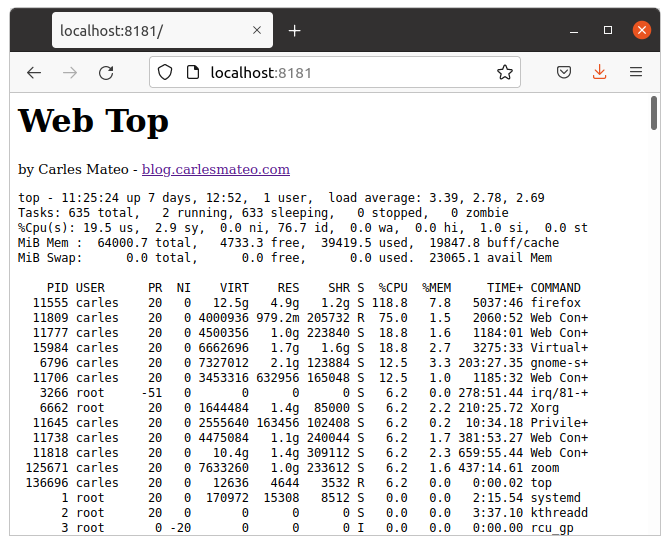
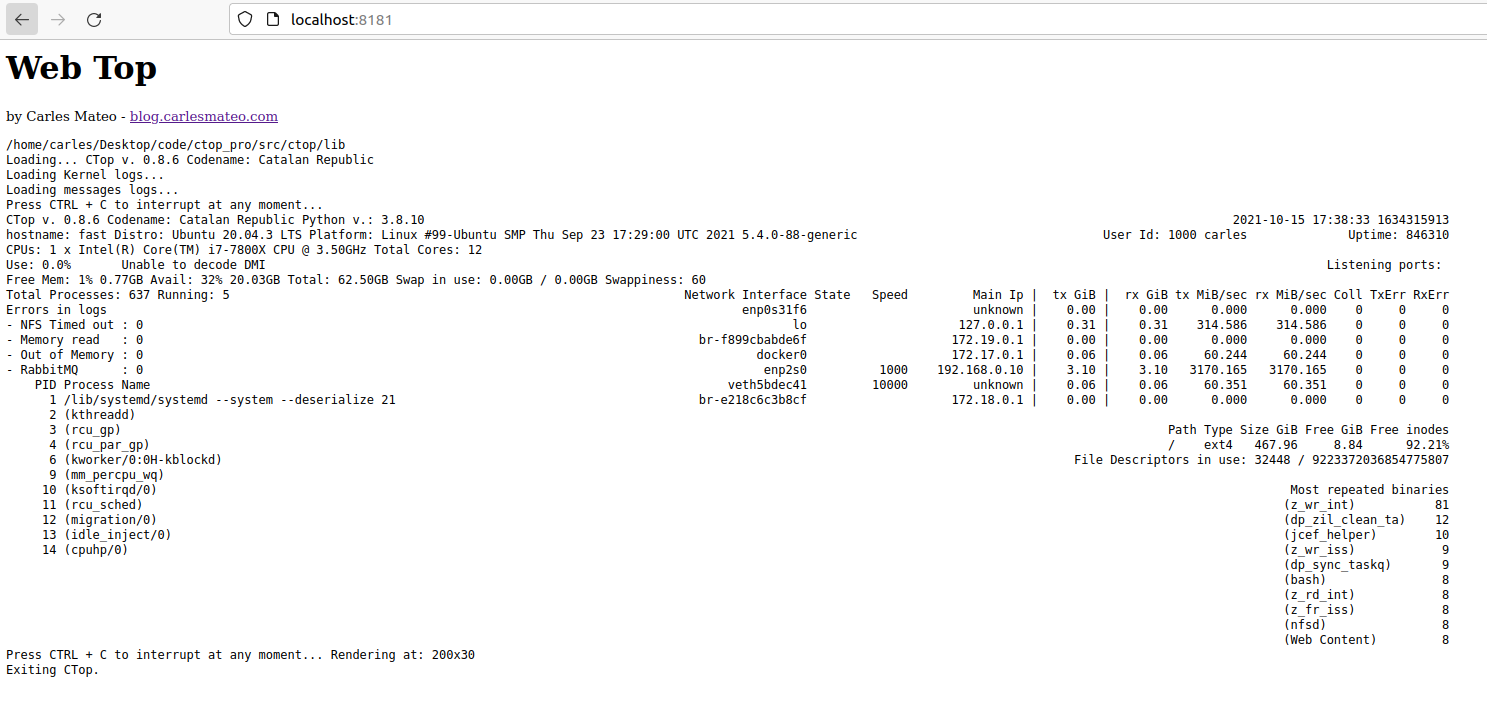
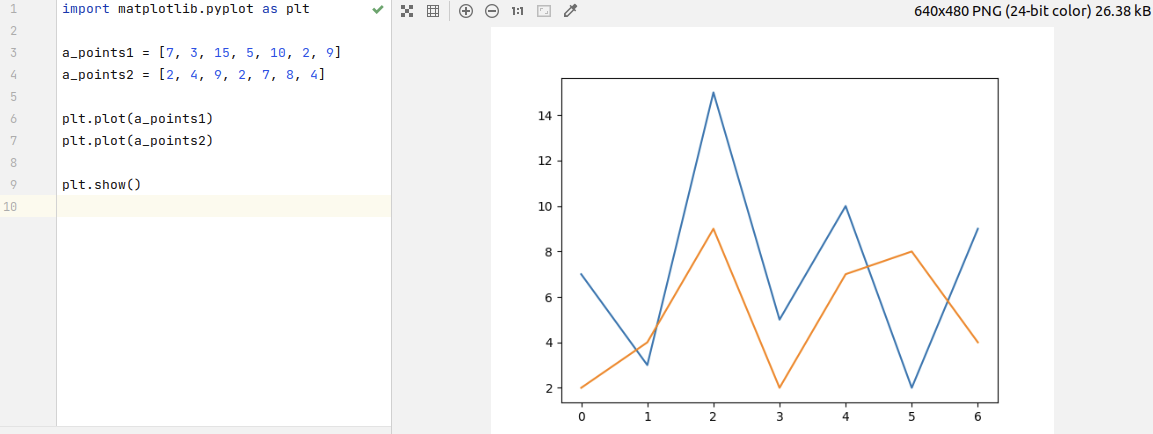
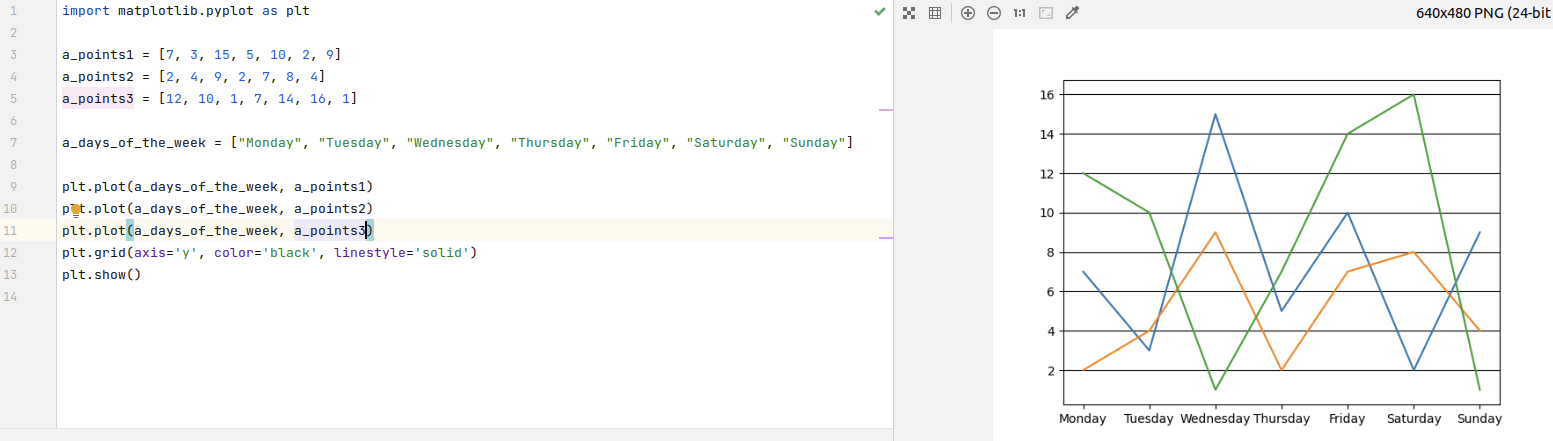
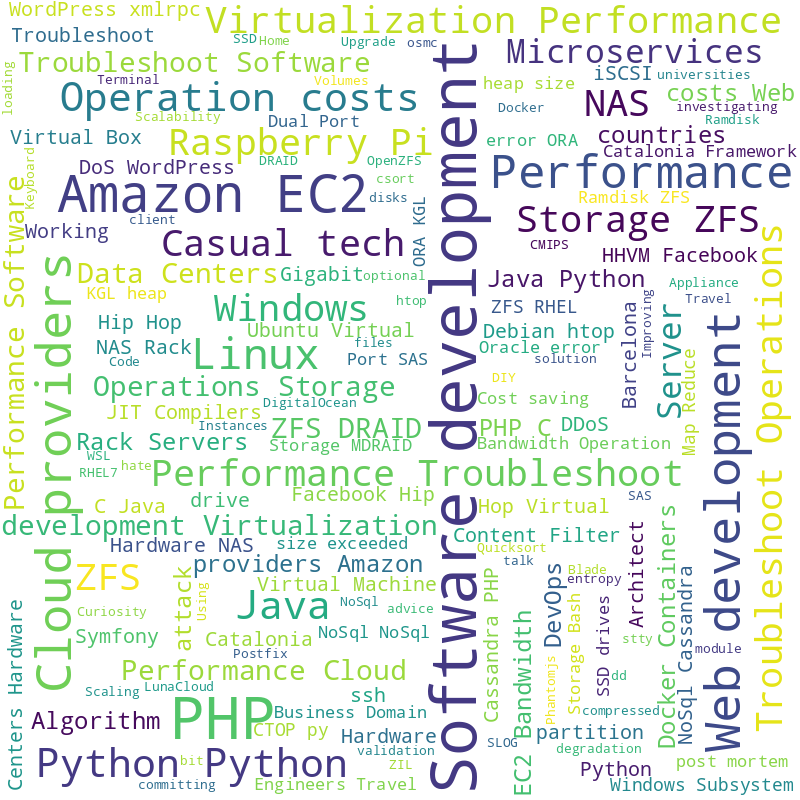
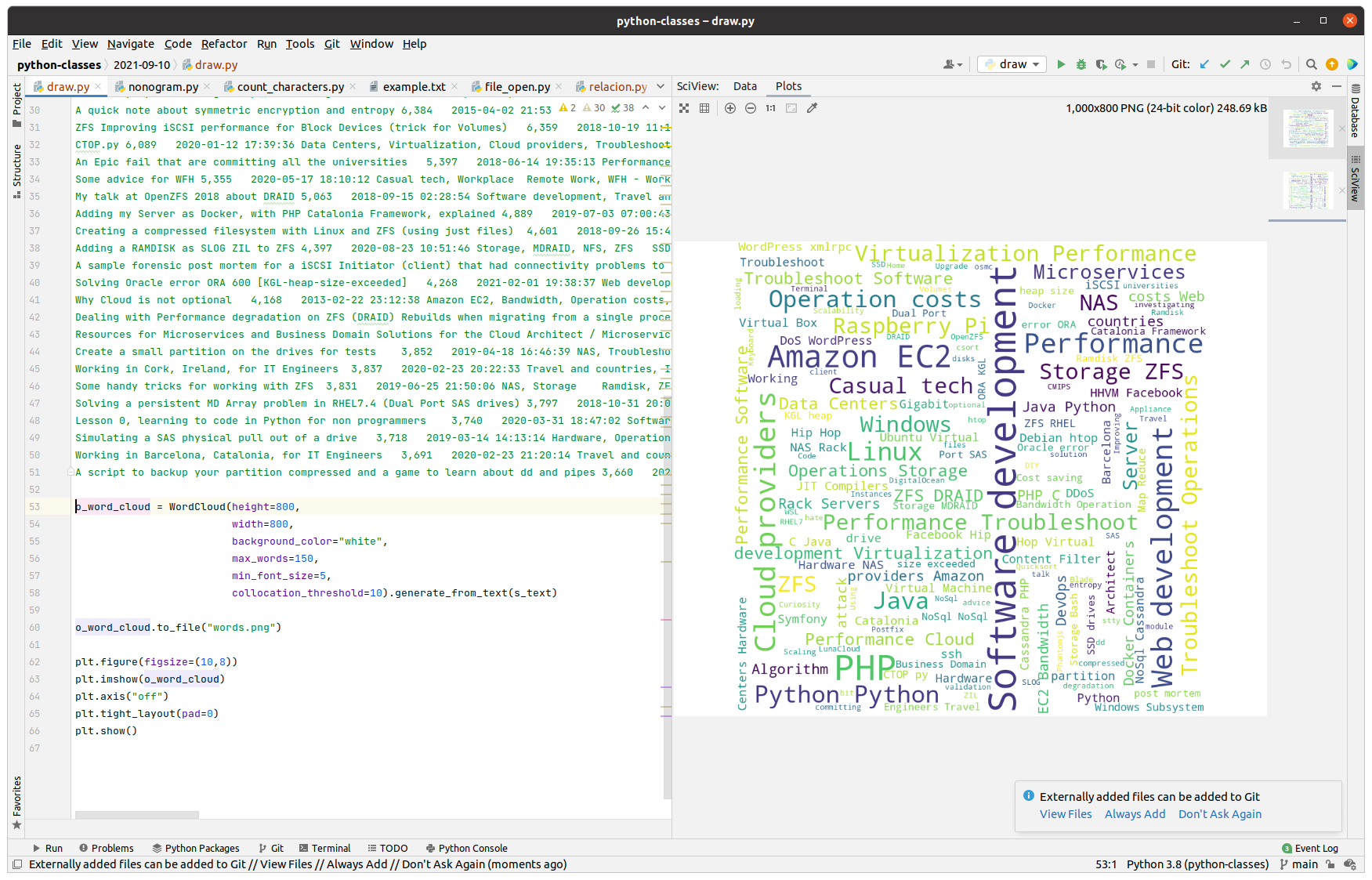
This is a very simple code but generates very cool Word Cloud result in PNG format.
from wordcloud import WordCloud
# Add your tags in here separated by commas and as many times as they appear
s_text = "Python, Software development, PHP, Cloud providers, Python, Python, Software development, Scaling"
o_word_cloud = WordCloud(height=800,
width=800,
background_color="white",
max_words=150,
min_font_size=5,
collocation_threshold=10).generate_from_text(s_text)
o_word_cloud.to_file("words.png")
That version generated the image .PNG file.
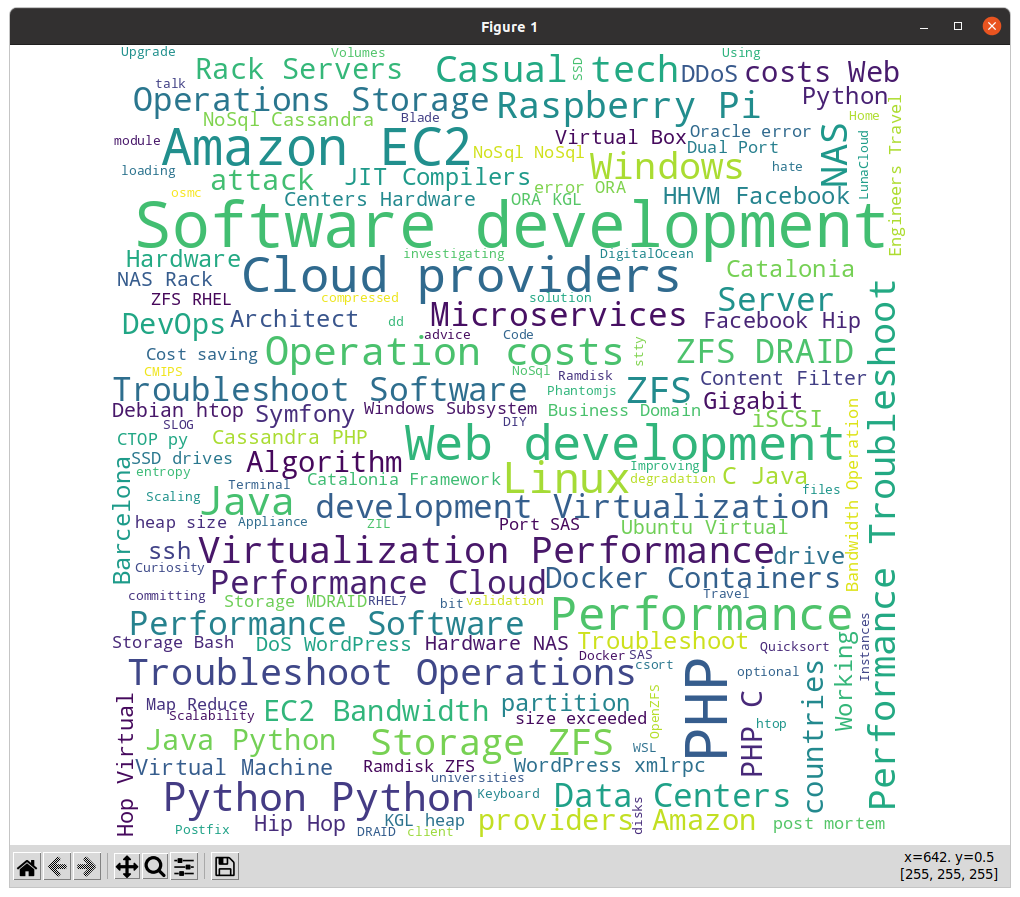
If you want to display this in mathlib or inside PyCharm embedded view, you can install matplotlib with:
pip3 install matplotlib
Then with this code you can display a matplotlib viewer:
import matplotlib.pyplot as plt
from wordcloud import WordCloud
if __name__ == "__main__":
# Add your tags in here separated by commas and as many times as they appear
s_text = "Python, Software development, PHP, Cloud providers, Python, Python, Software development, Scaling"
o_word_cloud = WordCloud(height=800,
width=800,
background_color="white",
max_words=150,
min_font_size=5,
collocation_threshold=10).generate_from_text(s_text)
plt.figure(figsize=(10,8))
plt.imshow(o_word_cloud)
plt.axis("off")
plt.tight_layout(pad=0)
plt.show()
I’ve raised back the price for my books to normal levels. I’ve been keeping the price to the minimum to help people that wanted to learn during covid-19. I consider that who wanted to learn has already done it.
I still have bundles with a somewhat reduced price, and I authorized LeanPub platform to do discounts up to 50% at their discretion.
v.0.29 and v.0.28 Python 3 Simple Exercises for Beginners Added a new section Games, with a first game “Guess my number”
Provided a solution for the recipe Exercise 3: Create a function that will ask a user for a number from Keyboard input, and return the result, only when the value is between the accepted ranges.
Added two new questions to the Quiz section.
Fixed a docstring in Recipes Exercise 4, referring to a String return value which it was an Integer.
Added an exercise for retrieving a JSON with your public Ip
Added a new exercise for converting bytes to kilobytes with two decimal positions.
Added a new exercise / recipe to SSH to a Server with Username and Password and execute a command, using the Paramiko library.
Added a new exercise / recipe to SSH to a Server with Username and Password and execute a command using Paramiko library. I added two examples executing commands uptime and df -h /
Show an alternative way to run Flask apps.
Added new interesting packages.
As long as covid is active I plan to keep the minimum price of each of my books at the minimum accepted by LeanPub which is USD $5.
I also enable bundles and enable LeanPub to make punctual discounts to make them even more affordable to humble pockets.
I’m going to teach an initiation to programming class, a live Zoom session of 1 hour, plus 15 minutes for questions, for Free. It will be a very basic starting class for absolute beginners.
It will be performed at a time around 19:00 Irish time, wich is 11:00 AM in Irivine, CA time, to maximize the opportunities for people to assist.
If you would like to join, write me an email:
There are not many spots available, but if there is no room for you this time I may contact you for the next time.
This version adds class StringUtils, and a set of methods to perform different useful tasks with Strings, like converting a number to the biggest unit with sense, like a large number of bytes to PB, a smaller one to TB, or GB, MB, KB, justifying strings to the right or to the left, and cap the number of chars to a specified one, etc…
I have many libraries that I’ve been building across the years, and I’m liberating them as Open Source, as soon as I have time to make sure that are compatible with Python 3.5 or superior (and with Python 2.6 when possible), and I have time to add a decent Unit Testing Code Coverage.
I try to release libraries that have no other dependencies. After that I’ll start releasing my libs that have dependencies, like to work with MySQL, SQLite, web scrapping, etc…
I had this idea after one my Python and Linux students with two laptops, a Mac OS X and a Windows one explained me that the Mac OS X is often taken by their daughters, and that the Windows 10 laptop has not enough memory to run PyCharm and Virtual Box fluently. She wanted to have a Linux VM to practice Linux, and do the Bash exercises.
So this article explains how to create a Ubuntu 20.04 LTS Docker Container, and execute a shell were you can practice Linux, Ubuntu, Bash, and you can use it to run Python, Apache, PHP, MySQL… as well, if you want.
You need to install Docker for Windows of for Mac:
Just pay attention to your type of processor: Mac with Intel chip or Mac with apple chip.
The first thing is to create the Dockerfile.
FROM ubuntu:20.04
MAINTAINER Carles Mateo
ARG DEBIAN_FRONTEND=noninteractive
RUN apt update && \
apt install -y vim python3-pip && \
apt install -y net-tools mc htop less strace zip gzip lynx && \
pip3 install pytest && \
apt-get clean
RUN echo "#!/bin/bash\nwhile [ true ]; do sleep 60; done" > /root/loop.sh; chmod +x /root/loop.sh
CMD ["/root/loop.sh"]
So basically the file named Dockerfile contains all the blueprints for our Docker Container to be created.
You see that I all the installs and clean ups in one single line. That’s because Docker generates a layer of virtual disk per each line in the Dockerfile. The layers are persistent, so even if in the next line we delete the temporary files, the space used will not be recovered.
You see also that I generate a Bash file with an infinite loop that sleeps 60 seconds each loop and save it as /root/loop.sh This is the file that later is called with CMD, so basically when the Container is created will execute this infinite loop. Basically we give to the Container a non ending task to prevent it from running, and exiting.
Now that you have the Dockerfile is time to build the Container.
For Mac open a terminal and type this command inside the directory where you have the Dockerfile file:
sudo docker build -t cheap_ubuntu .
I called the image cheap_ubuntu but you can set the name that you prefer.
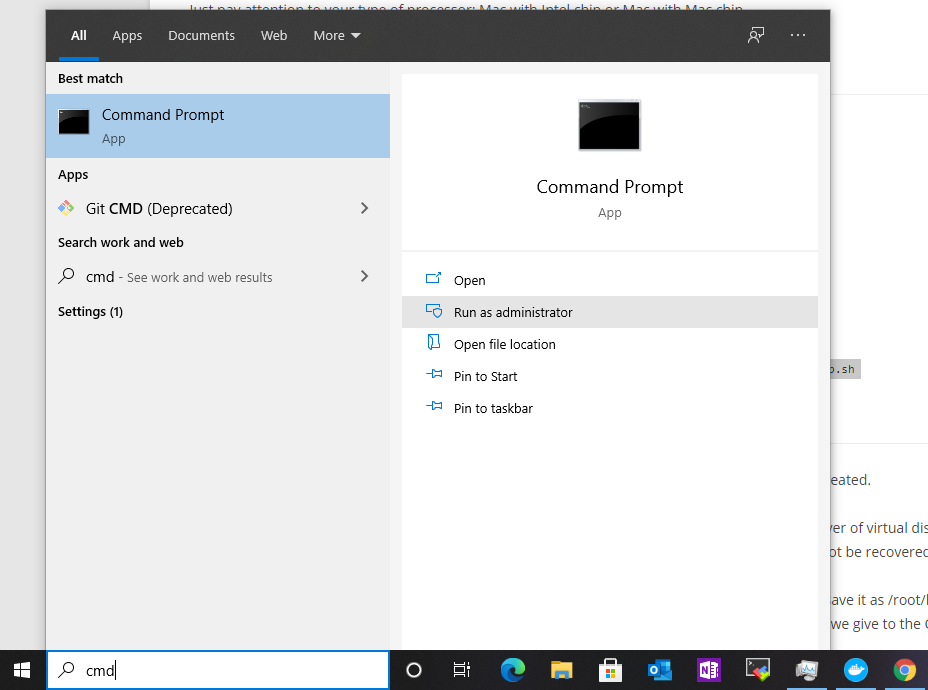
For Windows 10 open a Command Prompt with Administrative rights and then change directory (cd) to the one that has your Dockerfile file.
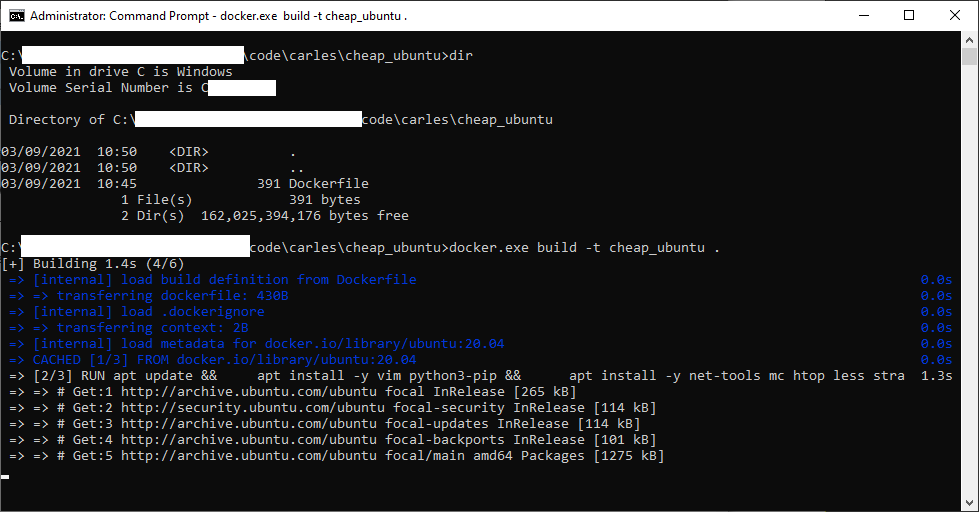
docker.exe build -t cheap_ubuntu .
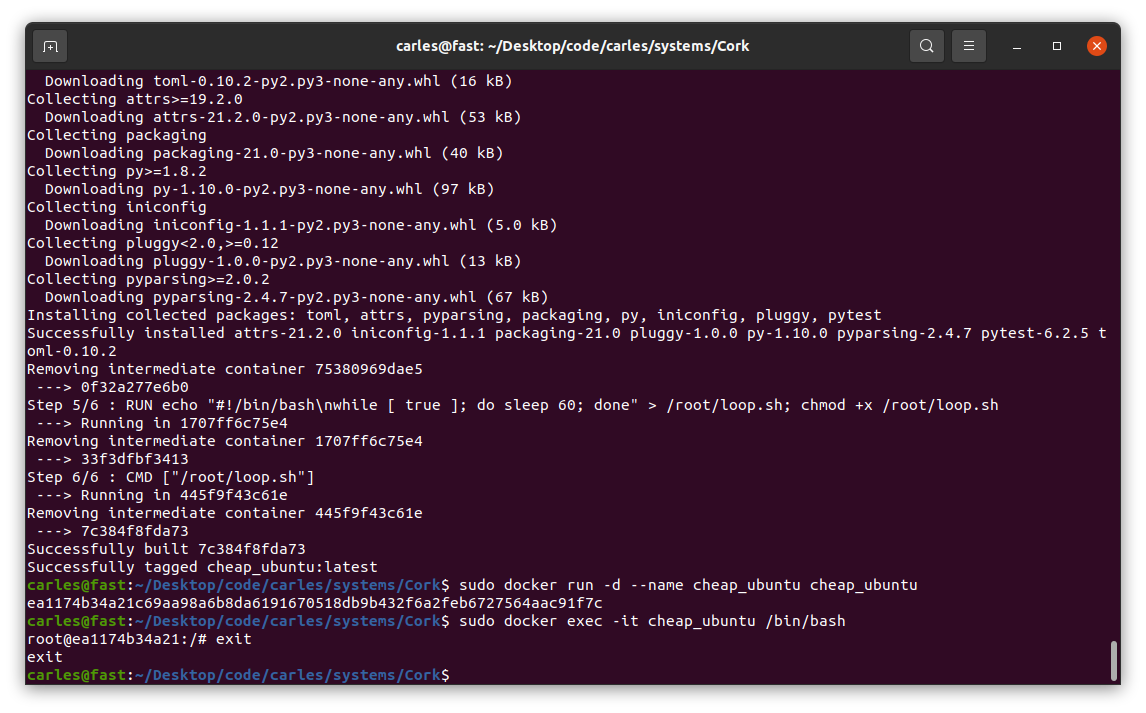
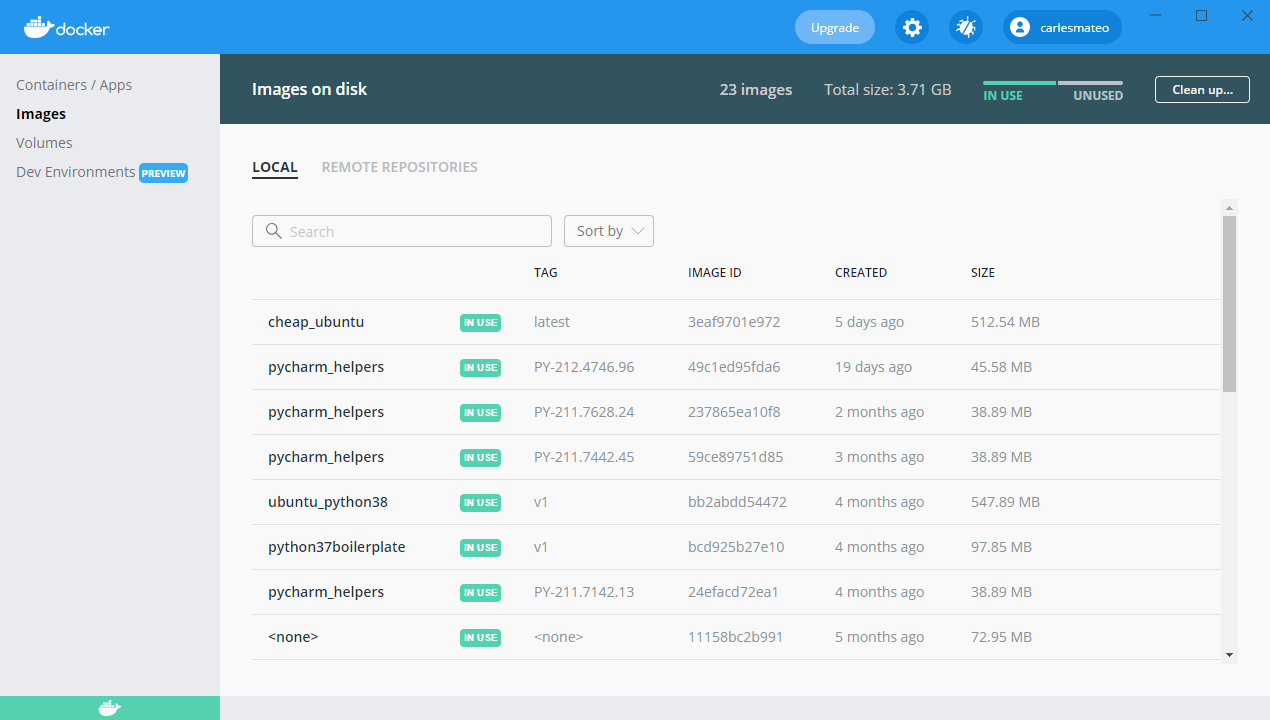
Image being built… (some data has been covered in white)
Now that you have the image built, you can create a Container based on it.
For Mac:
sudo docker run -d --name cheap_ubuntu cheap_ubuntu
For Windows (you can use docker.exe or just docker):
docker.exe run -d --name cheap_ubuntu cheap_ubuntu
Now you have Container named cheap_ubuntu based on the image cheap_ubuntu.
It’s time to execute an interactive shell and be able to play:
sudo docker exec -it cheap_ubuntu /bin/bash
For Windows:
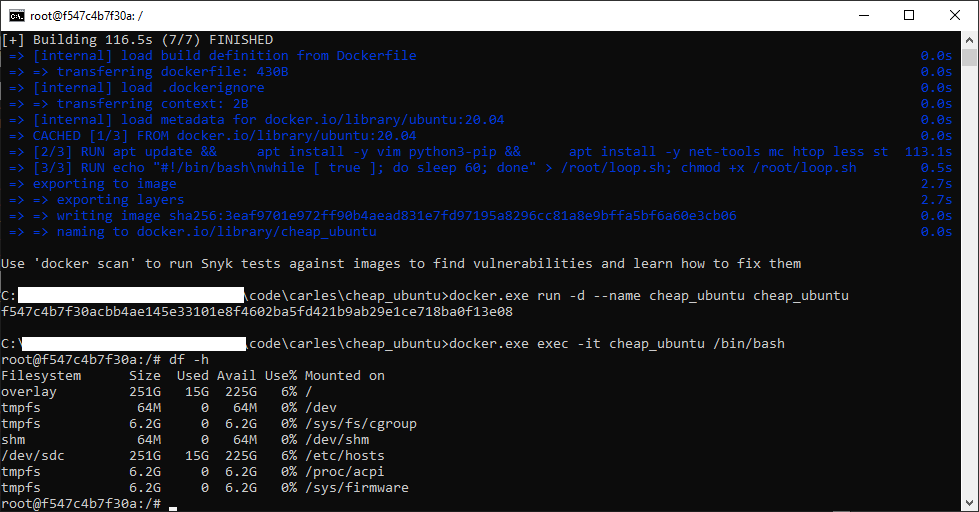
docker.exe exec -it cheap_ubuntu /bin/bash
Our Ubuntu terminal inside Windows
Now you have an interactive shell, as root, to your cheap_ubuntu Ubuntu 20.04 LTS Container.
You’ll not be able to run the graphical interface, but you have a complete Ubuntu to learn to program in Bash and to use Linux from Command Line.
You will exit the interactive Bash session in the container with:
exit
If you want to stop the Container:
sudo docker stop cheap_ubuntu
Or for Windows:
docker.exe stop cheap_ubuntu
If you want to see what Containers are running do:
The addition I made to this version is StringUtils class which offer functionalities for handling amount conversions (to different units), number formatting, string formatting and align (left, right…). I added a 85% of Unit Testing Code Coverage.
Here you have some general information about how to install and how to use the package:
I completed my ZFS on Ubuntu 20.04 LTS book. I had an error in an actual hard drive so I added a Troubleshooting section explaining how I fixed it.
I paused for a while the advance of my book Python: basic exercises for beginners, as my colleague Michela is translating it to Italian. She is a great Engineer and I cannot be more happy of having her help.
I added a new article about how to create a simple web Star Wars game using Flask. As always, I use Docker and a Dockerfile to automate the deployment, so you can test it without messing with your local system. The code is very simple and easy to understand.
This way I set an entry in /etc/hosts and I can do all the tests I want.
I added a new section to the blog, is a link where you can see all the articles published, ordered by number of views. /posts_and_views.php
Is in the main page, just after the recommended articles. Here you can see the source code.
I removed the Categories:
Storage
ZFS
In favor of:
Hardware
Storage
ZFS
So the articles with Categories in the group deleted were reassigned the Categories in the second group.
Visually:
I removed some annoying lines from the Quick Selection access. They came from inherited CSS properties from my WordPress, long time customized, and I created new styles for this section.
I adjusted the line-height to avoid separation between lines being too much.
I added a link in the section of Other Engineering Blogs that I like, to the great https://github.com/lesterchan site, author of many super cool WordPress plugins.
As you can see I use wp-config.php file to get the Database Settings (username, password, database) but I don’t use the WordPress Engine, it is just a stand alone PHP. So I wrote my own function to get the slug based on the category name. I believe the slug for it is in the Database and I could have added this as a SubQuery with JOINs, which would be better, but I wanted to keep the Database workload lightweight and especially, I did not want to invest more time investigating how the get the slug.
As I tested my function I didn’t find any Category failing but I saw that I had the Category Storage repeated in two different structure tree in Categories, and I will only always link to just the first one (So I was not linkin to the slug storage-2). I fixed that Category that I found repeated but to be honest if this script was a commercial solution or an Open Source solution properly maintained rather than just a sample, I would update it to have Categories and Tags’ slugs coming from the Database.
I would probably make it work with a Cron that would generate a cached page, updated every hour or every ten minutes. I did this in other projects I worked or in my PHP Framework Catalonia Framerwork.
But honestly, the load of the page does not justify a major effort in optimizing here, in this case.
<!DOCTYPE html>
<html>
<head>
<style>
.first {
background-color: blue;
padding: 12px;
}
.second {
background-color: rgba(254, 253, 252, 0.7);
text-align: center;
padding:20px 0;
font-size: 20px;
}
.centered {
text-align: center;
}
/* unvisited link */
a:link {
color: blue;
text-decoration: none;
}
/* visited link */
a:visited {
color: blue;
text-decoration: none;
}
/* mouse over link */
a:hover {
color: #00A8EF;
text-decoration: underline;
}
/* selected link */
a:active {
color: blue;
}
</style>
<body>
<?php
include "wp-config.php";
$s_site_name = "Carles Mateo's blog";
$s_site_link = "https://blog.carlesmateo.com";
function get_category_slug($s_text) {
$s_output_text = strtolower($s_text);
$s_output_text = str_replace(" ", "-", $s_output_text);
return $s_output_text;
}
?>
<h1><a href="<?php print $s_site_link; ?>"><?php print($s_site_name); ?></a></h1>
<?php
$s_sort = "views DESC, post_date, post_title DESC";
if (array_key_exists("sort", $_GET)) {
if ($_GET["sort"] == "date") {
$s_sort = "post_date, views, post_title";
}
}
$s_servername = "localhost";
$s_database = DB_NAME;
$s_username = DB_USER;
$s_password = DB_PASSWORD;
// Create connection
$o_conn = new mysqli($s_servername, $s_username, $s_password, $s_database);
// Check connection
if ($o_conn->connect_error) {
die("Connection failed: " . $o_conn->connect_error);
}
/*
mysql> DESCRIBE wp_posts;
+-----------------------+-----------------+------+-----+---------------------+----------------+
| Field | Type | Null | Key | Default | Extra |
+-----------------------+-----------------+------+-----+---------------------+----------------+
| ID | bigint unsigned | NO | PRI | NULL | auto_increment |
| post_author | bigint unsigned | NO | MUL | 0 | |
| post_date | datetime | NO | | 0000-00-00 00:00:00 | |
| post_date_gmt | datetime | NO | | 0000-00-00 00:00:00 | |
| post_content | longtext | NO | | NULL | |
| post_title | text | NO | | NULL | |
| post_excerpt | text | NO | | NULL | |
| post_status | varchar(20) | NO | | publish | |
| comment_status | varchar(20) | NO | | open | |
| ping_status | varchar(20) | NO | | open | |
| post_password | varchar(255) | NO | | | |
| post_name | varchar(200) | NO | MUL | | |
| to_ping | text | NO | | NULL | |
| pinged | text | NO | | NULL | |
| post_modified | datetime | NO | | 0000-00-00 00:00:00 | |
| post_modified_gmt | datetime | NO | | 0000-00-00 00:00:00 | |
| post_content_filtered | longtext | NO | | NULL | |
| post_parent | bigint unsigned | NO | MUL | 0 | |
| guid | varchar(255) | NO | | | |
| menu_order | int | NO | | 0 | |
| post_type | varchar(20) | NO | MUL | post | |
| post_mime_type | varchar(100) | NO | | | |
| comment_count | bigint | NO | | 0 | |
+-----------------------+-----------------+------+-----+---------------------+----------------+
*/
/*
mysql> describe wp_postmeta;
+------------+-----------------+------+-----+---------+----------------+
| Field | Type | Null | Key | Default | Extra |
+------------+-----------------+------+-----+---------+----------------+
| meta_id | bigint unsigned | NO | PRI | NULL | auto_increment |
| post_id | bigint unsigned | NO | MUL | 0 | |
| meta_key | varchar(255) | YES | MUL | NULL | |
| meta_value | longtext | YES | | NULL | |
+------------+-----------------+------+-----+---------+----------------+
*/
$s_sql = "SELECT DISTINCT post_title, post_content,
(SELECT CAST(meta_value AS SIGNED) FROM wp_postmeta WHERE wp_postmeta.meta_key = 'views' AND wp_postmeta.post_id = wp_posts.ID) AS 'views',
(SELECT group_concat(wp_terms.name separator ',')
FROM wp_terms
INNER JOIN wp_term_taxonomy
ON wp_terms.term_id = wp_term_taxonomy.term_id
INNER JOIN wp_term_relationships wpr
ON wpr.term_taxonomy_id = wp_term_taxonomy.term_taxonomy_id
WHERE
taxonomy= 'category' AND wp_posts.ID = wpr.object_id
) AS 'Categories',
(SELECT group_concat(wp_terms.name separator ', ')
FROM wp_terms
INNER JOIN wp_term_taxonomy
ON wp_terms.term_id = wp_term_taxonomy.term_id
INNER JOIN wp_term_relationships wpr
ON wpr.term_taxonomy_id = wp_term_taxonomy.term_taxonomy_id
WHERE
taxonomy= 'post_tag' AND wp_posts.ID = wpr.object_id
) AS 'Tags',
ID, post_name, post_date, post_modified, post_type
FROM wp_posts
WHERE
post_type = 'post' AND post_status = 'publish'
ORDER BY
$s_sort";
$o_result = $o_conn->query($s_sql);
if ($o_result->num_rows > 0) {
?><table style="border:1px solid">
<tr class="first"><th>Title</th><th style="min-width:100px">Views</th><th style="min-width:150px">Creation Date</th><th>Categories</th><th>Tags</th></tr>
<?php
$i_total_views = 0;
$i_articles = 0;
// output data of each row
while($row = $o_result->fetch_assoc()) {
$s_style='style="border:1px solid"';
$s_style='';

$s_url = $row['post_name'];
print('<tr>');
print("<td $s_style>");
print('<a href="'.$s_url.'" target="_blank">');
print($row["post_title"]);
print('</a>');
print("</td>");
print('<td class="centered" '.$s_style.'>');
print(number_format($row["views"]));
print("</td>");
print("<td $s_style>");
print("<small>");
print($row["post_date"]);
print("</small>");
print("</td>");
print("<td $s_style>");
$s_categories = $row["Categories"];
$a_categories = explode (",", $s_categories);
$s_categories_content = "";
foreach($a_categories as $s_category) {
$s_category_slug = "/category/".get_category_slug($s_category)."/";
$s_categories_content = $s_categories_content .'<a href="'.$s_category_slug.'" target="_blank">';
$s_categories_content = $s_categories_content .$s_category;
$s_categories_content = $s_categories_content ."</a>, ";
}
if (strlen($s_categories_content) > 0) {
$s_categories_content = substr($s_categories_content, 0, -2);
}
print($s_categories_content);
print("</td>");
print("<td $s_style>");
print($row["Tags"]);
print("</td>");
// $row["post_content"];
$i_total_views = $i_total_views + intval($row["views"]);
$i_articles++;
echo "</tr>";
} ?></table><?php
print("<strong>Total articles:</strong> ".number_format($i_articles)." <strong>Total Views:</strong> ".number_format($i_total_views));
print("<br>");
} else {
echo "<p>0 results</p>";
}
$o_conn->close();
?>
</body>
</html>
After Docker Image flask_app is built, you can run a Docker Container based on it with:
sudo docker run -d -p 5000:5000 --name flask_app flask_app
After you’re done, in order to stop the Container type:
sudo docker stop flask_app
Here is the source code of the Python file flask_app.py:
#
# flask_app.py
#
# Author: Carles Mateo
# Creation Date: 2020-05-10 20:50 GMT+1
# Description: A simple Flask Web Application
# Part of the samples of https://leanpub.com/pythoncombatguide
# More source code for the book at https://gitlab.com/carles.mateo/python_combat_guide
#
from flask import Flask
import datetime
def get_datetime(b_milliseconds=False):
"""
Return the datetime with miliseconds in format YYYY-MM-DD HH:MM:SS.xxxxx
or without milliseconds as YYYY-MM-DD HH:MM:SS
"""
if b_milliseconds is True:
s_now = str(datetime.datetime.now())
else:
s_now = str(datetime.datetime.now().strftime("%Y-%m-%d %H:%M:%S"))
return s_now
app = Flask(__name__)
# Those variables will keep their value as long as Flask is running
i_votes_r2d2 = 0
i_votes_bb8 = 0
@app.route('/')
def page_root():
s_page = "<html>"
s_page += "<title>My Web Page!</title>"
s_page += "<body>"
s_page += "<h1>Time now is: " + get_datetime() + "</h1>"
s_page += """<h2>Who is more sexy?</h2>
<a href="r2d2"><img src="static/r2d2.png"></a> <a href="bb8"><img width="250" src="static/bb8.jpg"></a>"""
s_page += "</body>"
s_page += "</html>"
return s_page
@app.route('/bb8')
def page_bb8():
global i_votes_bb8
i_votes_bb8 = i_votes_bb8 + 1
s_page = "<html>"
s_page += "<title>My Web Page!</title>"
s_page += "<body>"
s_page += "<h1>Time now is: " + get_datetime() + "</h1>"
s_page += """<h2>BB8 Is more sexy!</h2>
<img width="250" src="static/bb8.jpg">"""
s_page += "<p>I have: " + str(i_votes_bb8) + "</p>"
s_page += "</body>"
s_page += "</html>"
return s_page
@app.route('/r2d2')
def page_r2d2():
global i_votes_r2d2
i_votes_r2d2 = i_votes_r2d2 + 1
s_page = "<html>"
s_page += "<title>My Web Page!</title>"
s_page += "<body>"
s_page += "<h1>Time now is: " + get_datetime() + "</h1>"
s_page += """<h2>R2D2 Is more sexy!</h2>
<img src="static/r2d2.png">"""
s_page += "<p>I have: " + str(i_votes_r2d2) + "</p>"
s_page += "</body>"
s_page += "</html>"
return s_page
if __name__ == "__main__":
app.run(host="0.0.0.0", port=5000, debug=True)
As always, the naming of the variables is based on MT Notation.
The Dockerfile is very straightforward:
FROM ubuntu:20.04
MAINTAINER Carles Mateo
ARG DEBIAN_FRONTEND=noninteractive
RUN apt update && \
apt install -y vim python3-pip && pip3 install pytest && \
apt-get clean
ENV PYTHON_COMBAT_GUIDE /var/python_combat_guide
RUN mkdir -p $PYTHON_COMBAT_GUIDE
COPY ./ $PYTHON_COMBAT_GUIDE
ENV PYTHONPATH "${PYTHONPATH}:$PYTHON_COMBAT_GUIDE/src/:$PYTHON_COMBAT_GUIDE/src/lib"
RUN pip3 install -r $PYTHON_COMBAT_GUIDE/requirements.txt
# This is important so when executing python3 -m current directory will be added to Syspath
# Is not necessary, as we added to PYTHONPATH
#WORKDIR $PYTHON_COMBAT_GUIDE/src/lib
EXPOSE 5000
# Launch our Flask Application
CMD ["/usr/bin/python3", "/var/python_combat_guide/src/flask_app.py"]
I’ve released v. 0.99 of carleslibs package This package includes utilities for:
Files and Directories handling
Date/Time retrieval
Python version detection
You can install it with:
pip install carleslibs
The minimum requirement declared is Python 3.6, although they work with Python 3.5 and Python 2.7, as I want to drop support for no longer supported versions.
If you are enrolled with Linux Academy, I recommend you this Python course: Python 3 Scripting for System Administrators https://linuxacademy.com/cp/modules/view/id/168 Does not cover OOP, but it does a bit of Unit Testing, and talks a lot about PIP and Virtual Environments.